> ## Documentation Index
> Fetch the complete documentation index at: https://docs.nemu.com.br/llms.txt
> Use this file to discover all available pages before exploring further.
# What does shopify_organic mean?
> Understand what _shopify_organic_ is, why it appears in *Shopify* sales, and why this behavior is expected.
`shopify_organic` is a parameter that indicates the sale was attributed to organic traffic generated by Shopify itself. This can happen through internal platform links, automatic redirects, or organic accesses related to the login and checkout flow.
This behavior is normal for **Shopify** and is not an error with Nemu's Pixel. The Pixel simply records and correctly classifies the information that Shopify itself provides during the process.
### How is `shopify_organic` attributed?
The `shopify_organic` parameter is automatically attributed by Shopify when the user logs in before completing the checkout.
During this process:
* Shopify redirects the user to its own domains *(shopify.com or similar)*;
* The URL starts containing the parameter `utm_source=shopify`;
* Nemu's Pixel captures this parameter and adds the `_organic` suffix to make it clear that it is organic traffic from Shopify.
This adjustment exists only for data classification and transparency, not changing the operation of the checkout or sale.
### The process in practice (step by step)
1. Initial entry through paid media or another channel
The user accesses the store through a sponsored link, for example: `https://mysite.com/?utm_source=facebook&utm_medium=cpc&utm_campaign=campaign_facebook`
At this moment, the traffic is correctly identified as `facebook` / `cpc`.
2. **Login before checkout**
Before finalizing the purchase, the user logs in. Shopify then redirects to its own domain, like: `https://shopify.com/authentication/login`
> This redirect is controlled exclusively by Shopify.
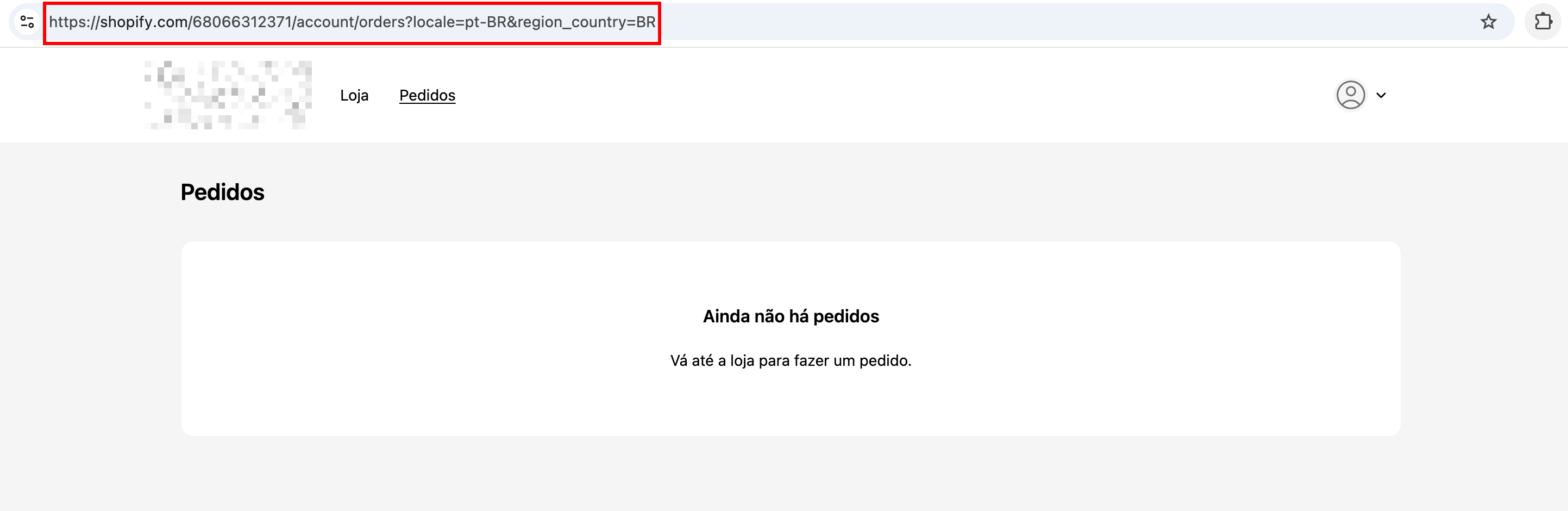
3. **Redirect to the orders area**
After login, Shopify redirects the user to the account orders page, with a URL similar to:
 4. **Nemu's Pixel operation**
Nemu's Pixel identifies that:
* The domain belongs to **Shopify** and there was a redirect, therefore it is organic traffic from Shopify.
With this, the Pixel classifies this traffic as organic from Shopify, recording it as: `utm_source=shopify_organic`
5. Sending the sale to Nemu
When the checkout is finalized, Nemu registers the sale in the dashboard with:
`utm_source=shopify_organic` at the time of the sale.
This indicates that, at the final moment of conversion, the last identified click came from an internal organic flow from Shopify.
#### Why is this expected and common?
* **Shopify** prioritizes its own domains during login and checkout;
* Internal redirects can overwrite previous UTMs;
* This behavior happens in any **Shopify** store, regardless of Nemu;
* Nemu's Pixel just faithfully reflects what **Shopify** reports.
### How to view sales disregarding `shopify_organic` in Nemu?
If you want to analyze results without this type of attribution:
1. Go to the **Campaigns** or **Analytics** pages;
2. In the attribution model filters, select: **Last Click Paid**
4. **Nemu's Pixel operation**
Nemu's Pixel identifies that:
* The domain belongs to **Shopify** and there was a redirect, therefore it is organic traffic from Shopify.
With this, the Pixel classifies this traffic as organic from Shopify, recording it as: `utm_source=shopify_organic`
5. Sending the sale to Nemu
When the checkout is finalized, Nemu registers the sale in the dashboard with:
`utm_source=shopify_organic` at the time of the sale.
This indicates that, at the final moment of conversion, the last identified click came from an internal organic flow from Shopify.
#### Why is this expected and common?
* **Shopify** prioritizes its own domains during login and checkout;
* Internal redirects can overwrite previous UTMs;
* This behavior happens in any **Shopify** store, regardless of Nemu;
* Nemu's Pixel just faithfully reflects what **Shopify** reports.
### How to view sales disregarding `shopify_organic` in Nemu?
If you want to analyze results without this type of attribution:
1. Go to the **Campaigns** or **Analytics** pages;
2. In the attribution model filters, select: **Last Click Paid**
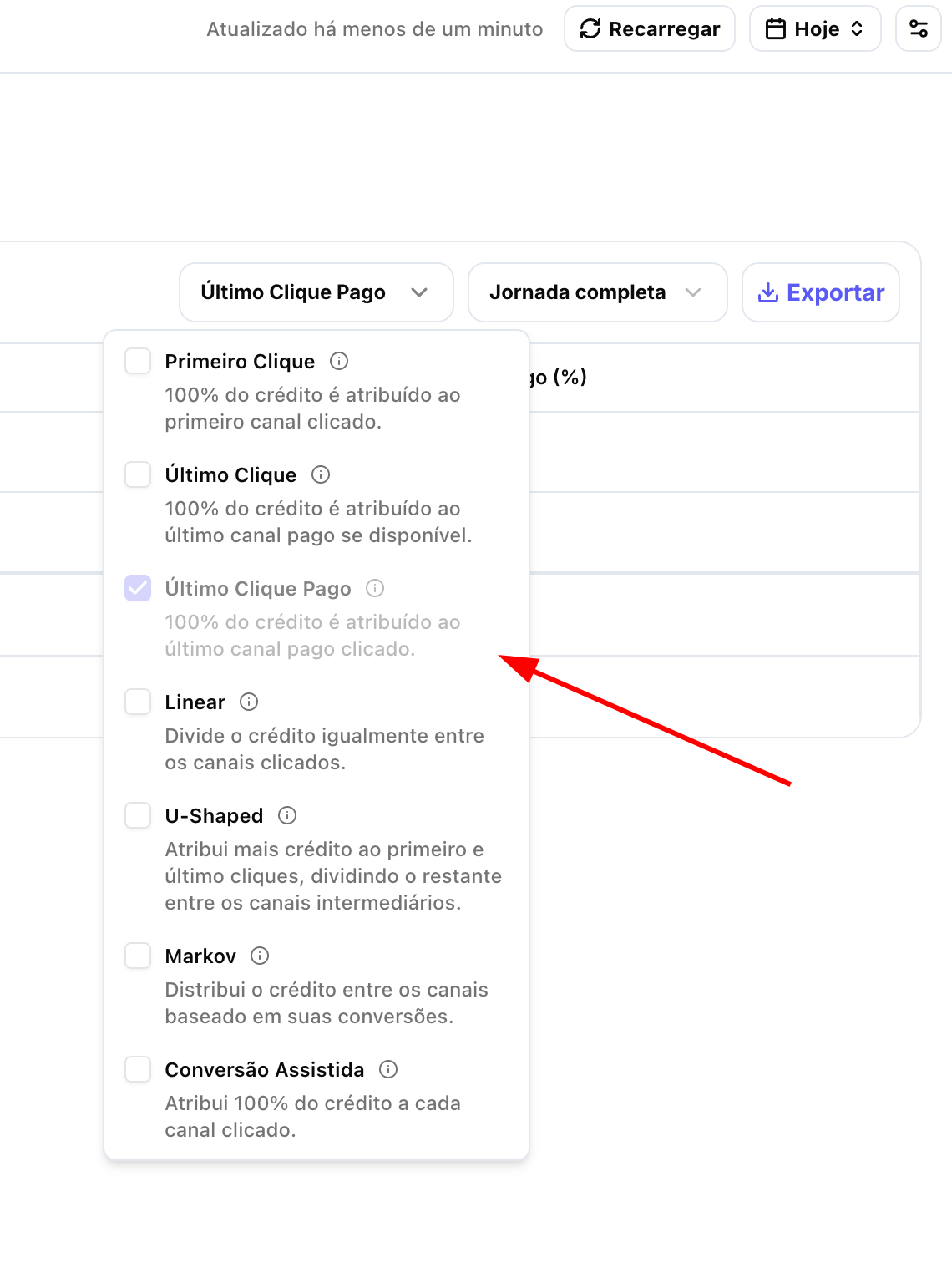 This way, Nemu will only prioritize paid channels, disregarding the impact of Shopify's organic flow at the final moment of conversion.