> ## Documentation Index
> Fetch the complete documentation index at: https://docs.nemu.com.br/llms.txt
> Use this file to discover all available pages before exploring further.
# Nemu AI Chat
> Chat with Nemu AI about campaigns, funnel, products and more, right in the chat
## What is Nemu AI Chat?
**Nemu AI Chat** (Conversations) is a chat with Nemu AI inside your dashboard. You ask in natural language "how can I optimize my budget?", "which campaign had the best ROAS this week?" and the AI analyzes your account's data to answer.
## How to access it
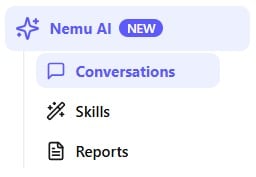
In the side menu, open **Nemu AI** and click **Conversations**.
 ## Starting a conversation
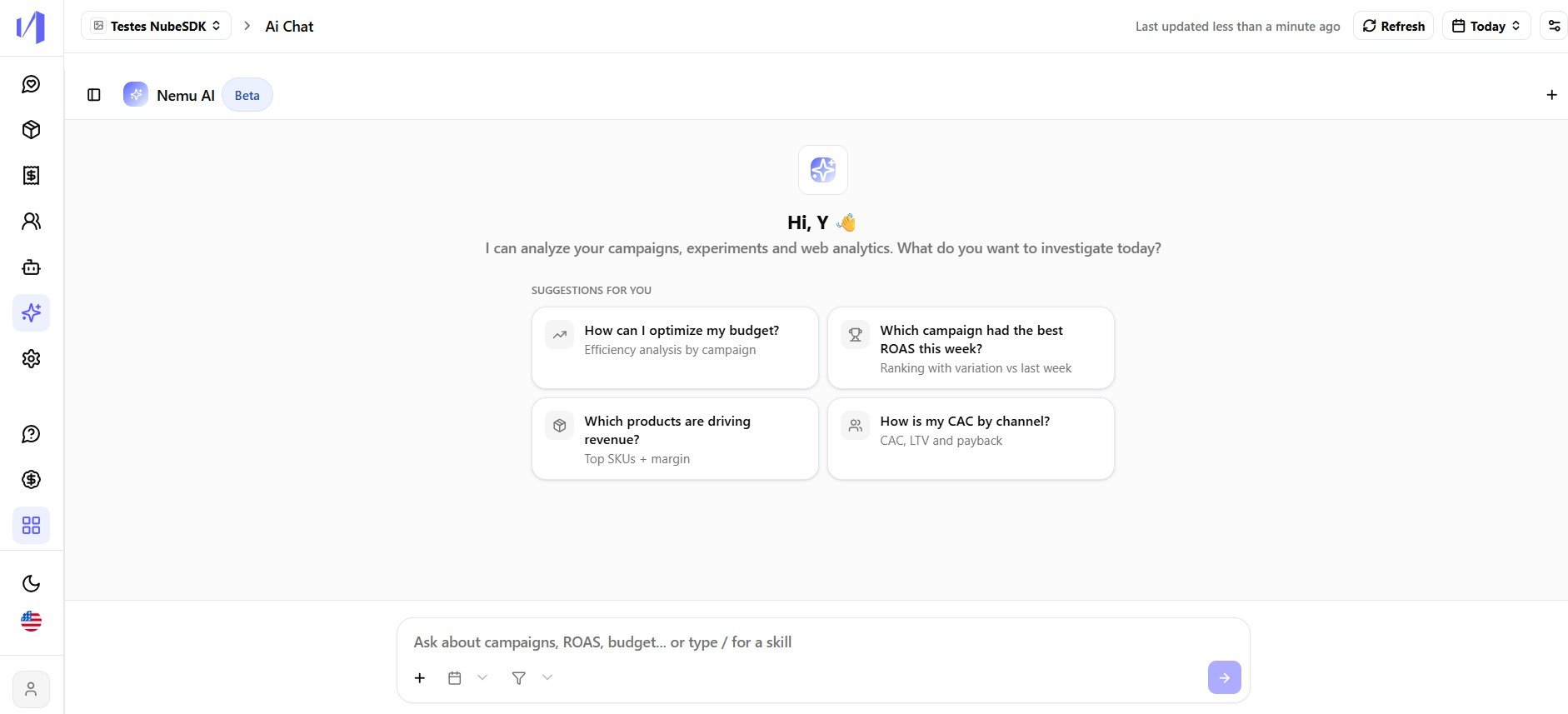
When you open the Chat, Nemu AI greets you and offers a few **ready-made suggestions** to get started, such as "How can I optimize my budget?" or "Which products are driving revenue?".
## Starting a conversation
When you open the Chat, Nemu AI greets you and offers a few **ready-made suggestions** to get started, such as "How can I optimize my budget?" or "Which products are driving revenue?".
 You can:
* Click one of the suggestions to ask that question right away.
* Type your own question in the text field at the bottom of the screen.
* Type `/` in the text field to invoke a [skill](/en/ai/iaskills) instead of writing the question from scratch.
The more specific the question, the better the answer. If you want to
compare channels, a period, or products, say so in the question, for
example "compare Meta and Google ROAS over the last 30 days".
## Chatting with the AI
After you send a question, Nemu AI answers based on the data from the selected dashboard. When the question is broad, it may ask clarifying questions before bringing the result, for example, asking you to pick the period or the channels you want to analyze.
You can:
* Click one of the suggestions to ask that question right away.
* Type your own question in the text field at the bottom of the screen.
* Type `/` in the text field to invoke a [skill](/en/ai/iaskills) instead of writing the question from scratch.
The more specific the question, the better the answer. If you want to
compare channels, a period, or products, say so in the question, for
example "compare Meta and Google ROAS over the last 30 days".
## Chatting with the AI
After you send a question, Nemu AI answers based on the data from the selected dashboard. When the question is broad, it may ask clarifying questions before bringing the result, for example, asking you to pick the period or the channels you want to analyze.
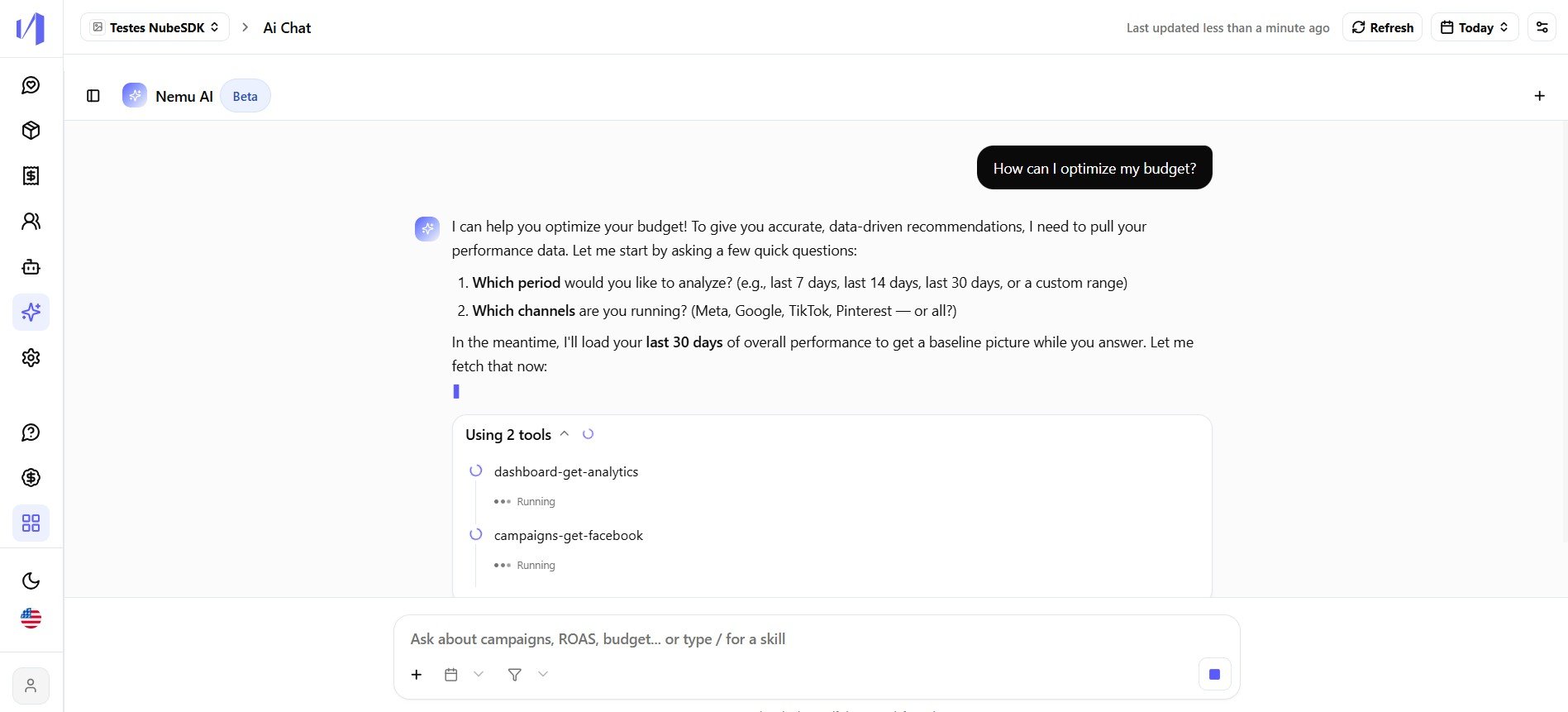 Every answer comes with icons to **copy**, **download**, **rate** and **regenerate** the content.
## Conversation history
Every conversation is saved in the **History** panel on the left of the screen. From there you can:
* Click **+ New** to start a new conversation.
* Click a conversation in the list to pick up where you left off.
* Click the **three dots (⋯)** next to a conversation and choose **Delete** to remove it permanently.
## Things to keep in mind
* **Data scope.** Nemu AI answers based on whichever dashboard is selected at the time of the question.
* **Skills in chat.** Type `/` at any time to use one of your [Nemu AI Skills](/en/ai/iaskills) directly in the conversation.
This documentation is built and hosted on [Mintlify](https://mintlify.com), a developer documentation platform.
Every answer comes with icons to **copy**, **download**, **rate** and **regenerate** the content.
## Conversation history
Every conversation is saved in the **History** panel on the left of the screen. From there you can:
* Click **+ New** to start a new conversation.
* Click a conversation in the list to pick up where you left off.
* Click the **three dots (⋯)** next to a conversation and choose **Delete** to remove it permanently.
## Things to keep in mind
* **Data scope.** Nemu AI answers based on whichever dashboard is selected at the time of the question.
* **Skills in chat.** Type `/` at any time to use one of your [Nemu AI Skills](/en/ai/iaskills) directly in the conversation.
This documentation is built and hosted on [Mintlify](https://mintlify.com), a developer documentation platform.