> ## Documentation Index
> Fetch the complete documentation index at: https://docs.nemu.com.br/llms.txt
> Use this file to discover all available pages before exploring further.
# How to integrate with Nemu API?
Nemu's API allows you to send sales events to the dashboard in real-time, expanding your application's functionality.
## Authentication
Include the dashboard token in the `Authorization` header of your request.
### Generating the User Token
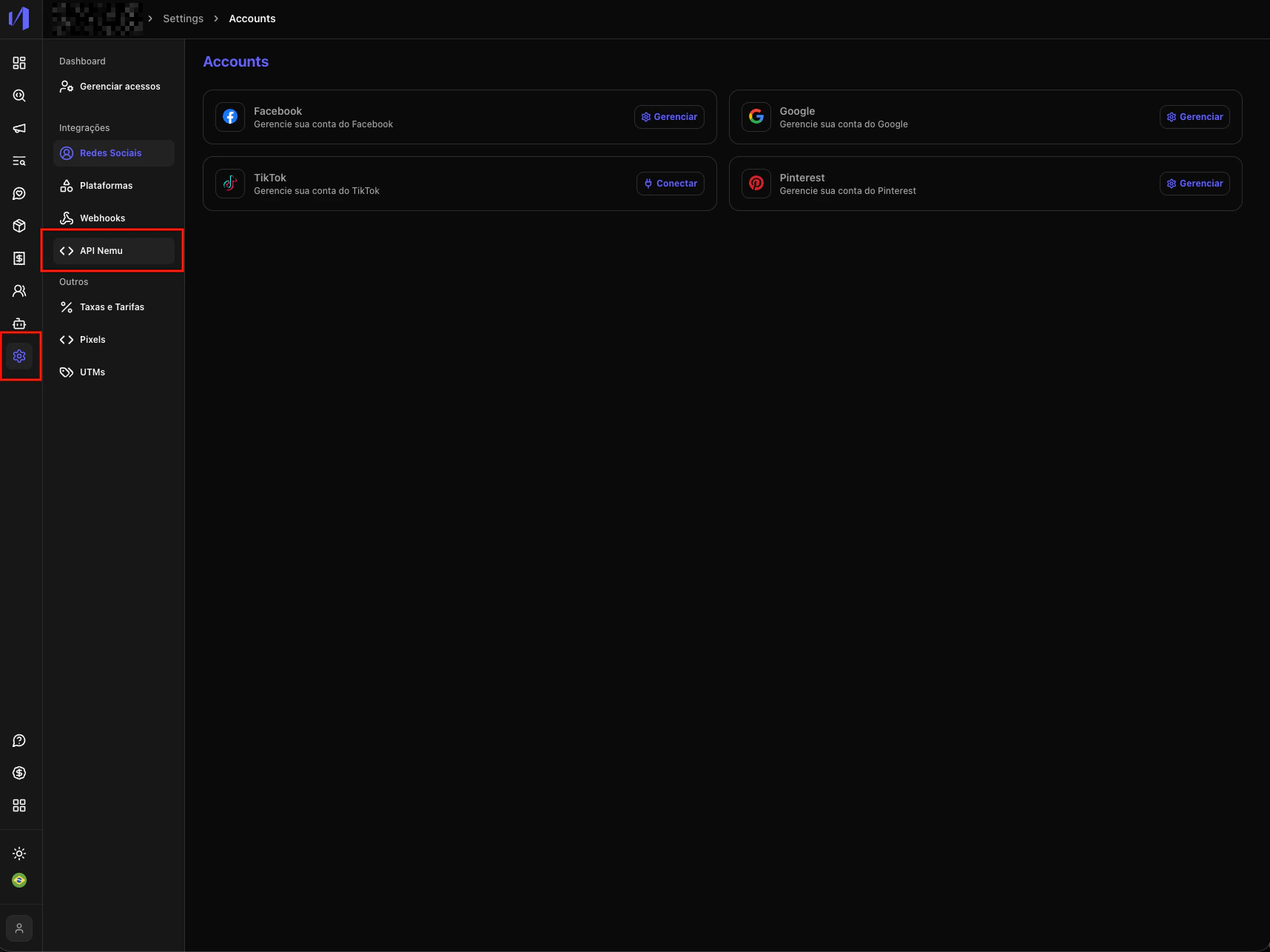
1. In Nemu, go to **Settings** > **Nemu API**.
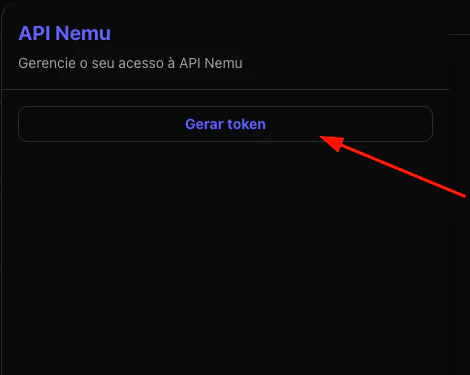
 2. Click on **Generate token**.
 3. Copy the displayed token.
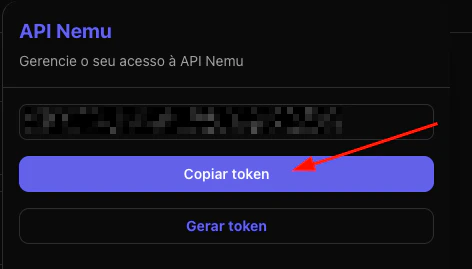 Keep the token secure. It is unique and should only be used in authorized requests.
## Retrieving UTMs for Integration
To send sales data with tracking information (UTMs), you must retrieve this information from one of three available sources in the following priority order:
### Available UTM Sources
1. **Global Variable** (Priority 1): `window.trackingNemu.nemuUtms`
* Returns a `URLSearchParams` object with UTMs
* Available when Nemu pixel is loaded on the page
2. **Cookie** (Priority 2): `nemuUtmsTrack`
* Cookie containing UTM information in query string format
3. **LocalStorage** (Priority 3): `nemu:utmsTrack`
* Local storage with UTMs in query string format
### Recommended Implementation
```javascript theme={null}
// Helper function to get cookies
function getCookie(name) {
const value = `; ${document.cookie}`;
const parts = value.split(`; ${name}=`);
if (parts.length === 2) return parts.pop().split(";").shift();
}
// UTM retrieval with fallback
const utms =
window.trackingNemu?.nemuUtms?.toString() ||
getCookie("nemuUtmsTrack") ||
localStorage.getItem("nemu:utmsTrack");
```
### Fallback Strategy
The implementation should follow the priority order, trying the global variable first, then the cookie, and finally localStorage. This ensures UTMs are captured regardless of how the user arrived at the page.
The global variable `window.trackingNemu.nemuUtms` will only be available if
Nemu pixel is loaded on the page. Use optional chaining (`?`) to avoid errors.
## Sending Sales Data
The API offers two main routes to create and update orders:
* `POST /sales` to create sales
* `PUT /sales/:transactionId` to update sales
Make sure to include the `Authorization` header with your API token in
all requests.
Keep the token secure. It is unique and should only be used in authorized requests.
## Retrieving UTMs for Integration
To send sales data with tracking information (UTMs), you must retrieve this information from one of three available sources in the following priority order:
### Available UTM Sources
1. **Global Variable** (Priority 1): `window.trackingNemu.nemuUtms`
* Returns a `URLSearchParams` object with UTMs
* Available when Nemu pixel is loaded on the page
2. **Cookie** (Priority 2): `nemuUtmsTrack`
* Cookie containing UTM information in query string format
3. **LocalStorage** (Priority 3): `nemu:utmsTrack`
* Local storage with UTMs in query string format
### Recommended Implementation
```javascript theme={null}
// Helper function to get cookies
function getCookie(name) {
const value = `; ${document.cookie}`;
const parts = value.split(`; ${name}=`);
if (parts.length === 2) return parts.pop().split(";").shift();
}
// UTM retrieval with fallback
const utms =
window.trackingNemu?.nemuUtms?.toString() ||
getCookie("nemuUtmsTrack") ||
localStorage.getItem("nemu:utmsTrack");
```
### Fallback Strategy
The implementation should follow the priority order, trying the global variable first, then the cookie, and finally localStorage. This ensures UTMs are captured regardless of how the user arrived at the page.
The global variable `window.trackingNemu.nemuUtms` will only be available if
Nemu pixel is loaded on the page. Use optional chaining (`?`) to avoid errors.
## Sending Sales Data
The API offers two main routes to create and update orders:
* `POST /sales` to create sales
* `PUT /sales/:transactionId` to update sales
Make sure to include the `Authorization` header with your API token in
all requests.