

1. Identify the error
If the screen displays the message “This page isn’t working - HTTP ERROR 400”, as shown below, proceed to the next step.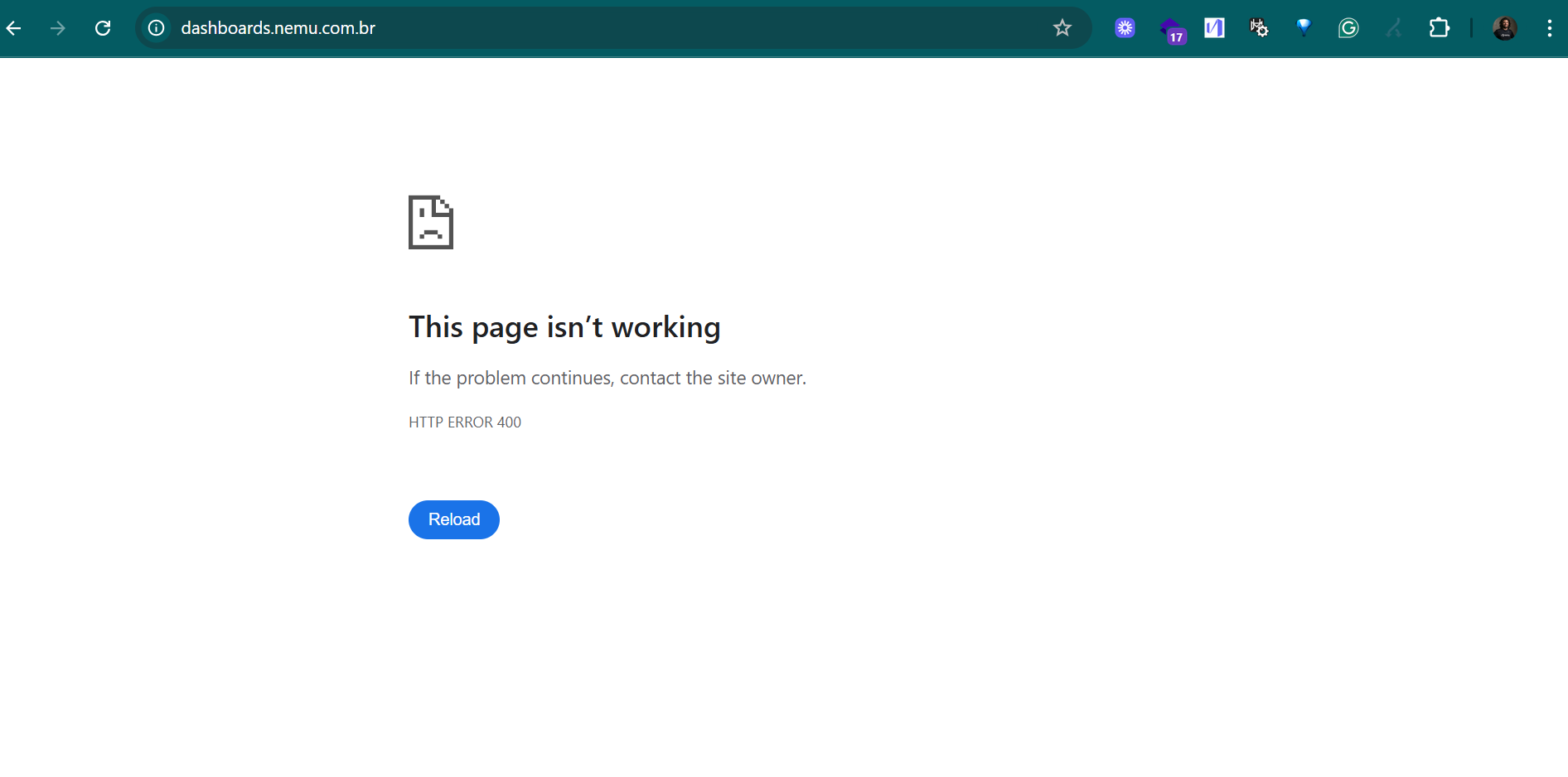
2. Open the browser menu and click on “Inspect”
Right-click on any part of the page and select “Inspect”. Then, go to the Application tab at the top.
3. Access Nemu’s Cookies
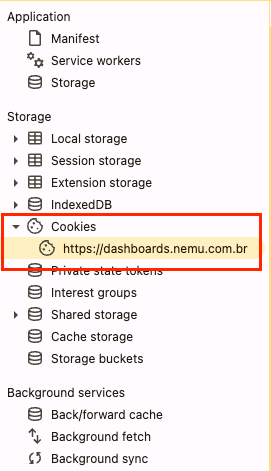
In the left sidebar:- Expand the Cookies section
- Click on
https://dashboards.nemu.com.br
4. Clear the Cookies
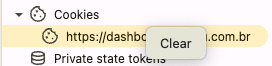
Right-click onhttps://dashboards.nemu.com.br and select “Clear”.
5. Reload the page
After clearing the cookies, refresh the page (F5 or click on “Reload”).
The platform should load normally, and you will be able to access and use the new version of Nemu.
If the error persists even after this process, contact our support team.