> ## Documentation Index
> Fetch the complete documentation index at: https://docs.nemu.com.br/llms.txt
> Use this file to discover all available pages before exploring further.
# How to fix error 400 when accessing Nemu's new design
Some users may encounter an error when accessing Nemu's new interface at
This error usually happens due to corrupted or expired cookies. The good news is that the problem can be resolved in a few steps.
## 1. Identify the error
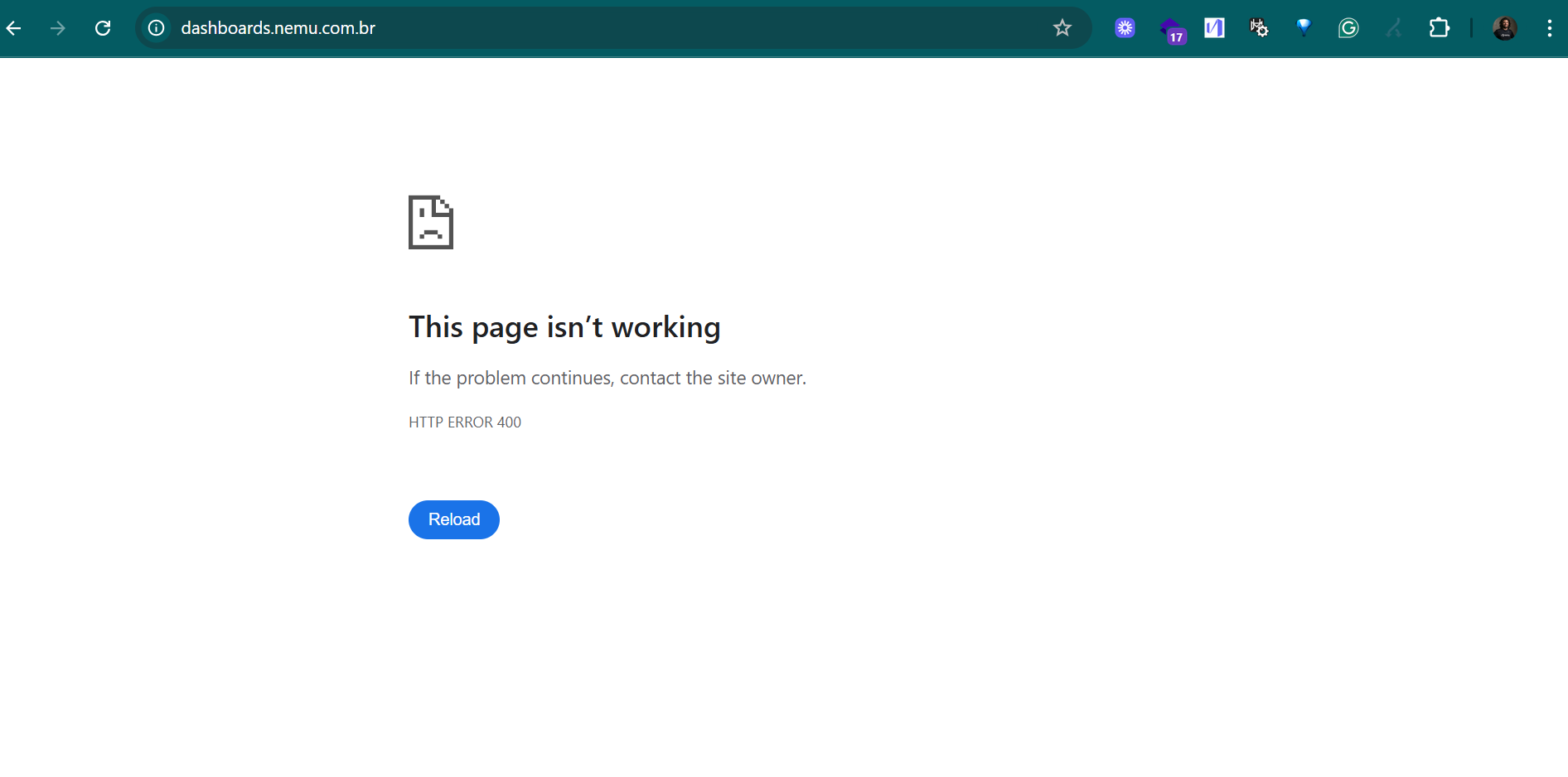
If the screen displays the message "This page isn't working - HTTP ERROR 400", as shown below, proceed to the next step.
 ## 2. Open the browser menu and click on "Inspect"
Right-click on any part of the page and select **"Inspect"**.
Then, go to the **Application** tab at the top.
## 2. Open the browser menu and click on "Inspect"
Right-click on any part of the page and select **"Inspect"**.
Then, go to the **Application** tab at the top.
 ## 3. Access Nemu's Cookies
In the left sidebar:
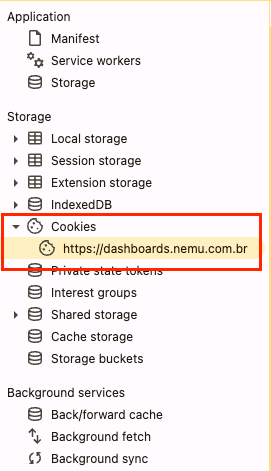
* Expand the **Cookies** section
* Click on `https://dashboards.nemu.com.br`
## 3. Access Nemu's Cookies
In the left sidebar:
* Expand the **Cookies** section
* Click on `https://dashboards.nemu.com.br`
 ## 4. Clear the Cookies
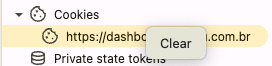
Right-click on `https://dashboards.nemu.com.br` and select **"Clear"**.
## 4. Clear the Cookies
Right-click on `https://dashboards.nemu.com.br` and select **"Clear"**.
 ## 5. Reload the page
After clearing the cookies, **refresh the page** (`F5` or click on "Reload").
The platform should load normally, and you will be able to access and use the new version of Nemu.
If the error persists even after this process, contact our support team.
## 5. Reload the page
After clearing the cookies, **refresh the page** (`F5` or click on "Reload").
The platform should load normally, and you will be able to access and use the new version of Nemu.
If the error persists even after this process, contact our support team.