> ## Documentation Index
> Fetch the complete documentation index at: https://docs.nemu.com.br/llms.txt
> Use this file to discover all available pages before exploring further.
# Configuring Pixel
> Configuring the Nemu Pixel to capture conversions.
The Nemu Pixel is a technology developed to capture, track, and organize user browsing information on your online store, especially data related to marketing campaigns. It is the first step for the Nemu platform to understand the origin of each visit, build complete conversion journeys, and apply attribution models that help make more accurate decisions. Learn more about the Nemu Pixel [by clicking here](/en/platform/nemu-pixel/nemu-pixel).
If you use **Nuvemshop**, **Tray**, or **Wake** as your sales platform, you don't need to follow this tutorial, go directly to the [Sales Platform Integration](/en/onboarding/integrations) step.
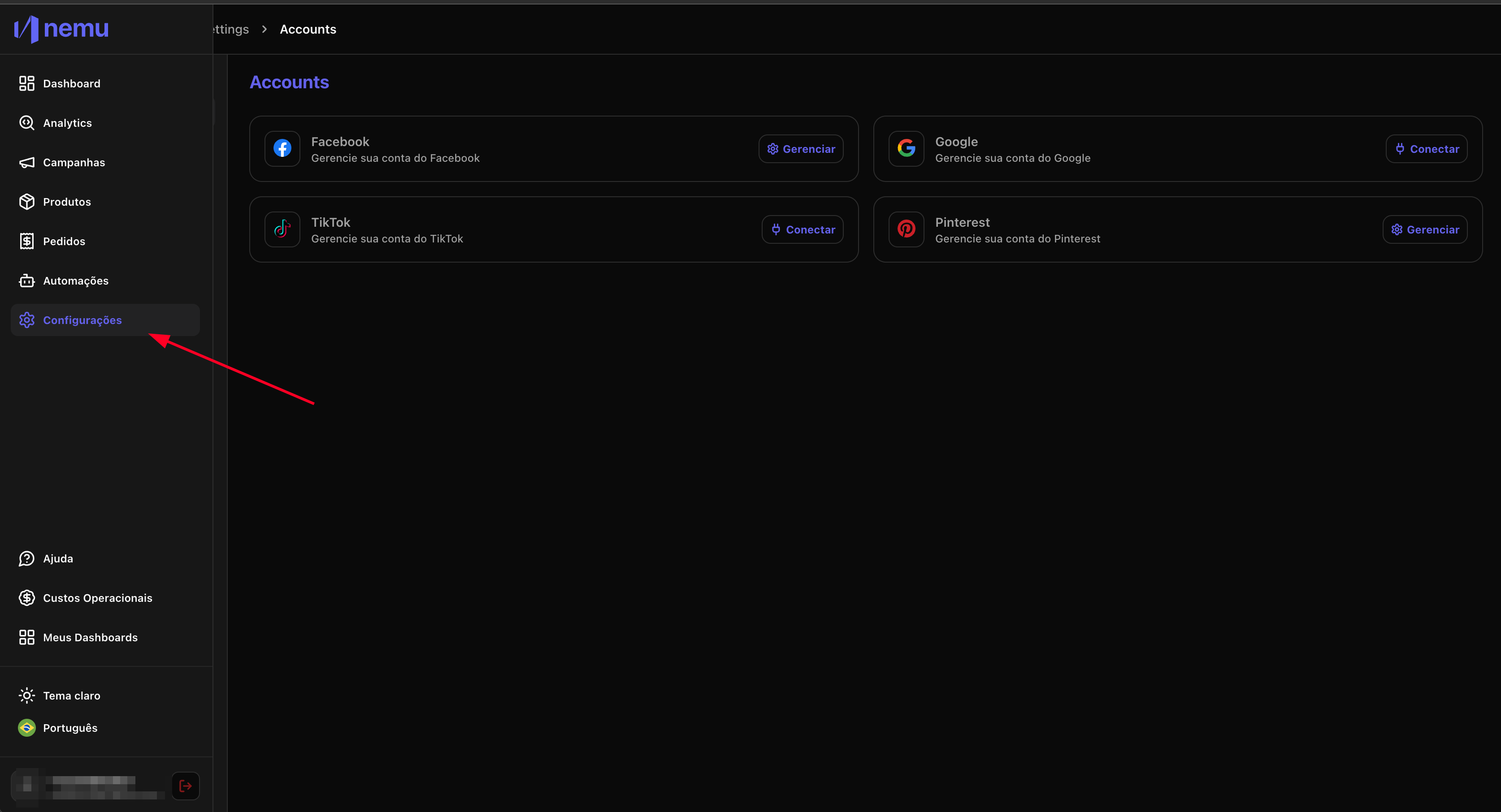
### 1. Access the settings page on Nemu
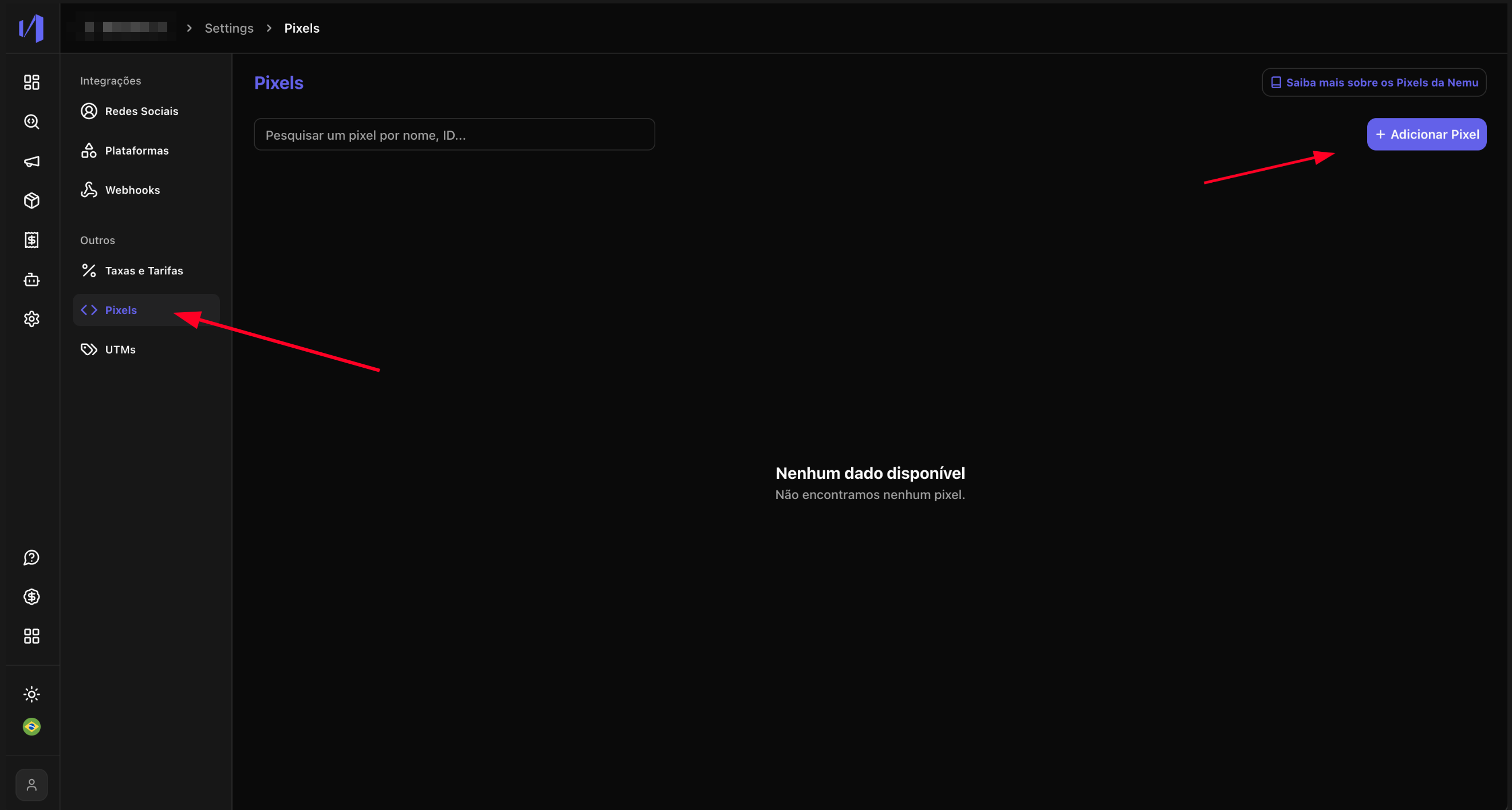
 ### 2. Click on **Pixels** and then **Add Pixel**
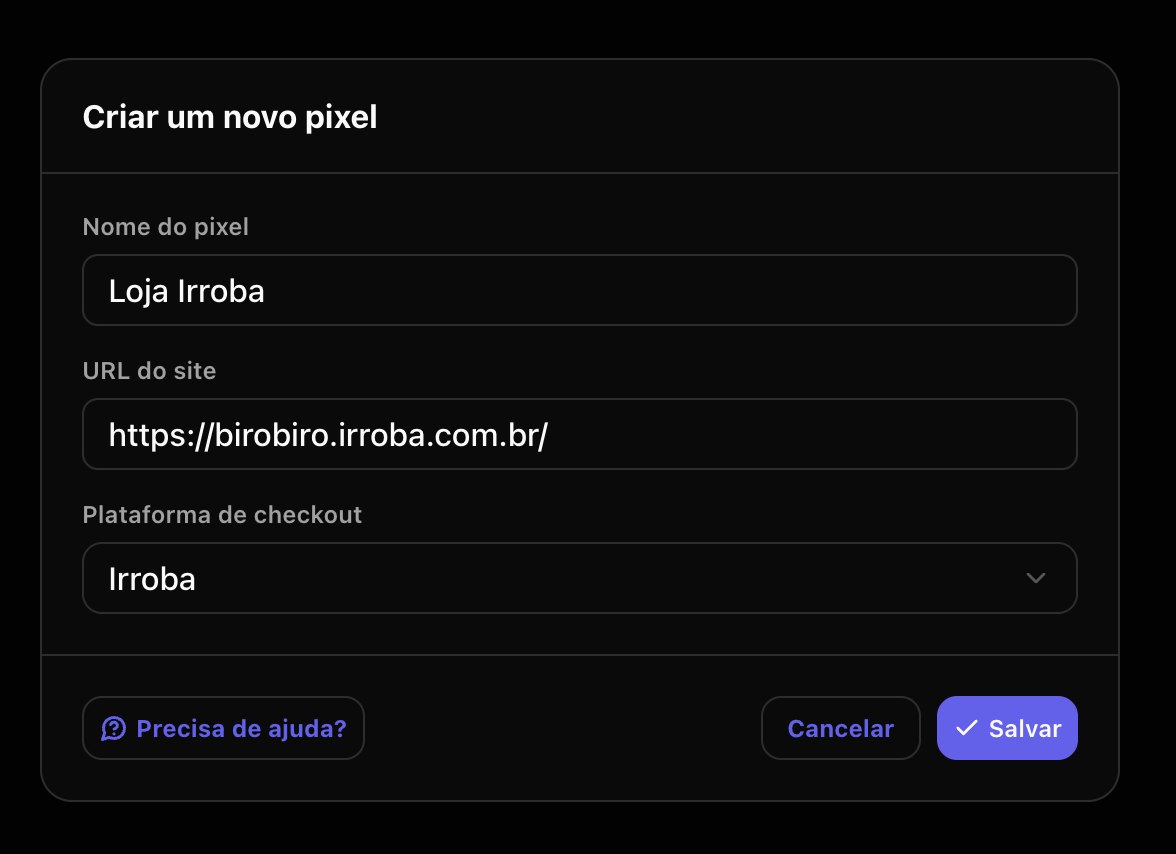
 ### 3. Fill in the required fields with your store information and select the checkout platform, then click **Save**
Pay attention to the following information:
* If you use **Shopify** as your sales platform but your checkout is **Yampi** or
some other, you should select **Shopify + Others**.
* If it's another checkout platform and it's not on the list, select **Others**.
### 3. Fill in the required fields with your store information and select the checkout platform, then click **Save**
Pay attention to the following information:
* If you use **Shopify** as your sales platform but your checkout is **Yampi** or
some other, you should select **Shopify + Others**.
* If it's another checkout platform and it's not on the list, select **Others**.
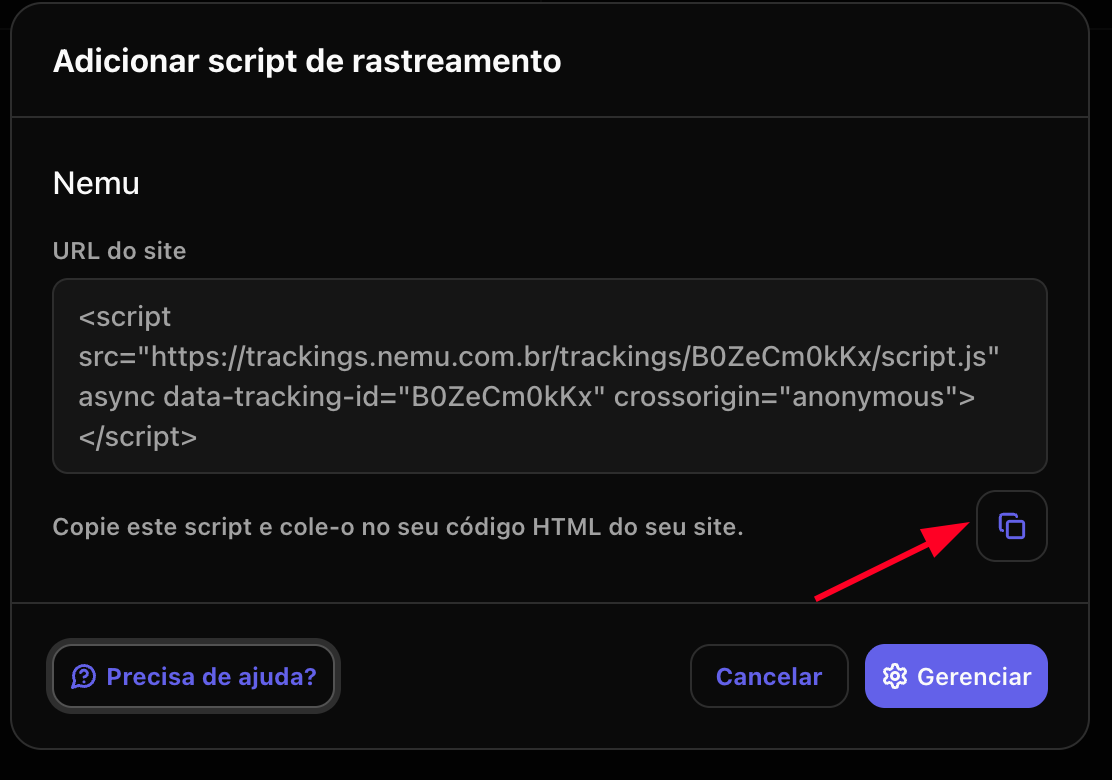
 ### 4. Click the button to copy the generated script