> ## Documentation Index
> Fetch the complete documentation index at: https://docs.nemu.com.br/llms.txt
> Use this file to discover all available pages before exploring further.
# Adoorei
> How to connect your Adoorei account to Nemu Dashboard
## Setting Up Webhooks
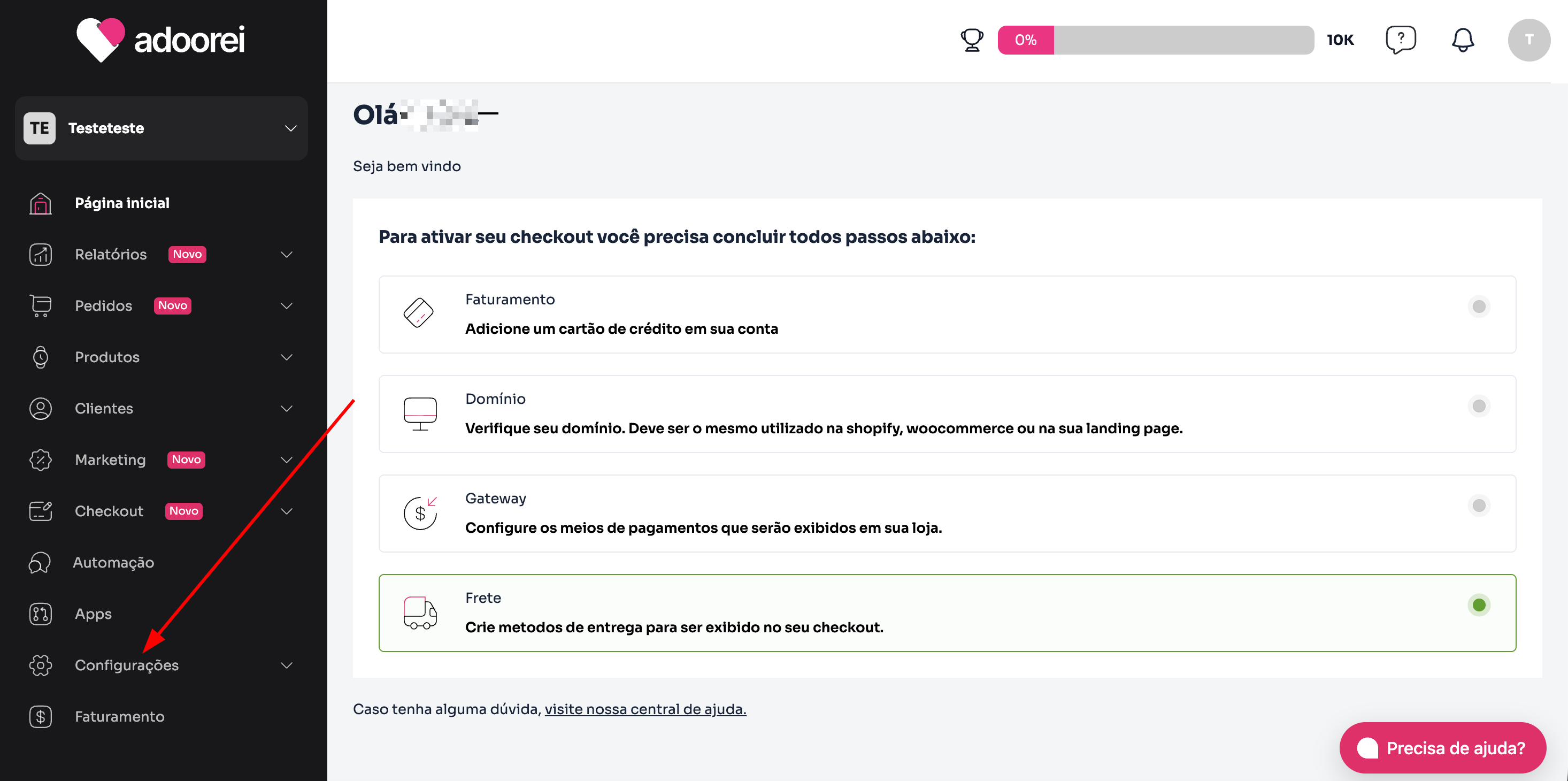
1. In the Adoorei panel, in the sidebar, click on **Settings**.
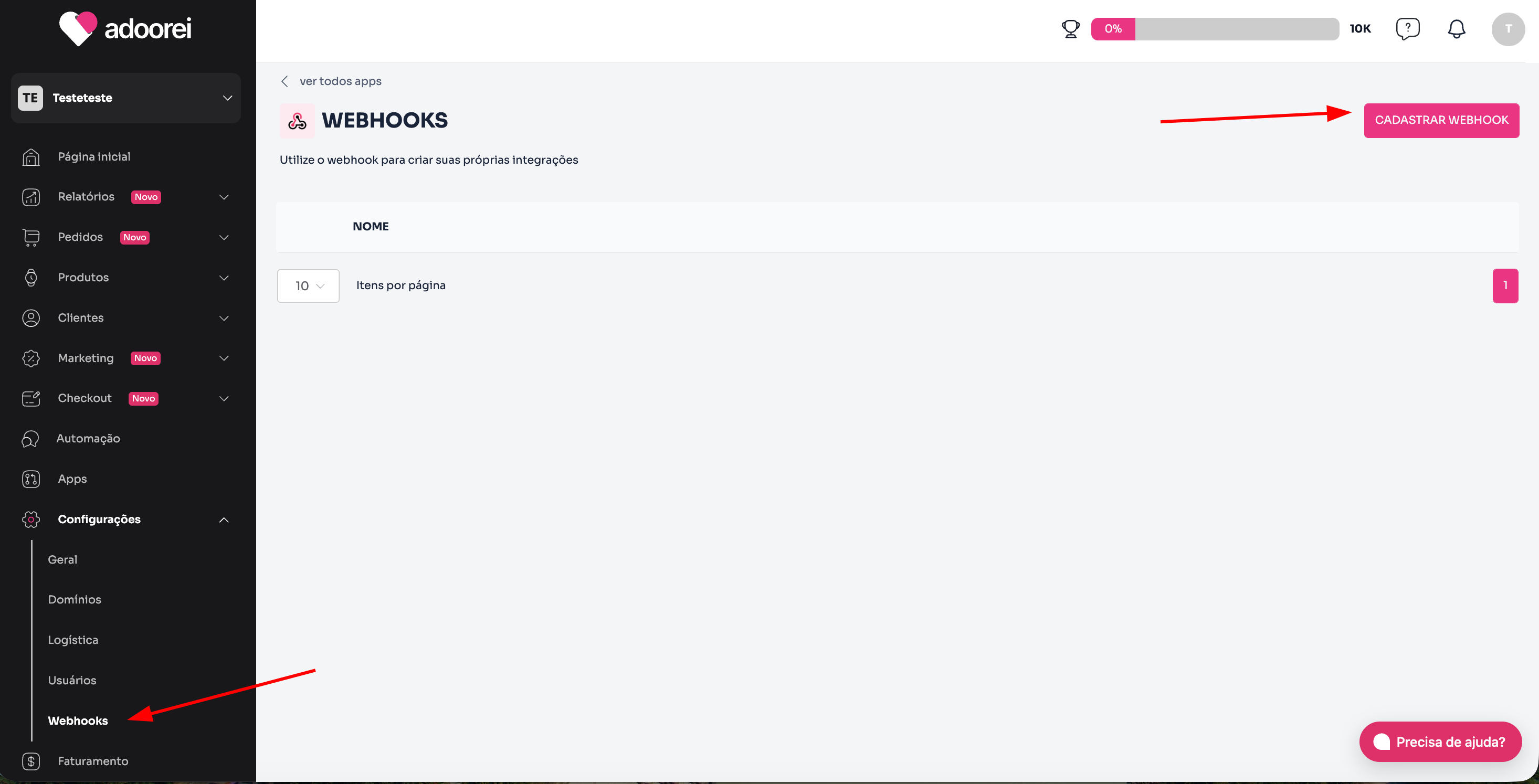
 2. Then, click on **Webhooks** and on the **Register webhook** button.
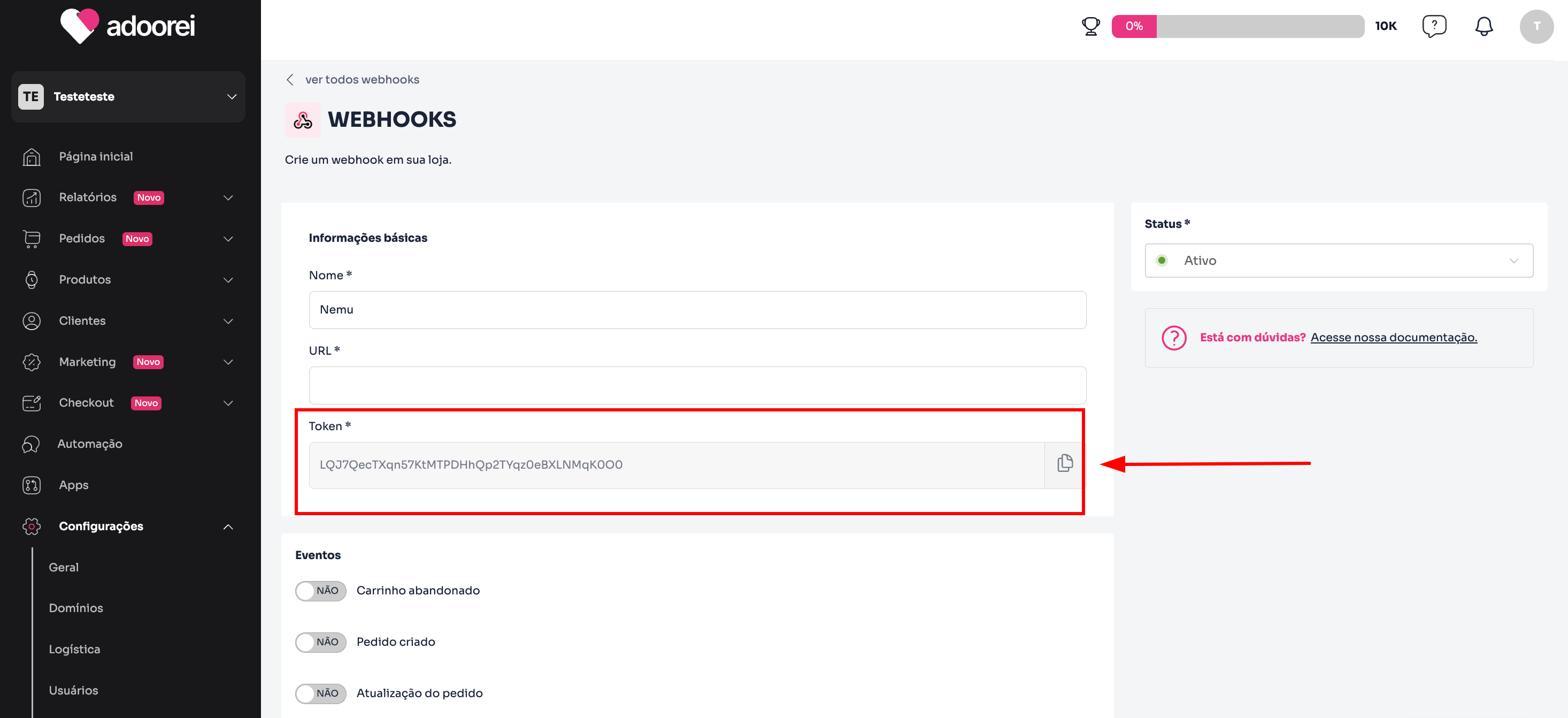
 3. Define a name for the webhook and click to copy the **Token**.
Keep this page open, as we will need it for the next steps.
3. Define a name for the webhook and click to copy the **Token**.
Keep this page open, as we will need it for the next steps.
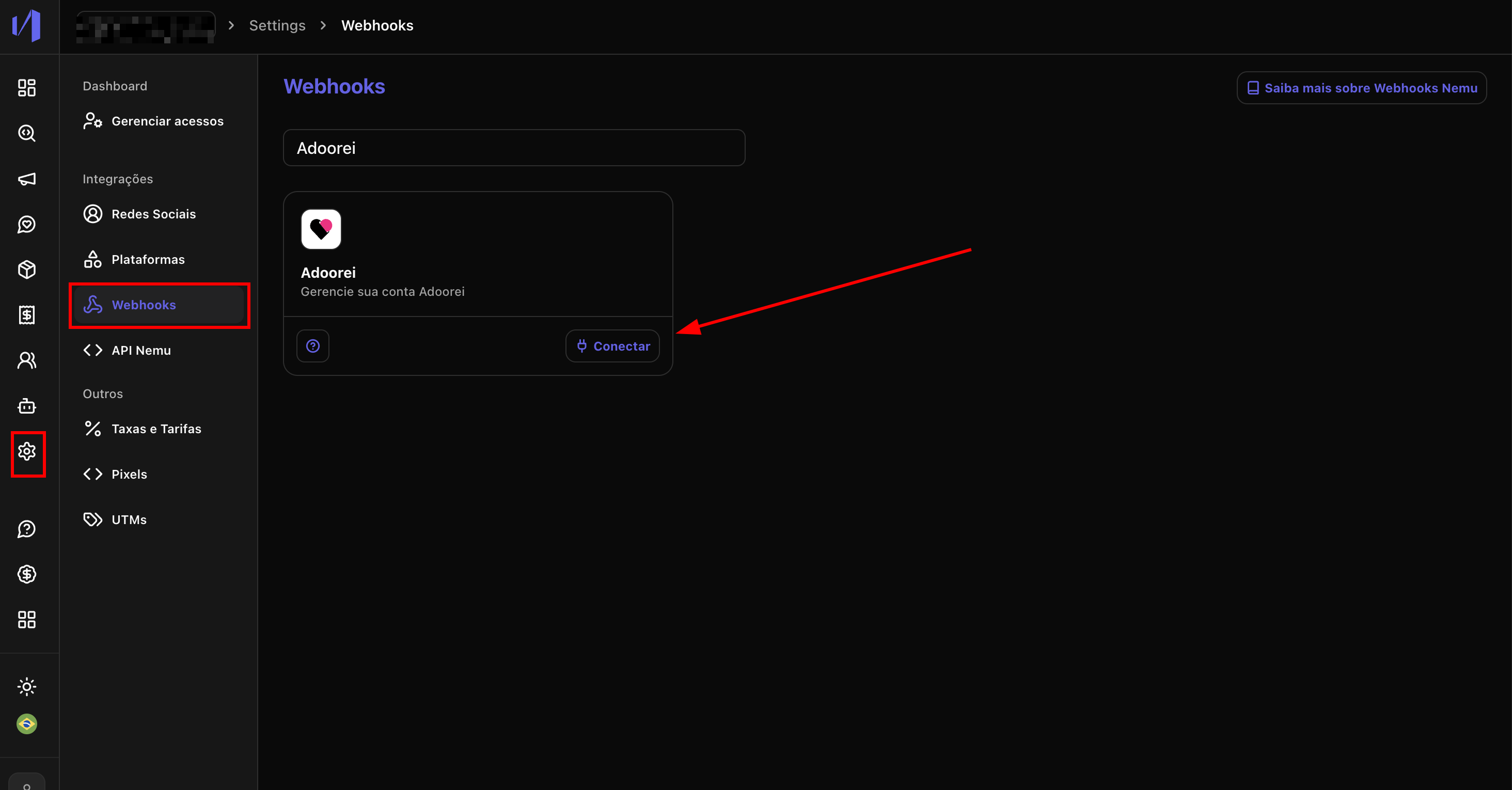
 4. In the Nemu panel, go to **Settings** > **Webhooks**.
5. Search for **Adoorei** and click on **Connect**.
4. In the Nemu panel, go to **Settings** > **Webhooks**.
5. Search for **Adoorei** and click on **Connect**.
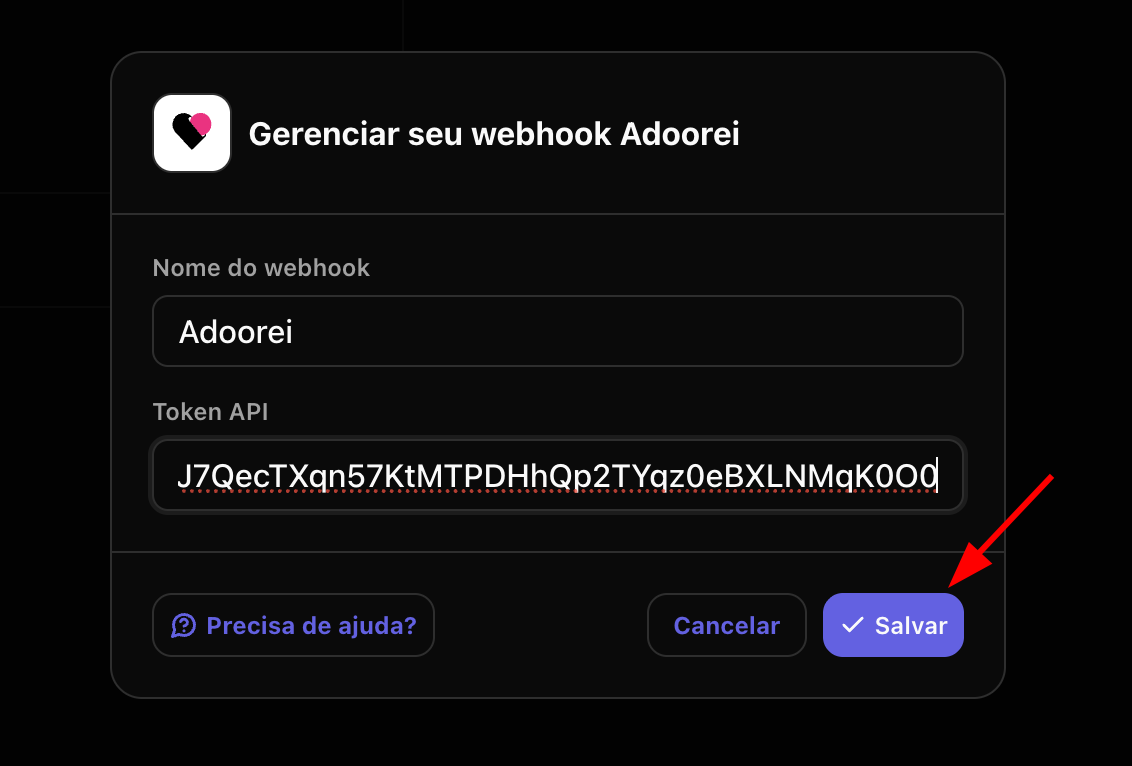
 6. Define a **name** for the webhook, paste the **token** copied in the previous step and click on **Save**.
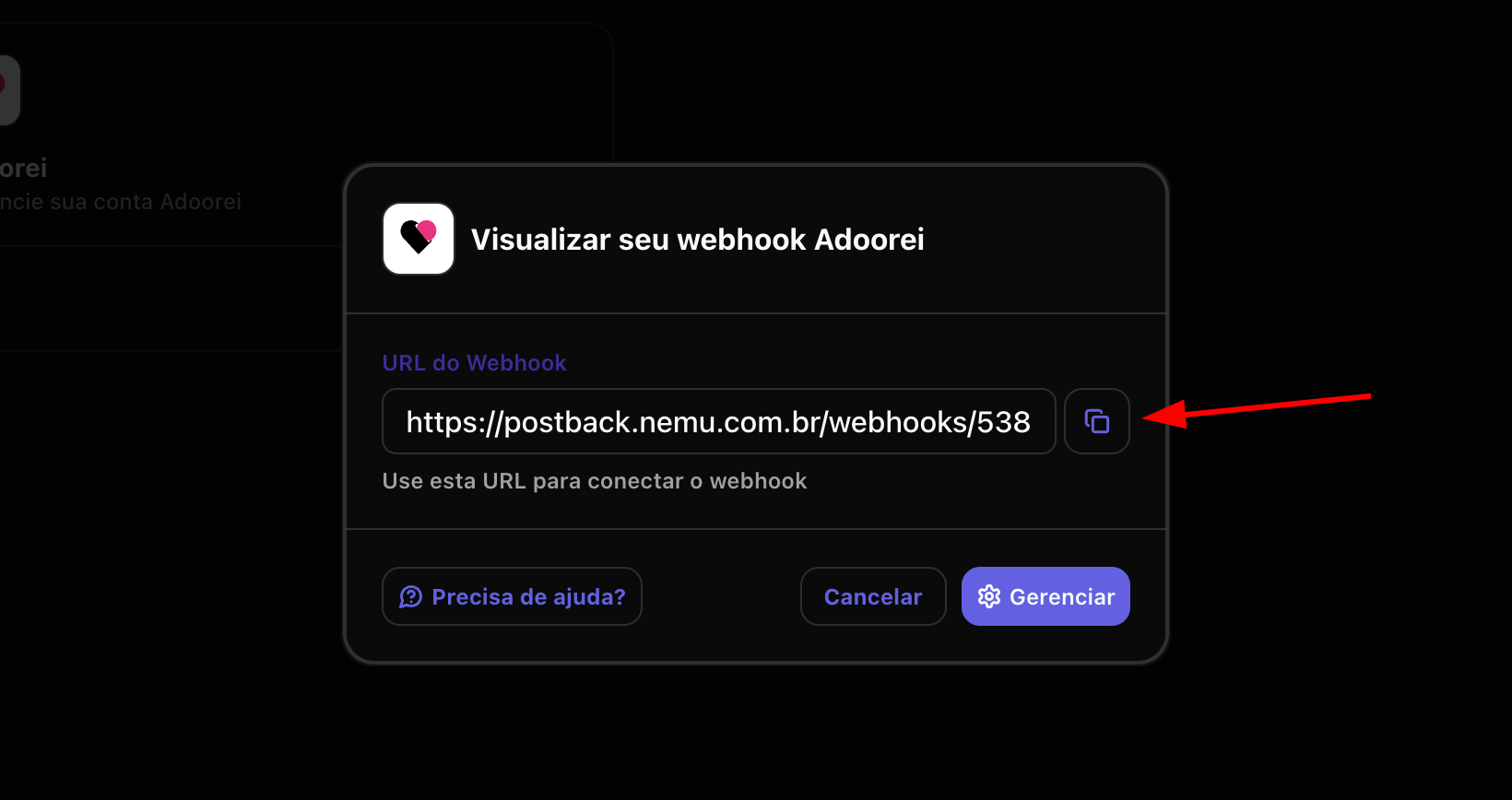
 7. Click the button to **copy** the **webhook URL** generated by Nemu.
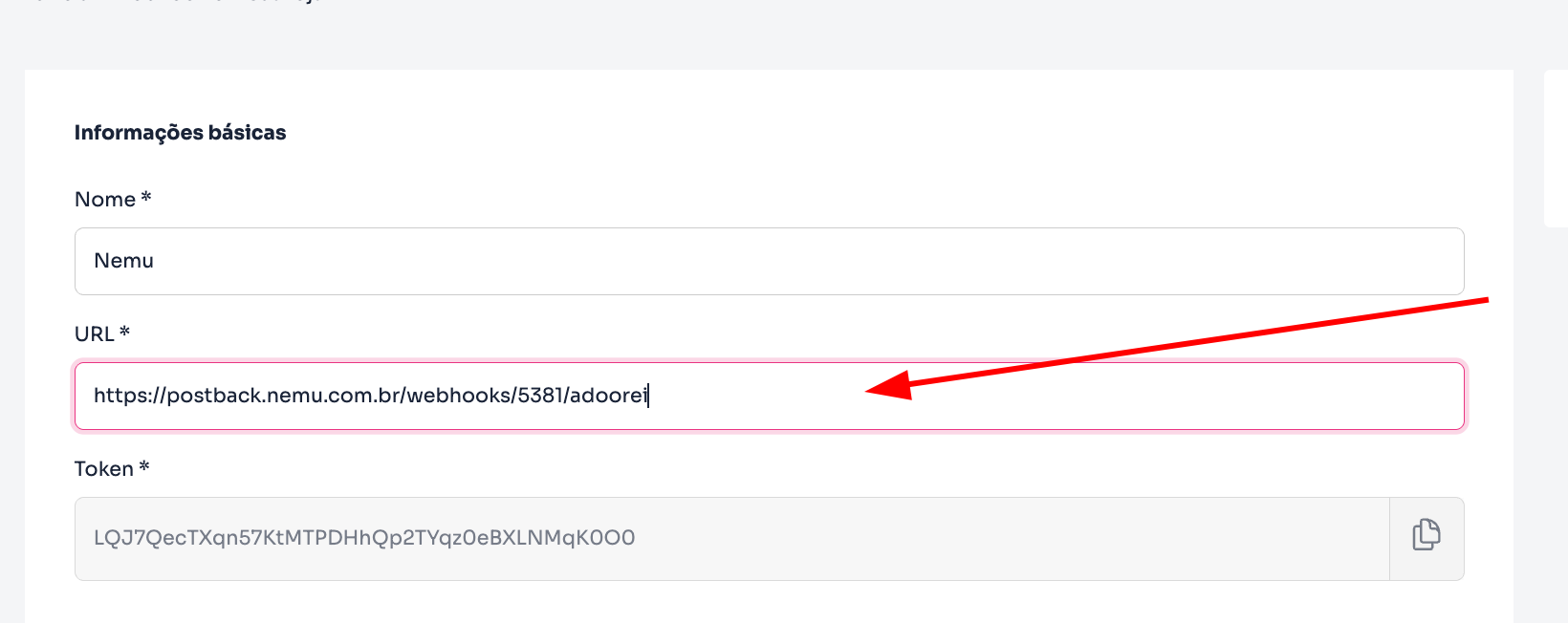
 8. In the Adoorei panel, **paste the URL** generated in the previous step:
 9. In the **Events** section, activate the following:
* Order created
* Order update
* Order status update
* Order approved
* Order declined
9. In the **Events** section, activate the following:
* Order created
* Order update
* Order status update
* Order approved
* Order declined
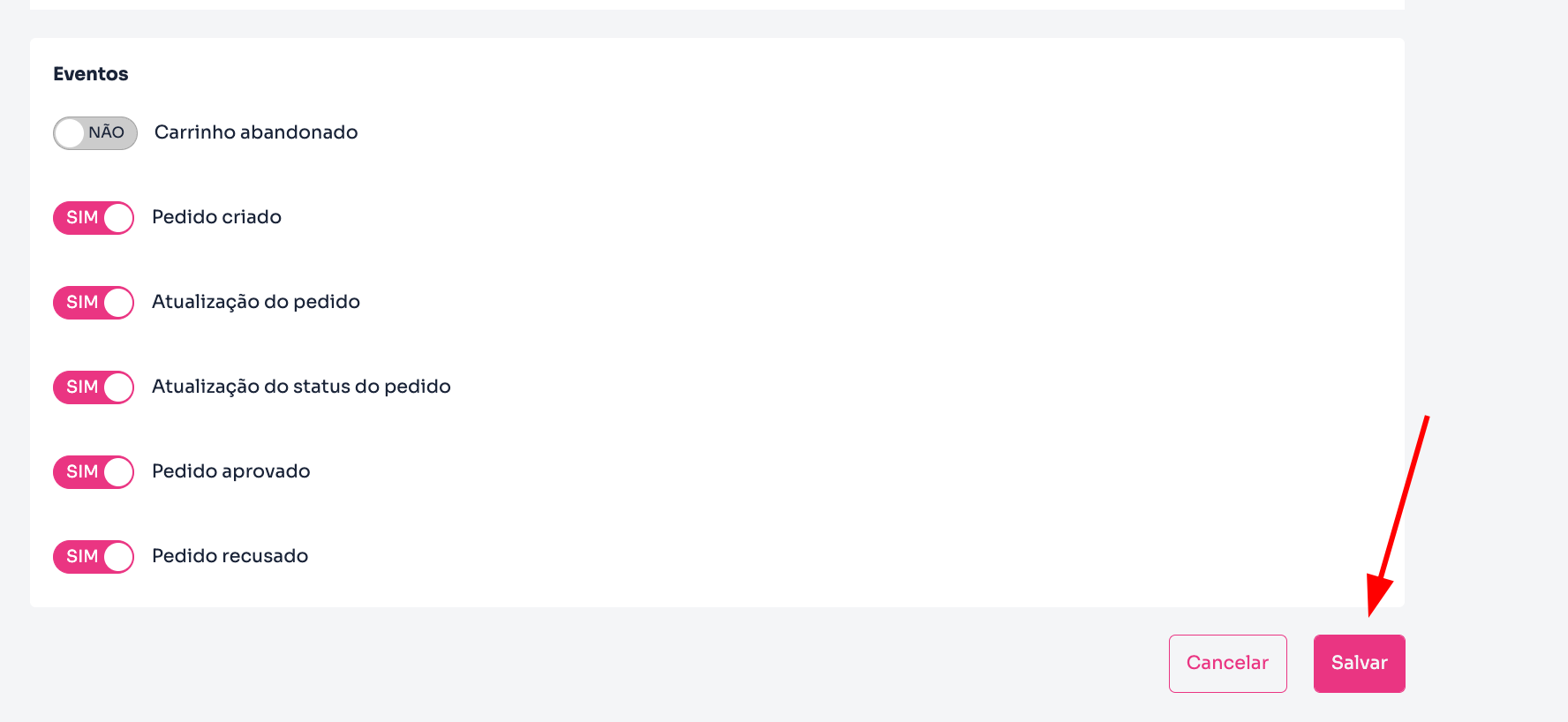 10. Finally, click on **Save** to complete the integration.