> ## Documentation Index
> Fetch the complete documentation index at: https://docs.nemu.com.br/llms.txt
> Use this file to discover all available pages before exploring further.
# Azcend
> How to connect your Azcend account to Nemu Dashboard
> Follow the step-by-step guide and start receiving sales automatically in Nemu.
## Setting Up Webhooks
### On Nemu Dashboard
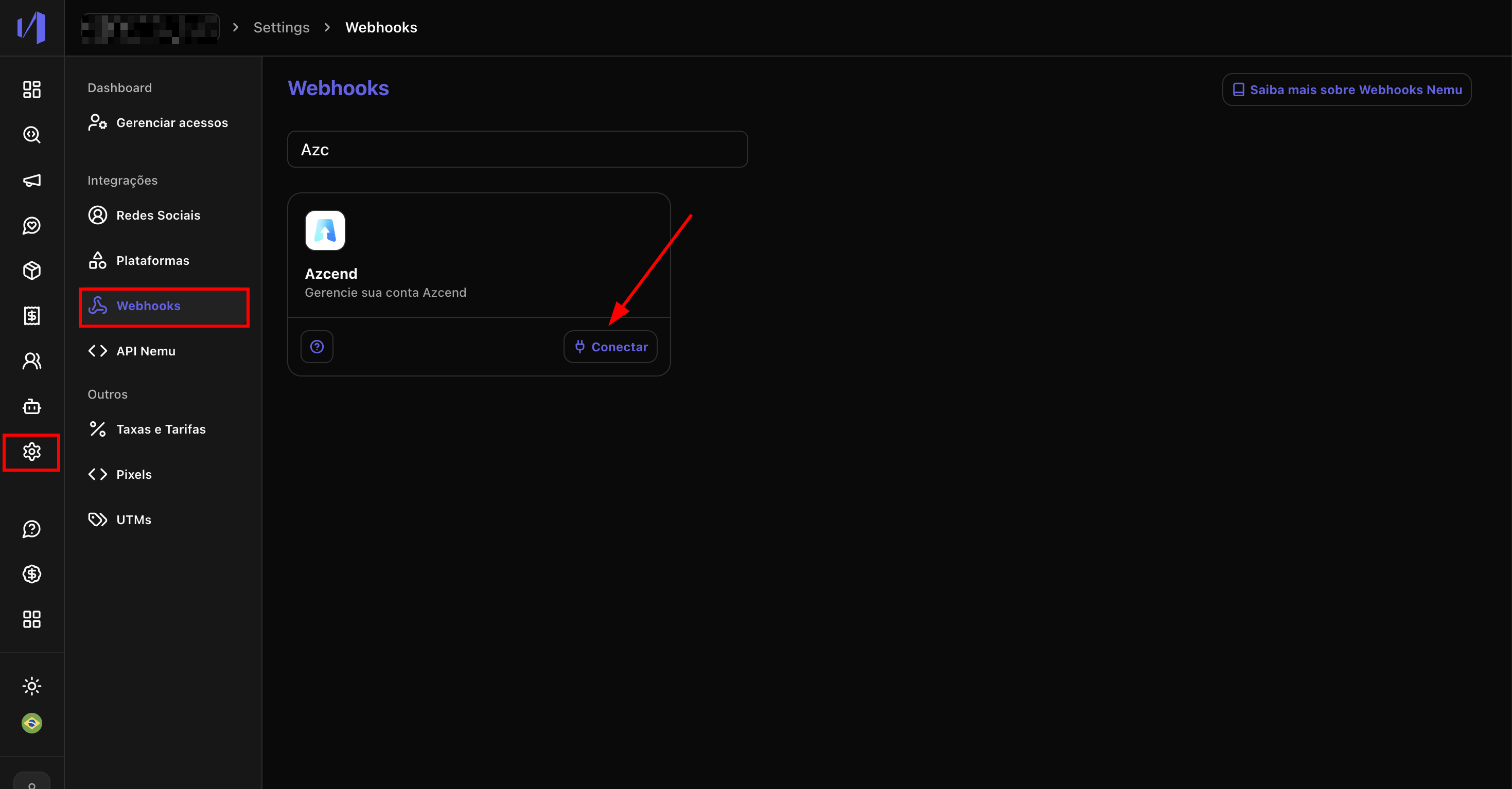
1. Go to **Settings** > **Webhooks**, search for **Azcend** and click on **Connect**.
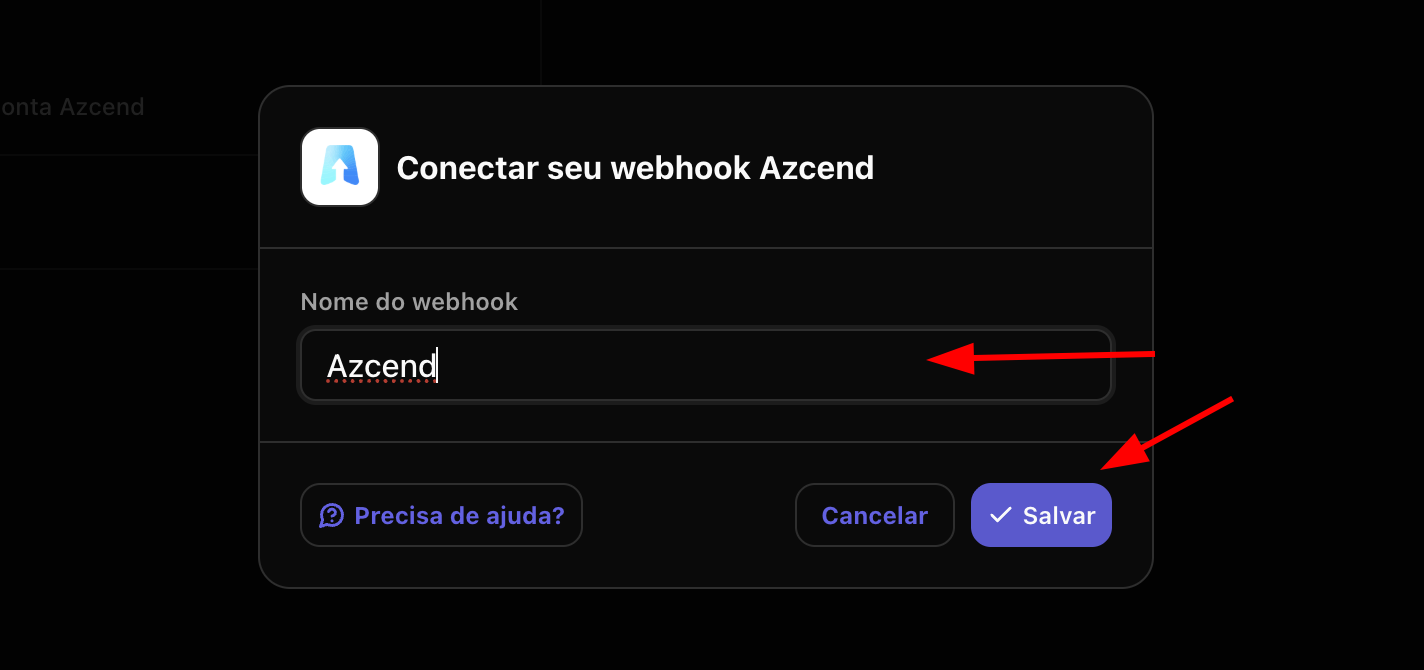
 2. Define a **Name** for the webhook and click on **Save**.
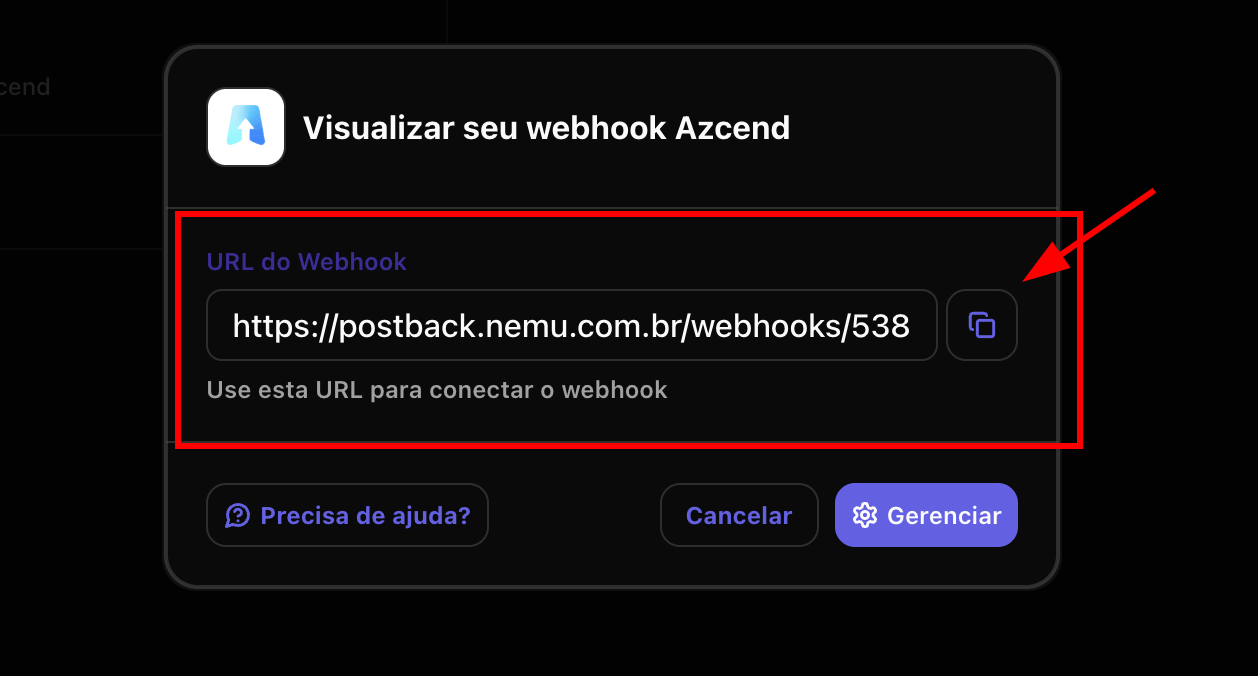
 3. Click the button to **copy** the **webhook URL** generated by Nemu.
 ### On Azcend Dashboard
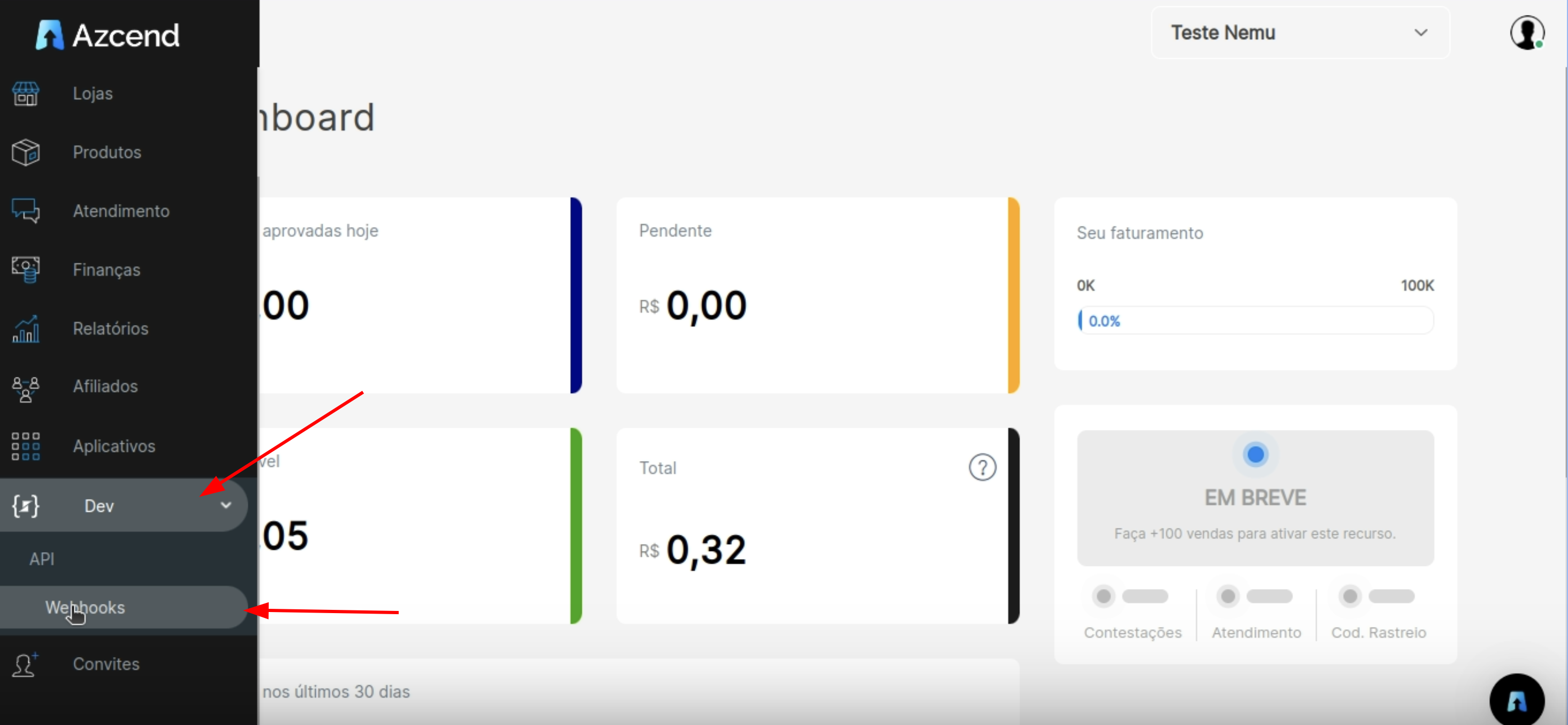
4. Go to **Dev** > **Webhooks**.
### On Azcend Dashboard
4. Go to **Dev** > **Webhooks**.
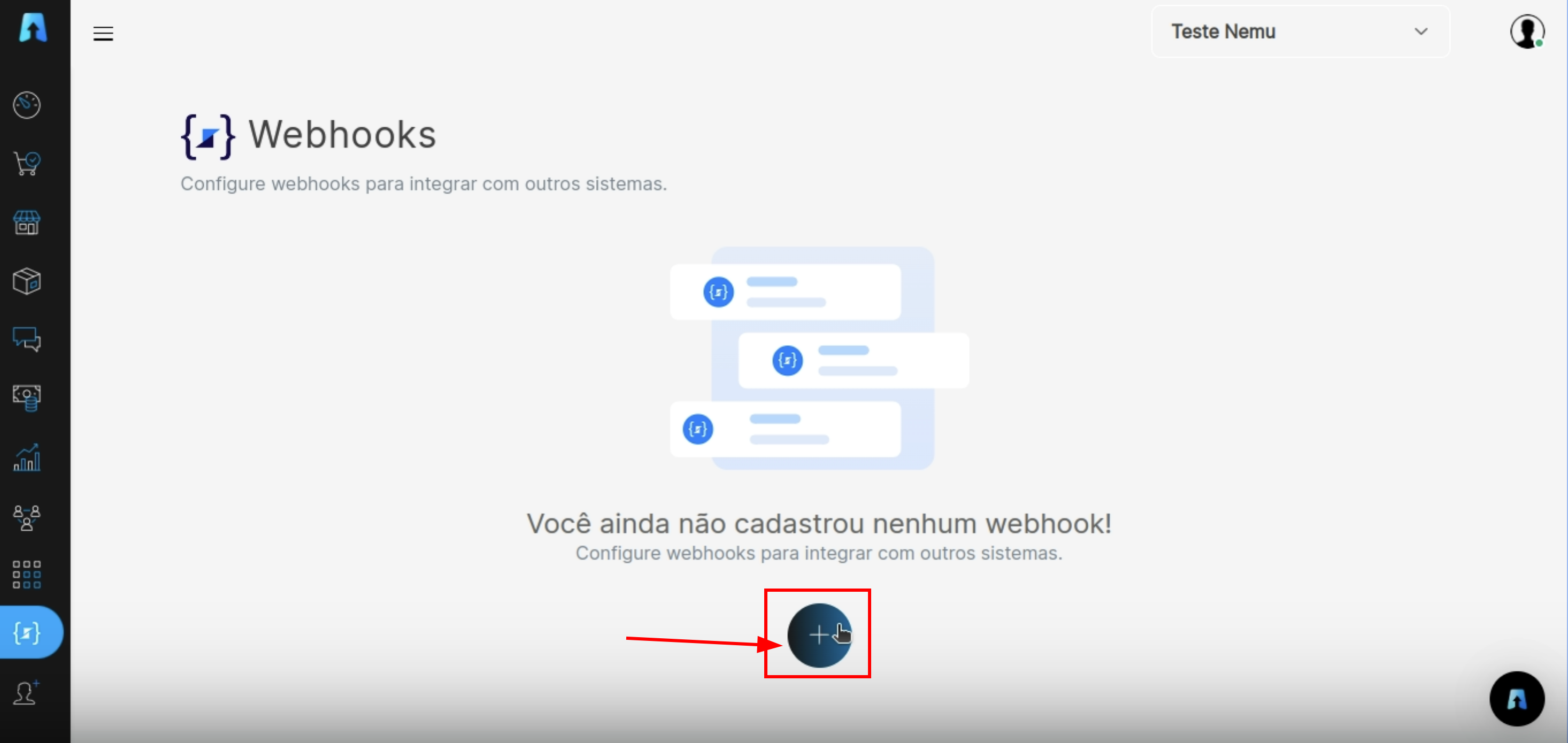
 5. Click the **+** button to add a new webhook.
 6. Fill in the **Description** field with a **Name** for the webhook.
7. Paste the **URL** copied in step 3 in the **URL to receive webhooks** field.
6. Fill in the **Description** field with a **Name** for the webhook.
7. Paste the **URL** copied in step 3 in the **URL to receive webhooks** field.
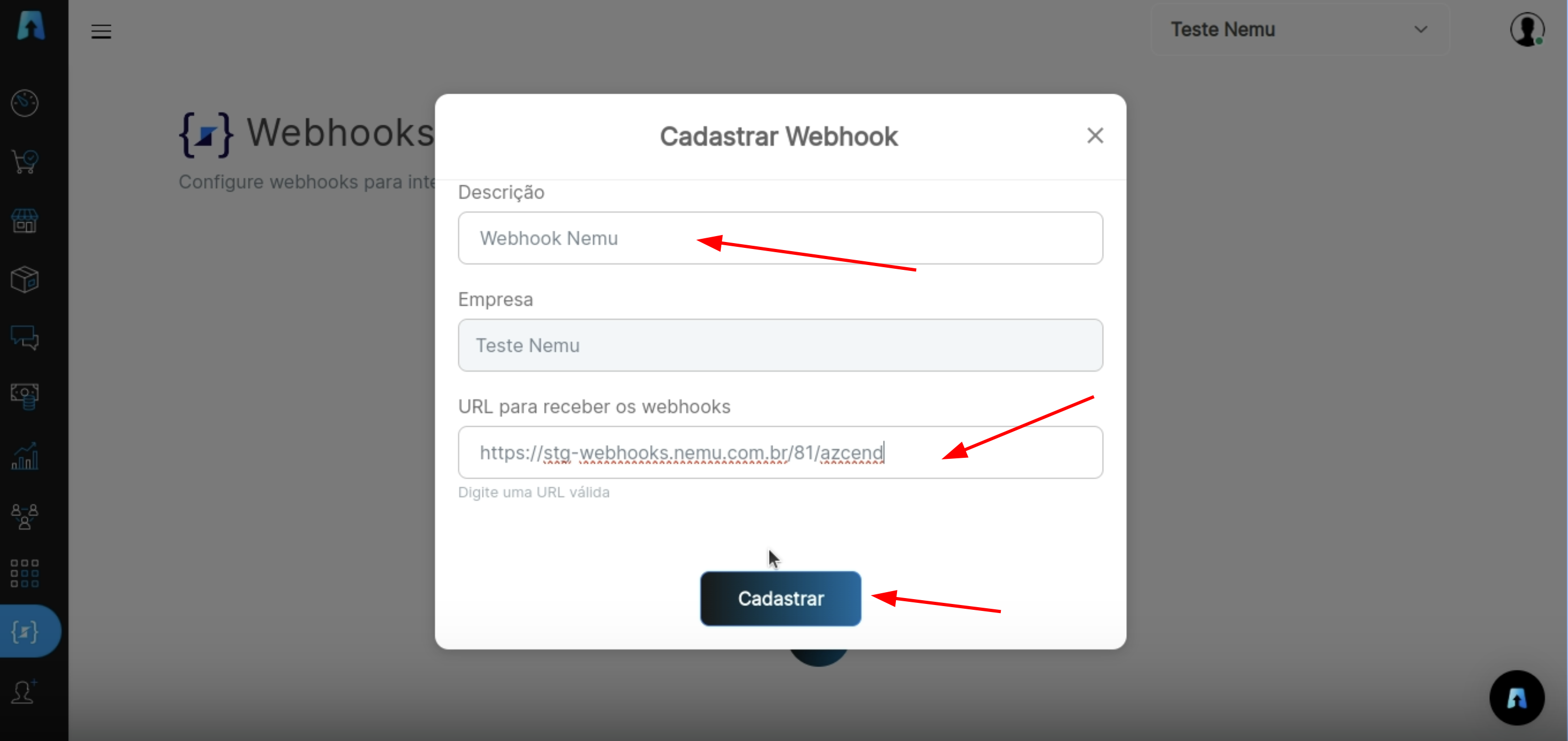 8. Click on **Register** to finalize the integration.