> ## Documentation Index
> Fetch the complete documentation index at: https://docs.nemu.com.br/llms.txt
> Use this file to discover all available pages before exploring further.

# Bagy

> How to connect your Bagy account to Nemu Dashboard

## Setting Up API and Webhooks

1. In the Bagy panel, click on **Settings > API and Webhooks** in the left sidebar of your store control panel
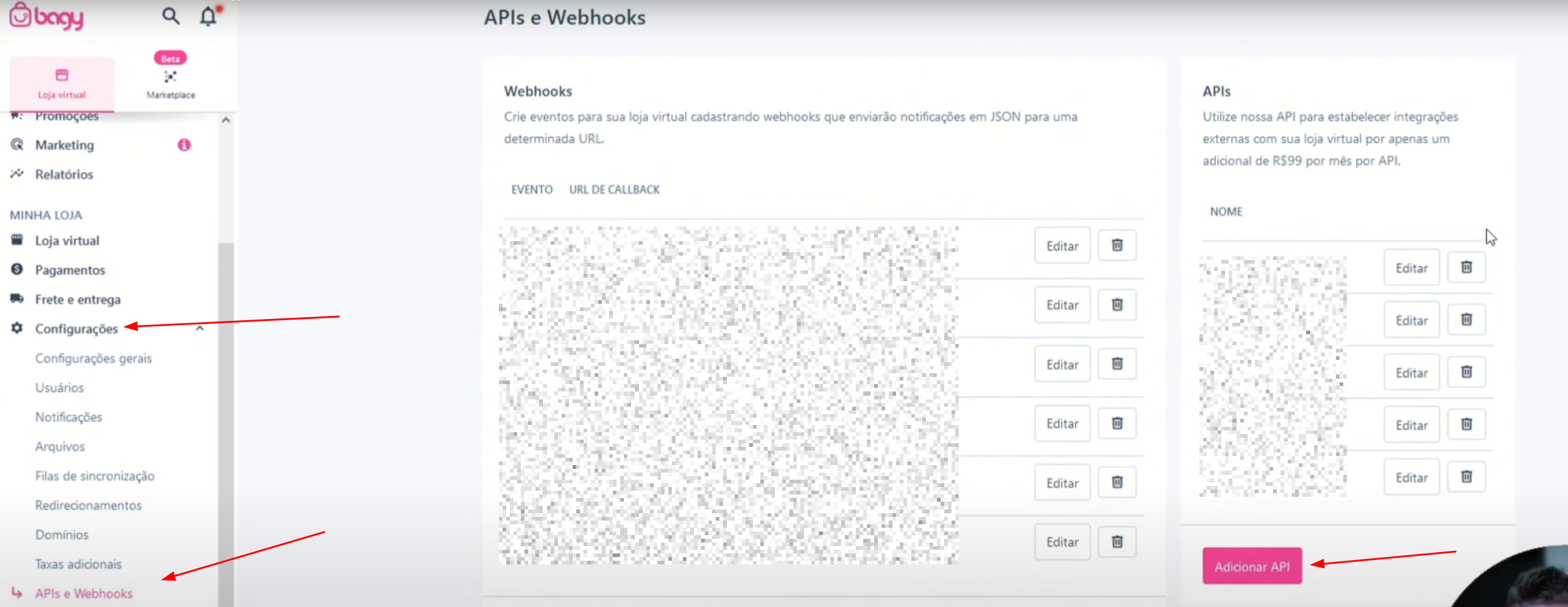
<img src="https://mintcdn.com/nemu/u0VkkxQHAxNWz924/assets/pages/integracoes/bagy/1.png?fit=max&auto=format&n=u0VkkxQHAxNWz924&q=85&s=099386a39de5cca7a5d66bdd351c6841" alt="" width="2574" height="997" data-path="assets/pages/integracoes/bagy/1.png" />

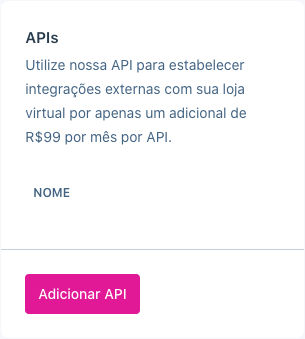
2. Click on **Add API**

<img src="https://mintcdn.com/nemu/u0VkkxQHAxNWz924/assets/pages/integracoes/bagy/2.png?fit=max&auto=format&n=u0VkkxQHAxNWz924&q=85&s=2c4f968dcf94959b26795853d9107f88" alt="" width="305" height="339" data-path="assets/pages/integracoes/bagy/2.png" />

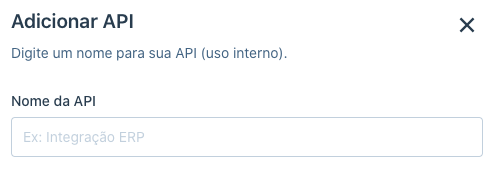
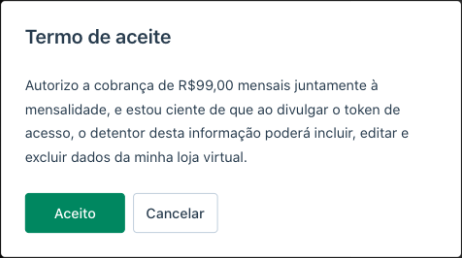
3. Give a name to your integration, accept and validate the **Terms of Use** for the resource usage and click on **Add**
<img src="https://mintcdn.com/nemu/u0VkkxQHAxNWz924/assets/pages/integracoes/bagy/3.png?fit=max&auto=format&n=u0VkkxQHAxNWz924&q=85&s=a6704b5c78a9380c8ad6da12f8faf40c" alt="" width="495" height="169" data-path="assets/pages/integracoes/bagy/3.png" />

<img src="https://mintcdn.com/nemu/u0VkkxQHAxNWz924/assets/pages/integracoes/bagy/4.png?fit=max&auto=format&n=u0VkkxQHAxNWz924&q=85&s=efb5e6aa59c7e3053a4cf354ca326d45" alt="" width="462" height="258" data-path="assets/pages/integracoes/bagy/4.png" />

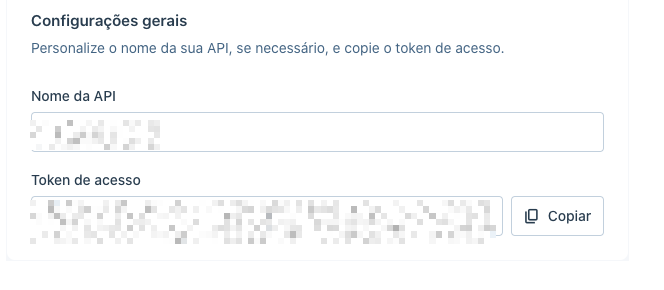
4. Copy the **Access Token**

<img src="https://mintcdn.com/nemu/u0VkkxQHAxNWz924/assets/pages/integracoes/bagy/5.png?fit=max&auto=format&n=u0VkkxQHAxNWz924&q=85&s=9d53f315b25204704821580476e24903" alt="" width="664" height="290" data-path="assets/pages/integracoes/bagy/5.png" />

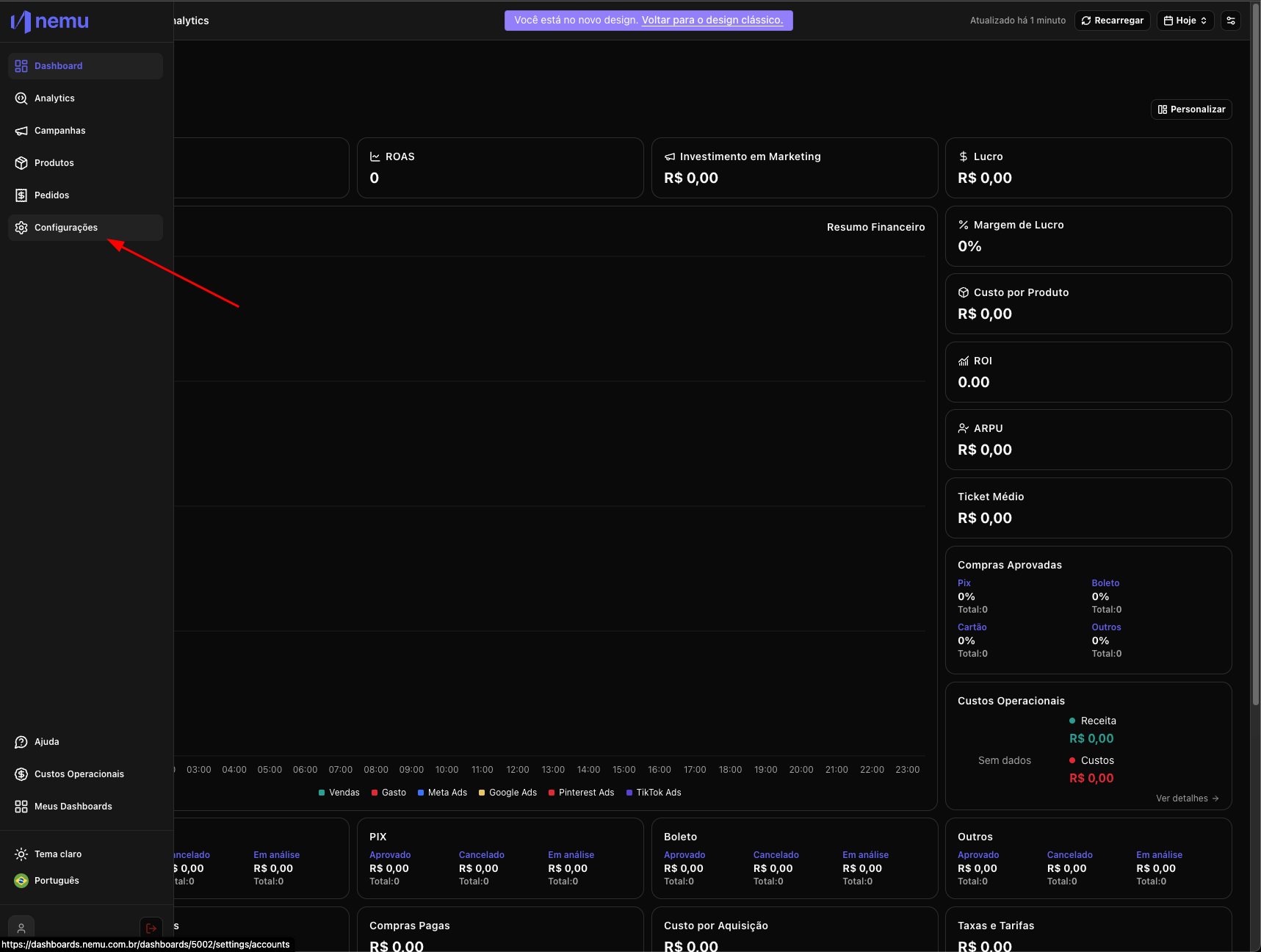
5. In Nemu, go to **Settings**

<img src="https://mintcdn.com/nemu/u0VkkxQHAxNWz924/assets/pages/integracoes/bagy/6.png?fit=max&auto=format&n=u0VkkxQHAxNWz924&q=85&s=ab11c74f3d96037e3b2a3e36072b26cb" alt="" width="1717" height="1296" data-path="assets/pages/integracoes/bagy/6.png" />

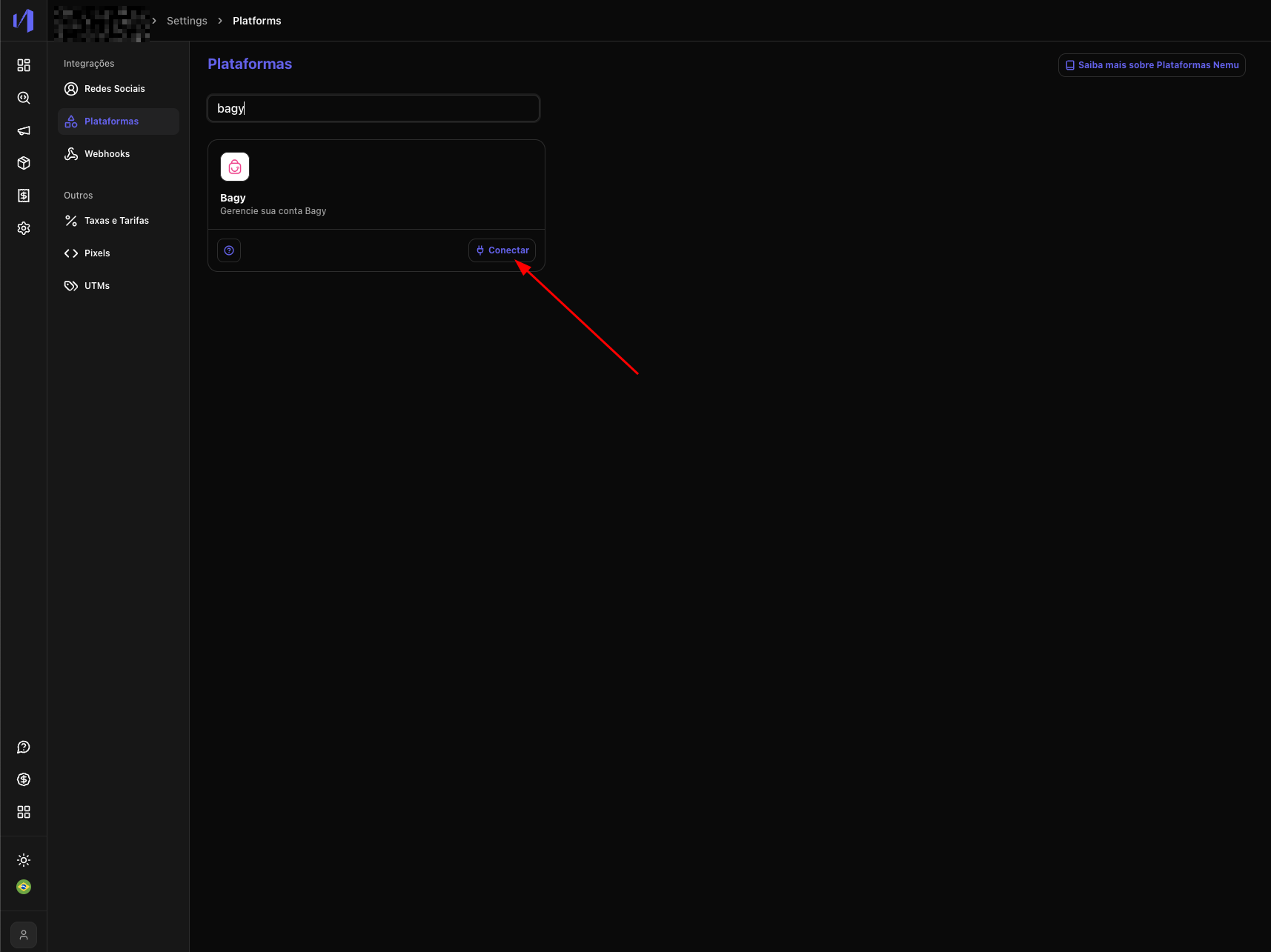
6. Then click on **Platforms** and search for **Bagy** and click on the **Connect** button
<img src="https://mintcdn.com/nemu/u0VkkxQHAxNWz924/assets/pages/integracoes/bagy/7.png?fit=max&auto=format&n=u0VkkxQHAxNWz924&q=85&s=725f2271aa0c592a8c4353043bb2993e" alt="" width="1715" height="1285" data-path="assets/pages/integracoes/bagy/7.png" />

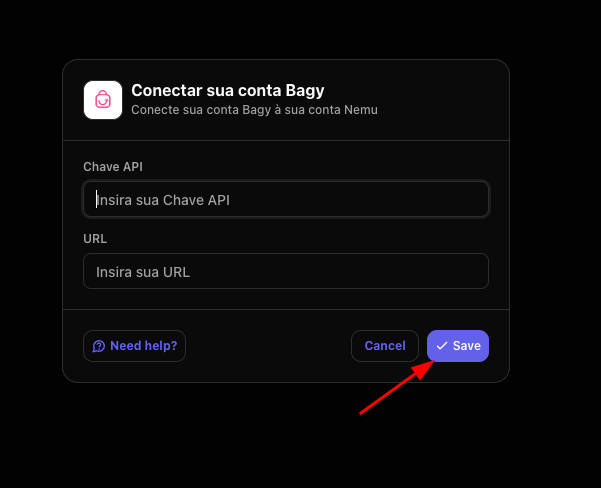
7. Paste your store URL and the **code copied in step 4** and click on **Save**
<img src="https://mintcdn.com/nemu/u0VkkxQHAxNWz924/assets/pages/integracoes/bagy/8.png?fit=max&auto=format&n=u0VkkxQHAxNWz924&q=85&s=b85f5ab76e76f6b1c4eebf7aaca55c1c" alt="" width="601" height="488" data-path="assets/pages/integracoes/bagy/8.png" />