> ## Documentation Index
> Fetch the complete documentation index at: https://docs.nemu.com.br/llms.txt
> Use this file to discover all available pages before exploring further.

# CheckoutPage

> How to connect your CheckoutPage account to Nemu Dashboard

> Follow the step-by-step guide and start receiving sales automatically in Nemu.

## Setting Up Webhooks

### On Nemu Dashboard

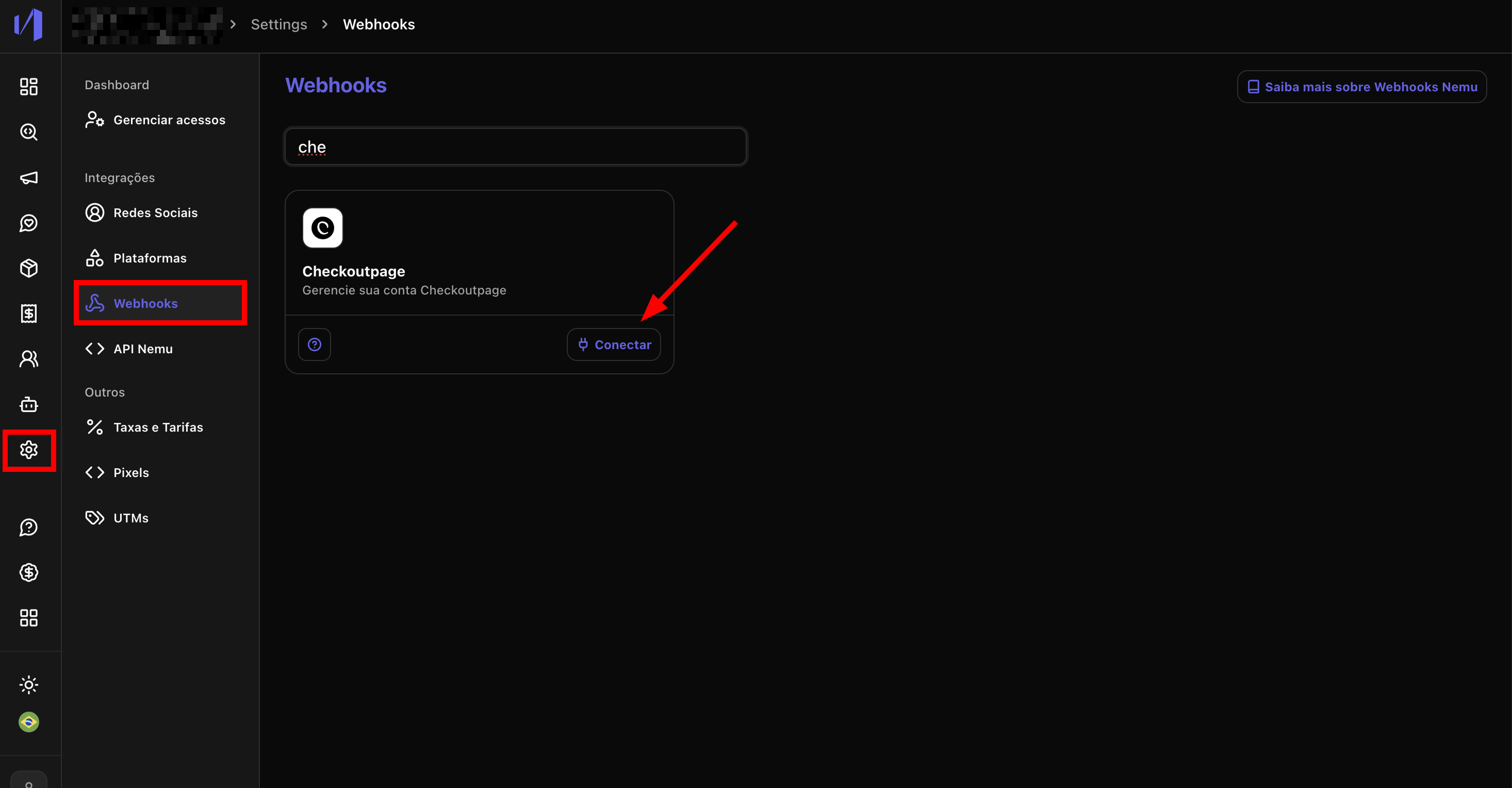
1. Go to **Settings** > **Webhooks**, search for **CheckoutPage** and click on **Connect**.
<img src="https://mintcdn.com/nemu/t_E4qkG4k0pYLvBR/assets/pages/integracoes/checkoutpage/1.png?fit=max&auto=format&n=t_E4qkG4k0pYLvBR&q=85&s=c3a3f72adbb5de851afabc8f5c3f3aef" alt="" width="2932" height="1528" data-path="assets/pages/integracoes/checkoutpage/1.png" />

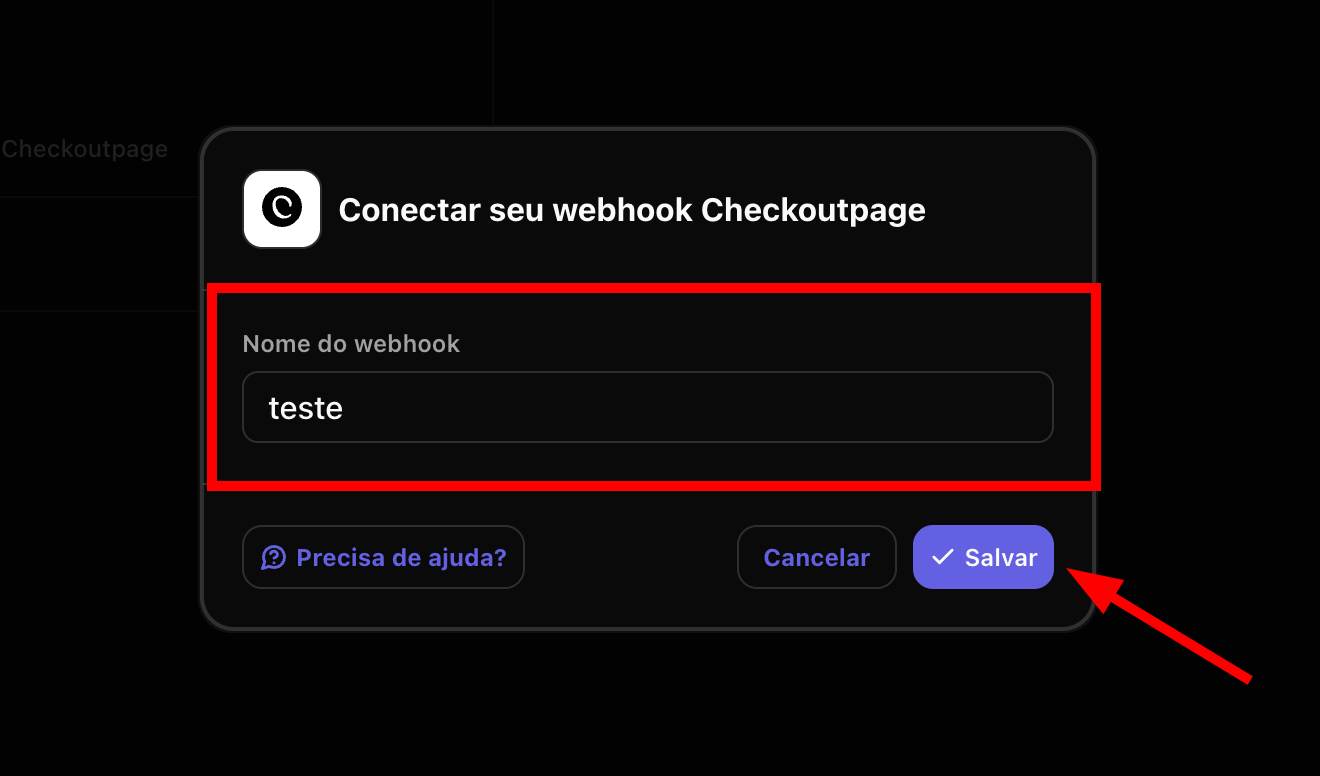
2. Define a **Name** for the webhook and click on **Save**.
<img src="https://mintcdn.com/nemu/t_E4qkG4k0pYLvBR/assets/pages/integracoes/checkoutpage/2.png?fit=max&auto=format&n=t_E4qkG4k0pYLvBR&q=85&s=a1dd4f26664843567ac5b1f3d9f1a3b5" alt="" width="1320" height="776" data-path="assets/pages/integracoes/checkoutpage/2.png" />

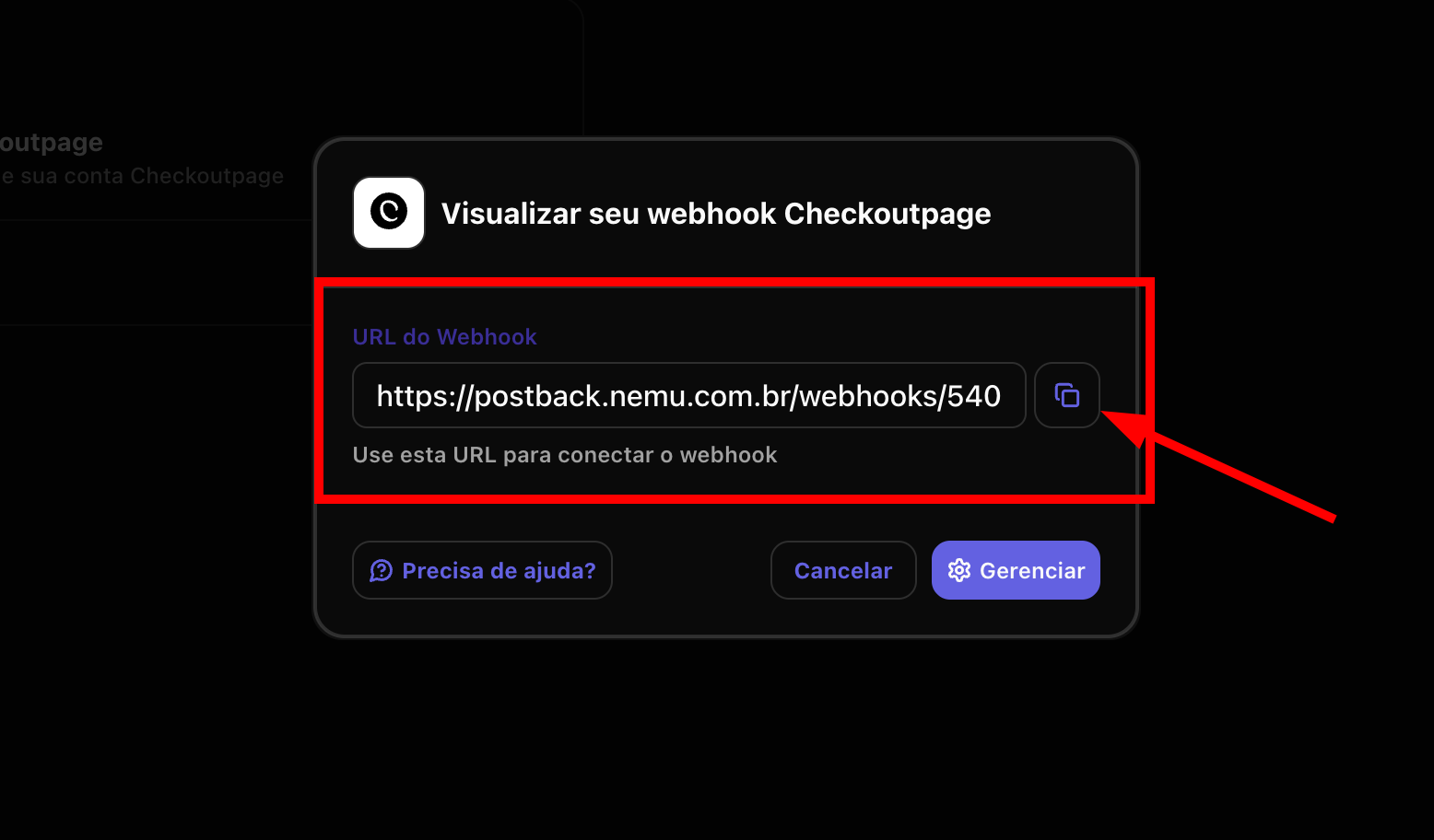
3. Click the button to **copy** the **webhook URL** generated by Nemu.
<img src="https://mintcdn.com/nemu/t_E4qkG4k0pYLvBR/assets/pages/integracoes/checkoutpage/3.png?fit=max&auto=format&n=t_E4qkG4k0pYLvBR&q=85&s=d76bec496b144ace9ee0c30f956125aa" alt="" width="1556" height="912" data-path="assets/pages/integracoes/checkoutpage/3.png" />

### On CheckoutPage Dashboard

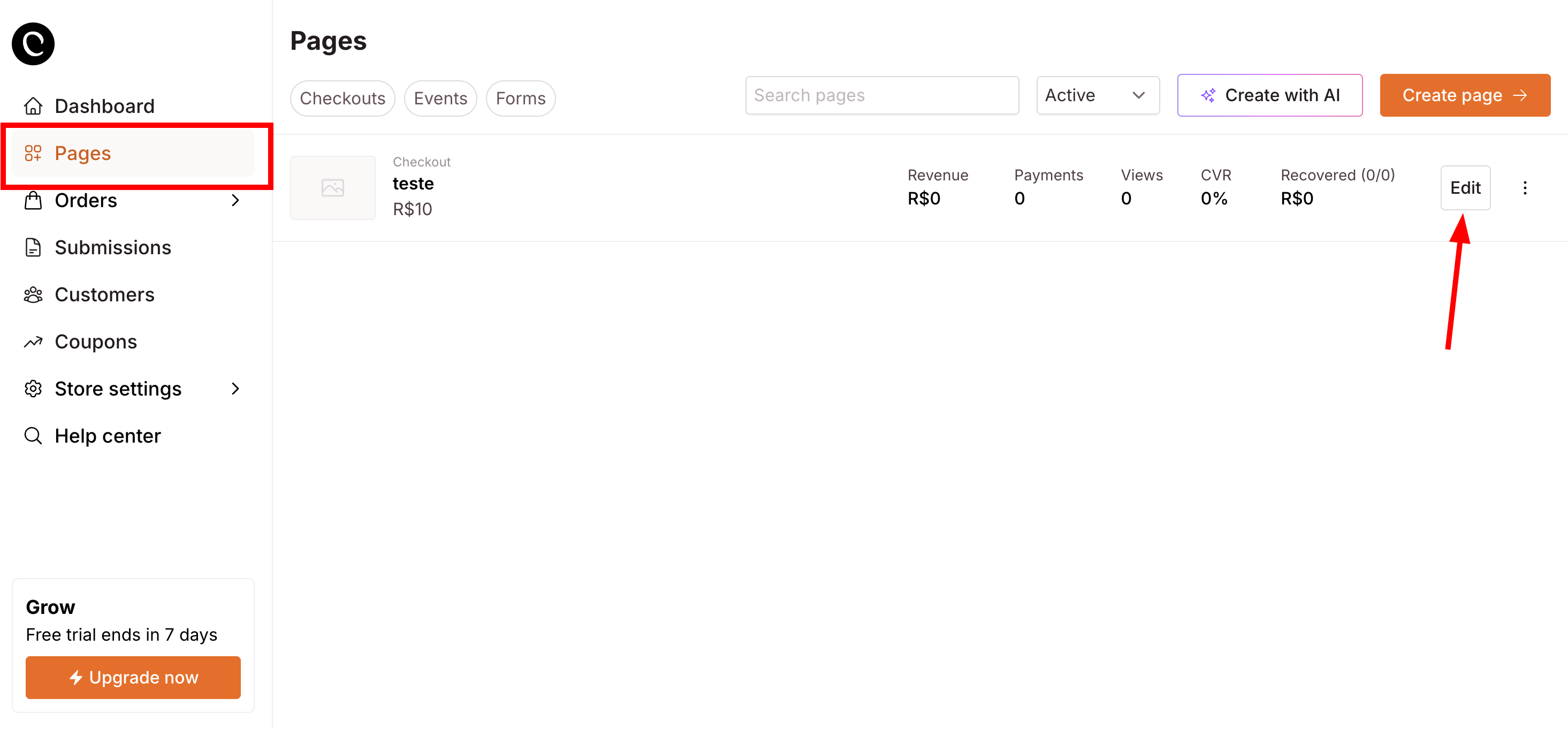
4. Go to **Pages**, find your page and click on **Edit**.
   <img src="https://mintcdn.com/nemu/t_E4qkG4k0pYLvBR/assets/pages/integracoes/checkoutpage/4.png?fit=max&auto=format&n=t_E4qkG4k0pYLvBR&q=85&s=f6f15c3a76b8658580df0e81cb082315" alt="" width="2930" height="1362" data-path="assets/pages/integracoes/checkoutpage/4.png" />

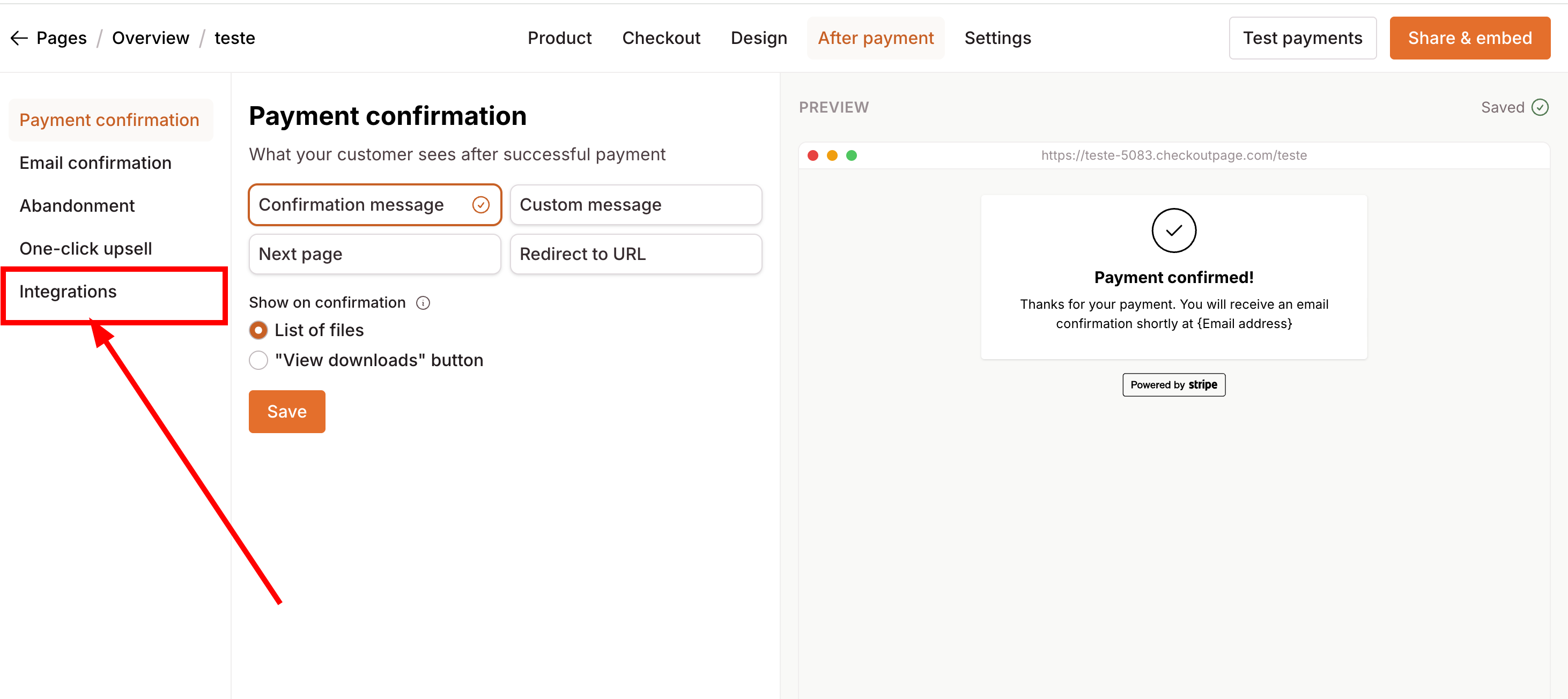
5. Click on the **Integrations** button in the left sidebar.
   <img src="https://mintcdn.com/nemu/t_E4qkG4k0pYLvBR/assets/pages/integracoes/checkoutpage/5.png?fit=max&auto=format&n=t_E4qkG4k0pYLvBR&q=85&s=8b880939181c01b946dfcb7c65ebddf2" alt="" width="2924" height="1304" data-path="assets/pages/integracoes/checkoutpage/5.png" />

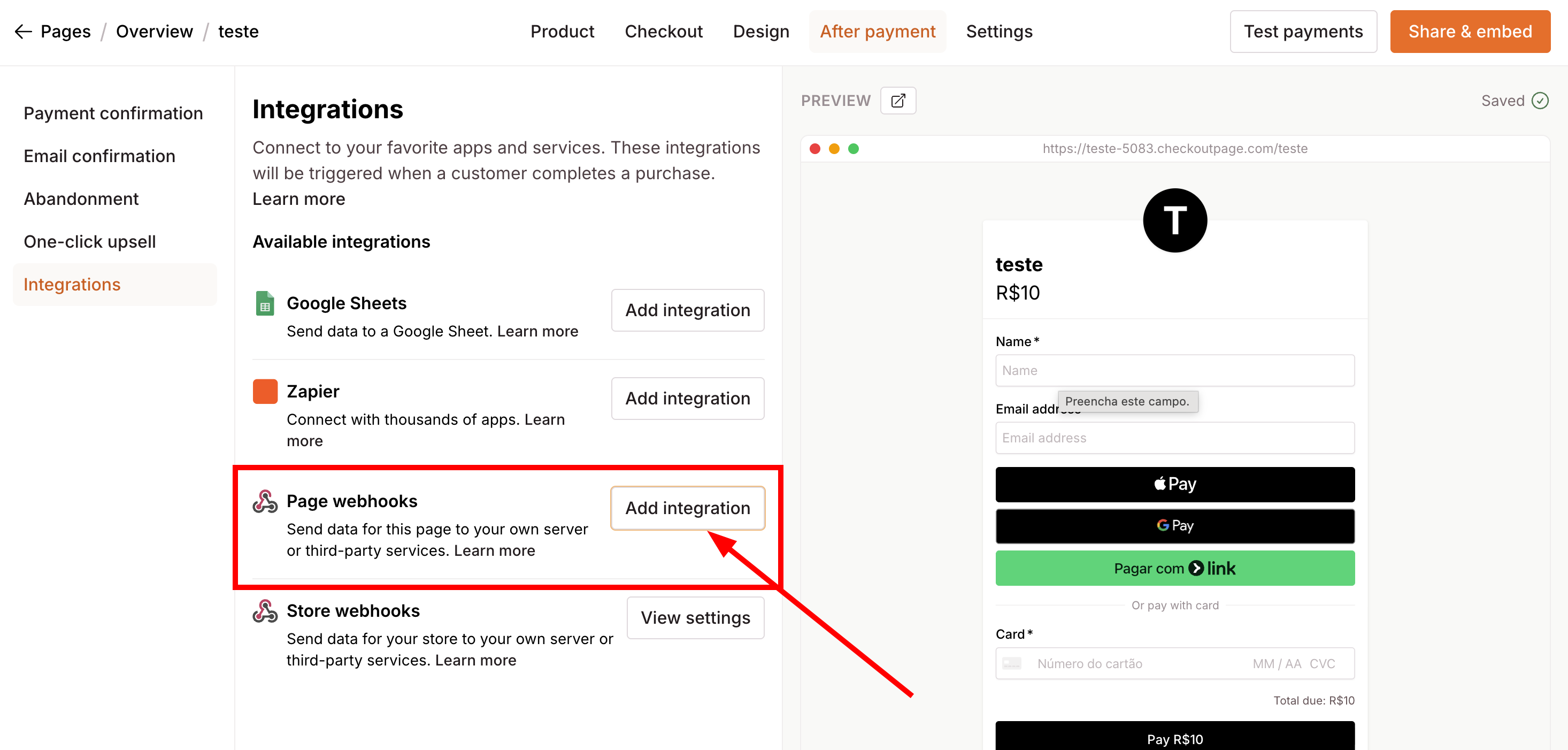
6. Look for **Page webhooks** and click on **Add Integration**
<img src="https://mintcdn.com/nemu/t_E4qkG4k0pYLvBR/assets/pages/integracoes/checkoutpage/6.png?fit=max&auto=format&n=t_E4qkG4k0pYLvBR&q=85&s=2a7c8a07f7d5ffc3956b57399e01d432" alt="" width="2932" height="1402" data-path="assets/pages/integracoes/checkoutpage/6.png" />

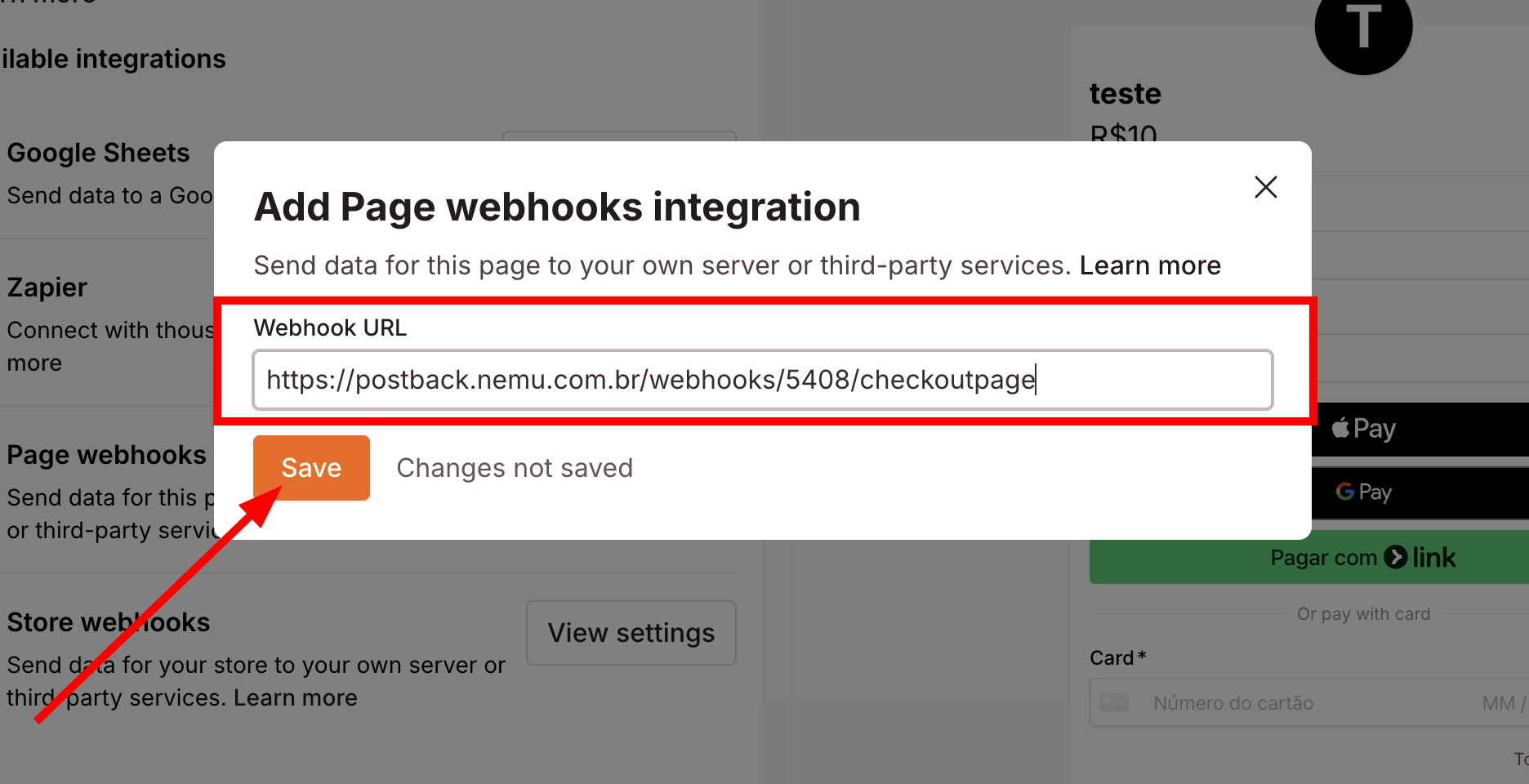
7. Paste the **URL** copied in step 3 in the **Webhook URL** field.
<img src="https://mintcdn.com/nemu/t_E4qkG4k0pYLvBR/assets/pages/integracoes/checkoutpage/7.png?fit=max&auto=format&n=t_E4qkG4k0pYLvBR&q=85&s=f12fcfc1c21314976b0fb8b2bf32723c" alt="" width="1872" height="960" data-path="assets/pages/integracoes/checkoutpage/7.png" />

8. Click on **Save** to finalize the integration.
