> ## Documentation Index
> Fetch the complete documentation index at: https://docs.nemu.com.br/llms.txt
> Use this file to discover all available pages before exploring further.
# Framer
> How to connect Framer to Nemu Dashboard
## UTM Passing Script
### When to use
If you have a dedicated sales page, you need to install the UTM passing script on the Framer checkout page.
### Why it's important
The UTM passing script plays a crucial role in transferring UTM information from one page to another within your sales funnel, ensuring this data is tracked until the checkout moment.
```js UTM Passing Script theme={null}
```
### How to install
1. Access the settings of your page on Framer
2. In the **Custom Code** section, add the [UTM passing script](#utm-passing-script) and the [Nemu Pixel](/en/onboarding/configuring-pixel) (generated in [step 4 of onboarding](/en/onboarding/configuring-pixel#4-click-on-the-button-to-copy-the-generated-script))
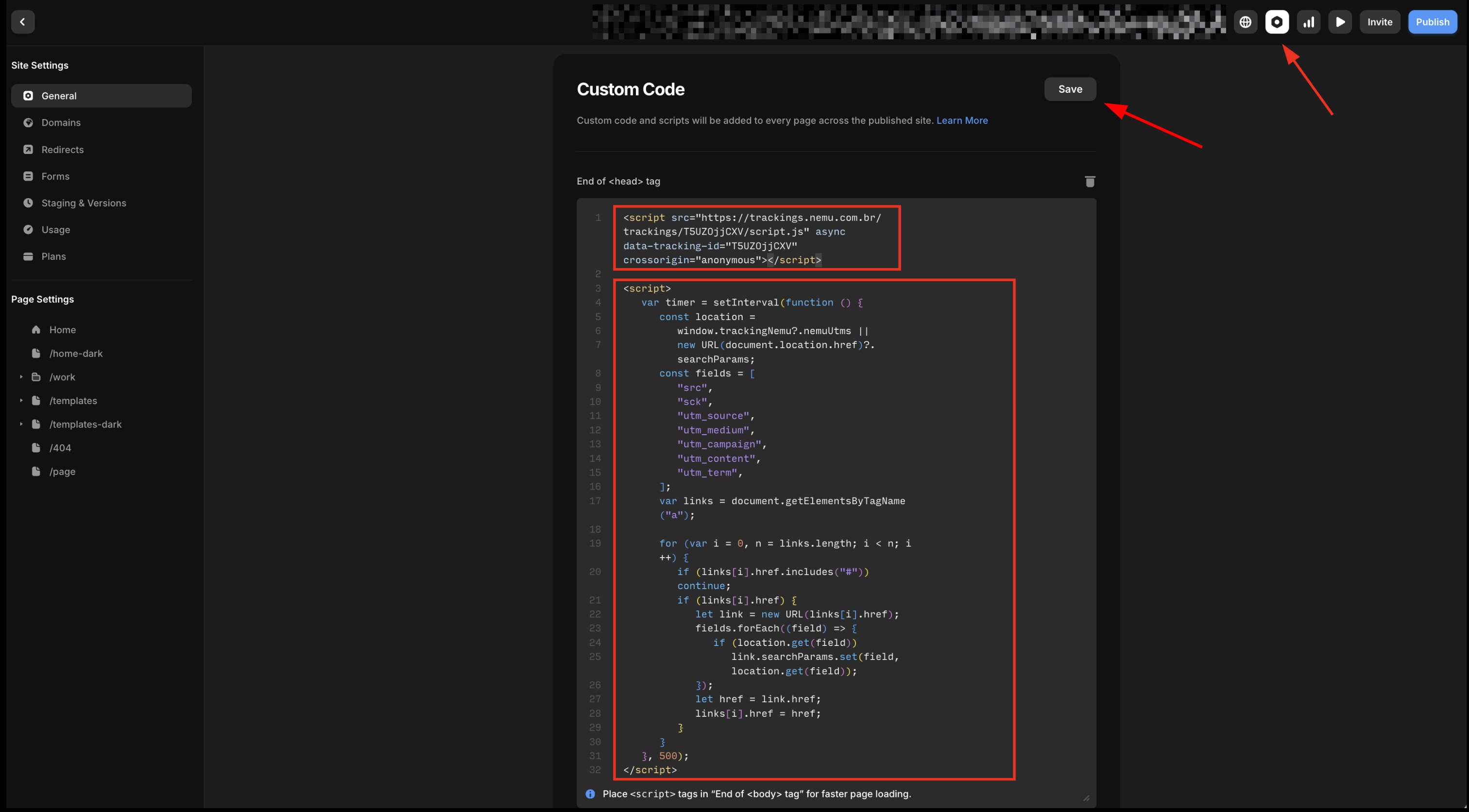 3. Click on **Save** to save the changes.
If your page contains forms before going to checkout, you need to install the UTM passing script on the form so that UTMs are captured.
## UTM Passing Code on Framer Form
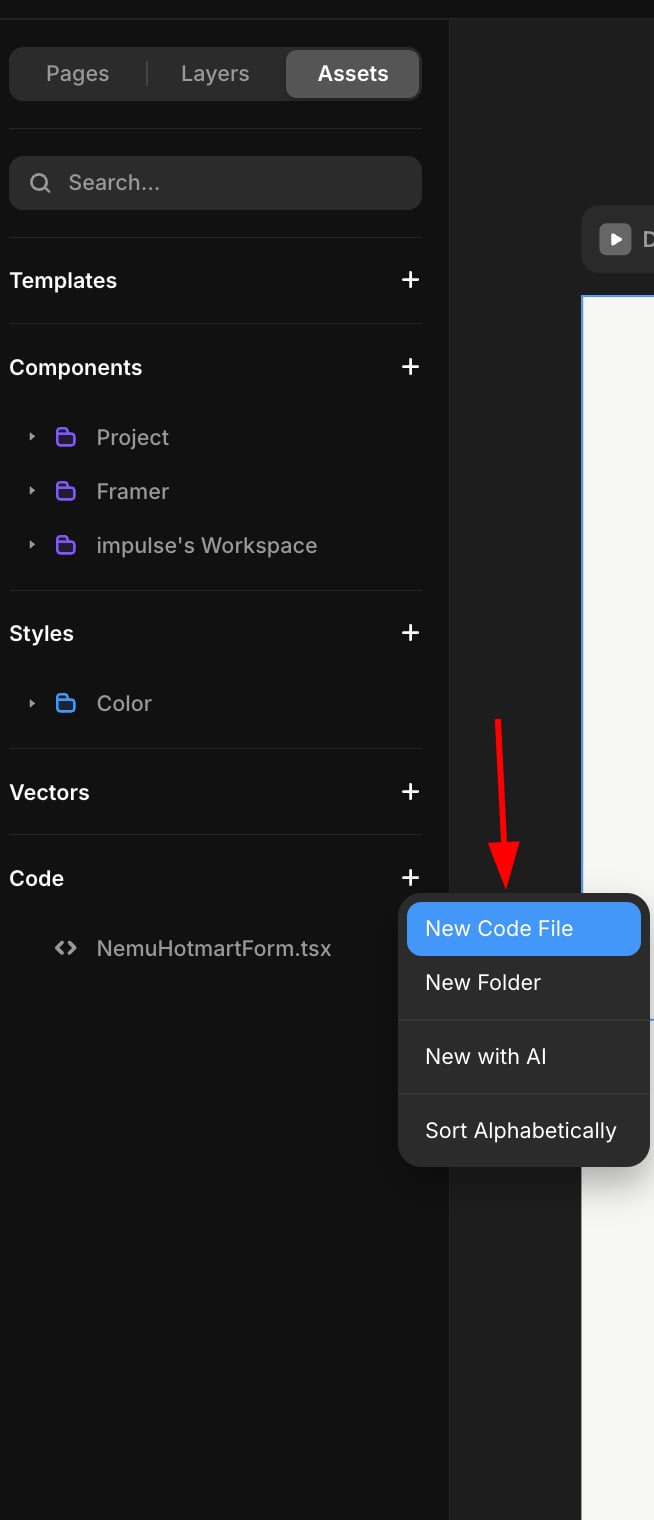
1. In the sidebar, in **Code** click on the **+** button and choose **New Code File**
3. Click on **Save** to save the changes.
If your page contains forms before going to checkout, you need to install the UTM passing script on the form so that UTMs are captured.
## UTM Passing Code on Framer Form
1. In the sidebar, in **Code** click on the **+** button and choose **New Code File**
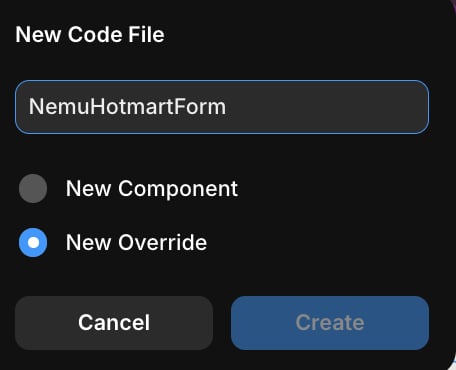
 2. In the **Name** field, type **NemuHotmartForm**, choose the **Override** option and click on **Create**
 3. Paste the code below into the created file:
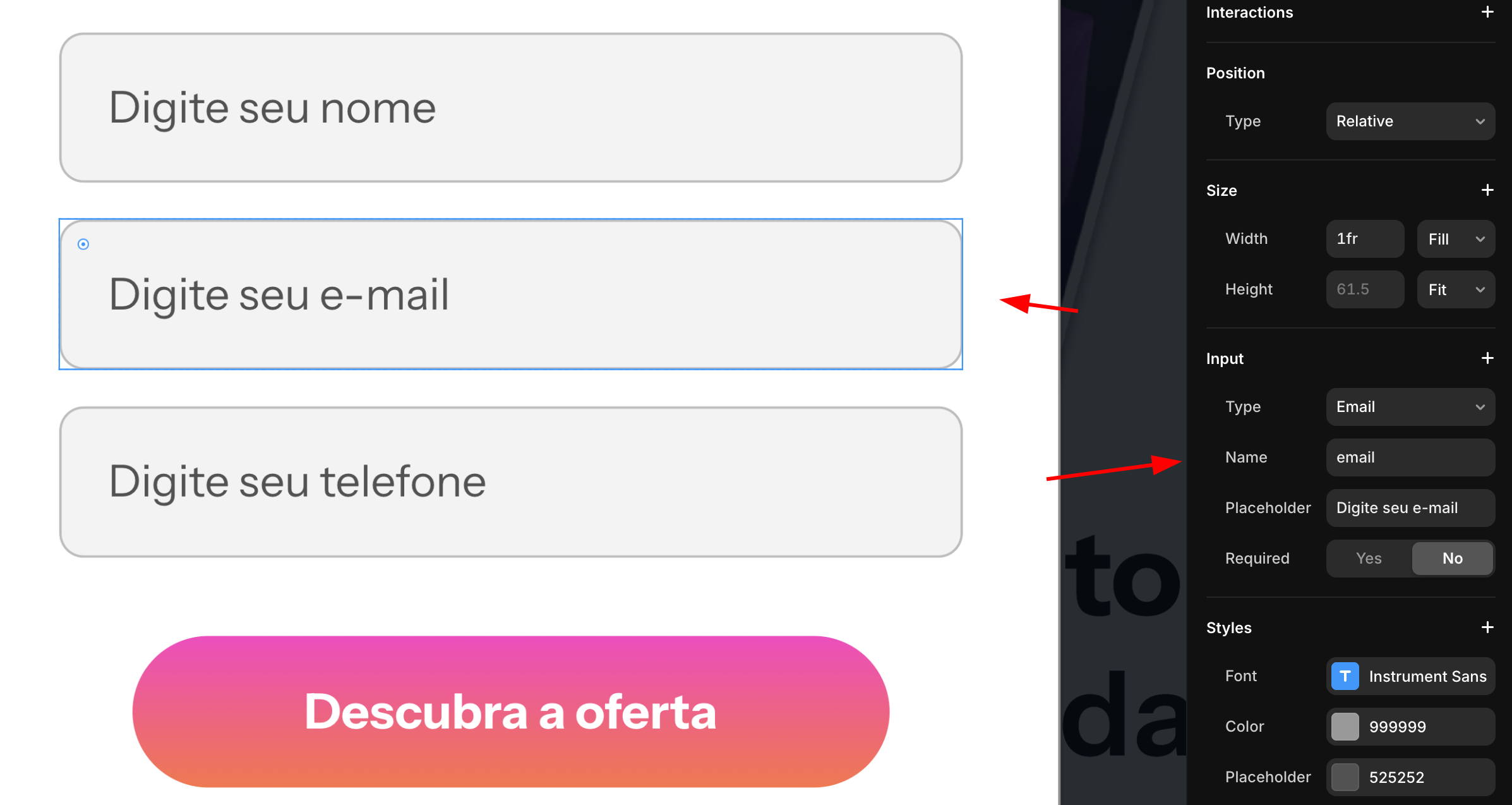
Replace the checkout URL with your offer's checkout URL and the form fields with your form fields.
3. Paste the code below into the created file:
Replace the checkout URL with your offer's checkout URL and the form fields with your form fields.
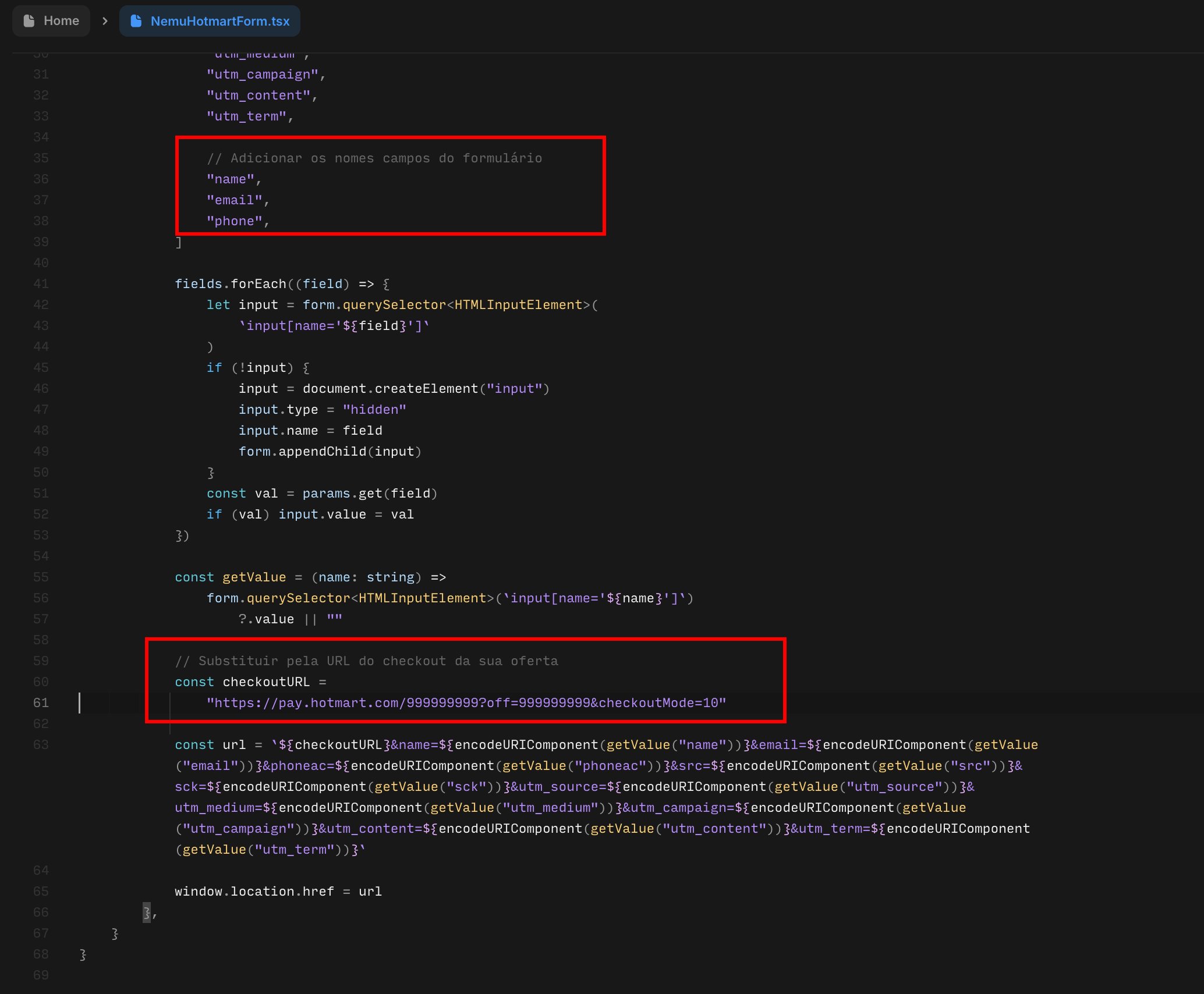 To check the form field names, access your project popup and click on the field you want to check the name.
 ```jsx theme={null}
import { Override } from "framer"
export function NemuHotmartForm(): Override {
return {
onClick: async () => {
const waitForForm = () =>
new Promise((resolve) => {
const start = Date.now()
const interval = setInterval(() => {
const form = document.querySelector("form")
if (form) {
clearInterval(interval)
resolve(form)
} else if (Date.now() - start > 2000) {
clearInterval(interval)
resolve(null)
}
}, 50)
})
const form = await waitForForm()
if (!form) return
const params =
window.trackingNemu?.nemuUtms ||
new URLSearchParams(window.location.search)
const fields = [
"src",
"sck",
"utm_source",
"utm_medium",
"utm_campaign",
"utm_content",
"utm_term",
"nemu_source",
"nemu_medium",
"nemu_campaign",
"nemu_content",
"nemu_adset",
"nemu_term",
// Add form fields
"name",
"email",
"phone",
]
fields.forEach((field) => {
let input = form.querySelector(
`input[name='${field}']`
)
if (!input) {
input = document.createElement("input")
input.type = "hidden"
input.name = field
form.appendChild(input)
}
const val = params.get(field)
if (val) input.value = val
})
const getValue = (name: string) =>
form.querySelector(`input[name='${name}']`)
?.value || ""
// Replace with your offer's checkout URL
const checkoutURL = "https://pay.hotmart.com/999999999?off=999999999&checkoutMode=10"
const url = `${checkoutURL}&name=${encodeURIComponent(getValue("name"))}&email=${encodeURIComponent(getValue("email"))}&phoneac=${encodeURIComponent(getValue("phoneac"))}&src=${encodeURIComponent(getValue("src"))}&sck=${encodeURIComponent(getValue("sck"))}&utm_source=${encodeURIComponent(getValue("utm_source"))}&utm_medium=${encodeURIComponent(getValue("utm_medium"))}&utm_campaign=${encodeURIComponent(getValue("utm_campaign"))}&utm_content=${encodeURIComponent(getValue("utm_content"))}&utm_term=${encodeURIComponent(getValue("utm_term"))}`
window.location.href = url
},
}
}
```
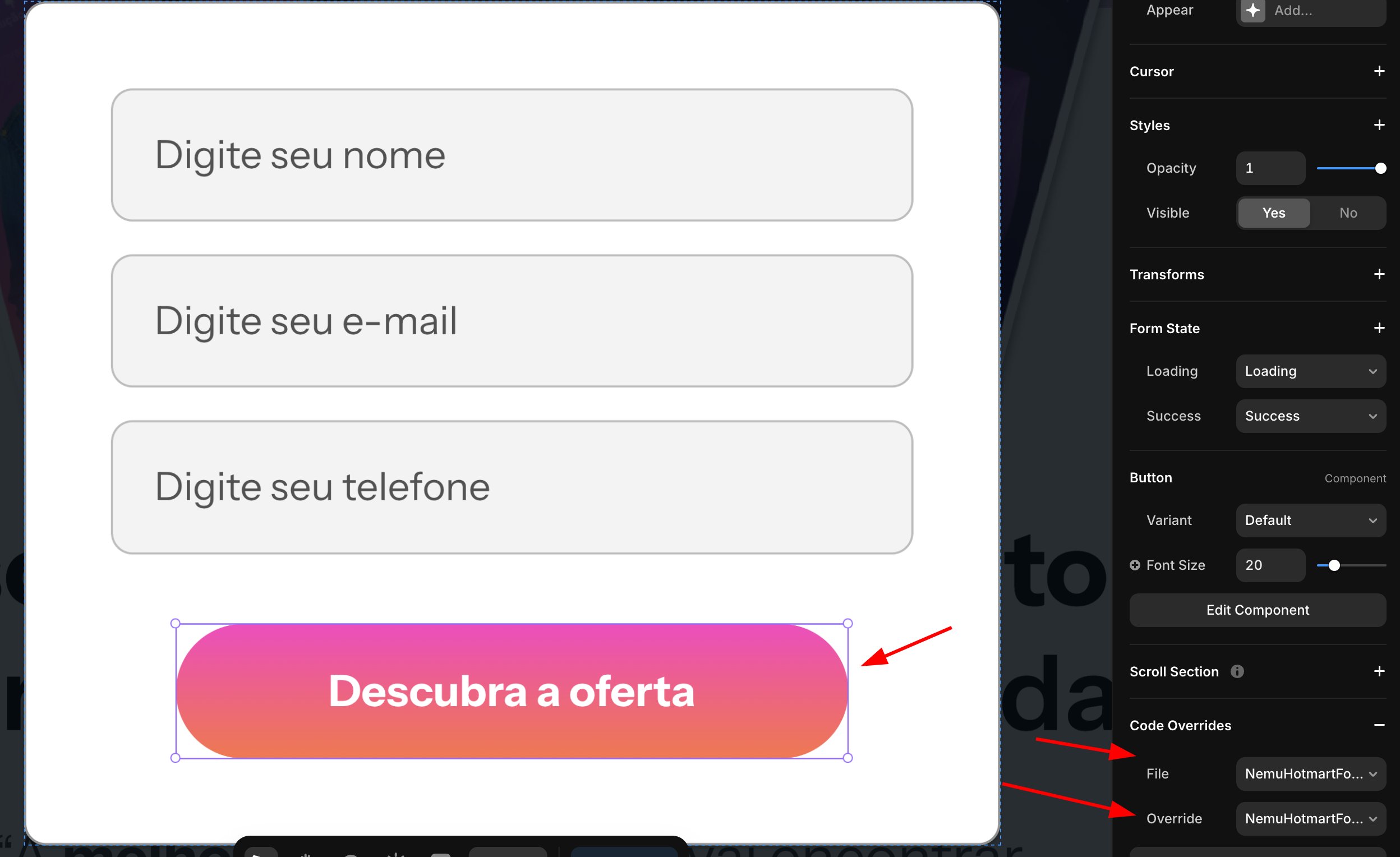
4. On your form button, select the component in **Code Override** and choose **NemuHotmartForm**
```jsx theme={null}
import { Override } from "framer"
export function NemuHotmartForm(): Override {
return {
onClick: async () => {
const waitForForm = () =>
new Promise((resolve) => {
const start = Date.now()
const interval = setInterval(() => {
const form = document.querySelector("form")
if (form) {
clearInterval(interval)
resolve(form)
} else if (Date.now() - start > 2000) {
clearInterval(interval)
resolve(null)
}
}, 50)
})
const form = await waitForForm()
if (!form) return
const params =
window.trackingNemu?.nemuUtms ||
new URLSearchParams(window.location.search)
const fields = [
"src",
"sck",
"utm_source",
"utm_medium",
"utm_campaign",
"utm_content",
"utm_term",
"nemu_source",
"nemu_medium",
"nemu_campaign",
"nemu_content",
"nemu_adset",
"nemu_term",
// Add form fields
"name",
"email",
"phone",
]
fields.forEach((field) => {
let input = form.querySelector(
`input[name='${field}']`
)
if (!input) {
input = document.createElement("input")
input.type = "hidden"
input.name = field
form.appendChild(input)
}
const val = params.get(field)
if (val) input.value = val
})
const getValue = (name: string) =>
form.querySelector(`input[name='${name}']`)
?.value || ""
// Replace with your offer's checkout URL
const checkoutURL = "https://pay.hotmart.com/999999999?off=999999999&checkoutMode=10"
const url = `${checkoutURL}&name=${encodeURIComponent(getValue("name"))}&email=${encodeURIComponent(getValue("email"))}&phoneac=${encodeURIComponent(getValue("phoneac"))}&src=${encodeURIComponent(getValue("src"))}&sck=${encodeURIComponent(getValue("sck"))}&utm_source=${encodeURIComponent(getValue("utm_source"))}&utm_medium=${encodeURIComponent(getValue("utm_medium"))}&utm_campaign=${encodeURIComponent(getValue("utm_campaign"))}&utm_content=${encodeURIComponent(getValue("utm_content"))}&utm_term=${encodeURIComponent(getValue("utm_term"))}`
window.location.href = url
},
}
}
```
4. On your form button, select the component in **Code Override** and choose **NemuHotmartForm**
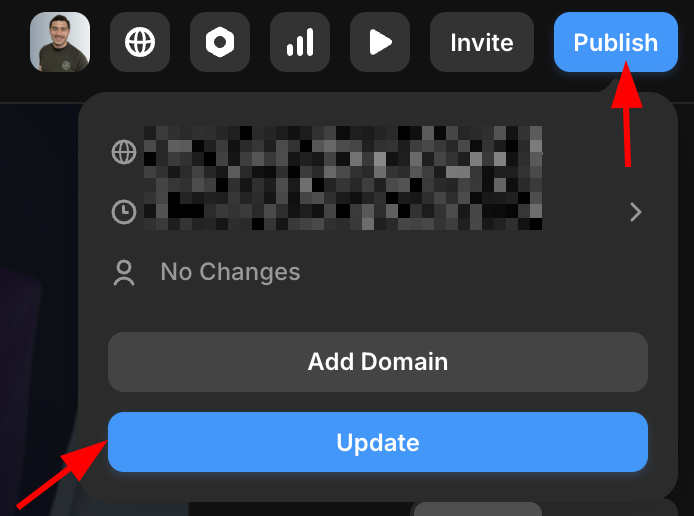
 5. Click on **Publish** and then **Update** to view the changes.