> ## Documentation Index
> Fetch the complete documentation index at: https://docs.nemu.com.br/llms.txt
> Use this file to discover all available pages before exploring further.

# Inlead

> Step-by-step guide on how to install our UTM script on Inlead quizzes.

## Installing the Script on Inlead:

1. Access the funnel you want to configure and go to the **Settings** tab:
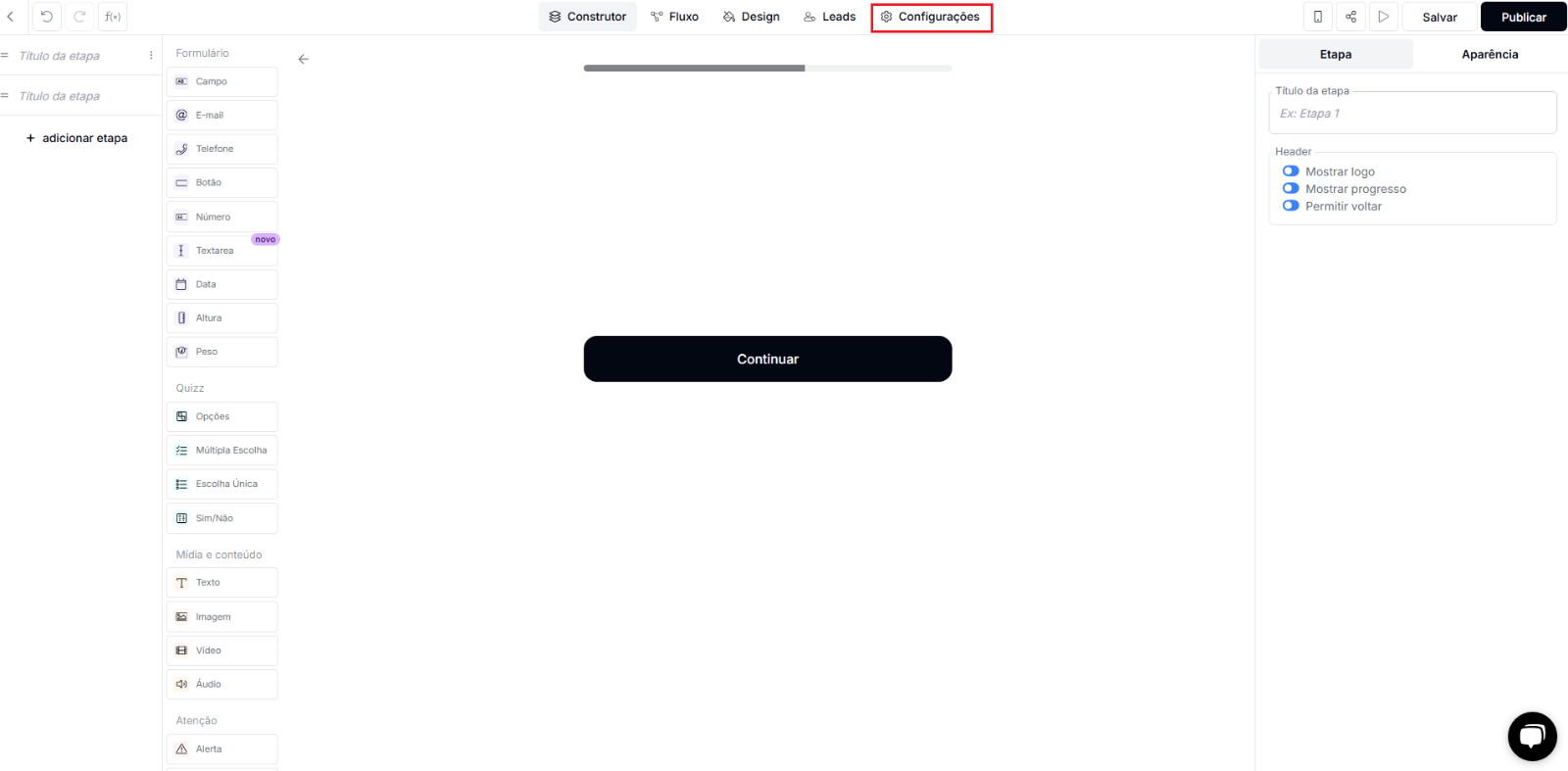
<img src="https://mintcdn.com/nemu/arhG_fjKr-klu1oL/assets/pages/integracoes/inlead/1.png?fit=max&auto=format&n=arhG_fjKr-klu1oL&q=85&s=5a7e3efed3b7ff46c992c8ba30724b1d" alt="" width="1600" height="787" data-path="assets/pages/integracoes/inlead/1.png" />

2. In **Settings**, open the **Pixel/Scripts** tab and paste the UTM passing script and the [Nemu Pixel](/en/onboarding/configuring-pixel) in the **Head** field:
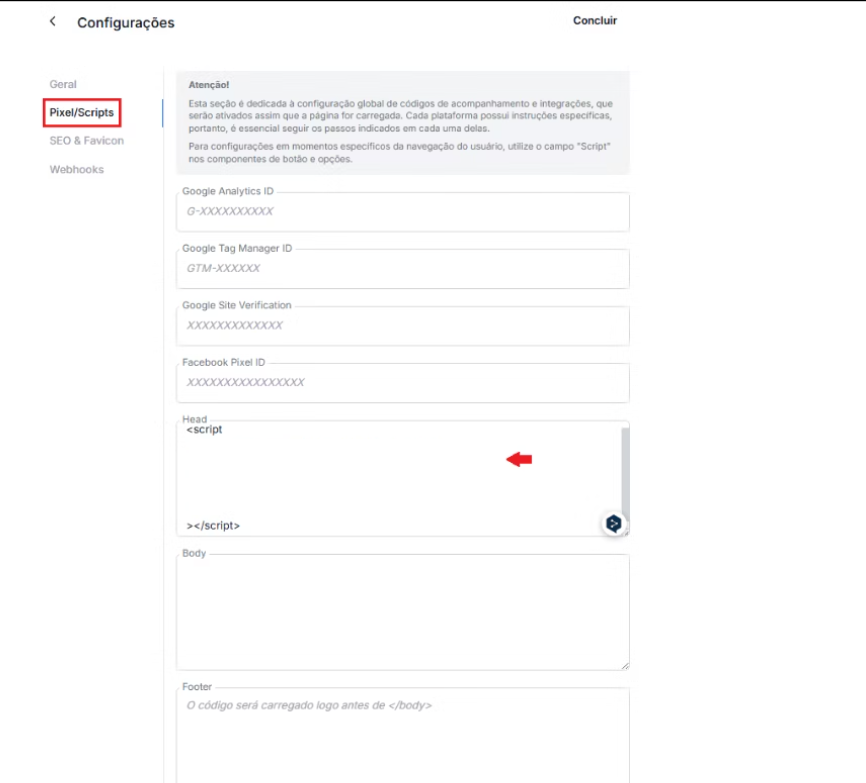
<img src="https://mintcdn.com/nemu/MFgbJbA2SW6hnjM5/assets/pages/integracoes/inlead/2.png?fit=max&auto=format&n=MFgbJbA2SW6hnjM5&q=85&s=daf27b3adeed77cf80e5554838c52129" alt="" width="866" height="783" data-path="assets/pages/integracoes/inlead/2.png" />

```js UTM Passing Script theme={null}
<script>
   var timer = setInterval(function () {
      const location =
         window.trackingNemu?.nemuUtms ||
         new URL(document.location.href)?.searchParams;
      const fields = [
         "src",
         "sck",
         "utm_source",
         "utm_medium",
         "utm_campaign",
         "utm_content",
         "utm_term",
         "nemu_source",
         "nemu_medium",
         "nemu_campaign",
         "nemu_content",
         "nemu_adset",
         "nemu_term"
      ];
      var links = document.getElementsByTagName("a");

      for (var i = 0, n = links.length; i < n; i++) {
         if (links[i].href.includes("#")) continue;
         if (links[i].href) {
            let link = new URL(links[i].href);
            fields.forEach((field) => {
               if (location.get(field))
                  link.searchParams.set(field, location.get(field));
            });
            let href = link.href;
            links[i].href = href;
         }
      }
   }, 500);
</script>
```

3. Click on **Done** to save the changes.

<img src="https://mintcdn.com/nemu/03PZ-WtsBzjqe9nt/assets/pages/integracoes/inlead/3.png?fit=max&auto=format&n=03PZ-WtsBzjqe9nt&q=85&s=a0b82fa9ac8e04f14fca57e086e97927" alt="" width="1546" height="150" data-path="assets/pages/integracoes/inlead/3.png" />

4. Then, click on **Publish** so the changes are applied.
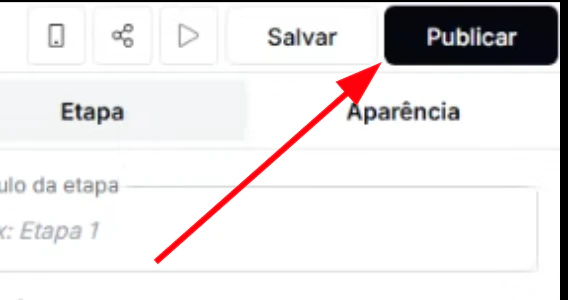
<img src="https://mintcdn.com/nemu/cQym8vJq_CgPKylo/assets/pages/integracoes/inlead/4.png?fit=max&auto=format&n=cQym8vJq_CgPKylo&q=85&s=572a21398c583c800c52860b2cfb08f0" alt="" width="568" height="300" data-path="assets/pages/integracoes/inlead/4.png" />
