> ## Documentation Index
> Fetch the complete documentation index at: https://docs.nemu.com.br/llms.txt
> Use this file to discover all available pages before exploring further.

# LastLink

> How to connect LastLink to Nemu Dashboard

## Setting Up Webhooks in Nemu Dashboard

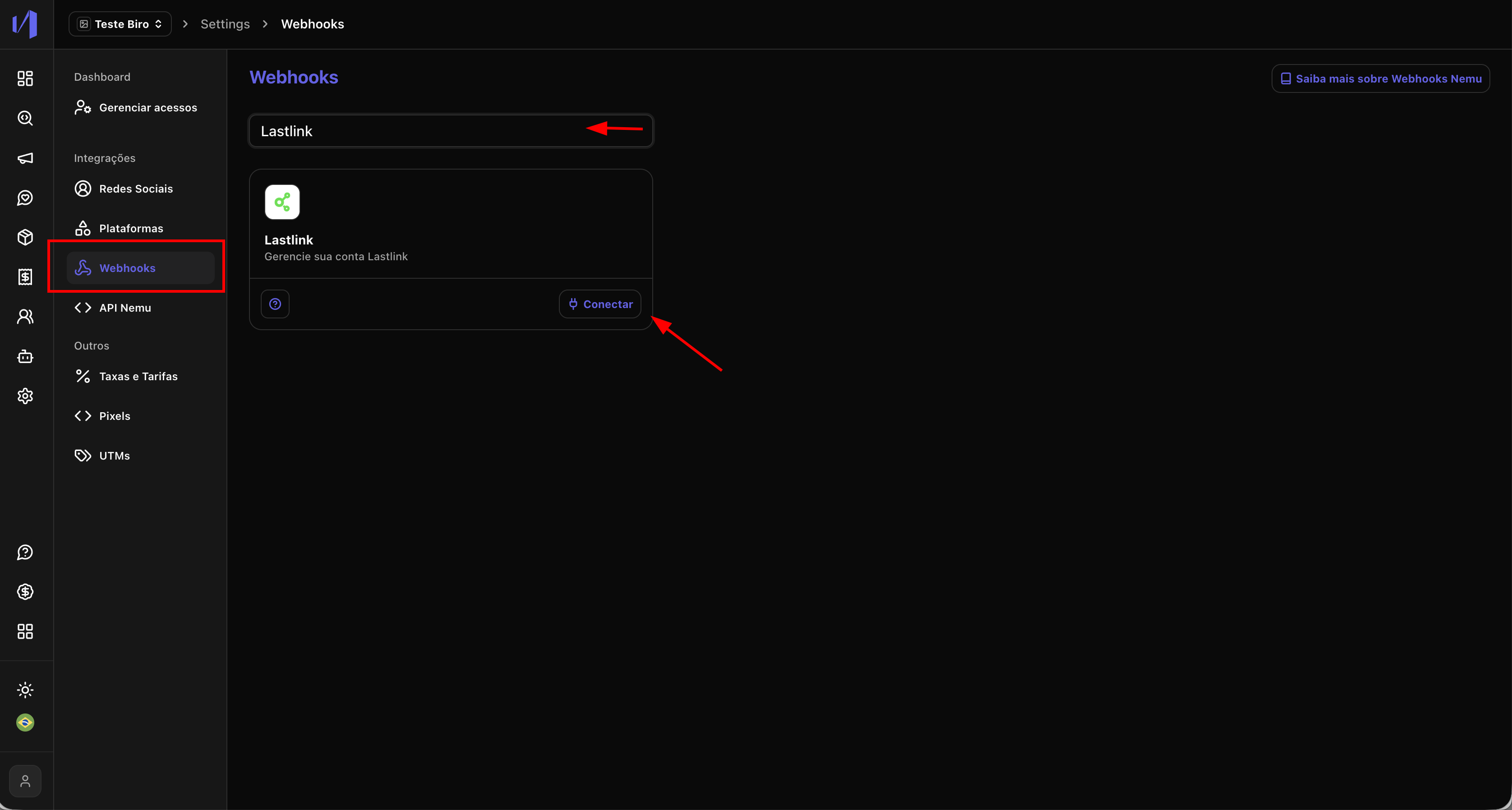
1. In the Nemu panel, go to **Settings** > **Platforms**.
2. Search for **LastLink** and click on **Connect**.
<img src="https://mintcdn.com/nemu/1IDYN5Ibf4yFVgJc/assets/pages/integracoes/lastlink/1.png?fit=max&auto=format&n=1IDYN5Ibf4yFVgJc&q=85&s=af4cbb755886ec93d983d17de035a6c6" alt="" width="3352" height="1796" data-path="assets/pages/integracoes/lastlink/1.png" />

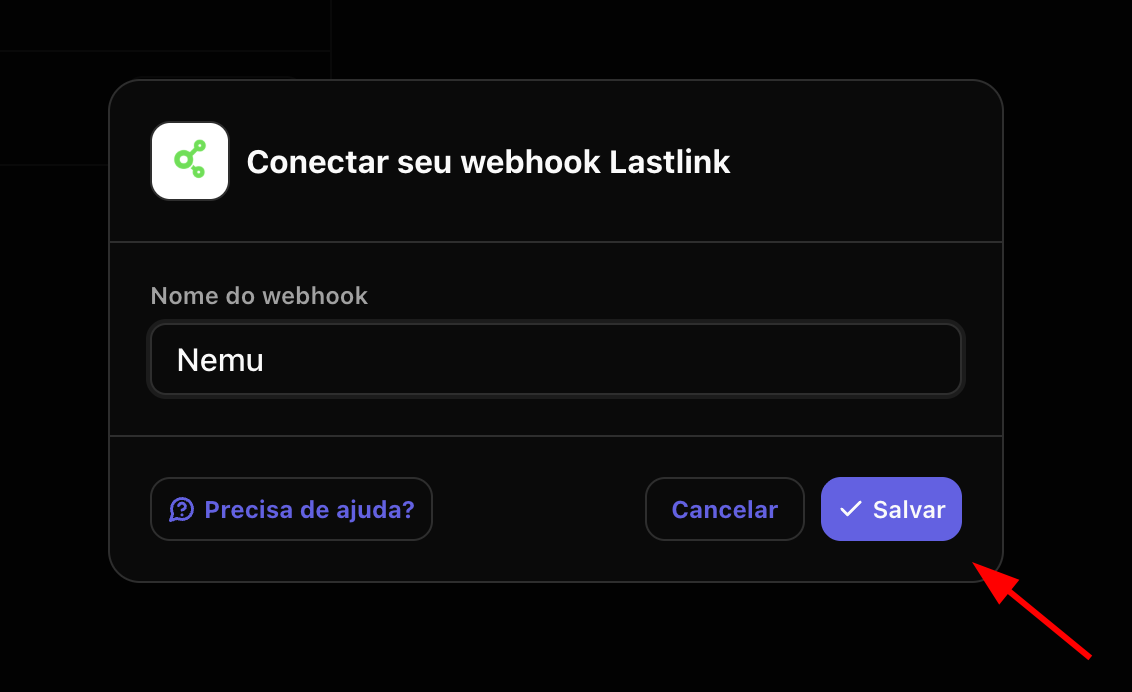
3. Define a **name** for the integration and click on **Save**.
<img src="https://mintcdn.com/nemu/1IDYN5Ibf4yFVgJc/assets/pages/integracoes/lastlink/2.png?fit=max&auto=format&n=1IDYN5Ibf4yFVgJc&q=85&s=79c75b388995513a833f01a774383114" alt="" width="1132" height="692" data-path="assets/pages/integracoes/lastlink/2.png" />

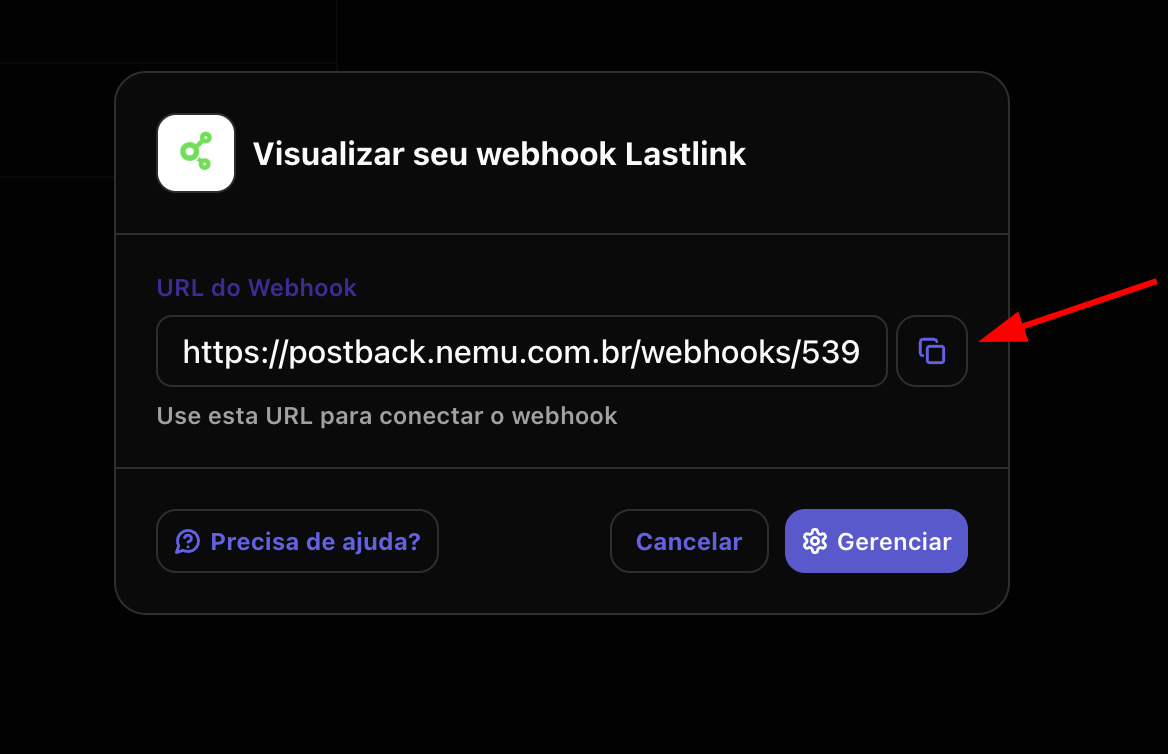
4. Click the button to **copy** the **webhook URL** generated by Nemu.
<img src="https://mintcdn.com/nemu/1IDYN5Ibf4yFVgJc/assets/pages/integracoes/lastlink/3.png?fit=max&auto=format&n=1IDYN5Ibf4yFVgJc&q=85&s=721427c689cc5b6322b05fe4651a3cab" alt="" width="1168" height="754" data-path="assets/pages/integracoes/lastlink/3.png" />

## Setting Up Webhooks in LastLink Dashboard

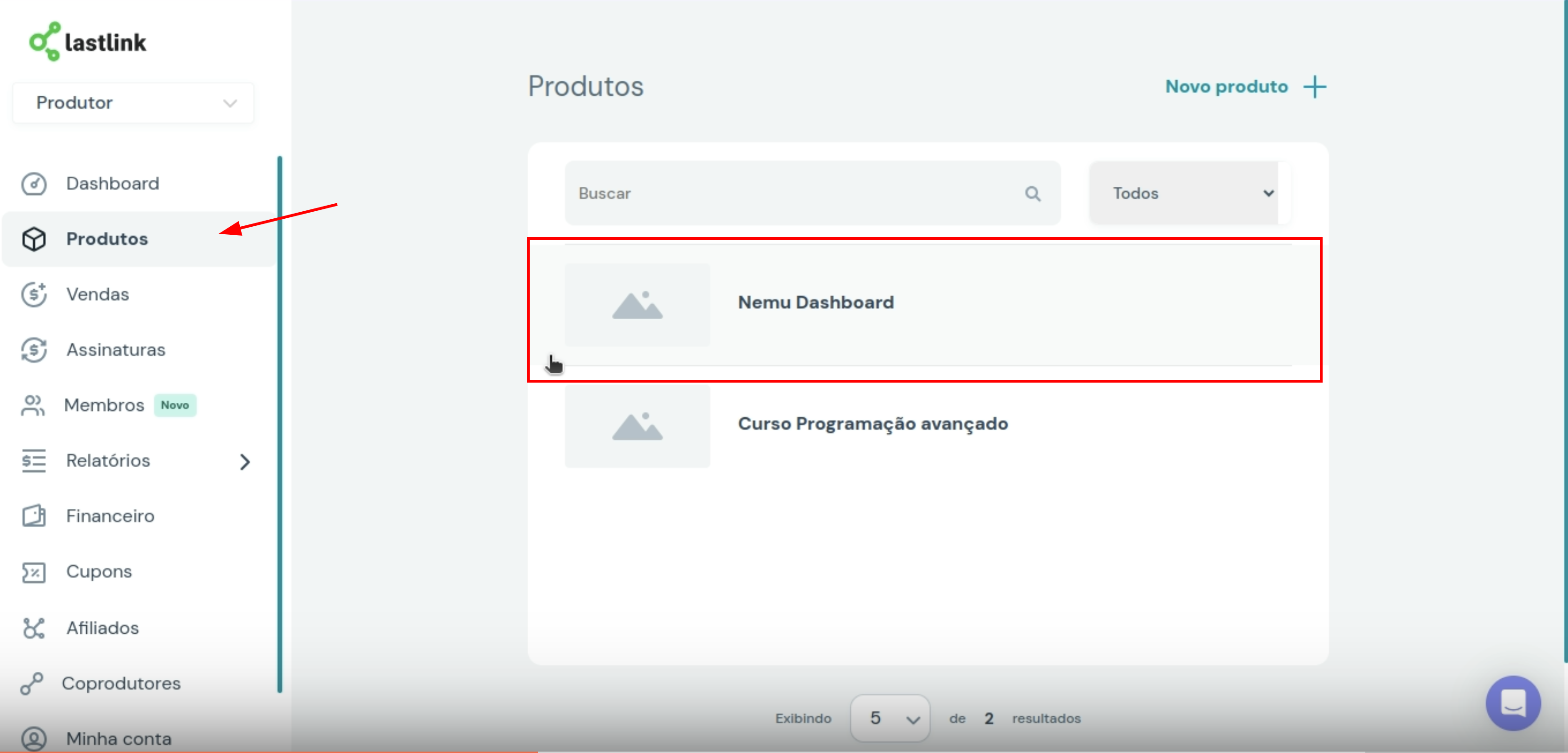
1. In the LastLink panel, go to **Products** and click on the **product you want to integrate**.
<img src="https://mintcdn.com/nemu/1IDYN5Ibf4yFVgJc/assets/pages/integracoes/lastlink/4.png?fit=max&auto=format&n=1IDYN5Ibf4yFVgJc&q=85&s=5b5a50223d8c96678214ebc199e77a77" alt="" width="3342" height="1604" data-path="assets/pages/integracoes/lastlink/4.png" />

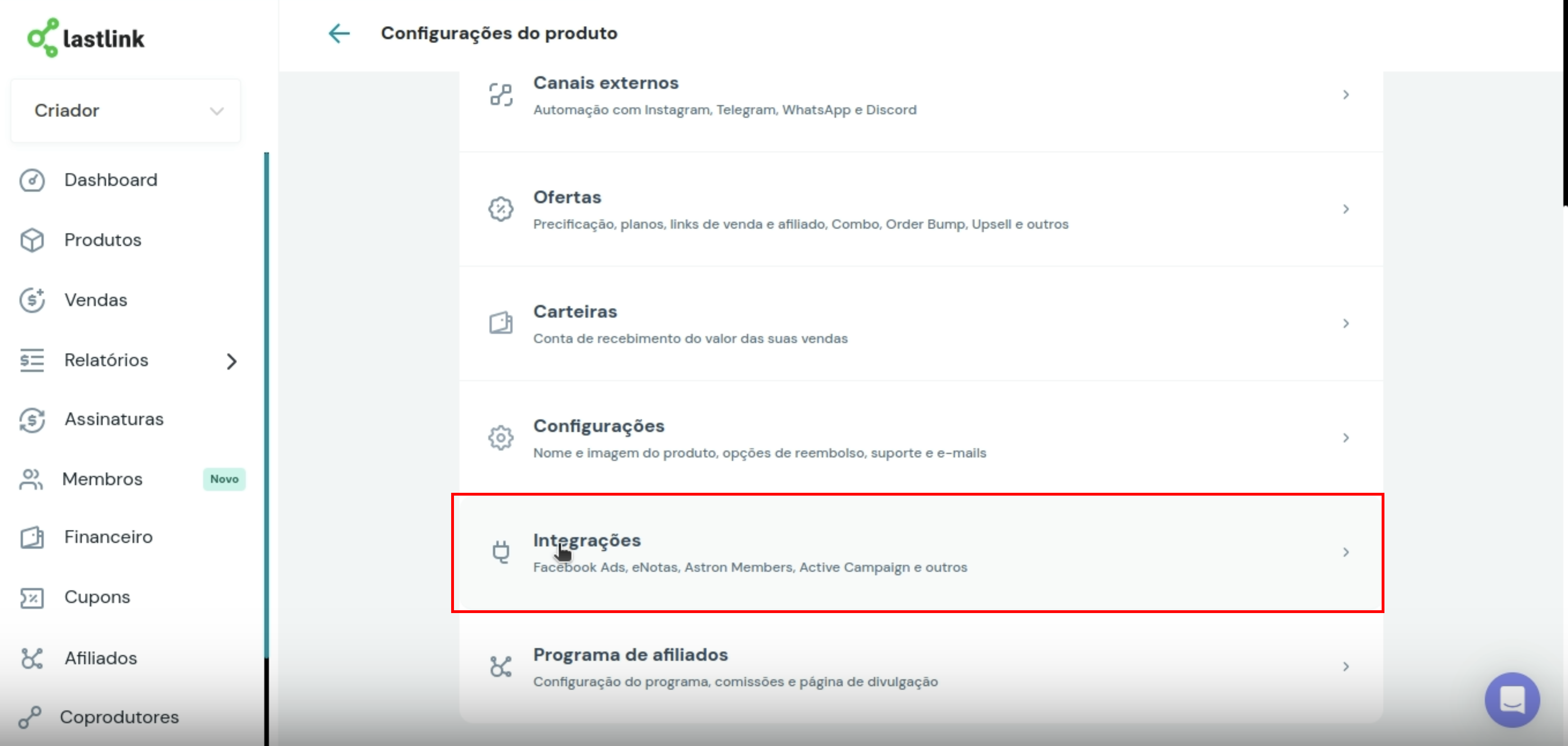
2. Click on **Integrations**

<img src="https://mintcdn.com/nemu/1IDYN5Ibf4yFVgJc/assets/pages/integracoes/lastlink/5.png?fit=max&auto=format&n=1IDYN5Ibf4yFVgJc&q=85&s=d7290ffc285ca751a0cc76e4221ba83f" alt="" width="3340" height="1588" data-path="assets/pages/integracoes/lastlink/5.png" />

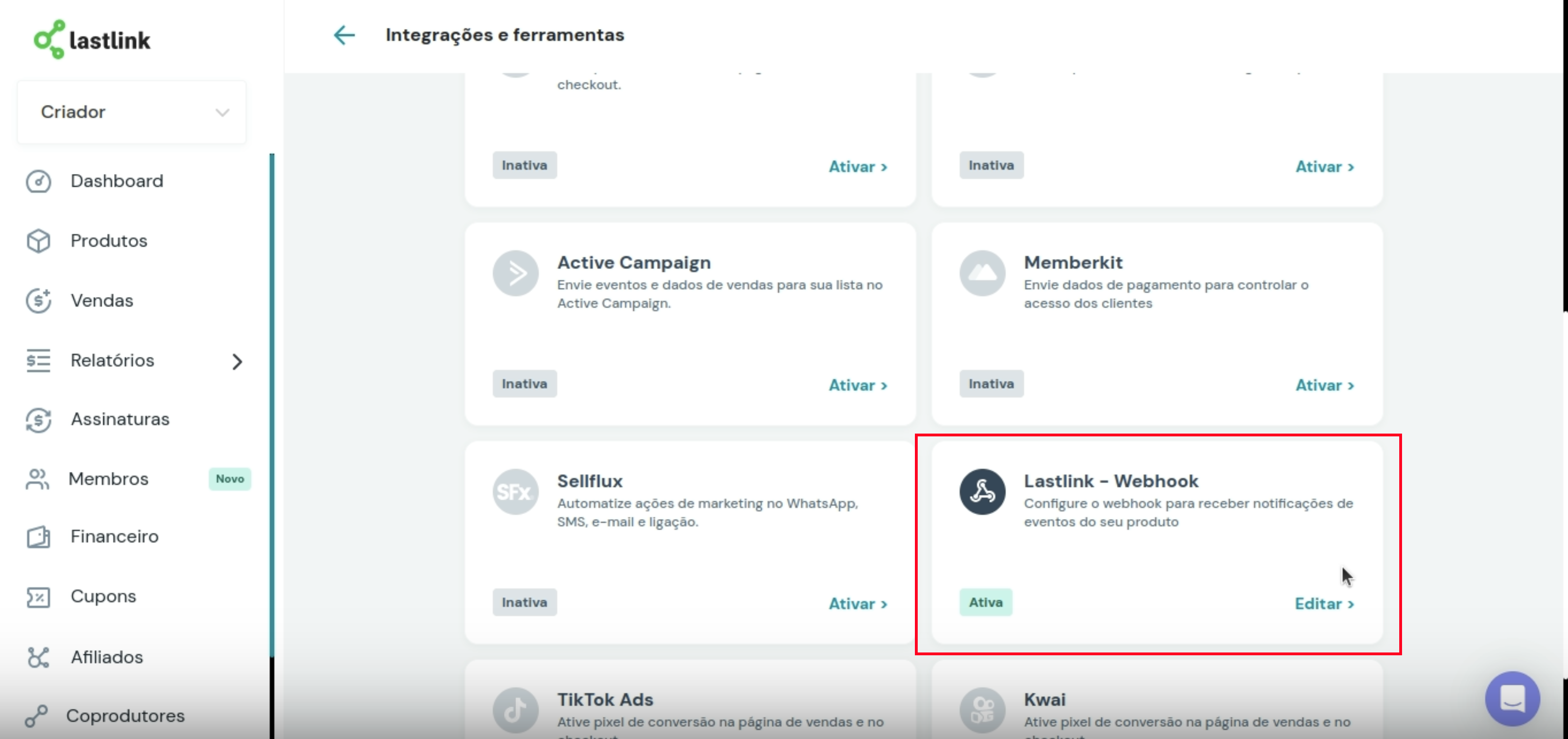
3. Search for **LastLink - Webhook** and click on **Activate/Edit**.
<img src="https://mintcdn.com/nemu/1IDYN5Ibf4yFVgJc/assets/pages/integracoes/lastlink/5.1.png?fit=max&auto=format&n=1IDYN5Ibf4yFVgJc&q=85&s=3073e11fa35d9e194a9e8c05f7271a15" alt="" width="3354" height="1580" data-path="assets/pages/integracoes/lastlink/5.1.png" />

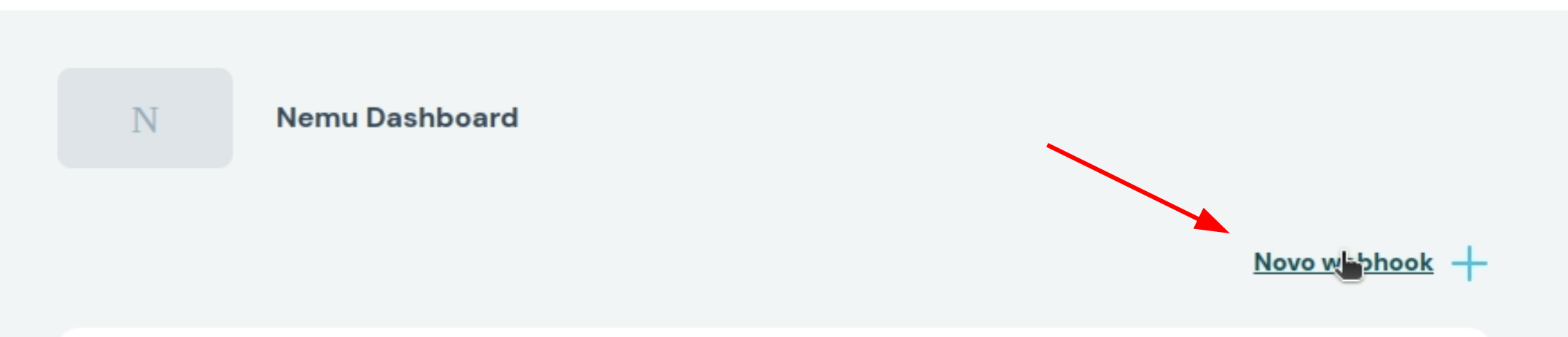
4. Click on **New Webhook**

<img src="https://mintcdn.com/nemu/1IDYN5Ibf4yFVgJc/assets/pages/integracoes/lastlink/6.png?fit=max&auto=format&n=1IDYN5Ibf4yFVgJc&q=85&s=389186e945afa0461ec1d00c50290a0f" alt="" width="2152" height="462" data-path="assets/pages/integracoes/lastlink/6.png" />

5. Make sure the **Status** is set to **Active**

<img src="https://mintcdn.com/nemu/1IDYN5Ibf4yFVgJc/assets/pages/integracoes/lastlink/7.png?fit=max&auto=format&n=1IDYN5Ibf4yFVgJc&q=85&s=62f39c31136f83e7d2069306ad8926d0" alt="" width="2036" height="288" data-path="assets/pages/integracoes/lastlink/7.png" />

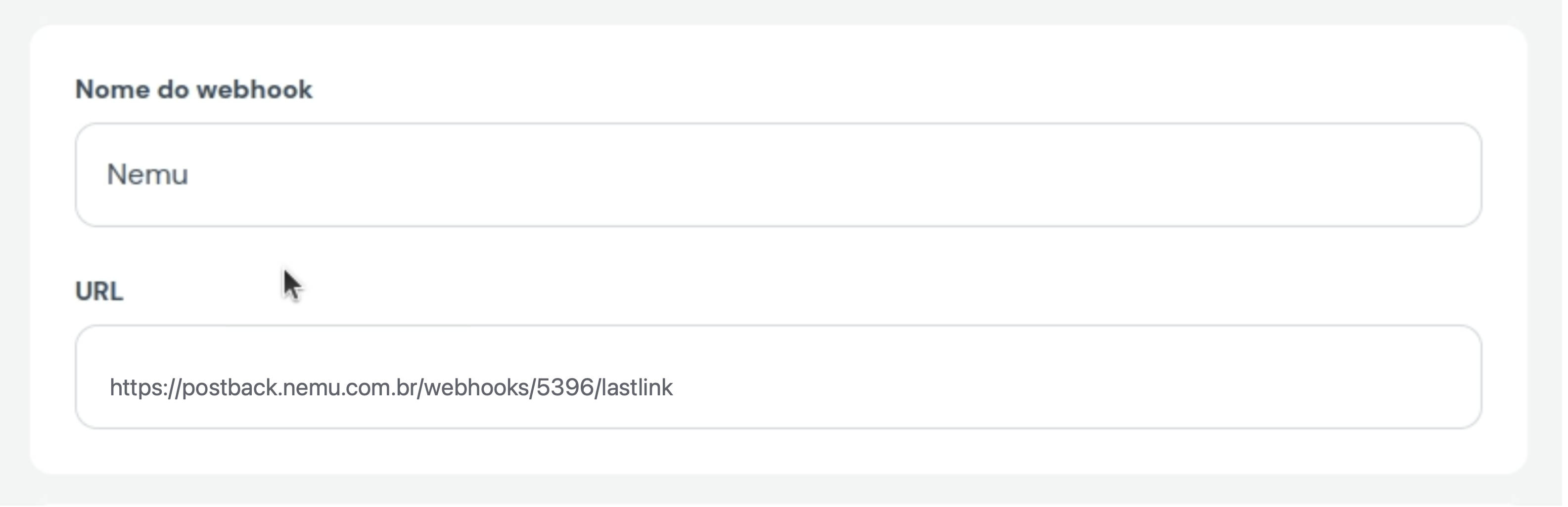
6. Define a **name** for the webhook and paste the **webhook URL** generated by Nemu.
<img src="https://mintcdn.com/nemu/1IDYN5Ibf4yFVgJc/assets/pages/integracoes/lastlink/8.png?fit=max&auto=format&n=1IDYN5Ibf4yFVgJc&q=85&s=251a6c115507d6dc8183ce618245bbe1" alt="" width="3170" height="1026" data-path="assets/pages/integracoes/lastlink/8.png" />

7. In **Events**, click on **Select**

<img src="https://mintcdn.com/nemu/1IDYN5Ibf4yFVgJc/assets/pages/integracoes/lastlink/9.png?fit=max&auto=format&n=1IDYN5Ibf4yFVgJc&q=85&s=6b03346616fb85126026f5dd4df62e01" alt="" width="2066" height="318" data-path="assets/pages/integracoes/lastlink/9.png" />

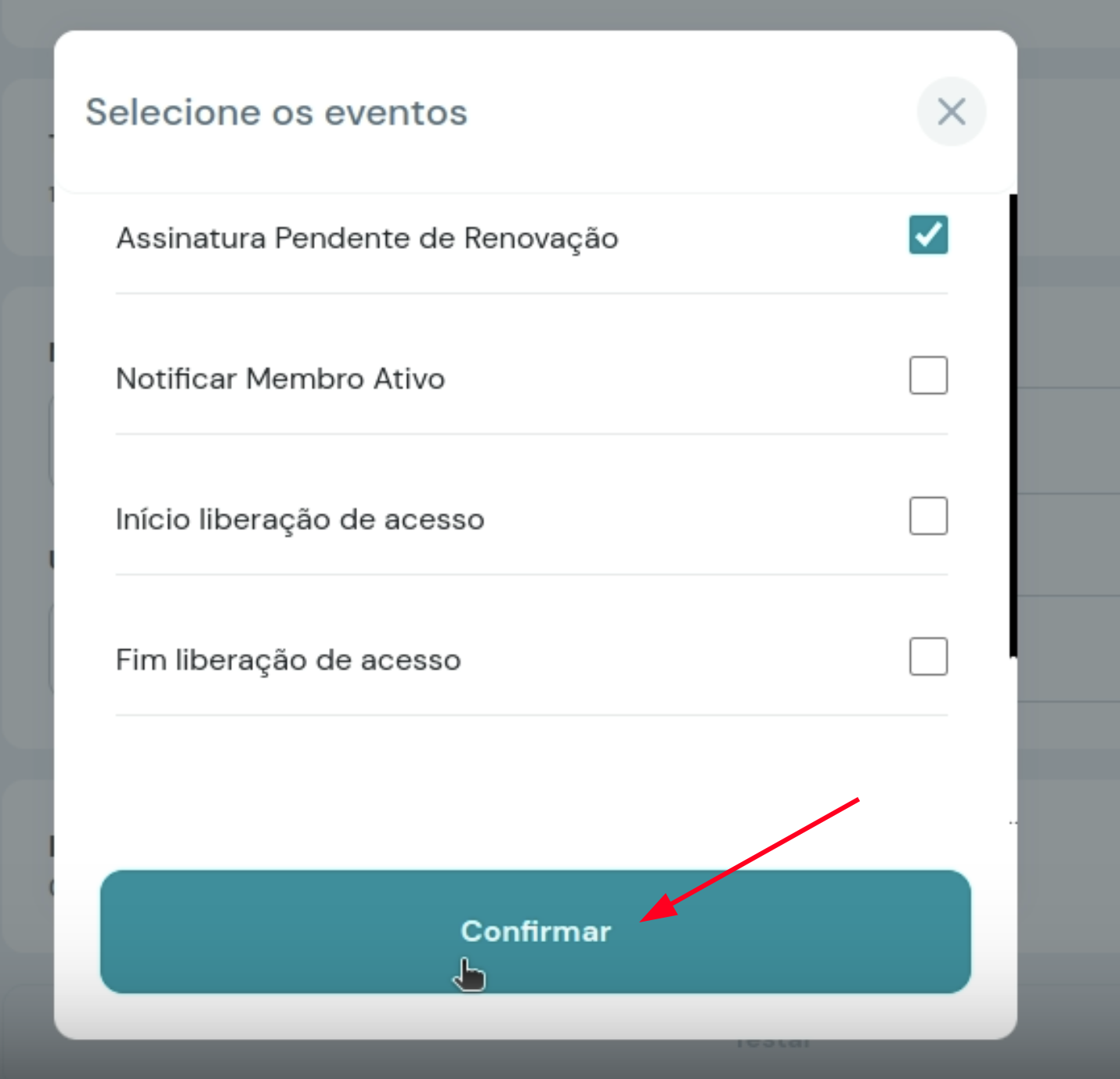
8. Check the following options: <br />

* Payment reversed
* Payment refunded
* Complete purchase
* Purchase order canceled
* Invoice created
* Purchase order expired
* Recurrence payment made
* Subscription canceled
* Subscription expired
* Subscription pending renewal

9. And click on **Confirm**
<img src="https://mintcdn.com/nemu/1IDYN5Ibf4yFVgJc/assets/pages/integracoes/lastlink/10.png?fit=max&auto=format&n=1IDYN5Ibf4yFVgJc&q=85&s=bd871870046ff92dff16e4a37eafa08d" alt="" width="1430" height="1378" data-path="assets/pages/integracoes/lastlink/10.png" />

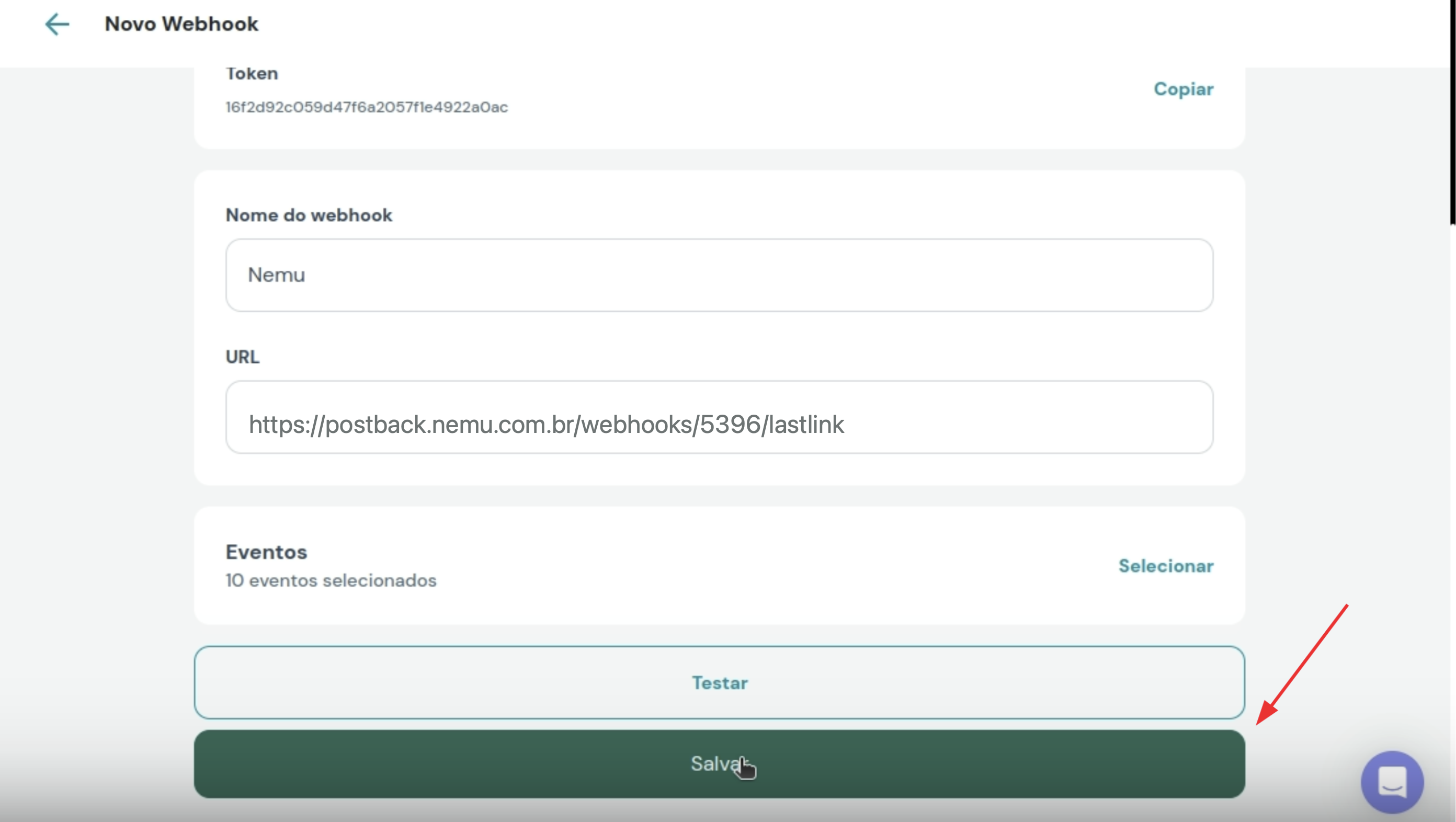
10. Click on **Save** to finalize the integration.
<img src="https://mintcdn.com/nemu/1IDYN5Ibf4yFVgJc/assets/pages/integracoes/lastlink/11.png?fit=max&auto=format&n=1IDYN5Ibf4yFVgJc&q=85&s=a7448464e27979f4e1f4eb09ce7ff72b" alt="" width="2784" height="1572" data-path="assets/pages/integracoes/lastlink/11.png" />