> ## Documentation Index
> Fetch the complete documentation index at: https://docs.nemu.com.br/llms.txt
> Use this file to discover all available pages before exploring further.

# Shoppub

> How to connect Shoppub to Nemu Dashboard

# How to integrate with Shoppub

## To connect your Shoppub account, simply follow these simple steps:

* First, go to your Shoppub store admin.

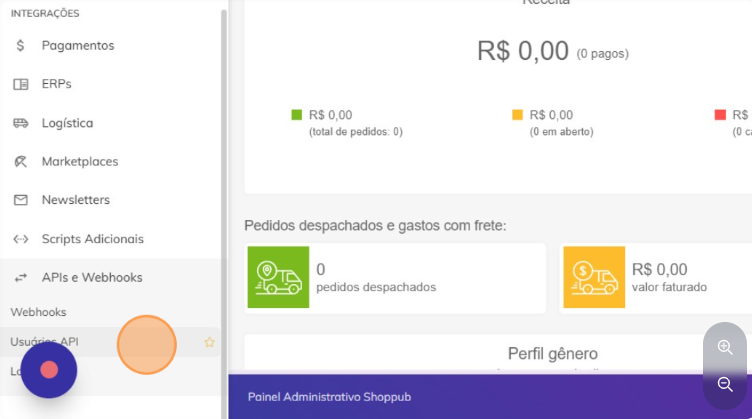
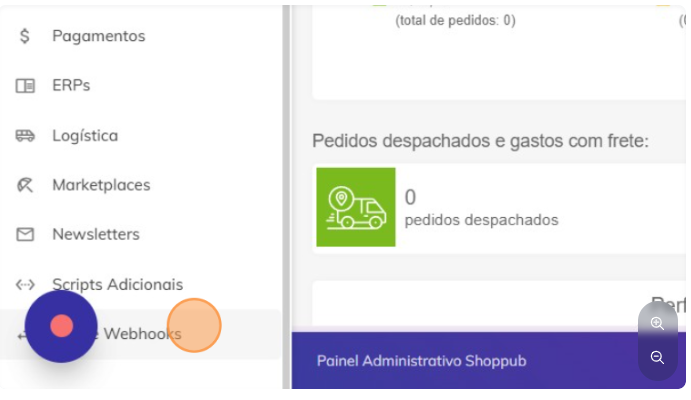
* In the sidebar, go to **"APIs and Webhooks"**.
  <img src="https://mintcdn.com/nemu/1PP-evrYzqGXeyQk/assets/pages/integracoes/shoppub/1.png?fit=max&auto=format&n=1PP-evrYzqGXeyQk&q=85&s=e3ec04594c3f003bf0cf3eccef0b9088" alt="" width="691" height="400" data-path="assets/pages/integracoes/shoppub/1.png" />

* Select "API Users".

  <img src="https://mintcdn.com/nemu/1PP-evrYzqGXeyQk/assets/pages/integracoes/shoppub/2.png?fit=max&auto=format&n=1PP-evrYzqGXeyQk&q=85&s=78ff6a4b9bed3c7fc29ce68a2b0eb30c" alt="" width="752" height="419" data-path="assets/pages/integracoes/shoppub/2.png" />

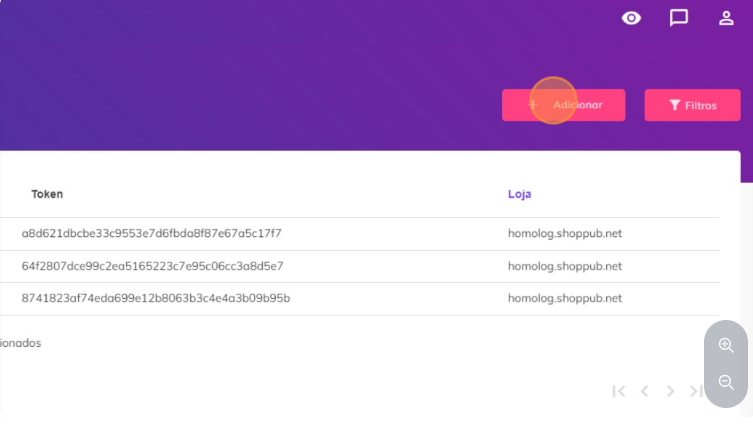
* Click on "Add".

  <img src="https://mintcdn.com/nemu/1PP-evrYzqGXeyQk/assets/pages/integracoes/shoppub/3.png?fit=max&auto=format&n=1PP-evrYzqGXeyQk&q=85&s=74468ab57043717cd4b0fe573cc57e0e" alt="" width="753" height="431" data-path="assets/pages/integracoes/shoppub/3.png" />

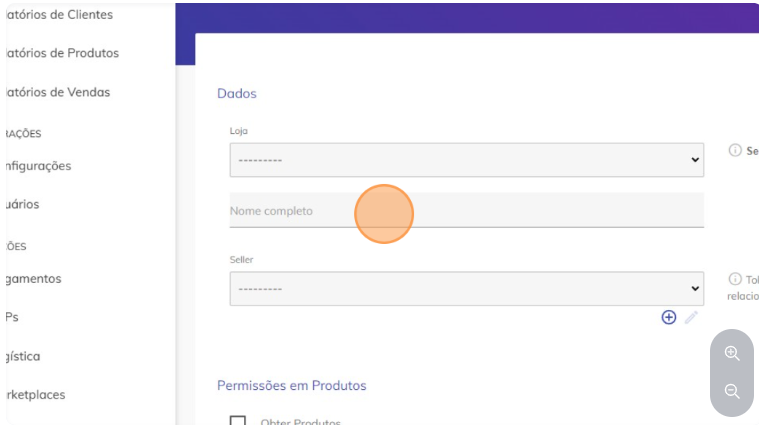
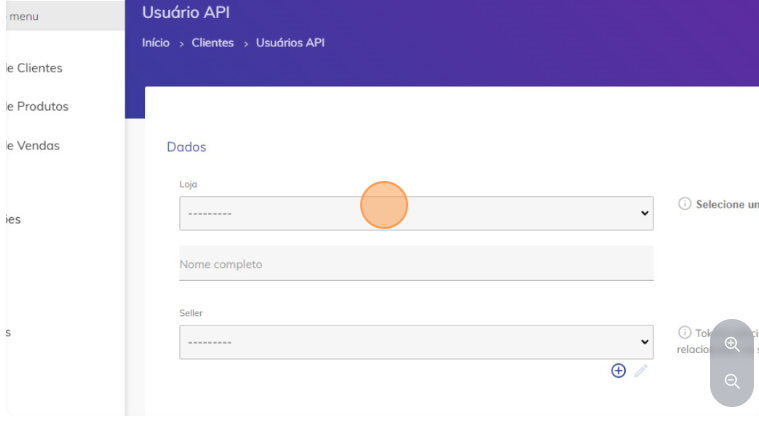
Select which store the user will be created for.
<img src="https://mintcdn.com/nemu/1PP-evrYzqGXeyQk/assets/pages/integracoes/shoppub/4.png?fit=max&auto=format&n=1PP-evrYzqGXeyQk&q=85&s=7e60d1b9ce638a39e354e357fcc68c11" alt="" width="759" height="425" data-path="assets/pages/integracoes/shoppub/4.png" />

Write the name "Nemu" in "Full Name".

<img src="https://mintcdn.com/nemu/KidzCpESYpocg5v4/assets/pages/integracoes/shoppub/5.png?fit=max&auto=format&n=KidzCpESYpocg5v4&q=85&s=6464c6d51990b0e236d5f6e231a6e854" alt="" width="759" height="425" data-path="assets/pages/integracoes/shoppub/5.png" />

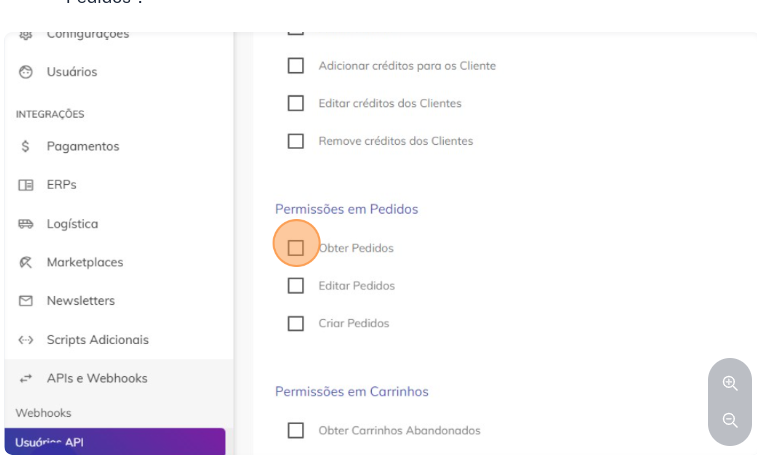
* To allow the company to access order information, click on "Get Orders".
  <img src="https://mintcdn.com/nemu/KidzCpESYpocg5v4/assets/pages/integracoes/shoppub/6.png?fit=max&auto=format&n=KidzCpESYpocg5v4&q=85&s=d616a4394415649f1abe2f2e1b3e4c2a" alt="" width="757" height="460" data-path="assets/pages/integracoes/shoppub/6.png" />

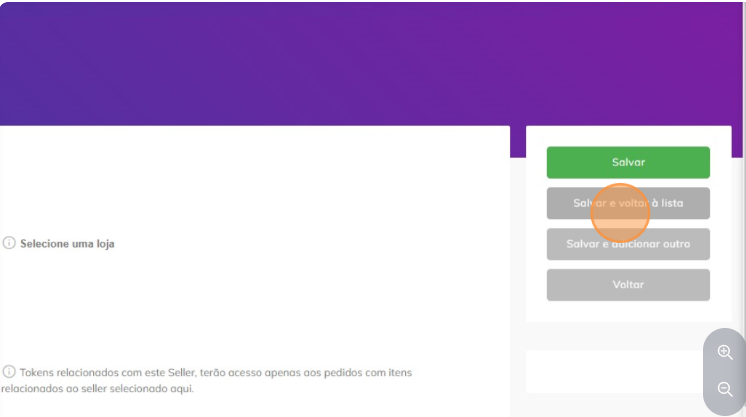
* Finally, go to "Save and return to list".
  <img src="https://mintcdn.com/nemu/KidzCpESYpocg5v4/assets/pages/integracoes/shoppub/7.png?fit=max&auto=format&n=KidzCpESYpocg5v4&q=85&s=1c1cf1878f552962785603207c0ce32e" alt="" width="746" height="417" data-path="assets/pages/integracoes/shoppub/7.png" />

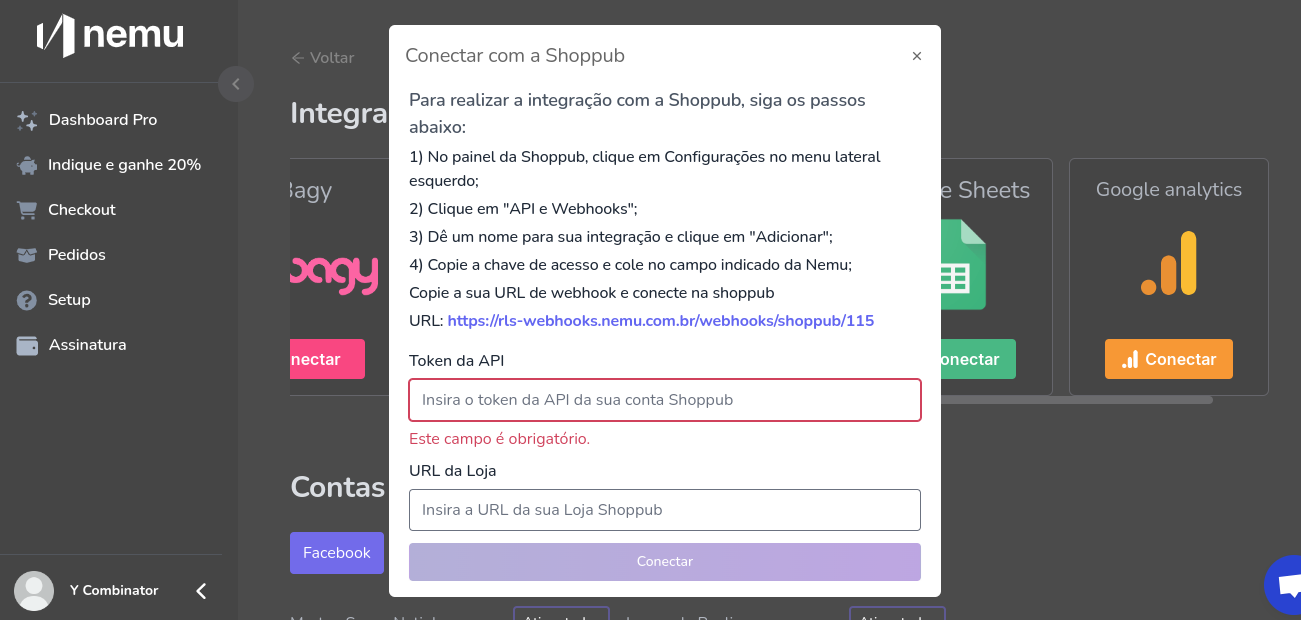
After these steps, you can copy the API token and paste it into Nemu:
<img src="https://mintcdn.com/nemu/KidzCpESYpocg5v4/assets/pages/integracoes/shoppub/8.png?fit=max&auto=format&n=KidzCpESYpocg5v4&q=85&s=b2f92250f9cb22de04ff1f525e589e80" alt="" width="1301" height="620" data-path="assets/pages/integracoes/shoppub/8.png" />

Then paste your Store domain in "Store URL" Note: URL without https.

Finally, copy the webhook URL, click on connect and configure a new webhook in Shoppub.

## Connecting Nemu's webhook in Shoppub:

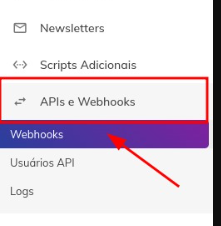
* Click on "APIs and Webhooks".
  <img src="https://mintcdn.com/nemu/KidzCpESYpocg5v4/assets/pages/integracoes/shoppub/9.png?fit=max&auto=format&n=KidzCpESYpocg5v4&q=85&s=29b42bfea34c7c2f38d3d0f21616fb07" alt="" width="221" height="226" data-path="assets/pages/integracoes/shoppub/9.png" />

* Add webhook.

  <img src="https://mintcdn.com/nemu/1PP-evrYzqGXeyQk/assets/pages/integracoes/shoppub/10.png?fit=max&auto=format&n=1PP-evrYzqGXeyQk&q=85&s=02c6bd237d6b515620a4609b975e7f5f" alt="" width="1181" height="79" data-path="assets/pages/integracoes/shoppub/10.png" />

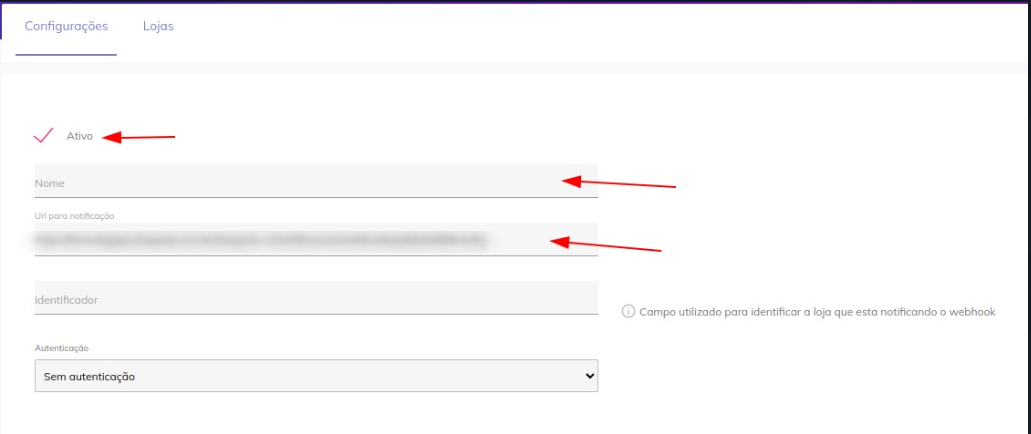
Paste the notification URL

<img src="https://mintcdn.com/nemu/1PP-evrYzqGXeyQk/assets/pages/integracoes/shoppub/11.png?fit=max&auto=format&n=1PP-evrYzqGXeyQk&q=85&s=132183fcab5cd2267fb42f2002fa03f5" alt="" width="1031" height="434" data-path="assets/pages/integracoes/shoppub/11.png" />

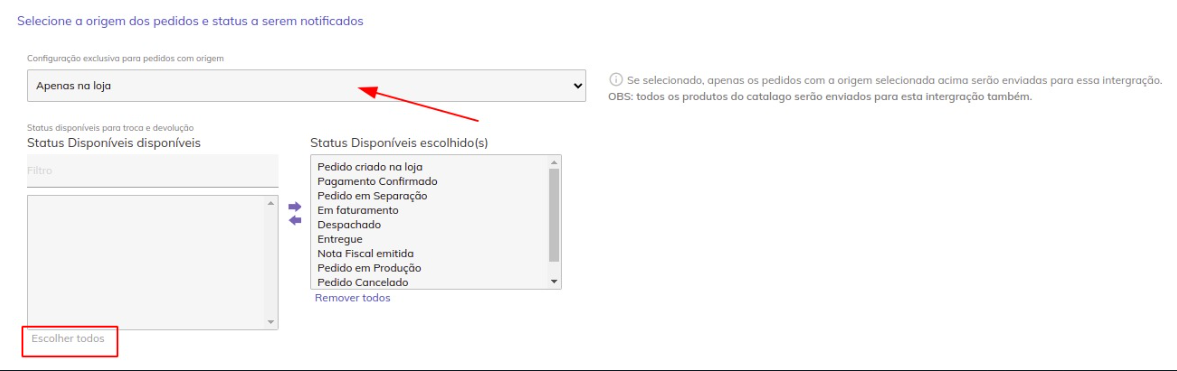
Finally, select all order status:

<img src="https://mintcdn.com/nemu/1PP-evrYzqGXeyQk/assets/pages/integracoes/shoppub/12.png?fit=max&auto=format&n=1PP-evrYzqGXeyQk&q=85&s=d35a1b996e0d89007d693027d65e9956" alt="" width="1177" height="371" data-path="assets/pages/integracoes/shoppub/12.png" />

<Note>
  Remember that because it is a Webhook integration format, it will not be
  possible to get retroactive data, the numbers will start appearing in your dashboard
  as new sales come in.
</Note>