> ## Documentation Index
> Fetch the complete documentation index at: https://docs.nemu.com.br/llms.txt
> Use this file to discover all available pages before exploring further.
# How to add operational costs and investments per channel
> Learn how to add and manage operational costs and investments per channel in Nemu.
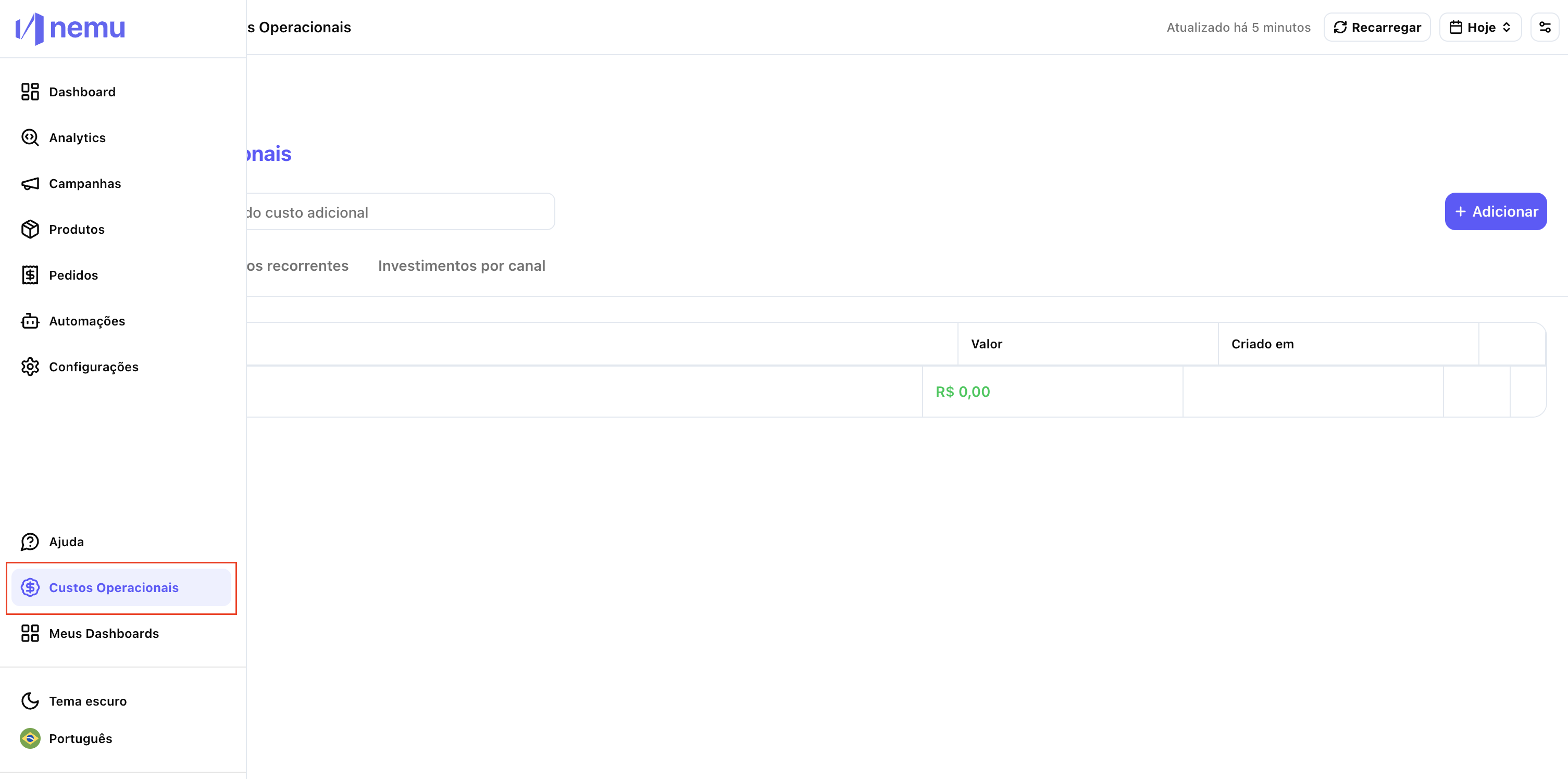
## 1. Access the "Operational Costs" menu
* In the Nemu sidebar, click on **"Operational Costs"**.
* This is where you can add and manage investments per channel and other costs.
 ## 2. Click on "Add"[](#2-click-on-add "Direct link to 2. Click on \"Add\"")
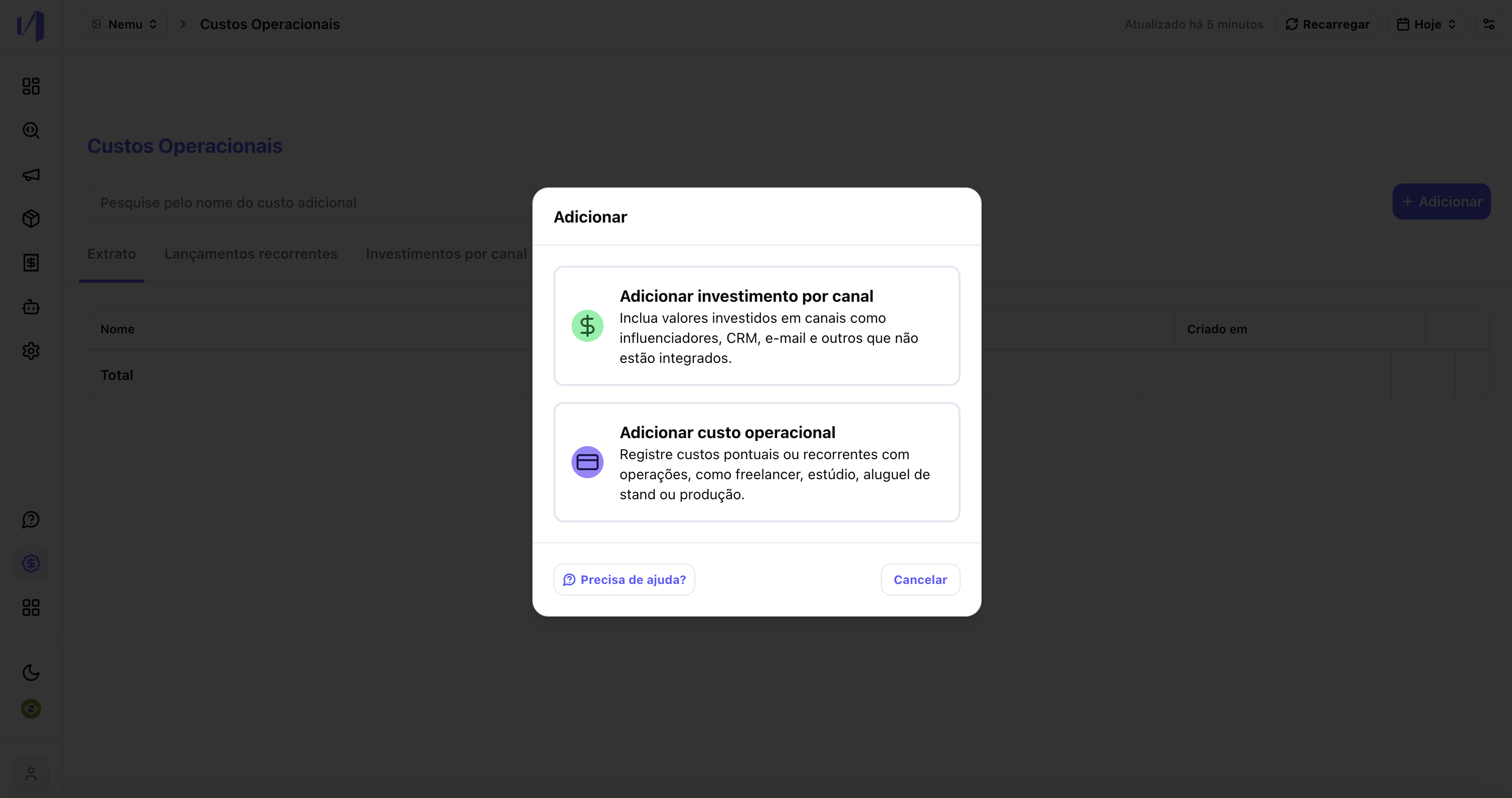
You will see two options:
* **Add investment per channel**
* **Add operational cost**
## 2. Click on "Add"[](#2-click-on-add "Direct link to 2. Click on \"Add\"")
You will see two options:
* **Add investment per channel**
* **Add operational cost**
 ## 3. Understand the difference between the two types
* **Investment per channel:** use for costs related to marketing channels (e.g., CRM, email, influencers, etc.) to calculate ROI.
* **Operational cost:** use for general expenses (freelancers, rent, studio, etc.) that don't need to be tied to a specific channel.
## 4. Adding investment per channel
You can do this in two ways:
### 4.1. Add individually
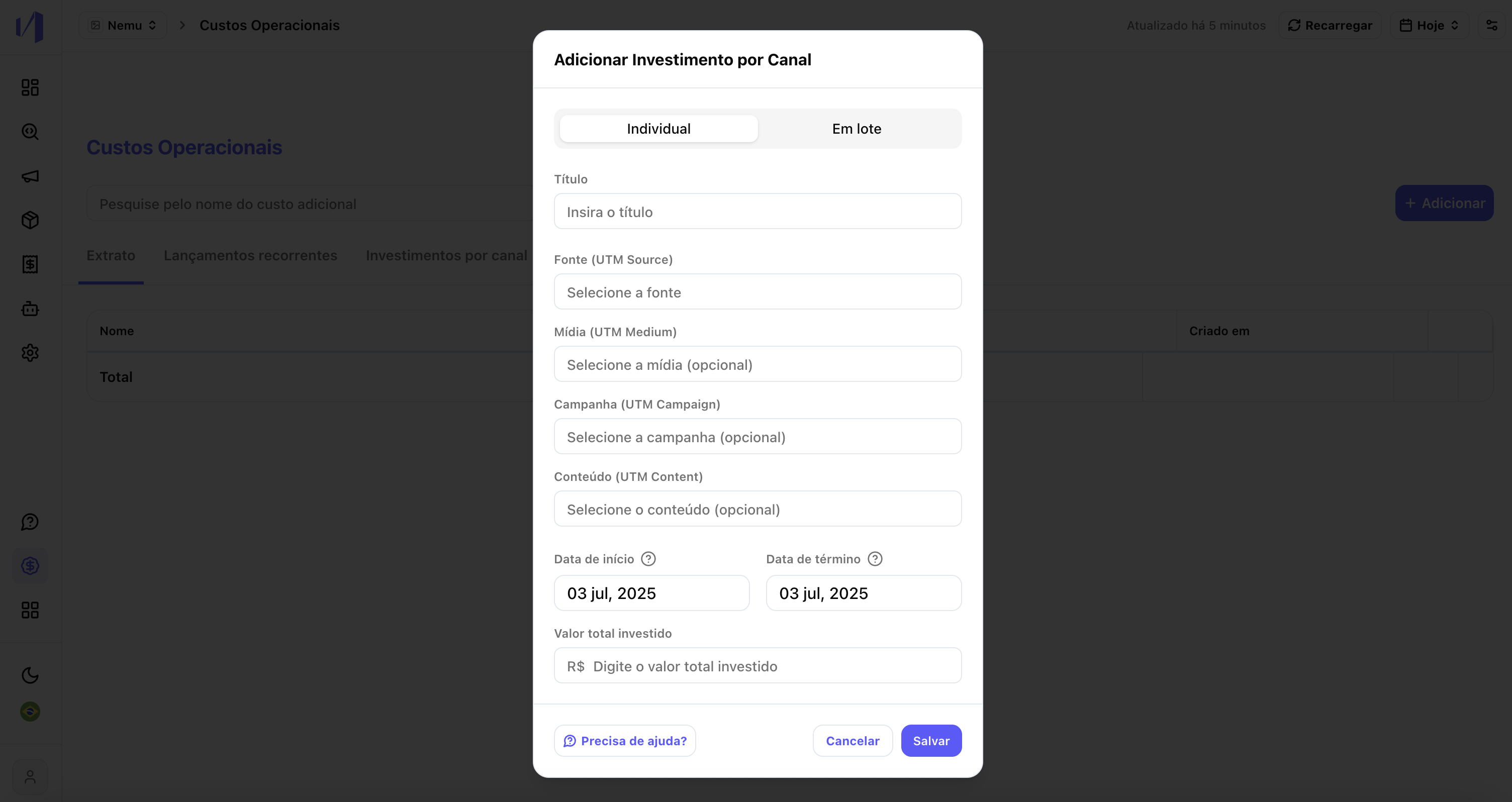
* Fill in the fields:
* **Title** (e.g., March CRM Campaign)
* **Source, Medium, Campaign, Content** (UTMs you already use)
* **Start and end date**
* **Total value invested**
* The value will be **distributed proportionally per day** in the indicated period.
## 3. Understand the difference between the two types
* **Investment per channel:** use for costs related to marketing channels (e.g., CRM, email, influencers, etc.) to calculate ROI.
* **Operational cost:** use for general expenses (freelancers, rent, studio, etc.) that don't need to be tied to a specific channel.
## 4. Adding investment per channel
You can do this in two ways:
### 4.1. Add individually
* Fill in the fields:
* **Title** (e.g., March CRM Campaign)
* **Source, Medium, Campaign, Content** (UTMs you already use)
* **Start and end date**
* **Total value invested**
* The value will be **distributed proportionally per day** in the indicated period.
 ### 4.2. Bulk import
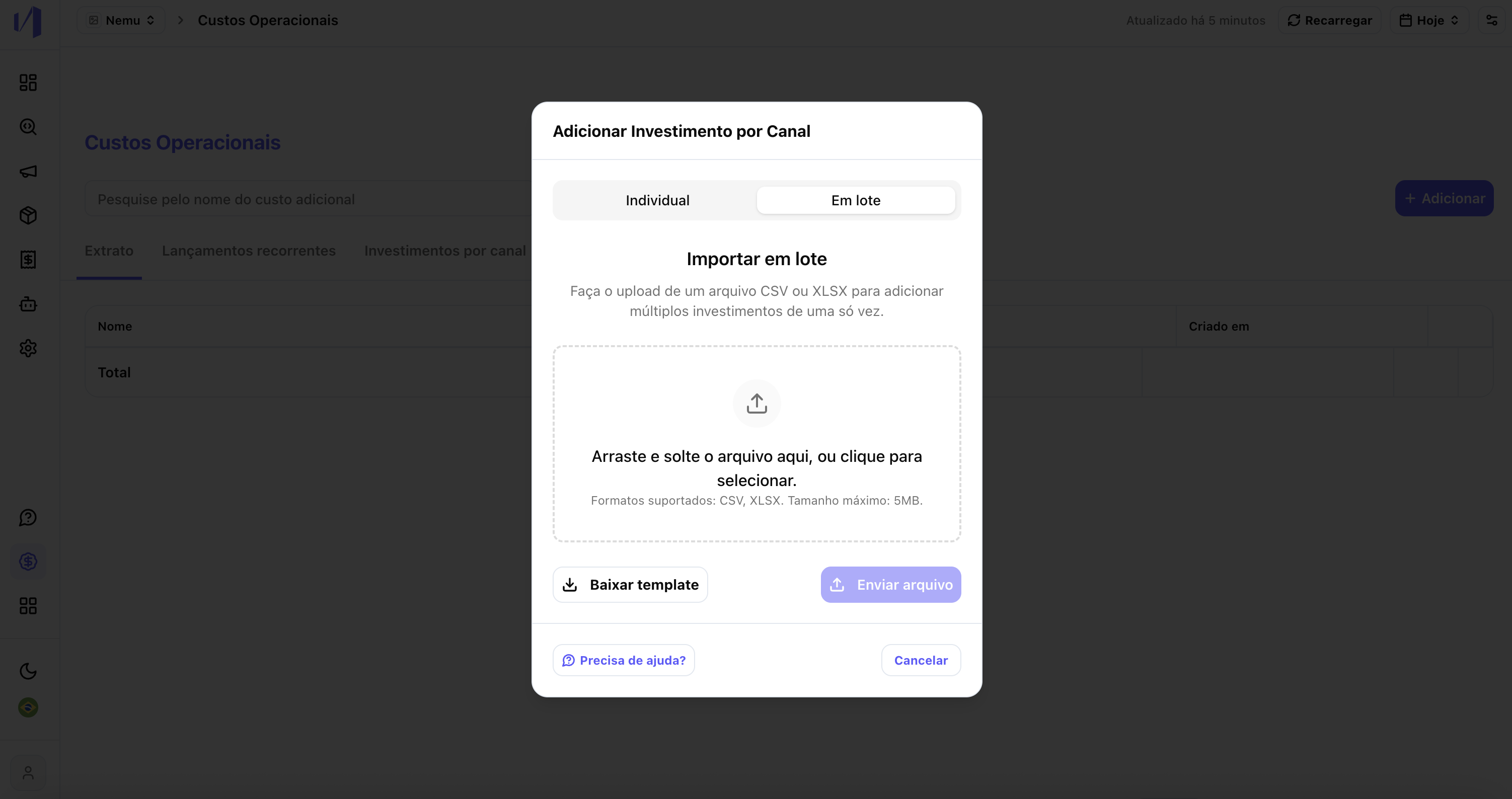
Ideal if you have **many investments** to add at once.
Steps:
1. Click on **"Bulk import"**
2. Download the **template** provided
3. Fill in the columns:
* Title
* Source, Medium, Campaign, Content
* Start and end date
* Total value
4. Send the file back through the platform
**Important:**
* Keep the **UTM standard** you already use to ensure the connection with the channels.
* The dates are used to calculate the **daily investment** (e.g., $10,000 for 10 days = $1,000 per day).
### 4.2. Bulk import
Ideal if you have **many investments** to add at once.
Steps:
1. Click on **"Bulk import"**
2. Download the **template** provided
3. Fill in the columns:
* Title
* Source, Medium, Campaign, Content
* Start and end date
* Total value
4. Send the file back through the platform
**Important:**
* Keep the **UTM standard** you already use to ensure the connection with the channels.
* The dates are used to calculate the **daily investment** (e.g., $10,000 for 10 days = $1,000 per day).
 ## 5. View and edit your investments per channel
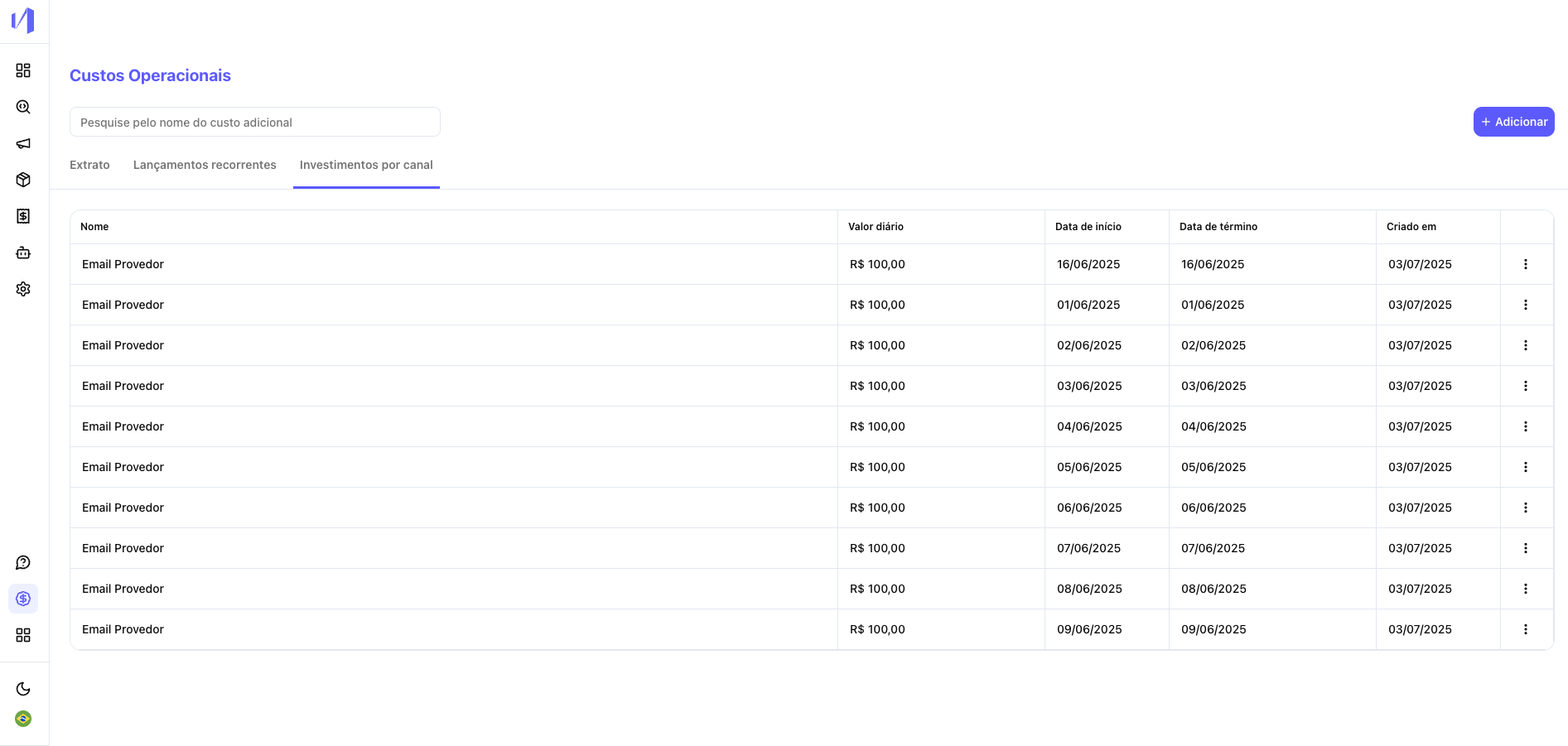
In the **"Operational Costs"** tab itself, select the **"Investments per channel"** tab to see the entire **upload history** you performed.
* You can edit or delete each item.
* There you can see the investment name, daily value, dates, and creation date.
## 5. View and edit your investments per channel
In the **"Operational Costs"** tab itself, select the **"Investments per channel"** tab to see the entire **upload history** you performed.
* You can edit or delete each item.
* There you can see the investment name, daily value, dates, and creation date.
 ## 6. View the data in the campaigns tabs
After adding the costs:
* Go to **Campaigns > All Channels** to see ROI, Revenue, Spend, etc. data.
* The investments you add will be distributed to the respective channels and UTMs.
Also:
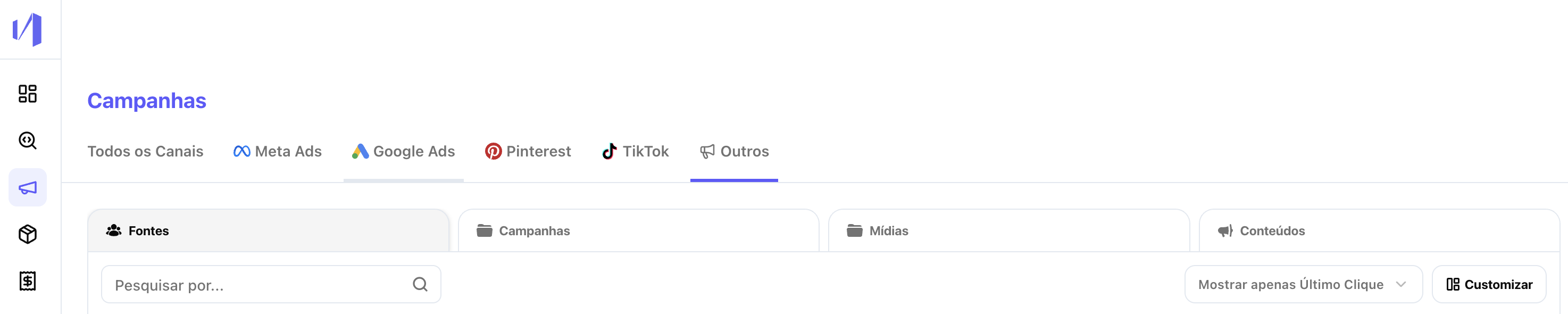
* The channels you insert also appear in the **"Others"** tab.
* The "Others" tab shows detailed UTMs (Source, Campaign, Medium, Content).
* **Important:** if you don't fill in the `campaign`, `medium`, or `content` fields at the time of upload, these fields will appear blank in the "Others" tab view.
## 6. View the data in the campaigns tabs
After adding the costs:
* Go to **Campaigns > All Channels** to see ROI, Revenue, Spend, etc. data.
* The investments you add will be distributed to the respective channels and UTMs.
Also:
* The channels you insert also appear in the **"Others"** tab.
* The "Others" tab shows detailed UTMs (Source, Campaign, Medium, Content).
* **Important:** if you don't fill in the `campaign`, `medium`, or `content` fields at the time of upload, these fields will appear blank in the "Others" tab view.
 ## Ready
Now you can measure the return on channels that don't have direct integration with Nemu and also control your operational costs in one place.
## Ready
Now you can measure the return on channels that don't have direct integration with Nemu and also control your operational costs in one place.