> ## Documentation Index
> Fetch the complete documentation index at: https://docs.nemu.com.br/llms.txt
> Use this file to discover all available pages before exploring further.
# URL Shortener
> Nemu's URL shortener allows you to create short, customized links for your marketing campaigns, making sharing and click tracking easier.
## How to access?
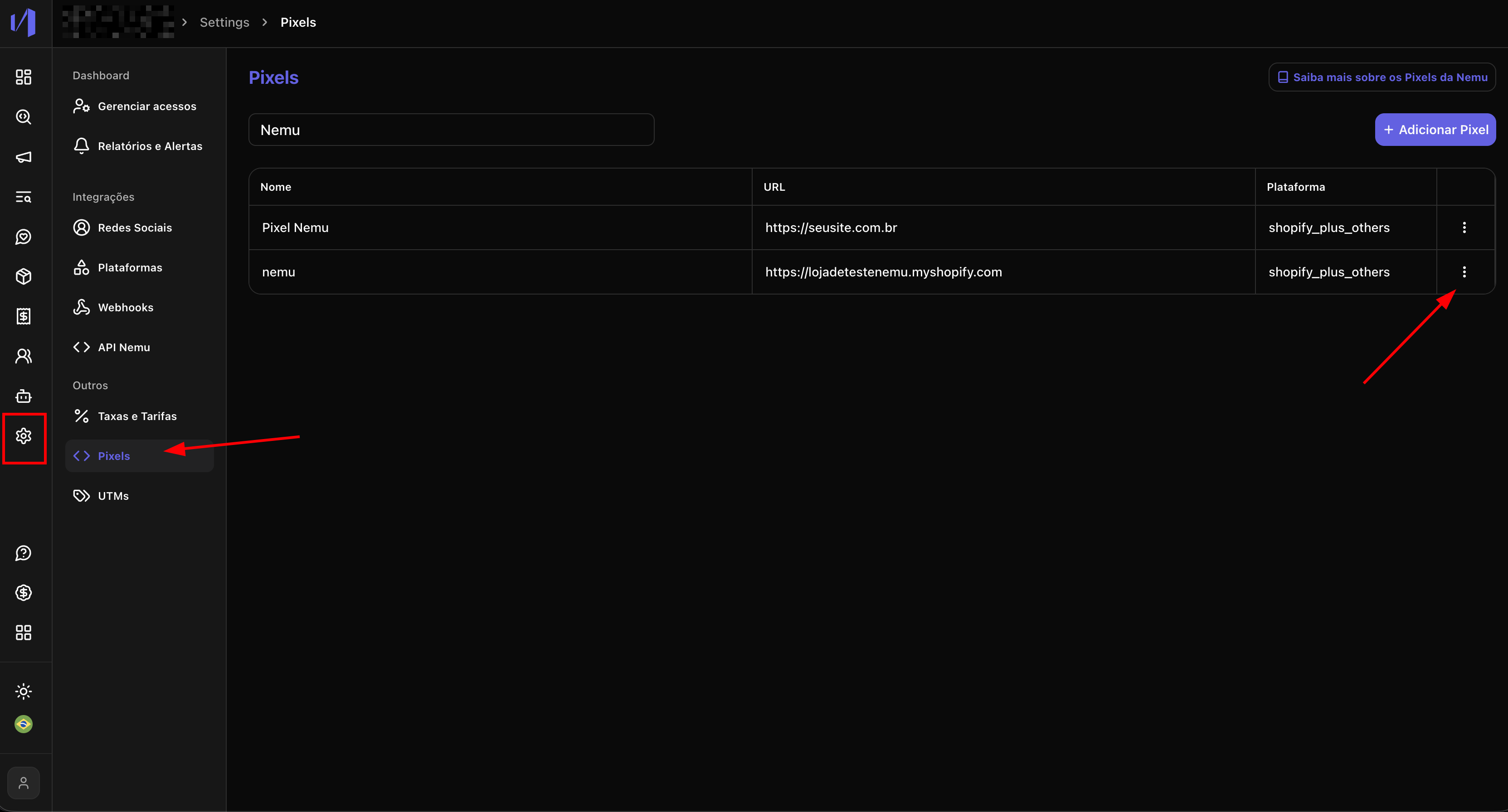
Access: **Settings → Pixels**
 ## How to create a link?
#### 1. On the Pixel line where you want to create the link, click the edit button
## How to create a link?
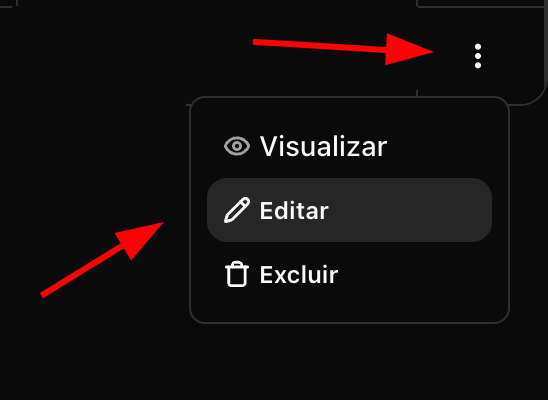
#### 1. On the Pixel line where you want to create the link, click the edit button
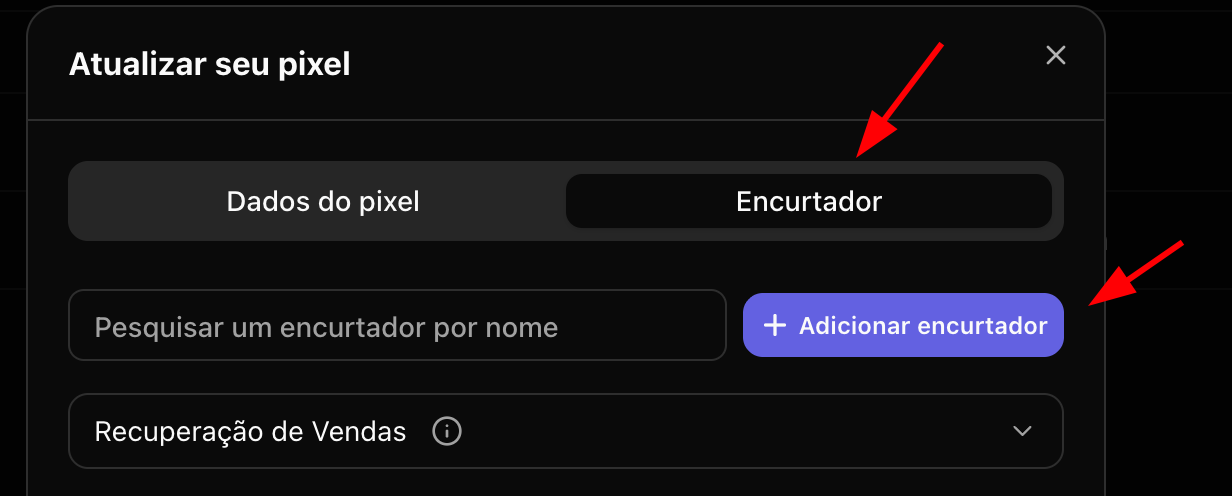
 #### 2. Click on the **Shortener tab** and then **Add Shortener**
 If you want to use the link for recovery sale, it is necessary to integrate
with the available platform
[Reportana](/en/onboarding/integrations/reportana). To do this, simply click
on the integration button and follow the step by step.
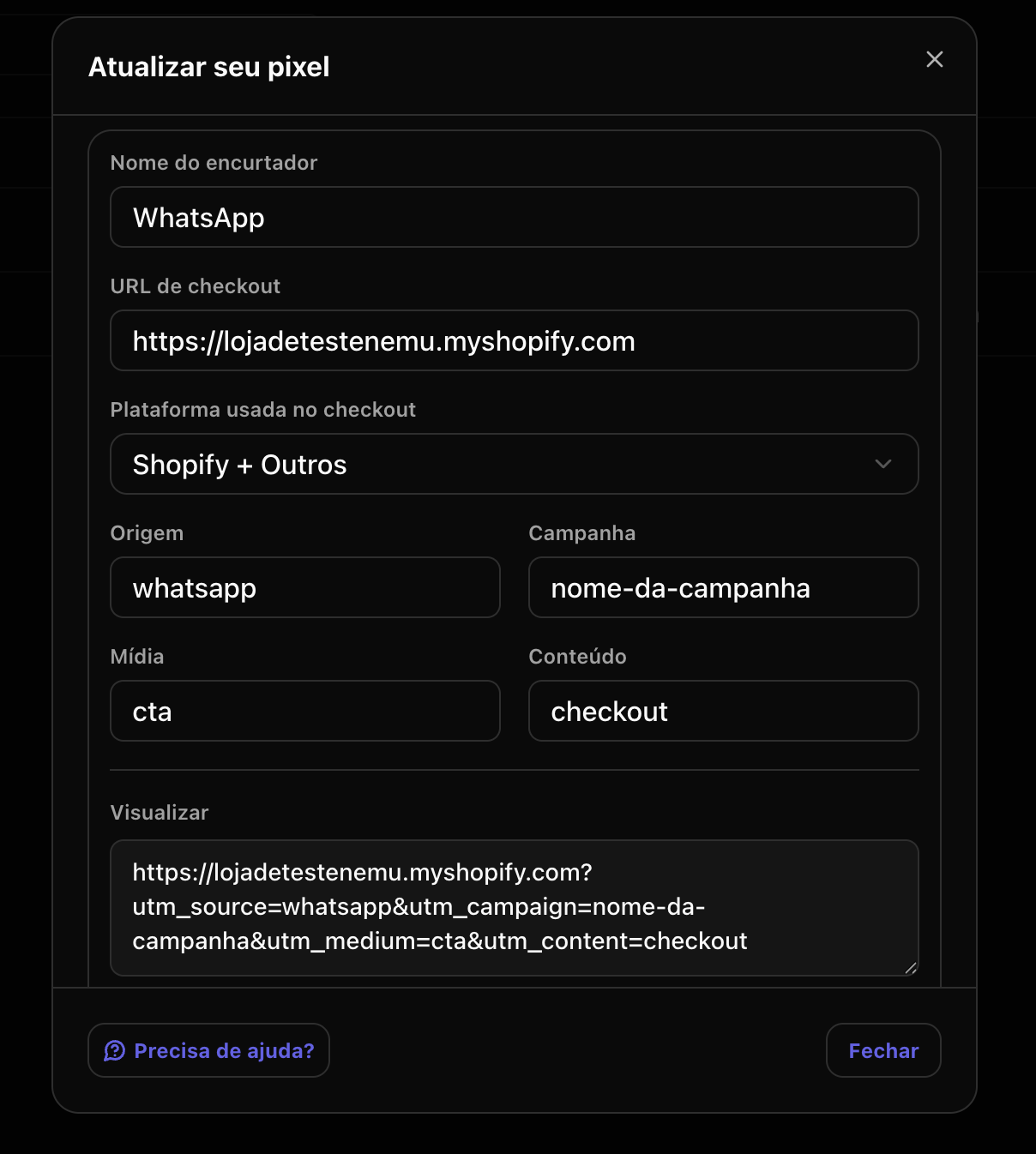
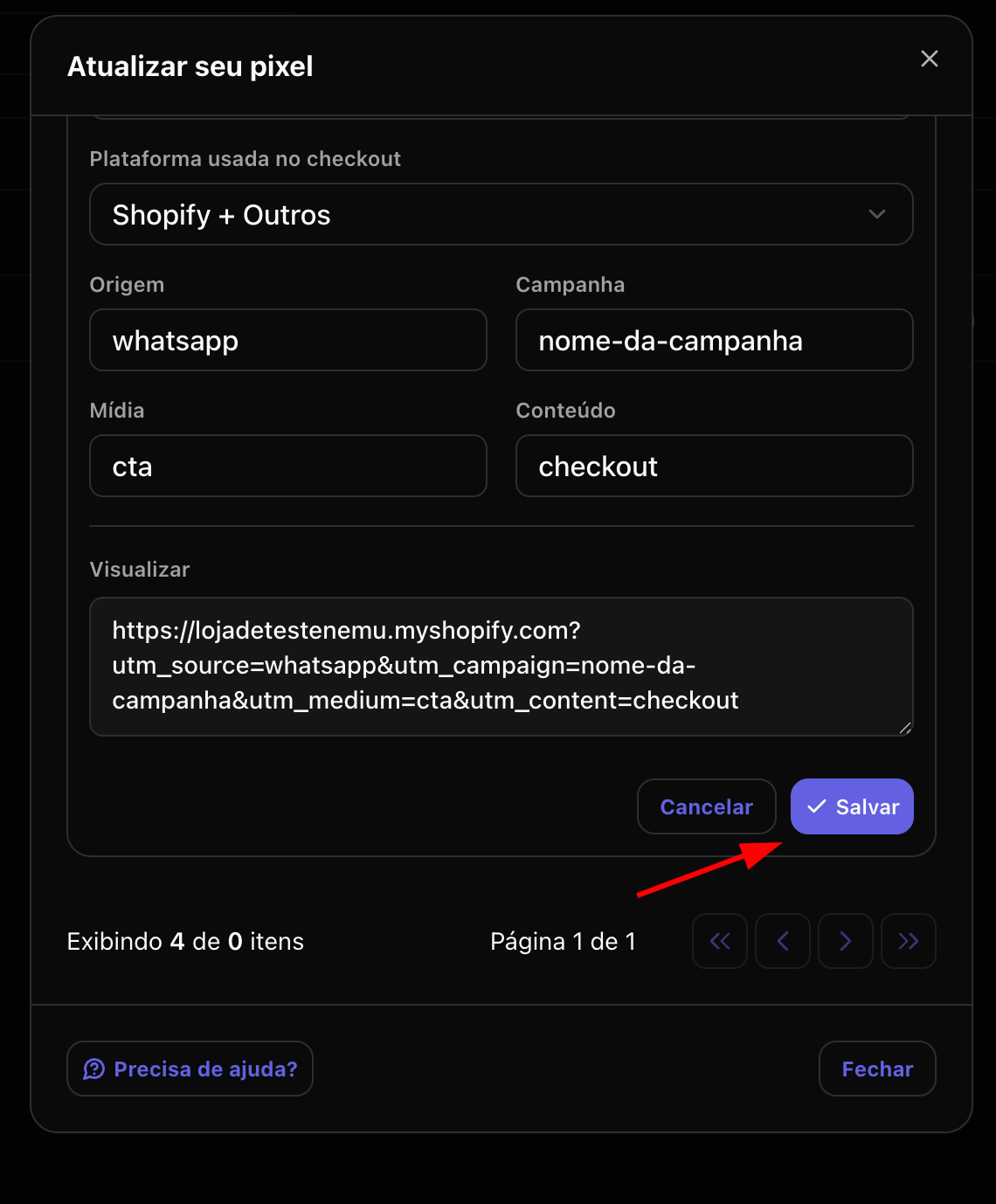
#### 3. Fill in the link information and click Save
* **Shortener Name**: Name to identify the link within the platform
* **Checkout URL**: URL of your product checkout
* **Checkout Platform**: Checkout platform used *(Shopify, Hotmart, VTEX)*
* **Source**: Source parameter to identify the traffic source *(e.g: google, facebook, email)*
* **Campaign**: Campaign parameter to identify the specific campaign *(e.g: promocao\_julho, lancamento\_produto)*
* **Medium**: Medium parameter to identify the type of media or channel *(e.g: banner, email, social)*
* **Content**: Content parameter to identify ad variations or creatives *(e.g: announcement1, video2)*
If you want to use the link for recovery sale, it is necessary to integrate
with the available platform
[Reportana](/en/onboarding/integrations/reportana). To do this, simply click
on the integration button and follow the step by step.
#### 3. Fill in the link information and click Save
* **Shortener Name**: Name to identify the link within the platform
* **Checkout URL**: URL of your product checkout
* **Checkout Platform**: Checkout platform used *(Shopify, Hotmart, VTEX)*
* **Source**: Source parameter to identify the traffic source *(e.g: google, facebook, email)*
* **Campaign**: Campaign parameter to identify the specific campaign *(e.g: promocao\_julho, lancamento\_produto)*
* **Medium**: Medium parameter to identify the type of media or channel *(e.g: banner, email, social)*
* **Content**: Content parameter to identify ad variations or creatives *(e.g: announcement1, video2)*
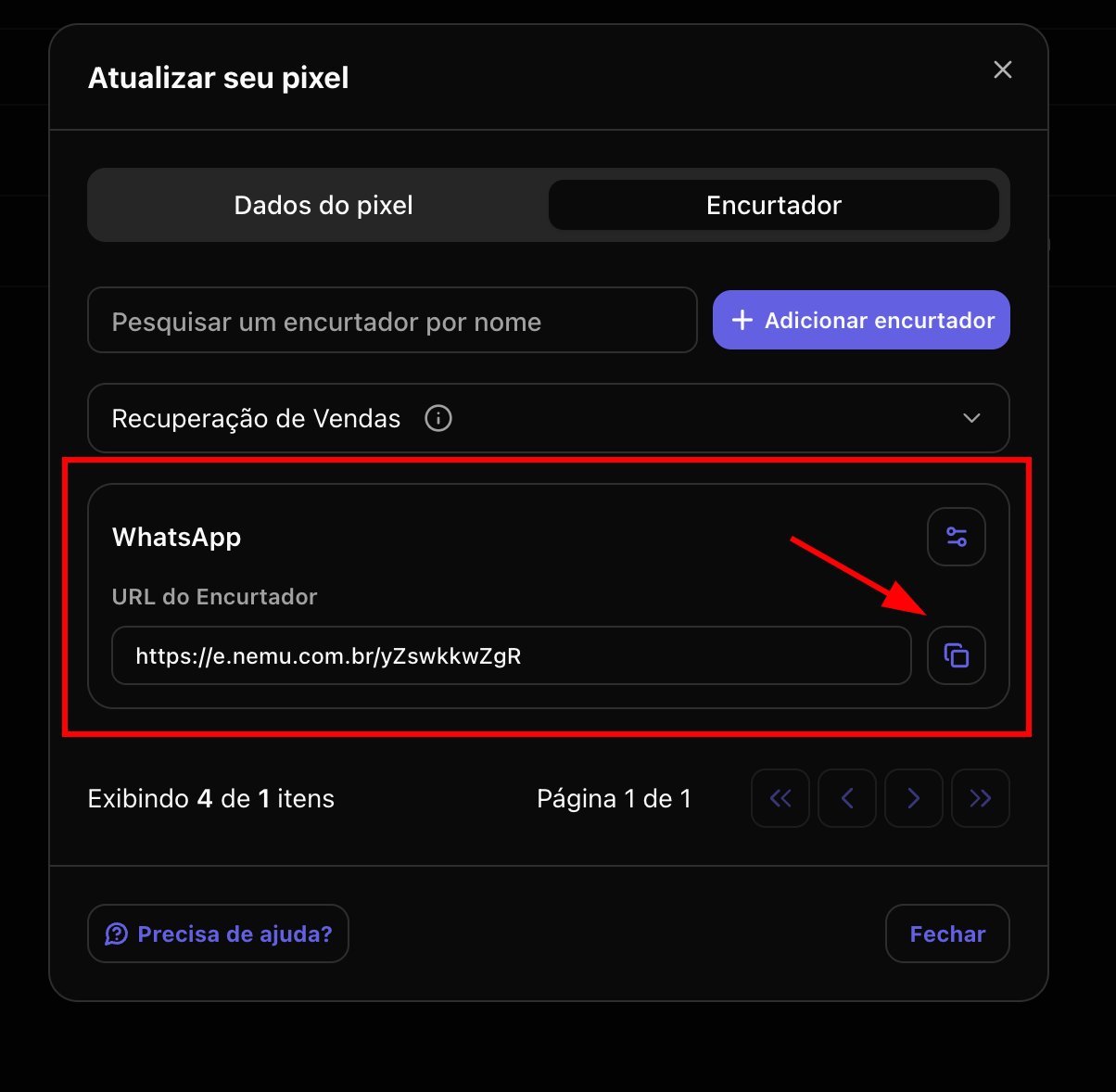
 #### 4. After saving, the link will be available to be copied and used in your campaigns
 ## Next steps
* Track results through the [Analytics](/en/platform/analytics/analytics) page to understand the performance of each created link.
## Next steps
* Track results through the [Analytics](/en/platform/analytics/analytics) page to understand the performance of each created link.