> ## Documentation Index
> Fetch the complete documentation index at: https://docs.nemu.com.br/llms.txt
> Use this file to discover all available pages before exploring further.

# Loja Integrada

> Como conectar a Loja Integrada ao Dashboard da Nemu

## Configurando Webhooks no Dashboard da Loja Integrada

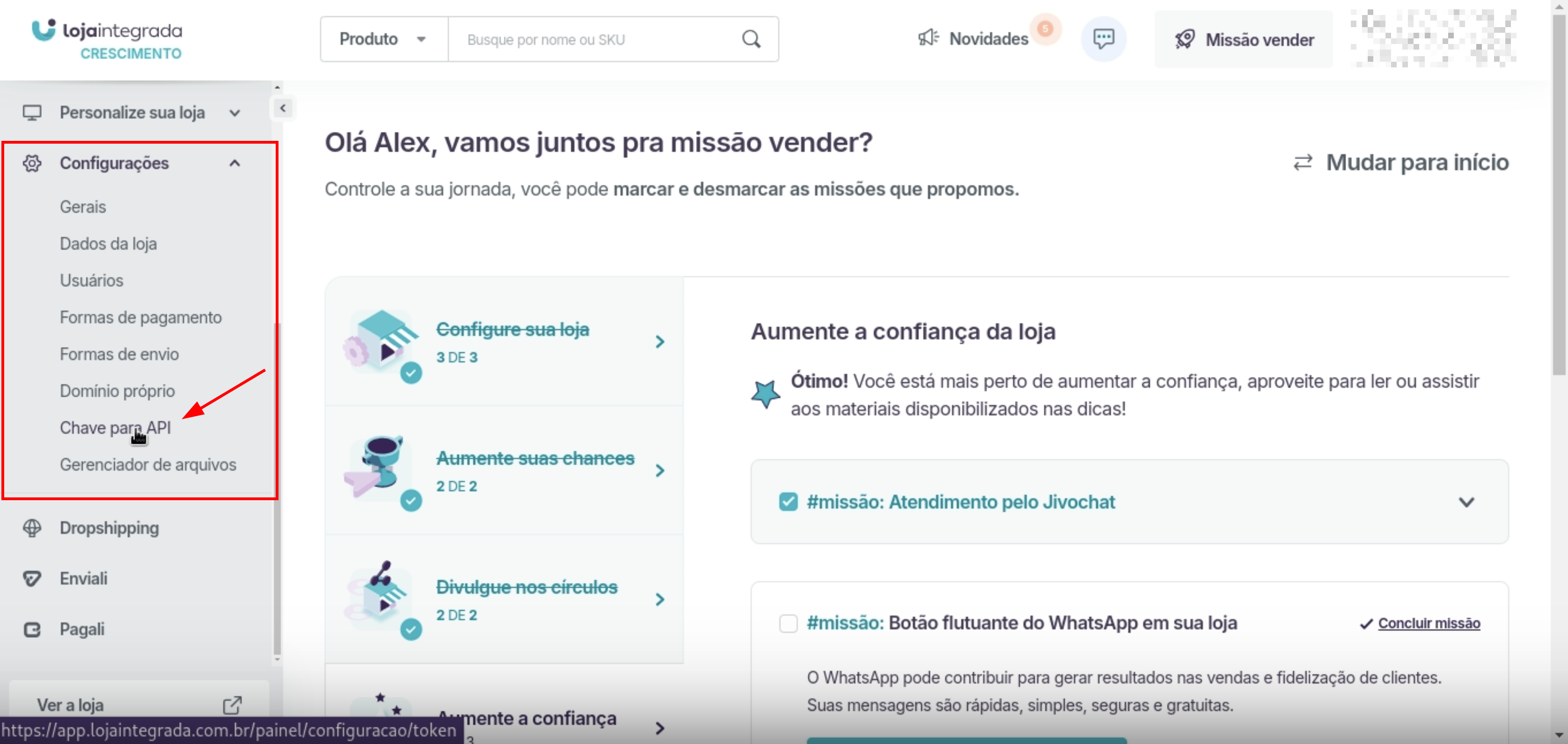
1. No painel da Loja Integrada, vá até **Configurações** > **Chave para API**.
<img src="https://mintcdn.com/nemu/2hW-JuBg5OW-DAx1/assets/pages/integracoes/loja-integrada/1.png?fit=max&auto=format&n=2hW-JuBg5OW-DAx1&q=85&s=5fff5dcaa77c0c95bf0d69570f450462" alt="" width="3350" height="1590" data-path="assets/pages/integracoes/loja-integrada/1.png" />

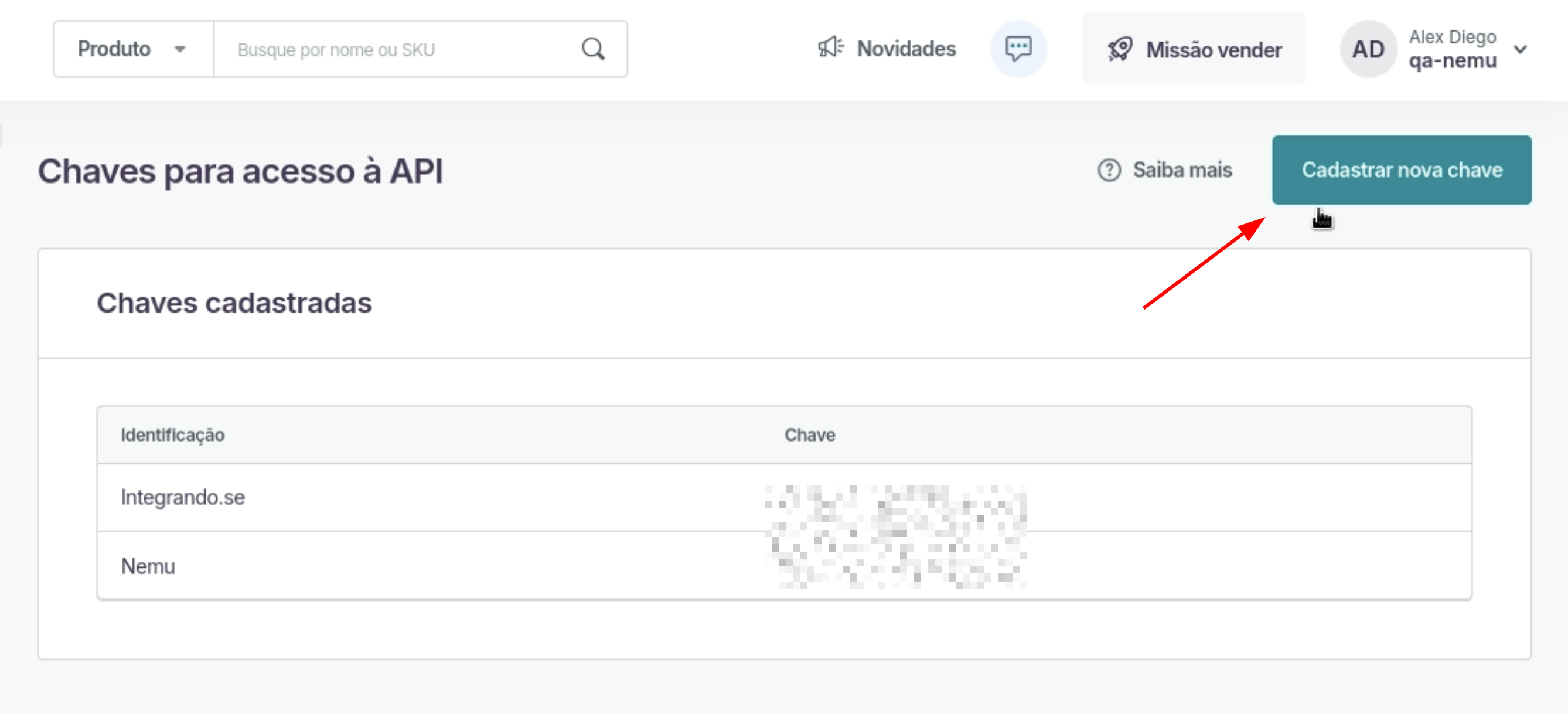
2. Clique no botão **Cadastrar nova chave**
<img src="https://mintcdn.com/nemu/2hW-JuBg5OW-DAx1/assets/pages/integracoes/loja-integrada/2.png?fit=max&auto=format&n=2hW-JuBg5OW-DAx1&q=85&s=9d5b92db1d7fac4144fd23947c295dc0" alt="" width="2676" height="1216" data-path="assets/pages/integracoes/loja-integrada/2.png" />

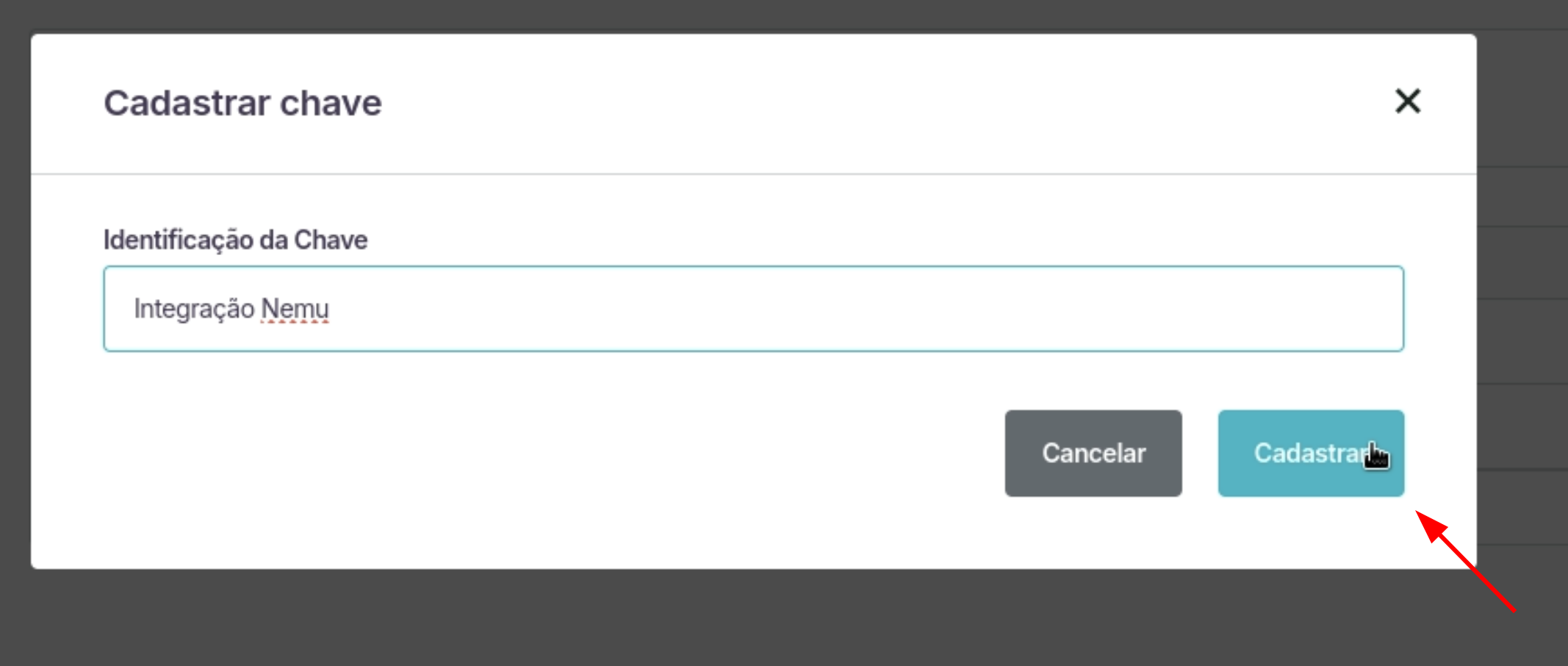
3. Defina um **nome** para a chave e clique em **Cadastrar**.
<img src="https://mintcdn.com/nemu/2hW-JuBg5OW-DAx1/assets/pages/integracoes/loja-integrada/3.png?fit=max&auto=format&n=2hW-JuBg5OW-DAx1&q=85&s=f17eb384dcefd811d48f1f81ec9f0564" alt="" width="2134" height="906" data-path="assets/pages/integracoes/loja-integrada/3.png" />

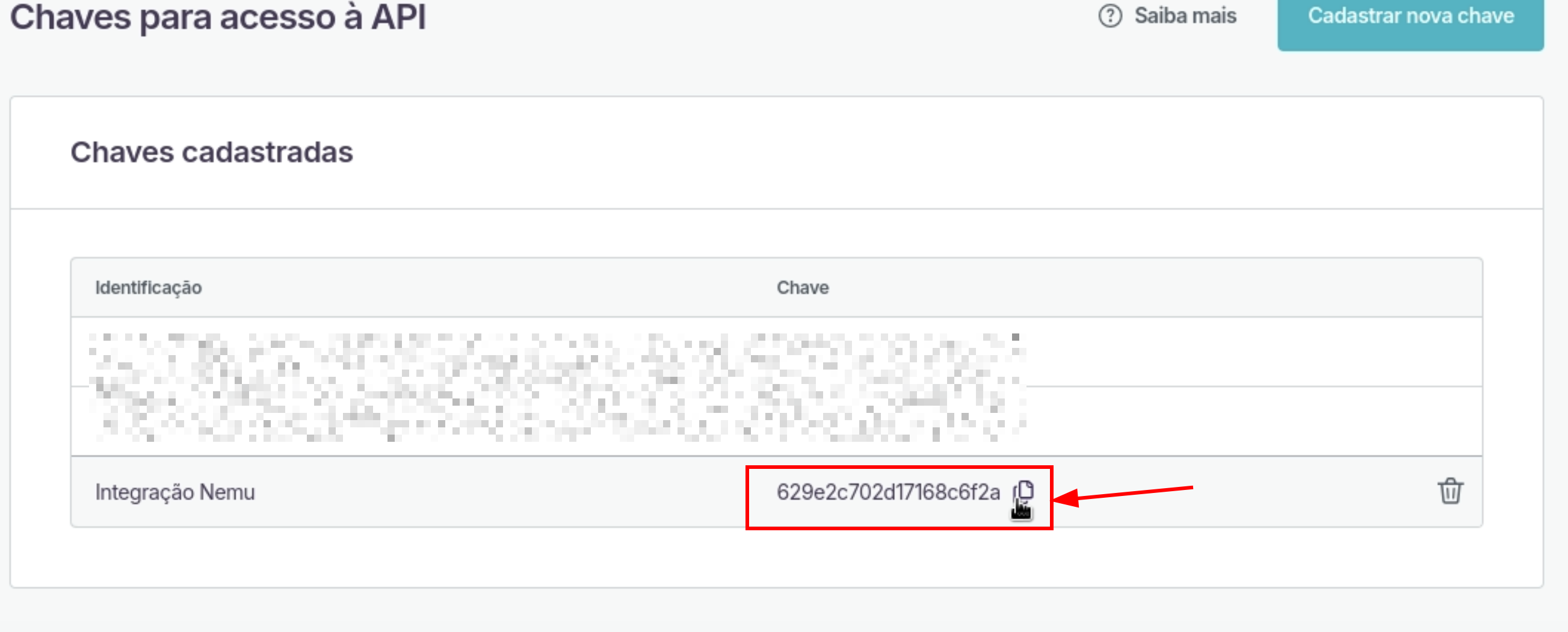
4. Copie a **Chave** gerada pela Loja Integrada.
<img src="https://mintcdn.com/nemu/2hW-JuBg5OW-DAx1/assets/pages/integracoes/loja-integrada/4.png?fit=max&auto=format&n=2hW-JuBg5OW-DAx1&q=85&s=192f81ec5e2ea879448937b112c3afcc" alt="" width="2606" height="1050" data-path="assets/pages/integracoes/loja-integrada/4.png" />

## Configurando Webhooks no Dashboard da Nemu

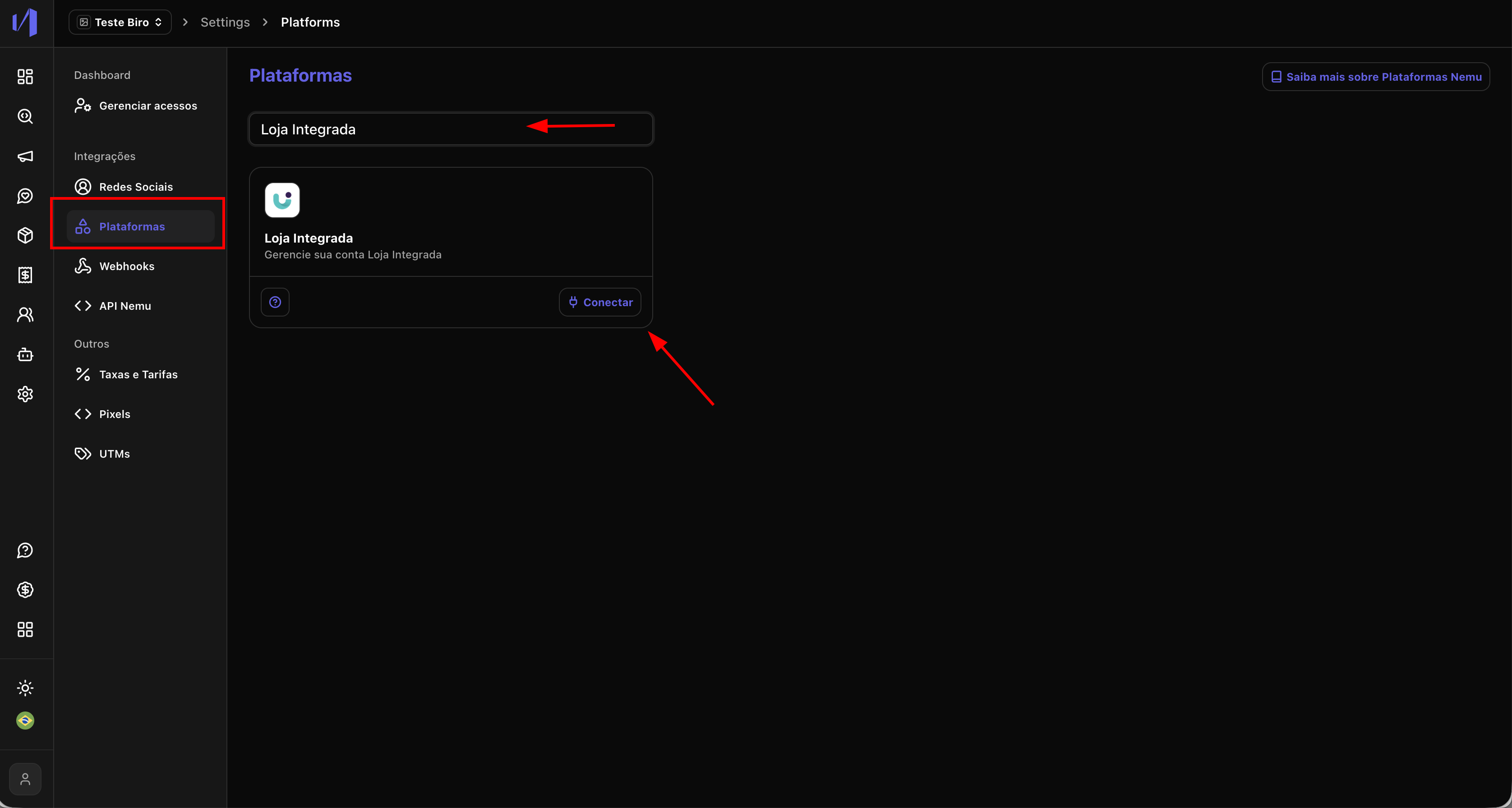
1. No painel da Nemu, vá até **Configurações** > **Plataformas**.
2. Pesquise por **Loja Integrada** e clique em **Conectar**.
<img src="https://mintcdn.com/nemu/2hW-JuBg5OW-DAx1/assets/pages/integracoes/loja-integrada/5.png?fit=max&auto=format&n=2hW-JuBg5OW-DAx1&q=85&s=a6fc326cc079ca505da99c1b16fb86da" alt="" width="3352" height="1792" data-path="assets/pages/integracoes/loja-integrada/5.png" />

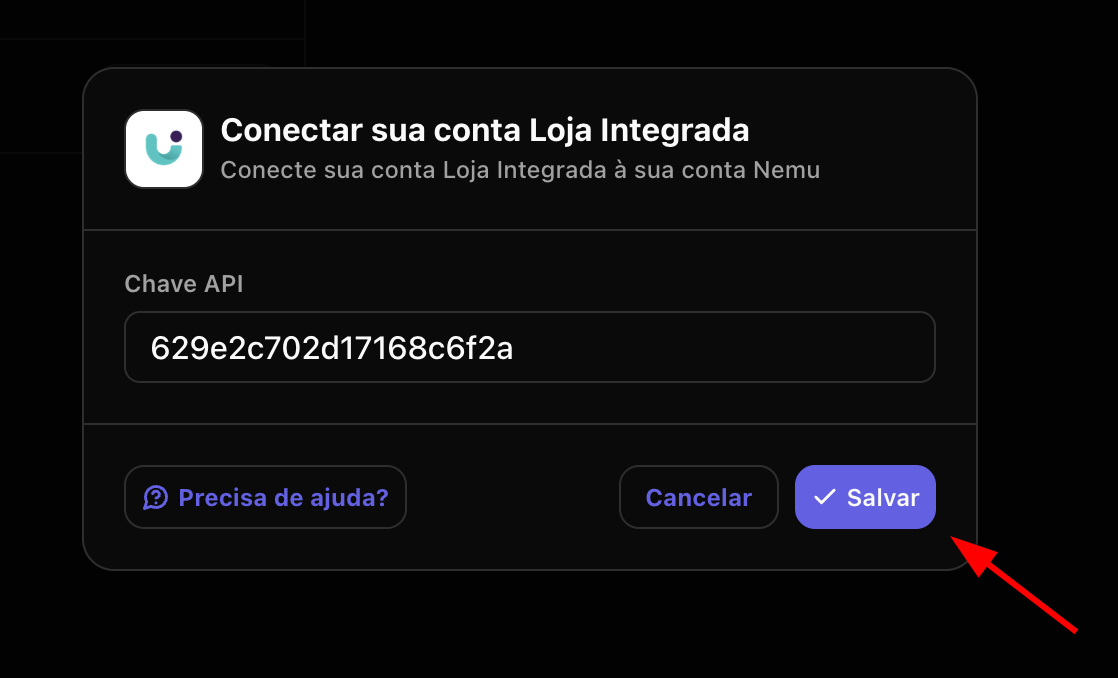
3. Cole a **Chave** gerada no passo anterior e clique em **Salvar**.
<img src="https://mintcdn.com/nemu/2hW-JuBg5OW-DAx1/assets/pages/integracoes/loja-integrada/6.png?fit=max&auto=format&n=2hW-JuBg5OW-DAx1&q=85&s=3fdd339a9abcf34b07125cb0aa7505c9" alt="" width="1118" height="678" data-path="assets/pages/integracoes/loja-integrada/6.png" />
