

Step by step
- Create a pixel within Nemu
- Integrate the deep link
- Implement the function that sends the current visit via the SDK
- Implement the function that retrieves the user’s last visit
Defining the UID
Before starting the installation and use of the SDK in your application, you need to define which UID (Unique Identifier) per user will be used. This identifier is defined by the team responsible for the integration, and it will be used to link web visits with the app and vice versa, making tracking extremely precise and efficient. The UID must be a unique value per user in your application. We usually recommend using values that are already common and present in your database as the identifier, with the most common option being the user’s email.Integrating with the Nemu API
For conversions tracked to be displayed in your Nemu dashboard, in addition to using the tracking SDK, you need to integrate with the Nemu API to send order creation and update events whenever those actions occur in your application. To learn the details of the API and easily integrate it into your application, visit: Nemu APICreating the Nemu pixel and obtaining the token to use in the SDK
The Nemu pixel is responsible for managing all tracking carried out in your operation, both on the Web and in the App. Before starting the installation and integration process of our SDKs with your application, it is essential that the Nemu pixel is created in your dashboard. To do this, go to your Nemu dashboard and access: Settings -> Pixels and click the + Add Pixel button to add it, then fill in the required information.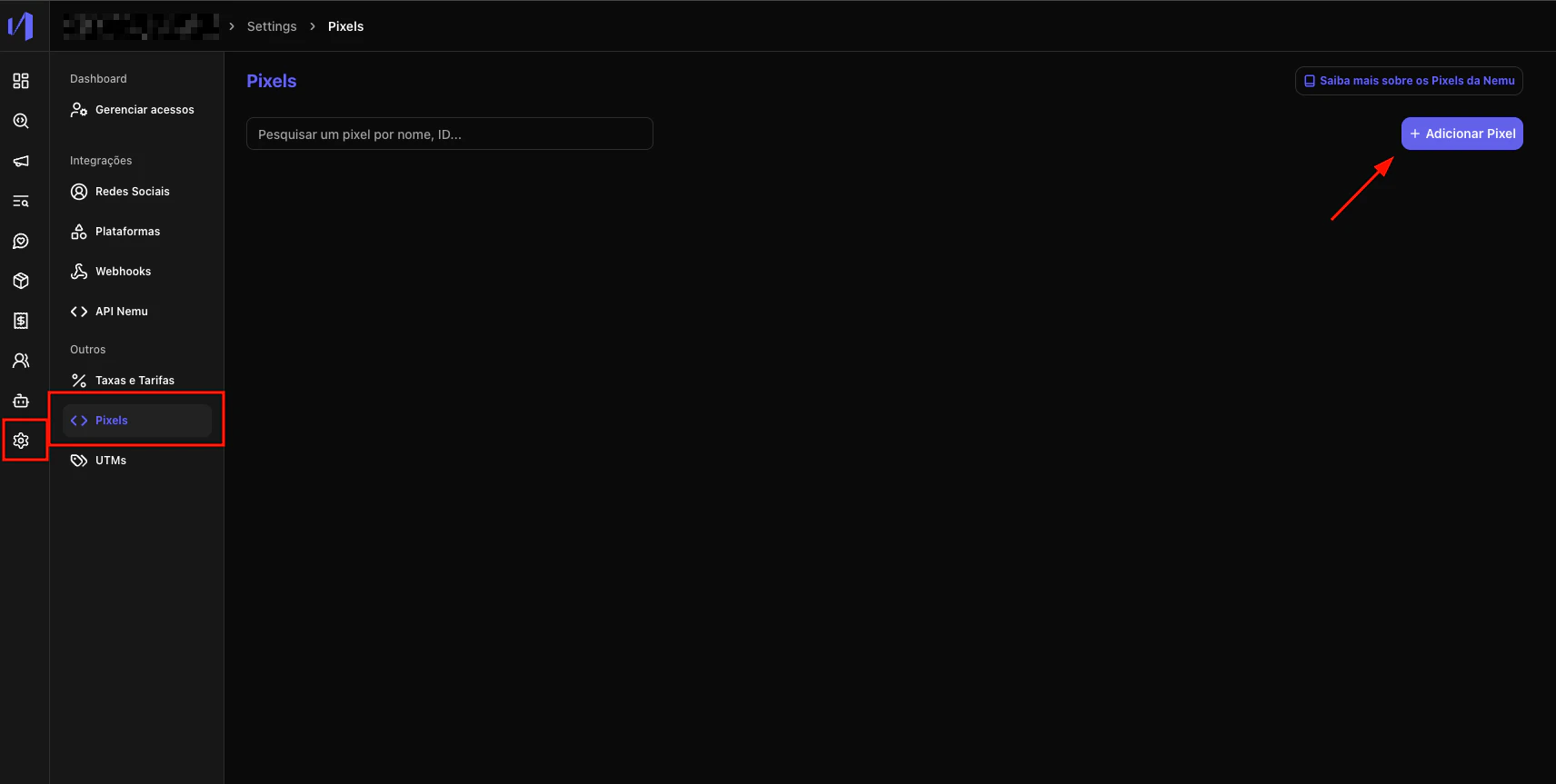
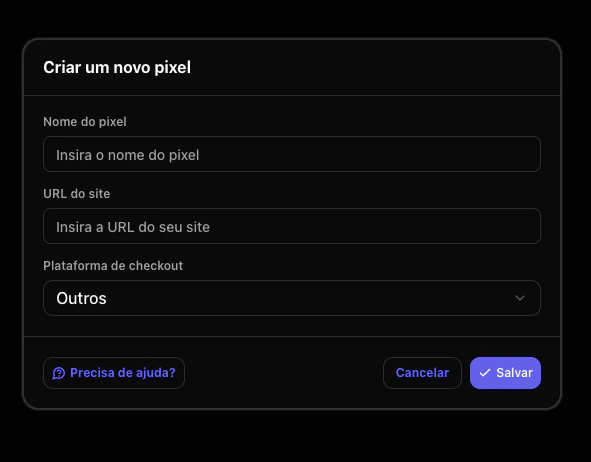
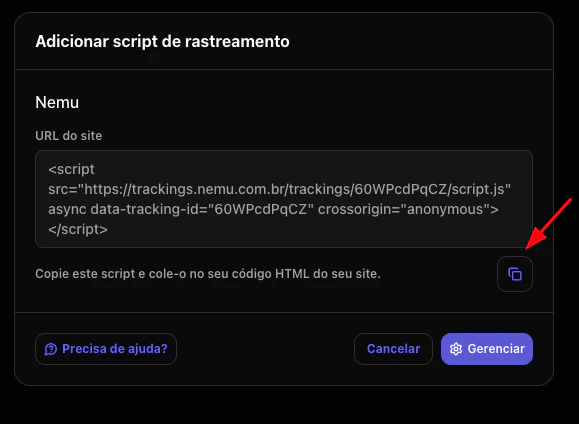
<head> of every page.
The script will look similar to this:
ID_PIXEL and SDK_TOKEN.
The ID_PIXEL will be the <PIXEL_ID> present in the URL of your Nemu pixel.
You must request the SDK_TOKEN from your Nemu account manager. It is what your mobile application will use to authenticate with our Nemu tracking system, ensuring the integrity and full security of the collected data.