

Step 1:
1. Instead of duplicating the ad, click on edit ad.
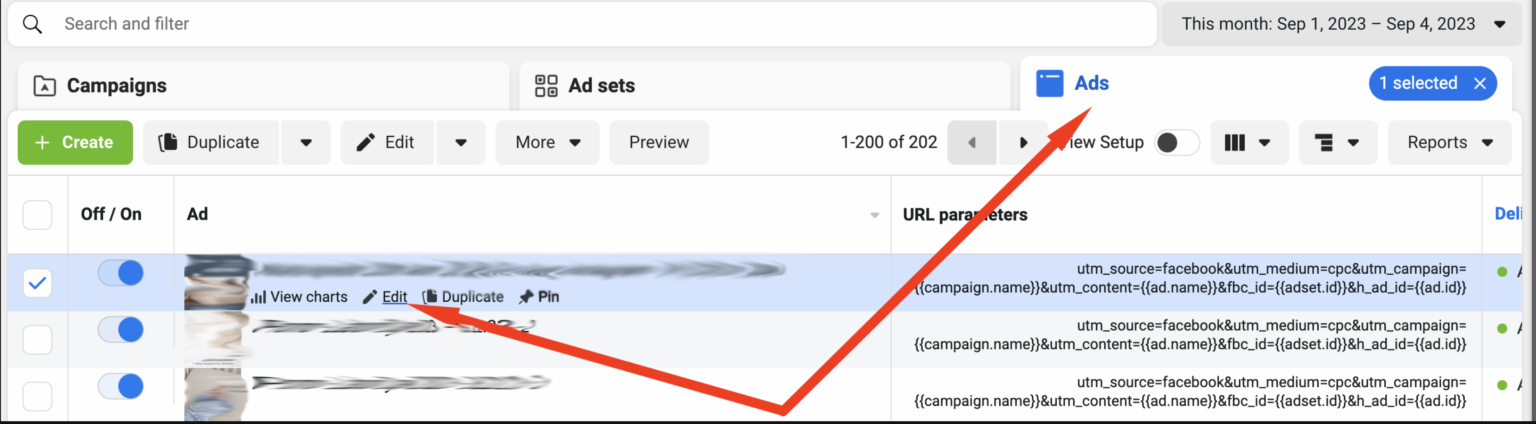
Editing an ad
2. Go to the Share button and select “Facebook posts with comments”
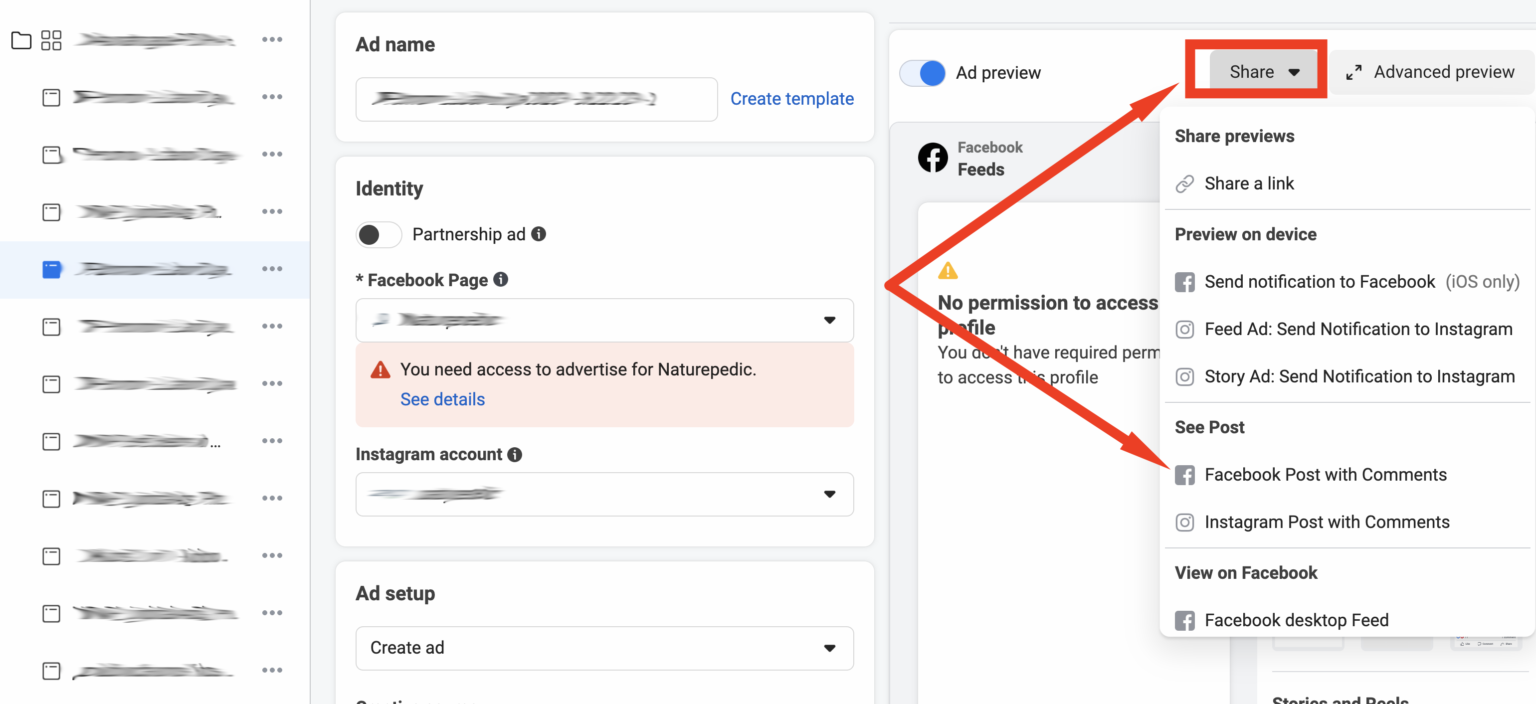
Clicking on “Posts with comments”
3. Click on the date
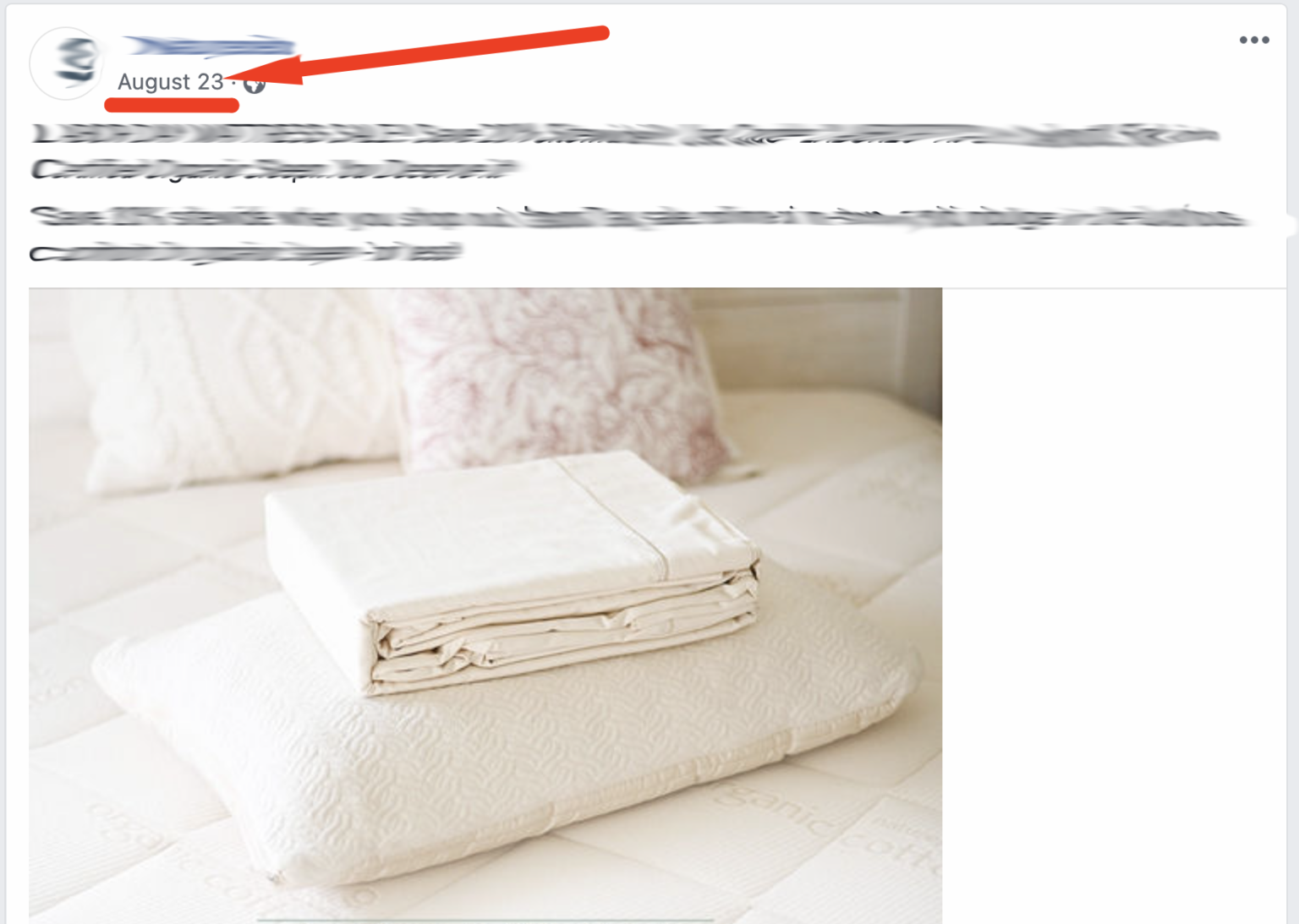
Clicking on date
4. Copy the ID as shown below. Essentially, you should copy the sequence of numbers before the ? sign.

Copying the IDEx: https://business.facebook.com?allstartinvestor/videos/1150914968918092/? In the example above, this is the ID we need to copy
1150914968918092.
Step 2:
- Create a new ad.
- For ad setup, choose “Use existing post”.
- Go to the Ad creative section and click on the Select post button
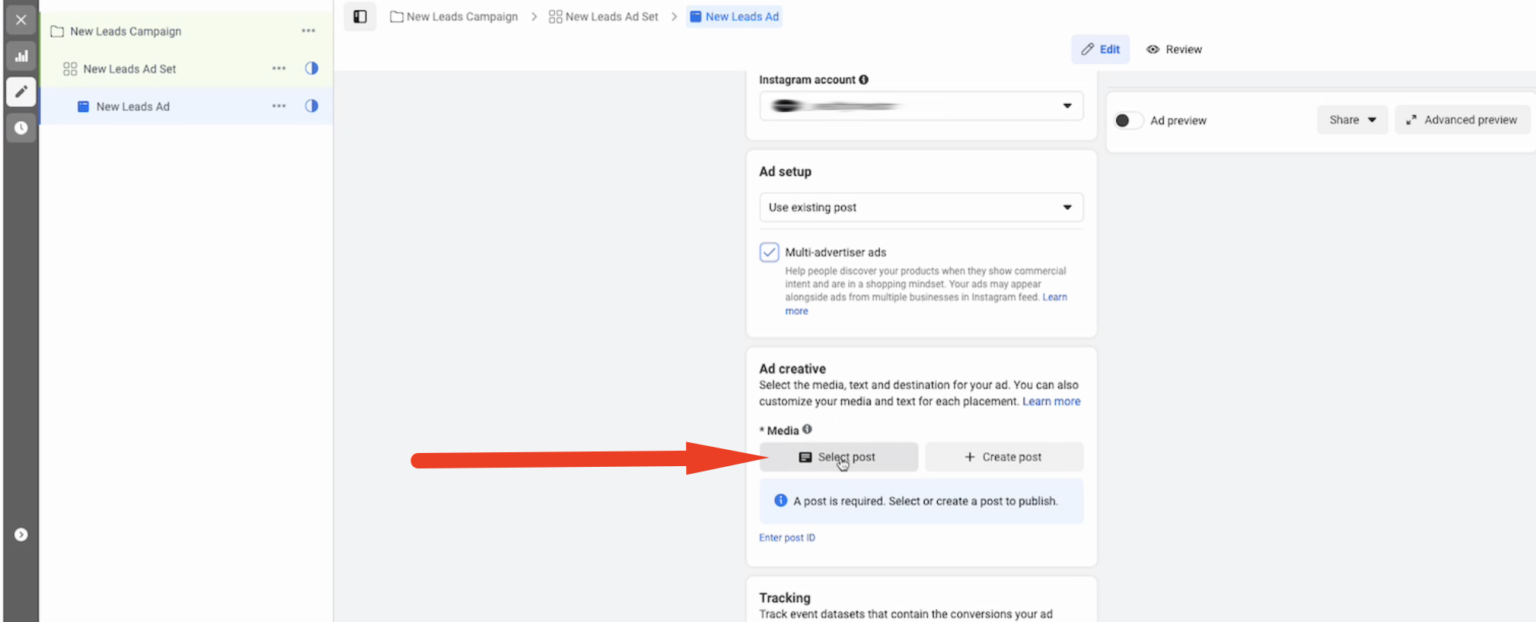
Selecting post
4. Paste the post ID you copied previously in this field (step 1). If no result is displayed, click on the link in step 2.
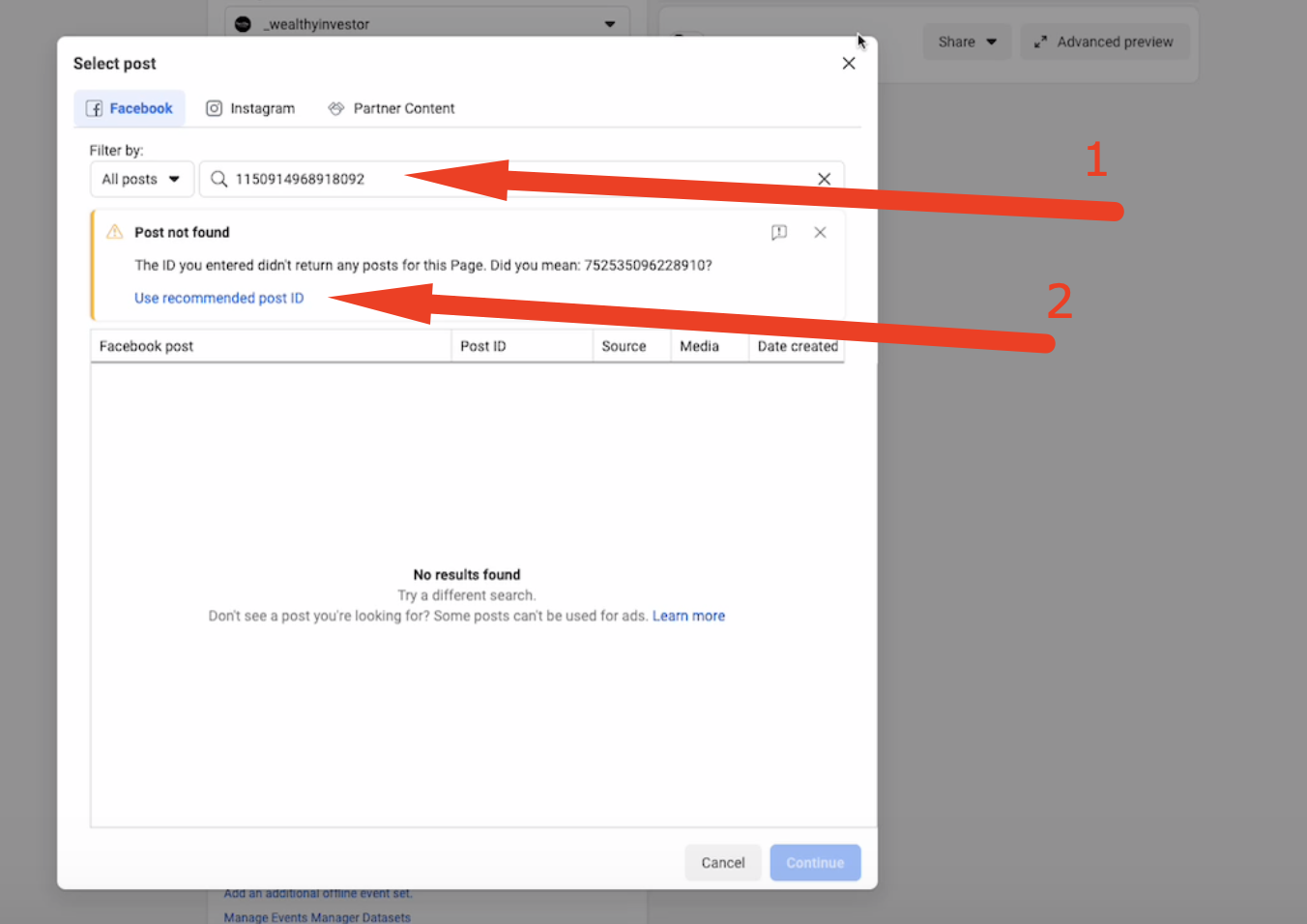
Pasting the ID
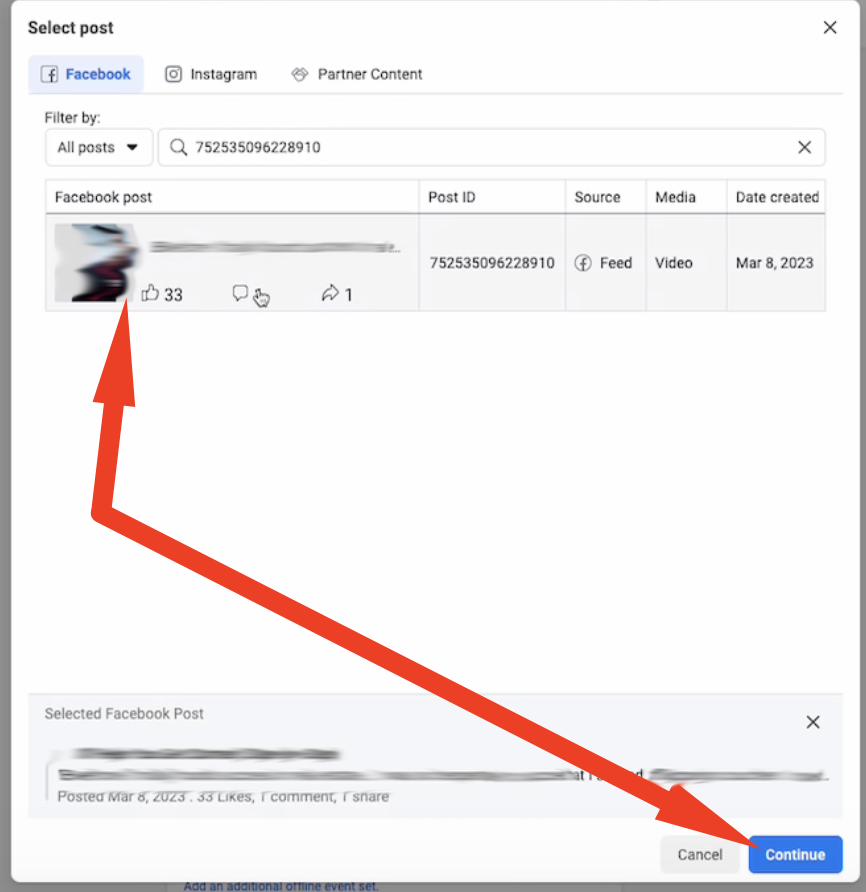
5. Now click on the ad and click continue.
6. Copy Nemu’s parameters:
7. Scroll down to the URL parameters on Facebook, paste Nemu’s parameters and click Publish.
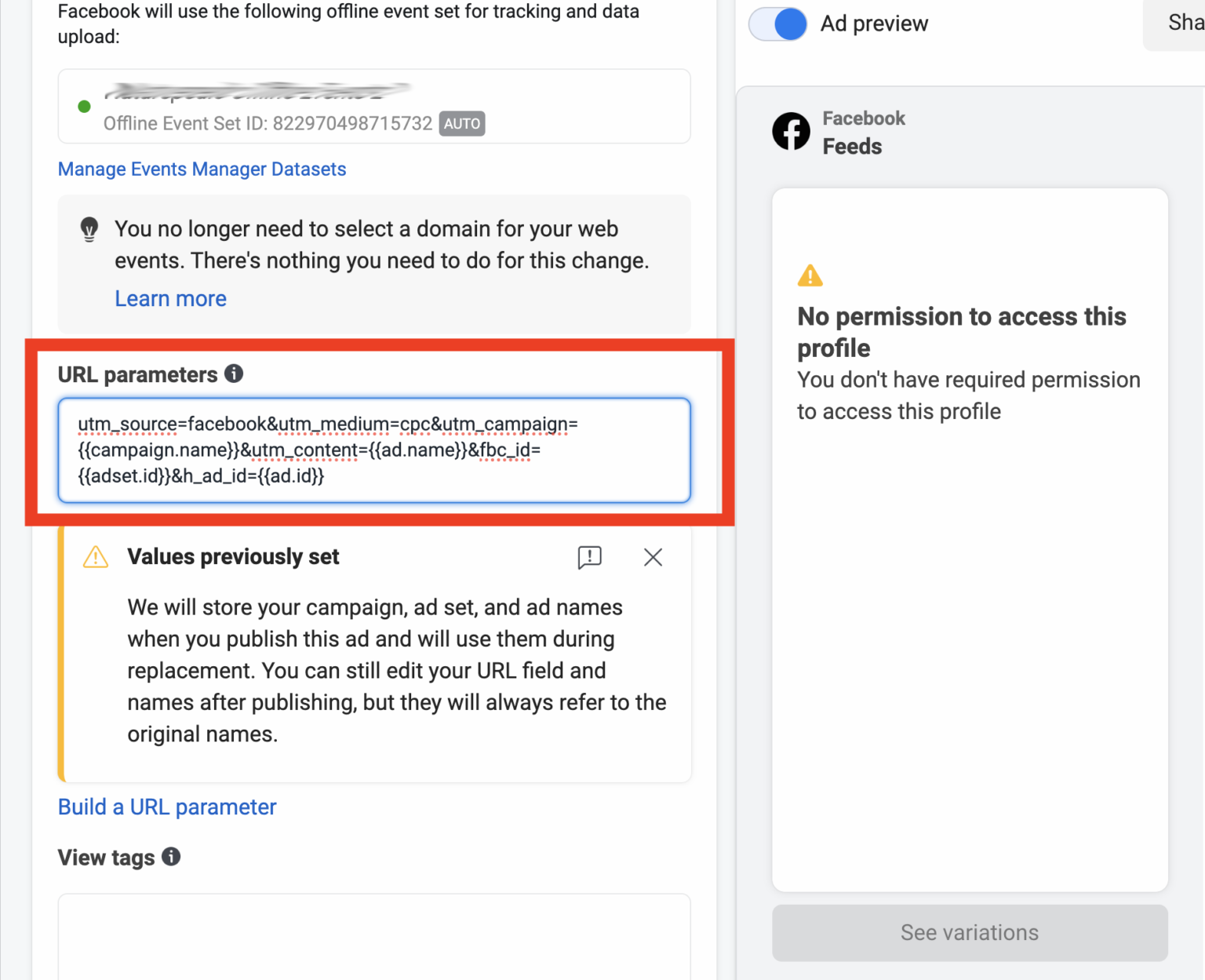
Publishing ad