What it is
We automatically identify if a purchase was made by: New Customer → never purchased before. Returning Customer → has purchased at least once. With this, you can analyze:- Average Order Value
- CAC
- Repurchase Base
- Average time between purchases
- Purchase frequency
- Repurchase rate
- Total number of customers
- New vs. returning
- How many new/returning customers each channel, campaign, or ad brought (by attribution model)
Where to find the information
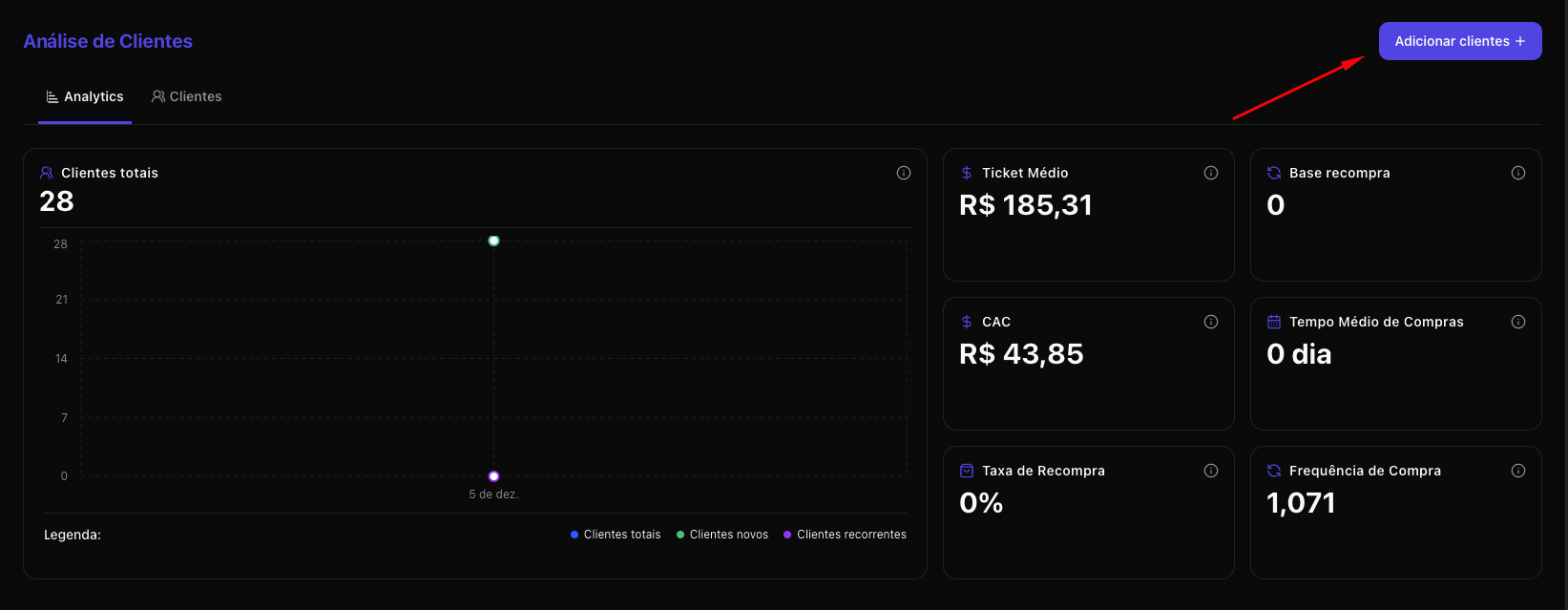
The functionality is divided into two places:A) “Customers” Tab - Sidebar
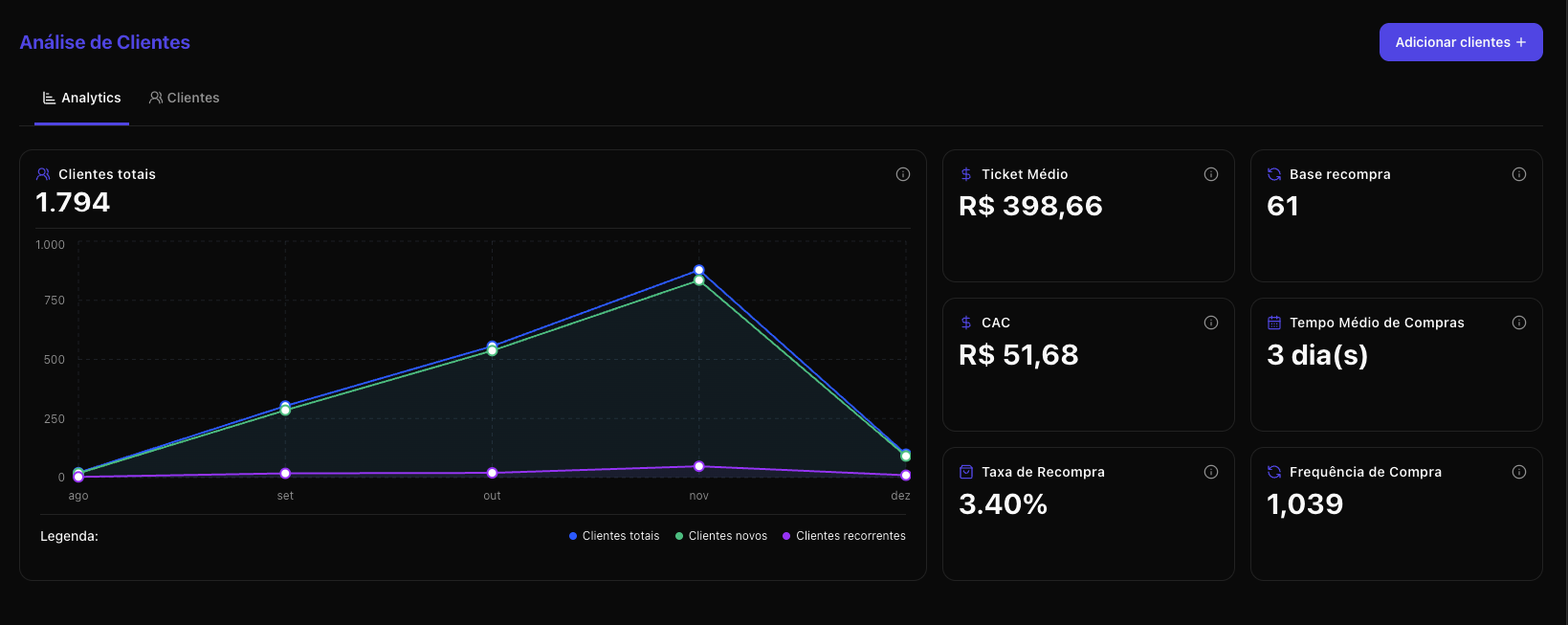
- General customer metrics
- Evolution chart
- Customer base upload
- Complete list of customers with LTV and total purchases
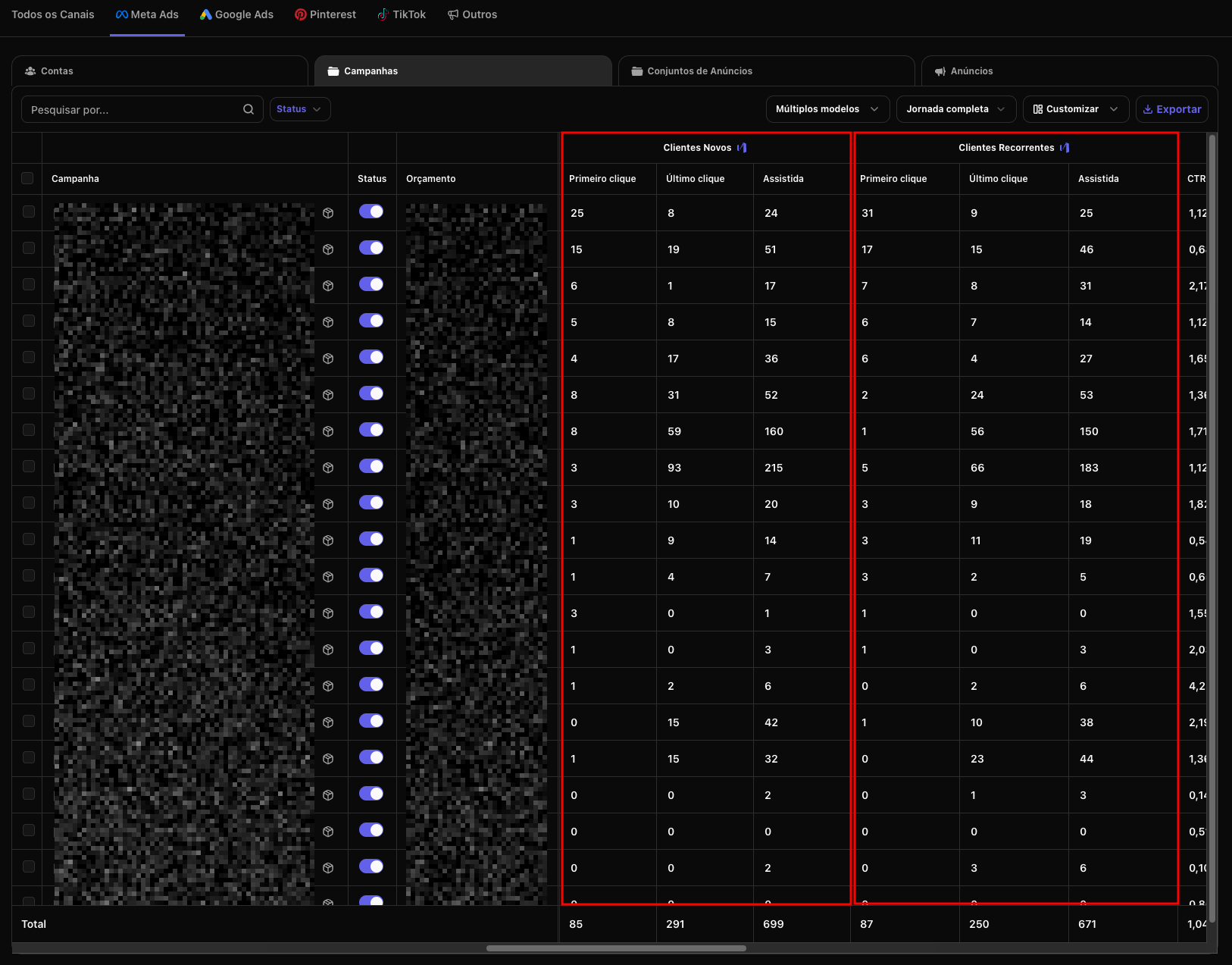
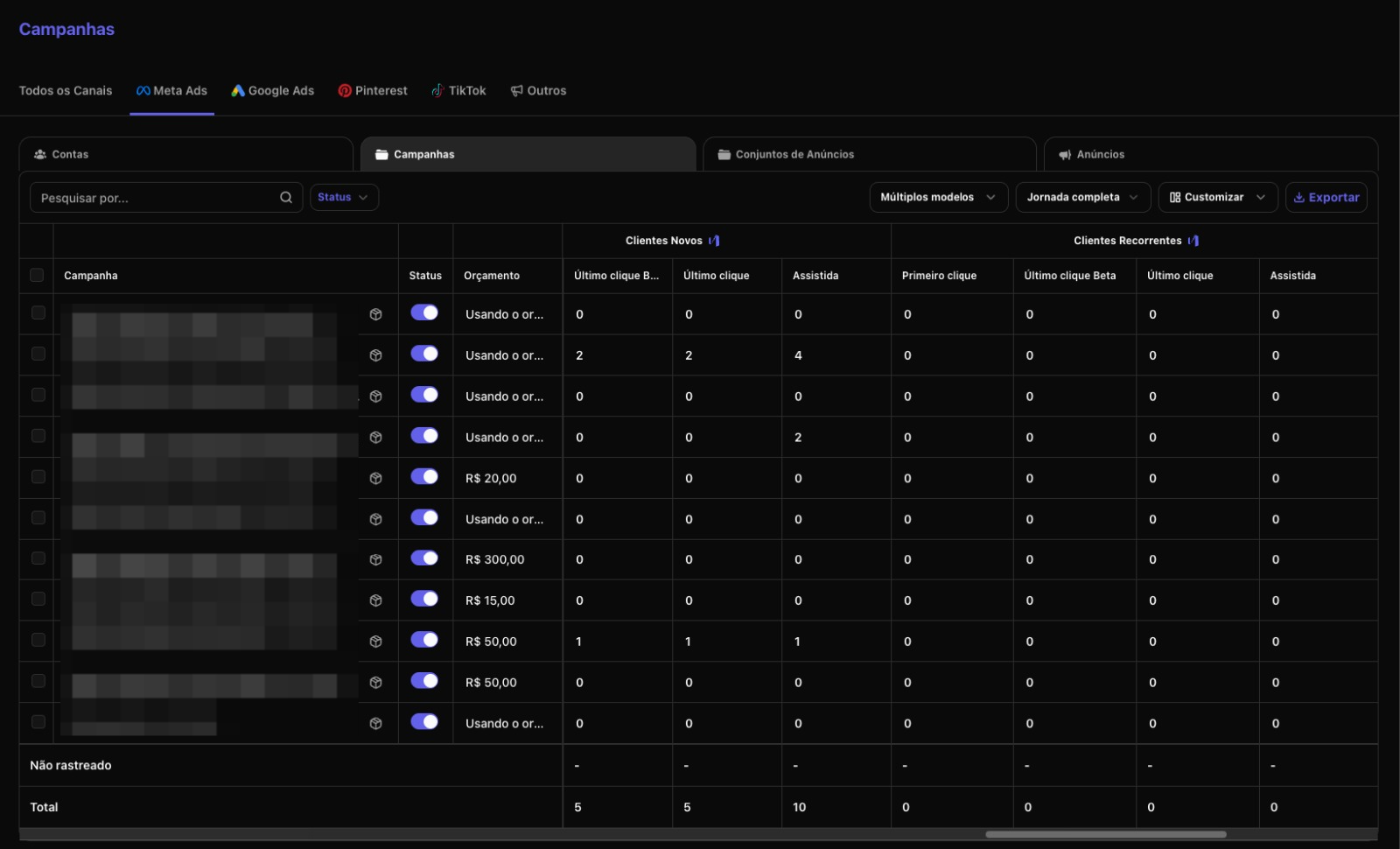
B) “Customers” Columns in the “Campaigns” Tab
Now each channel shows:- How many new customers that channel brought
- How many returning customers that channel brought
- Metrics by attribution model (First Click, Last Click, Full Journey)
How customer identification works
From the moment you integrate your store or checkout with Nemu, we can:- Recognize the buyer
- Assign them as new or returning
- Track that user in future purchases
How to upload your customer base
- Click the Add Customers + button.
- Download the CSV template.
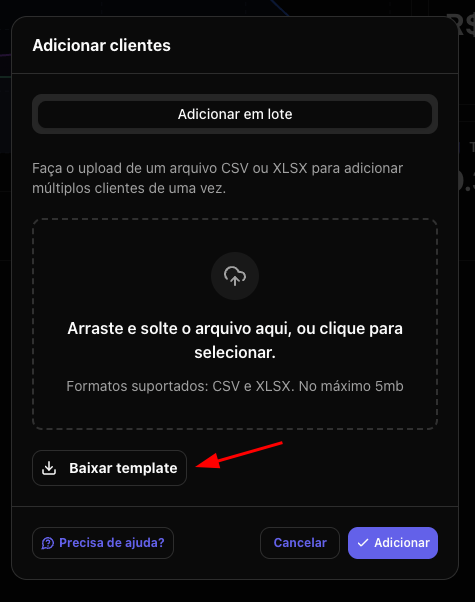
- Fill in with:
- sale id
- product name (optional)
- net value
- gross value
- date (YYYY-MM-DD)
- customer email
- customer name (optional)
- customer phone (optional)
- platform (shopify, woocommerce, magento, etc)
- Upload by dragging and dropping the file or clicking to select the file.
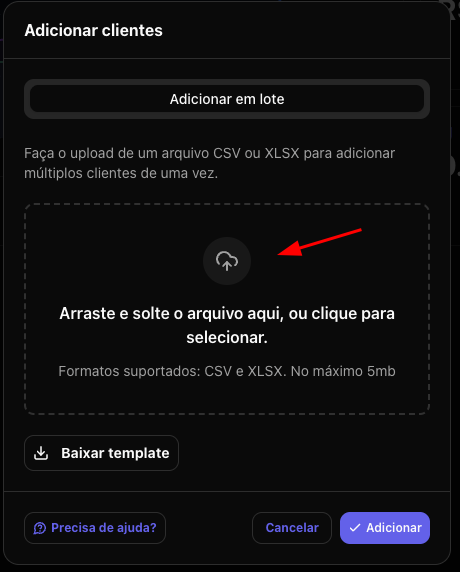
Accepted files: CSV or XLSXNemu starts recognizing all these customers as already existing.
From that point on, any new purchases from these customers will be correctly classified as returning — even if the first purchase was before the Pixel.
What you can analyze in the “Customers” Tab
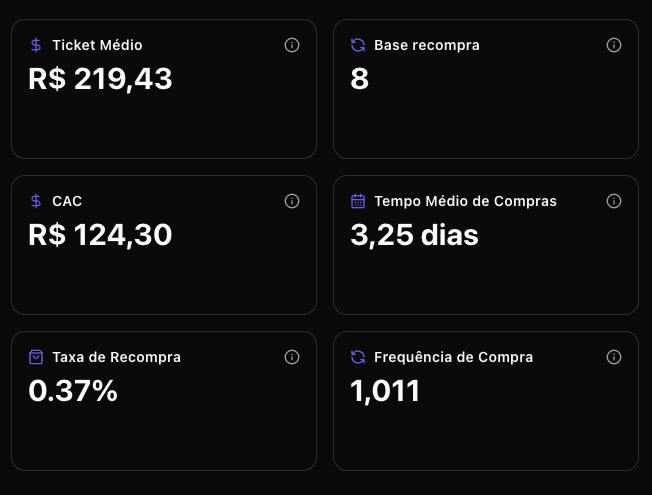
A) Main Metrics
- Average Order Value
- CAC
- Repurchase Base
- Average Time Between Purchases
- Purchase Frequency
- Repurchase Rate
- Total, New, and Returning Customers
- The health of your retention funnel
- The balance between acquisition and loyalty
- Your users’ purchase cycle
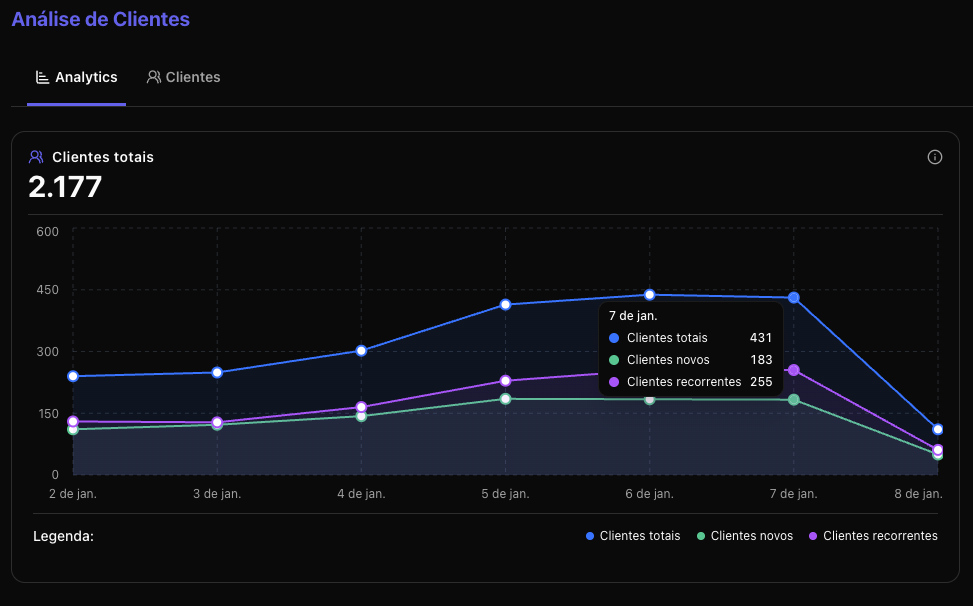
B) Evolution Chart
You view week by week:- Total Customers
- New Customers
- Returning Customers
- Growth
- Seasonality
- Campaign effects
- Behavioral changes
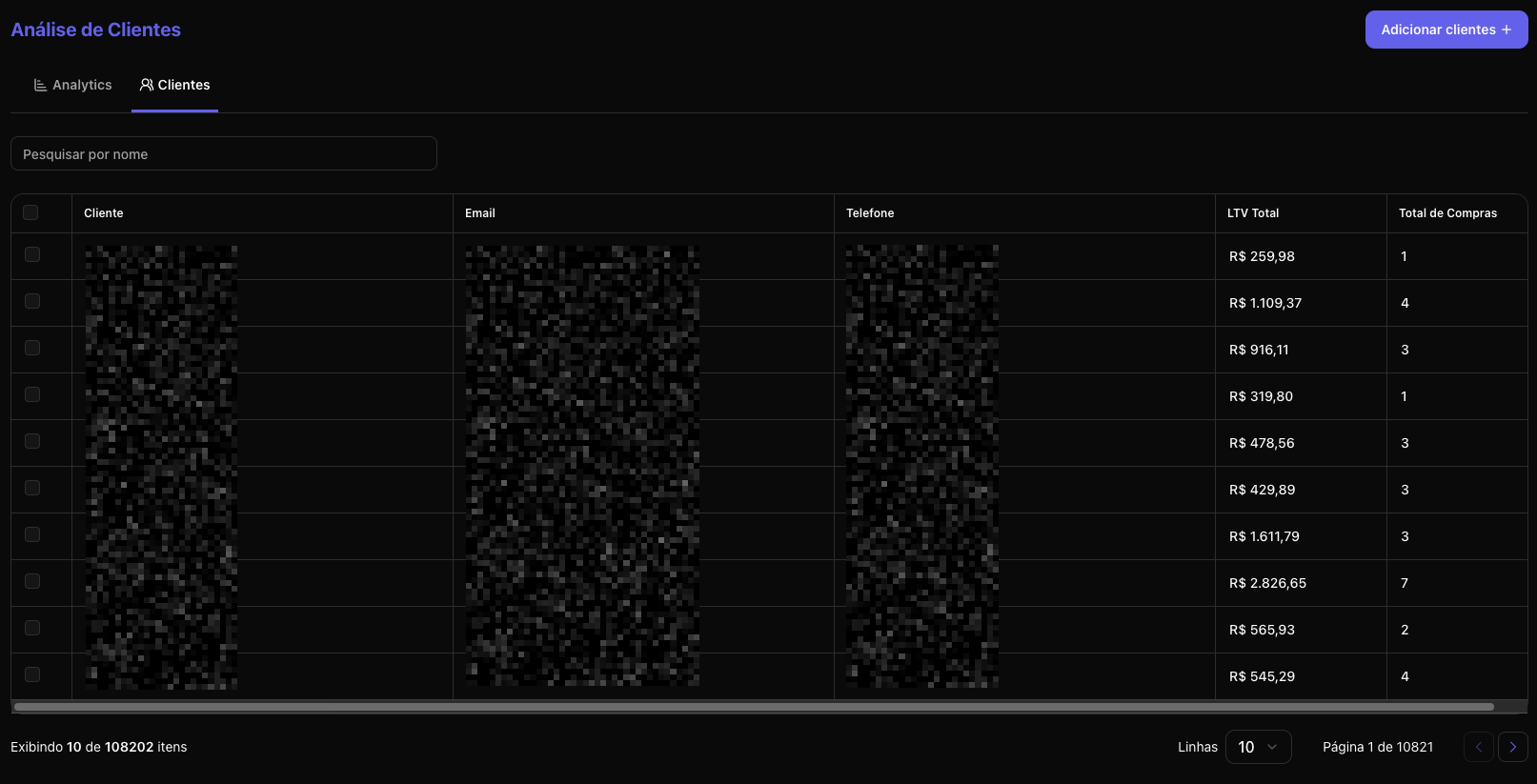
C) Customer List
Here you find:- Name
- Phone
- LTV
- Total purchases
How to use this in the “Campaigns” Tab
This is one of the most powerful parts of the functionality. Now you can see, for each channel, campaign, and ad:- How many new customers that channel brought
- How many returning customers it brought back
- What the ROI/ROAS is based on First Click, Last Click, and all Nemu models
- Performance comparison by customer type