

How to access?
Access: Settings → Pixels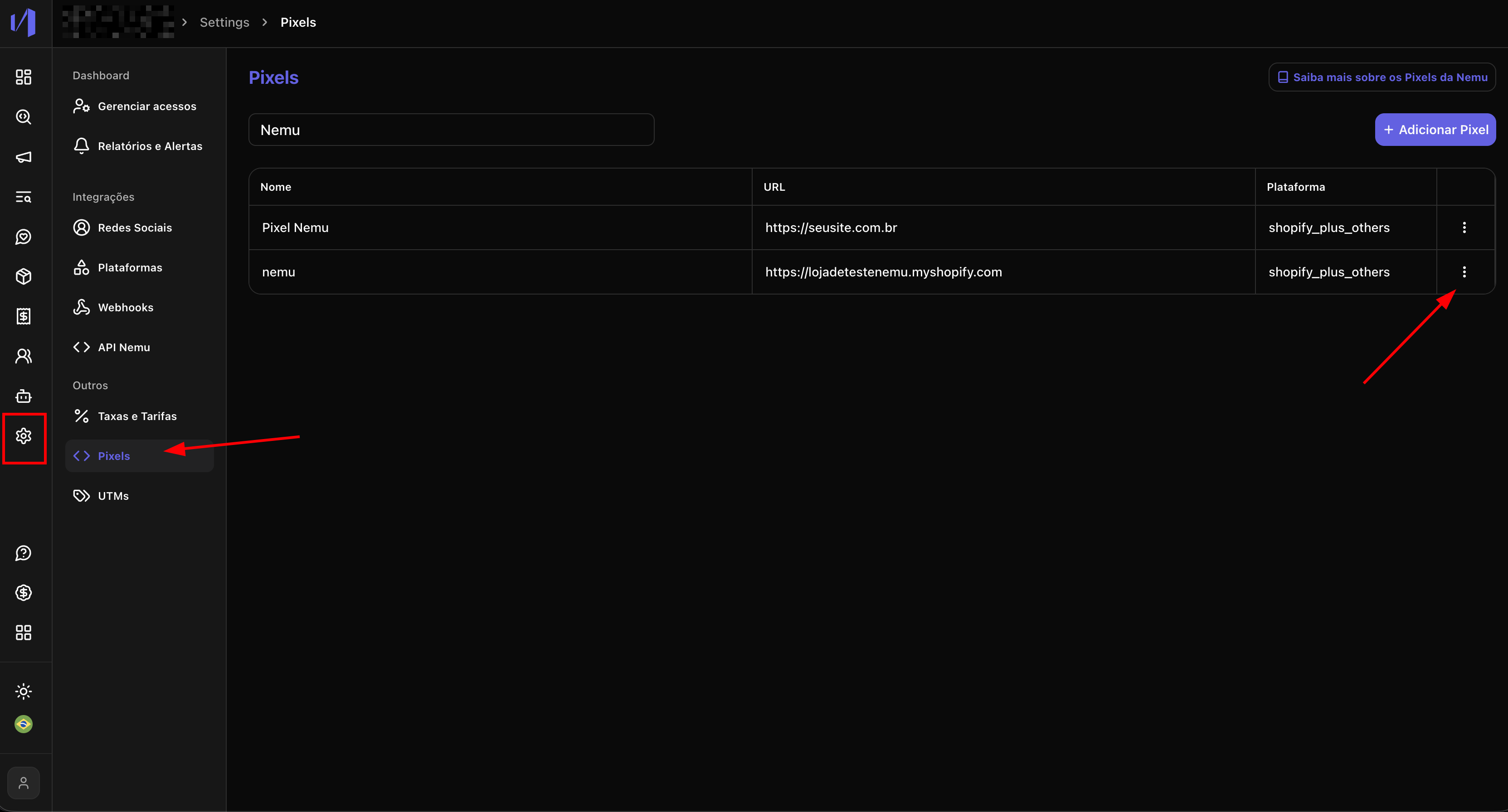
How to create a link?
1. On the Pixel line where you want to create the link, click the edit button
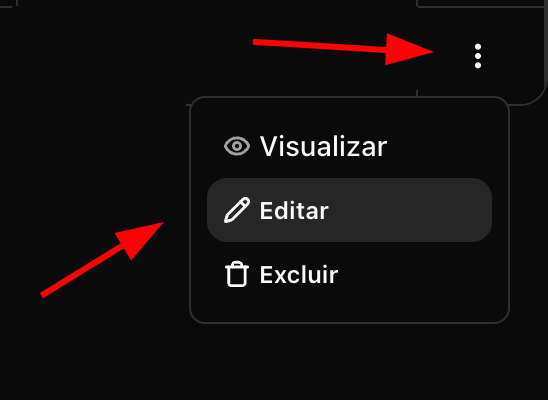
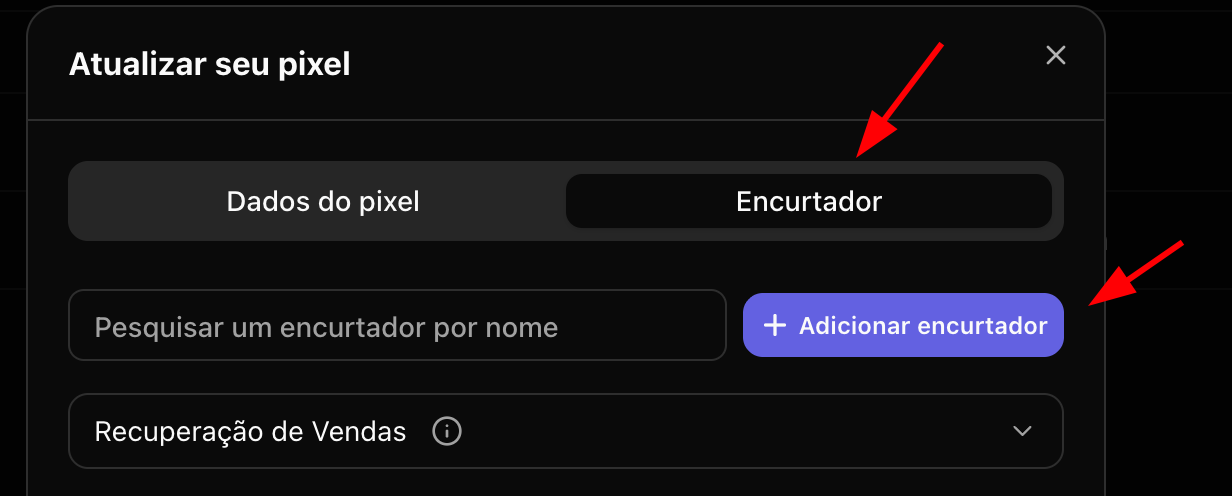
2. Click on the Shortener tab and then Add Shortener
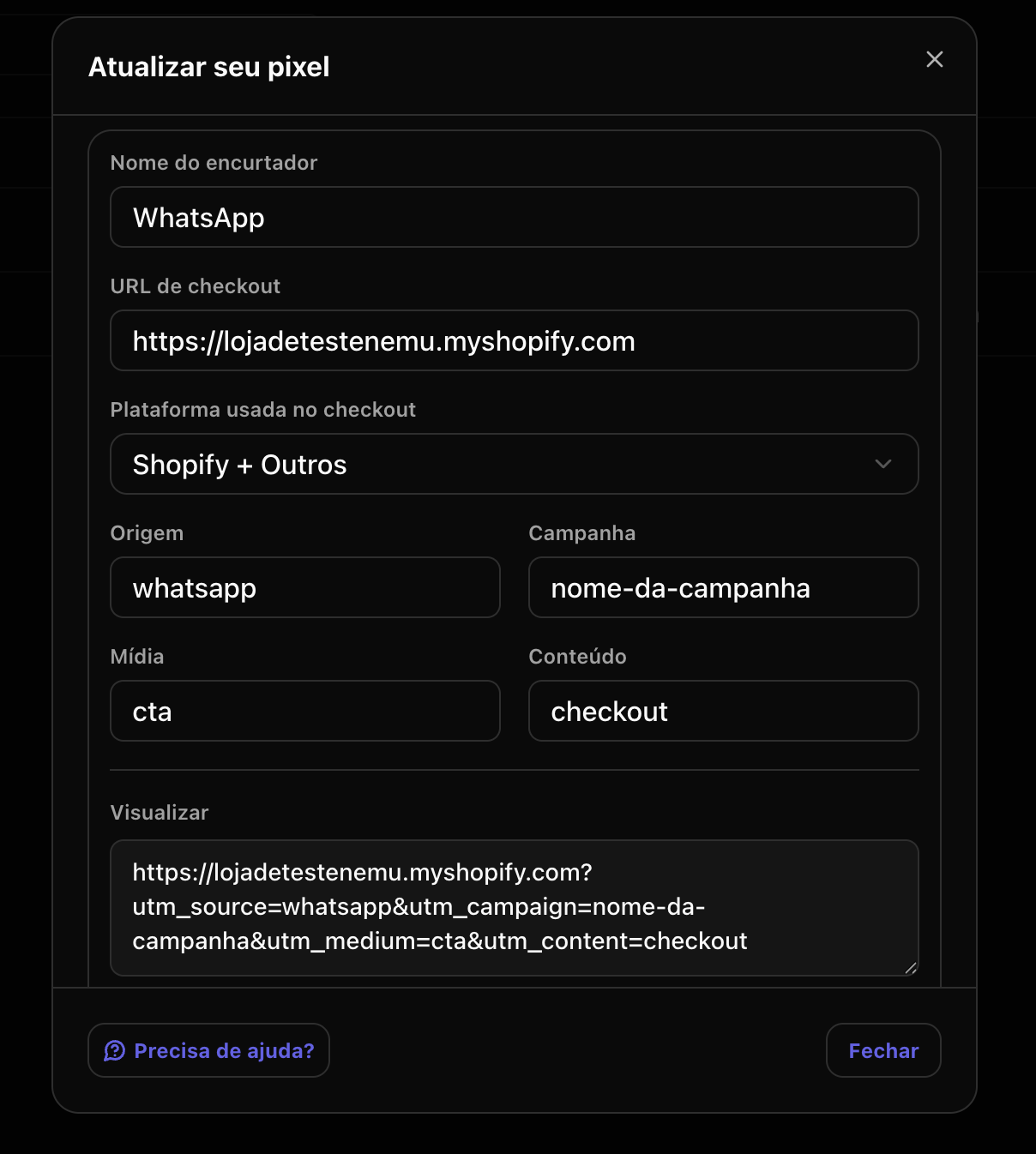
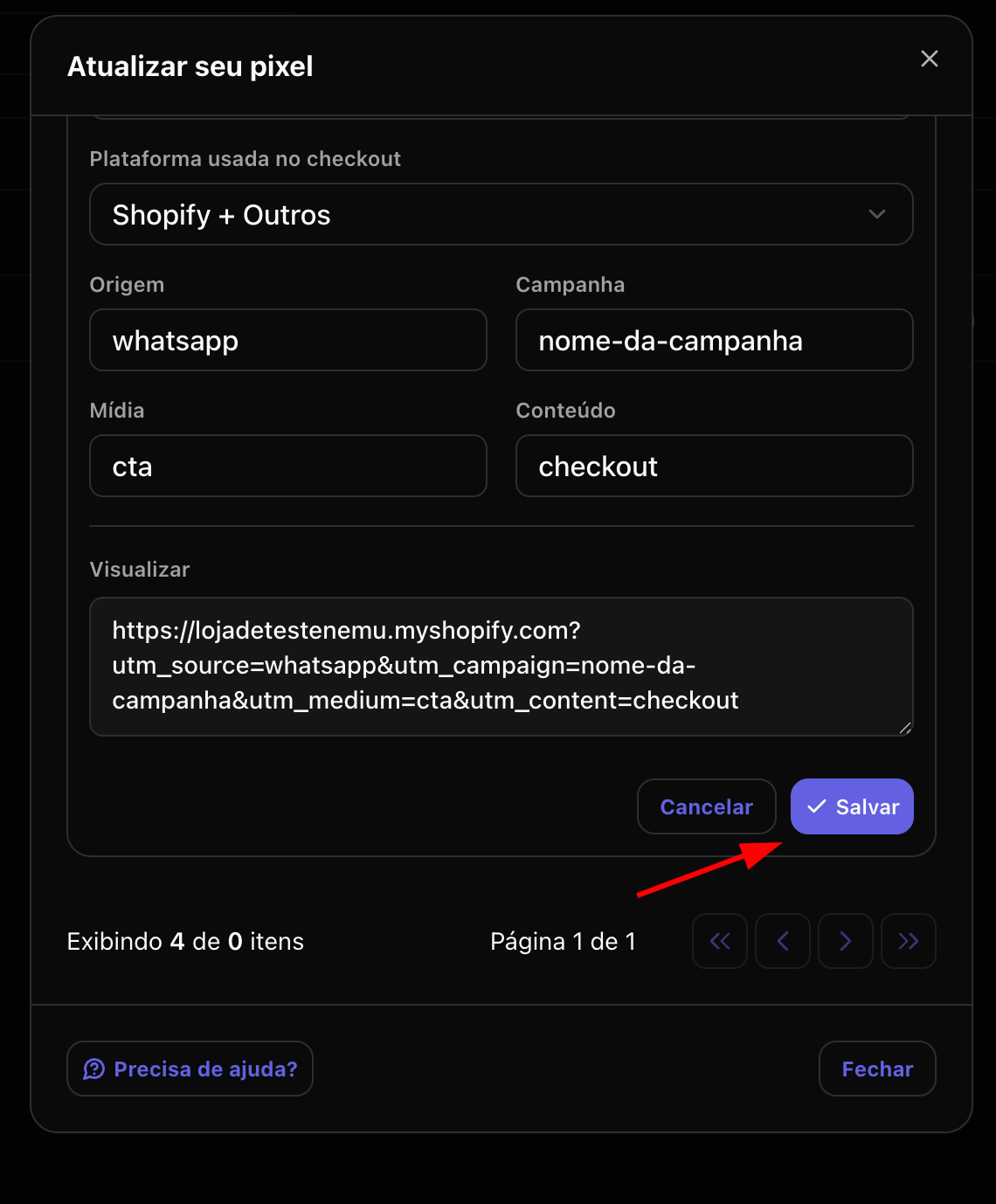
3. Fill in the link information and click Save
- Shortener Name: Name to identify the link within the platform
- Checkout URL: URL of your product checkout
- Checkout Platform: Checkout platform used (Shopify, Hotmart, VTEX)
- Source: Source parameter to identify the traffic source (e.g: google, facebook, email)
- Campaign: Campaign parameter to identify the specific campaign (e.g: promocao_julho, lancamento_produto)
- Medium: Medium parameter to identify the type of media or channel (e.g: banner, email, social)
- Content: Content parameter to identify ad variations or creatives (e.g: announcement1, video2)
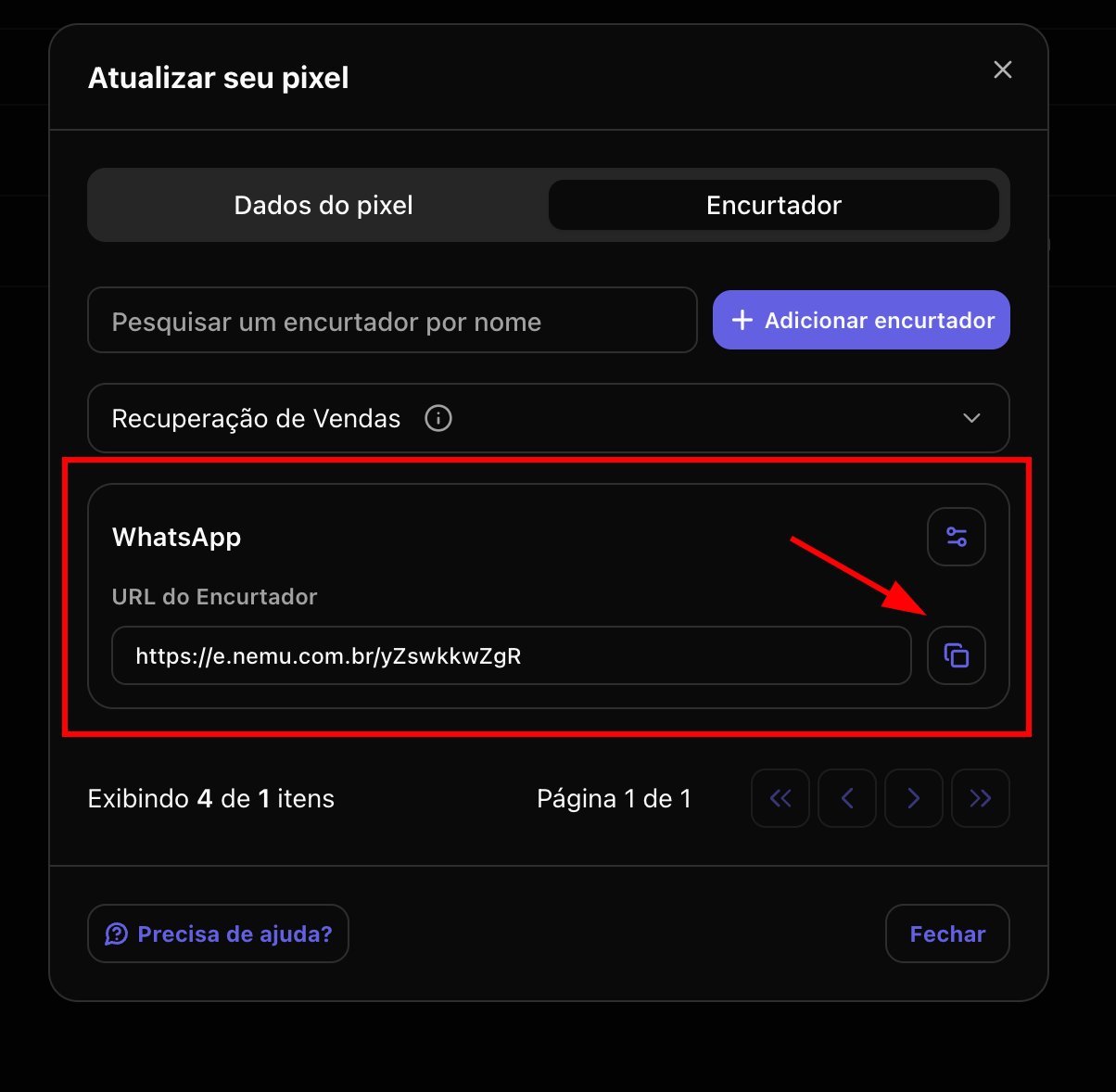
4. After saving, the link will be available to be copied and used in your campaigns
Next steps
- Track results through the Analytics page to understand the performance of each created link.