

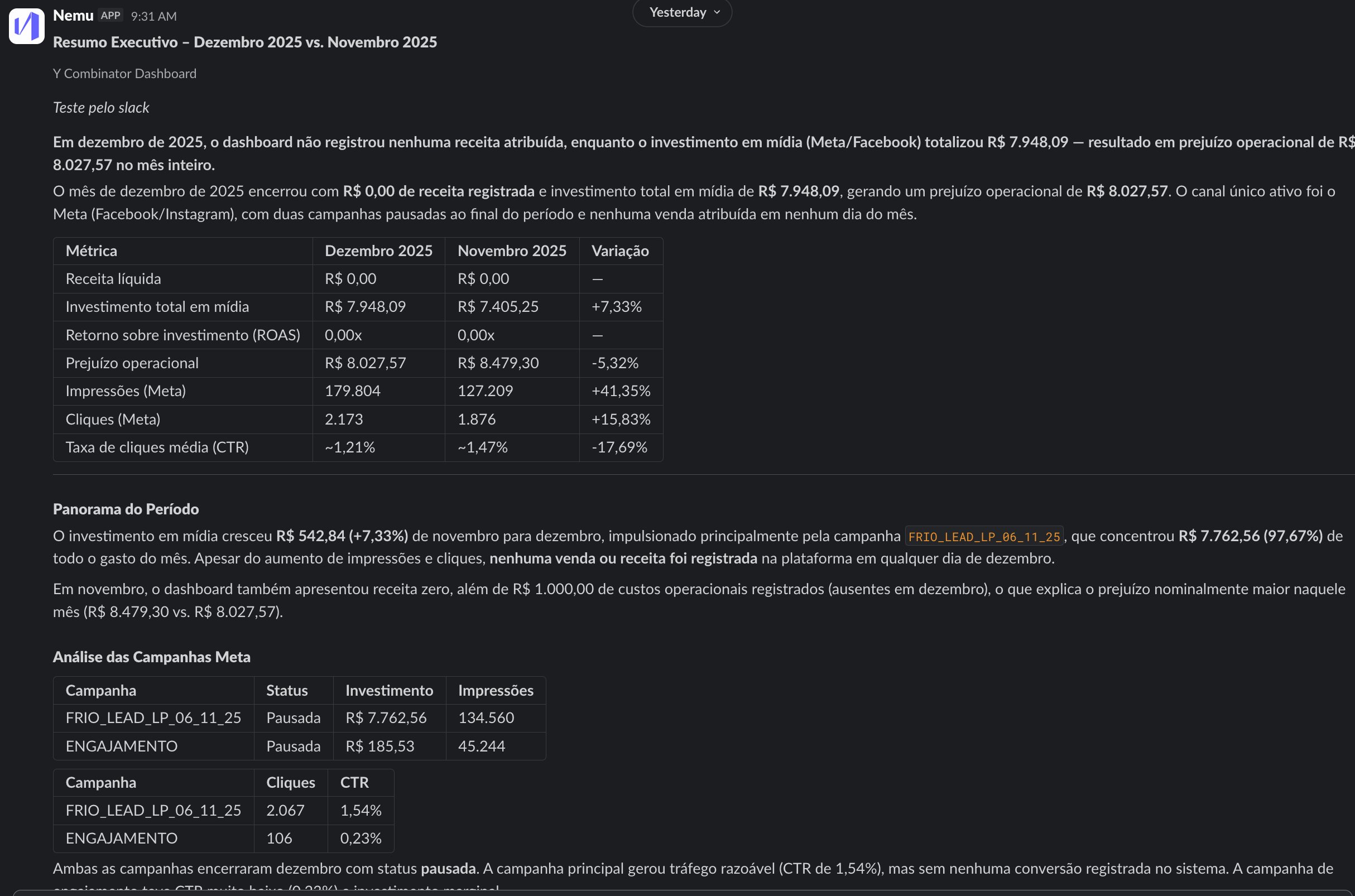
What is it?
AI reports can be delivered through Slack as well as by email. Nemu AI generates the analysis at the scheduled time and the Nemu app posts the report to the channels and direct messages you choose. Your team follows the numbers where it already talks, without depending on the inbox.How it works
- The connection is made once per dashboard, by an admin. Each dashboard is linked to one Slack workspace.
- Once connected, anyone who can create or edit reports on the dashboard picks where each report goes.
- Each report uses one delivery channel: email or Slack.
Prerequisites
- Admin access to the Nemu dashboard, or a permission group that can create integrations. Only needed to connect Slack.
- Permission to install apps in the Slack workspace. If your workspace requires app approval, a Slack admin needs to approve Nemu.
Setting up
1
Open the Nemu AI integrations
In the side menu, open Nemu AI and click Settings. The Integrations screen opens right away.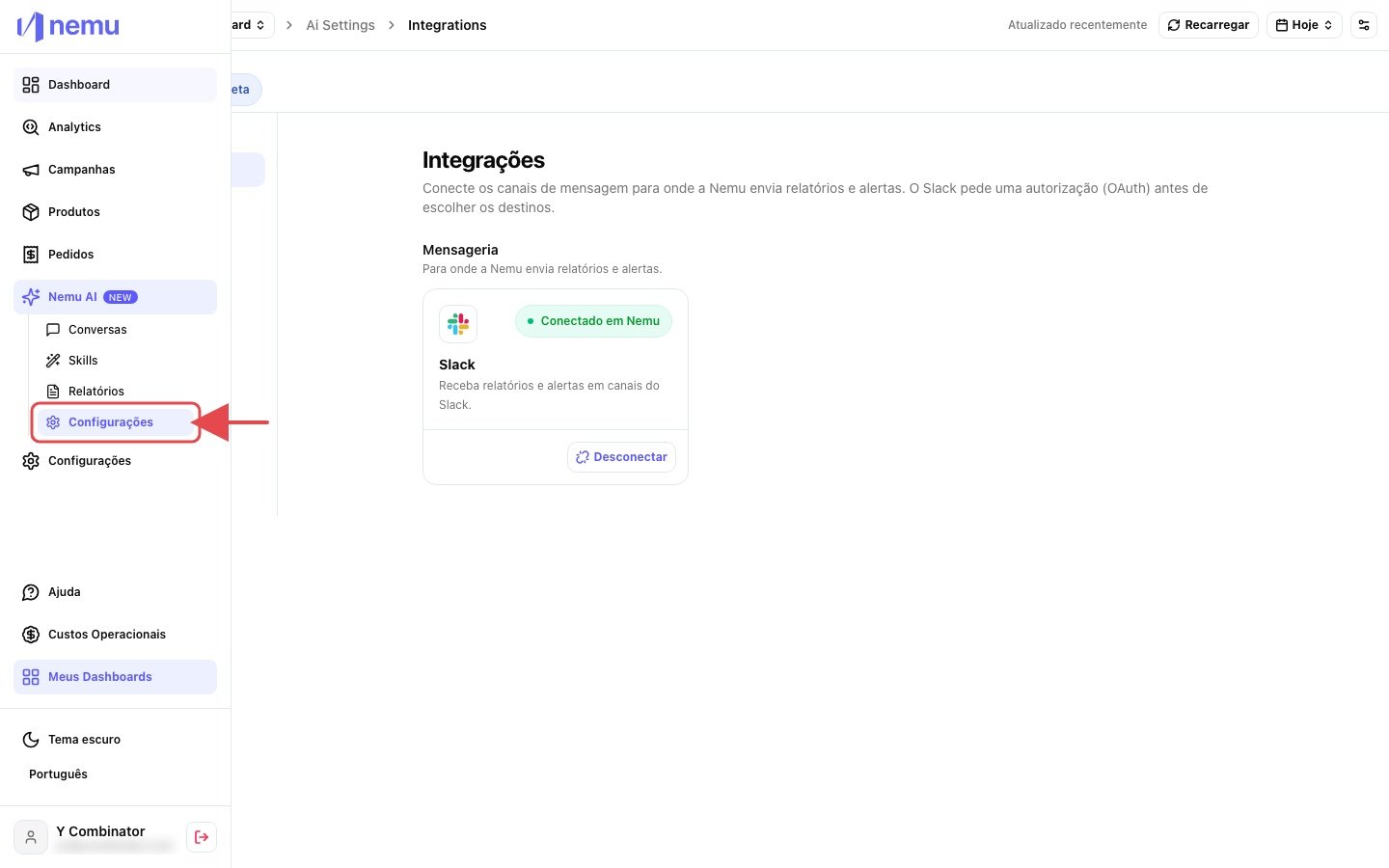
2
Connect Slack
On the Slack card, under Messaging, click Connect.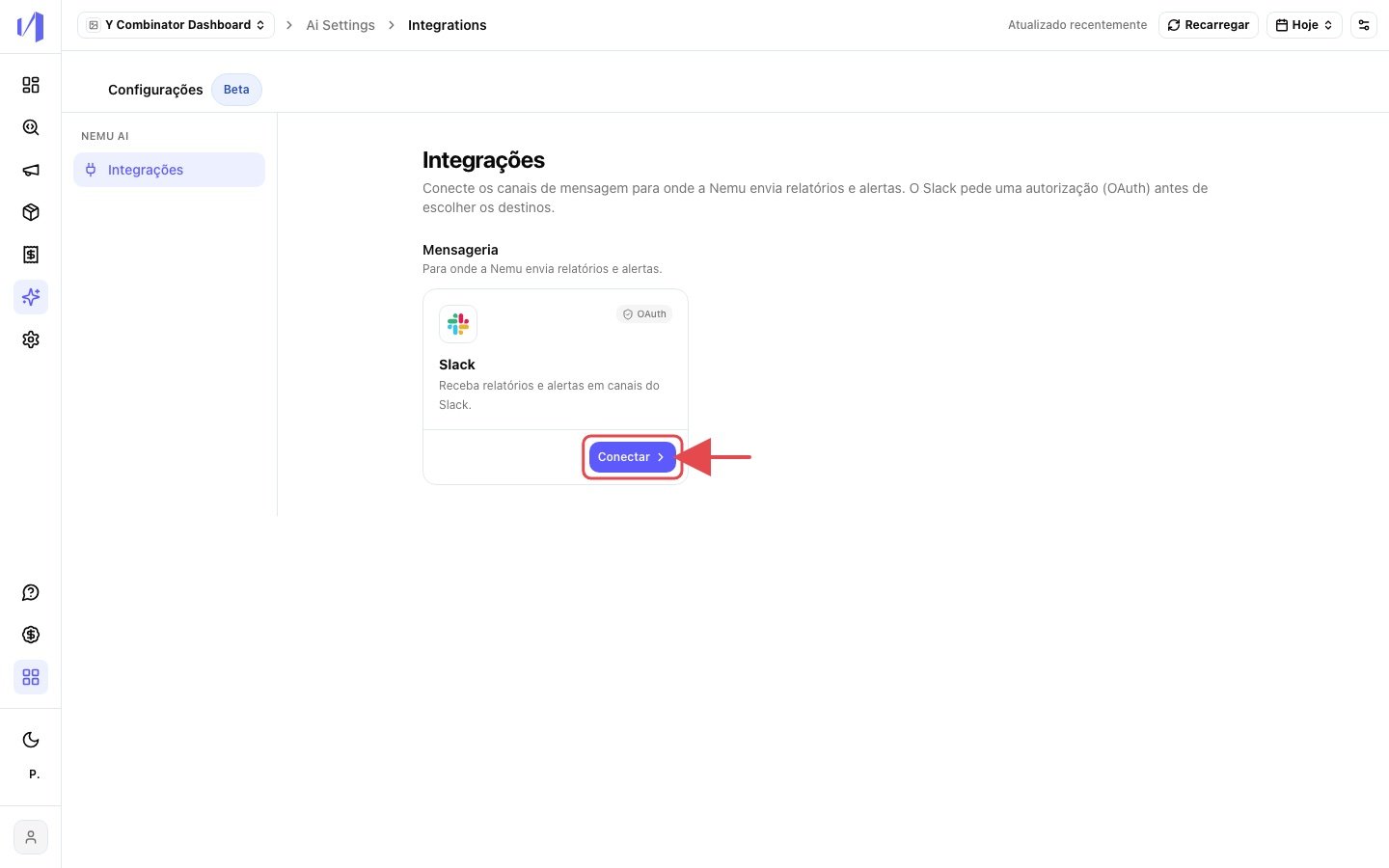
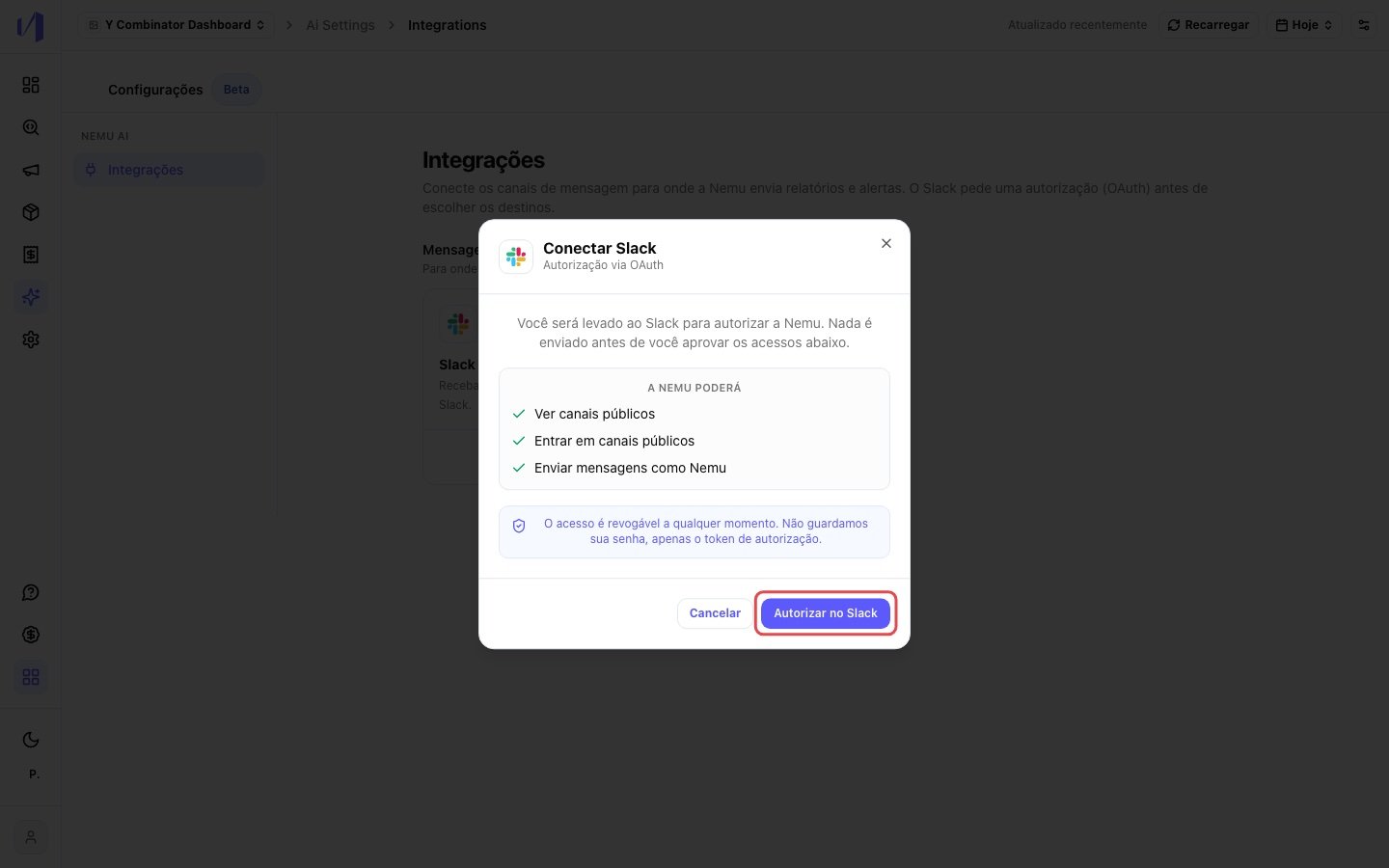
- view public channels;
- join public channels;
- send messages as Nemu.
3
Authorize in Slack
A Slack popup opens. Check that the workspace in the top right corner is the right one and click Allow.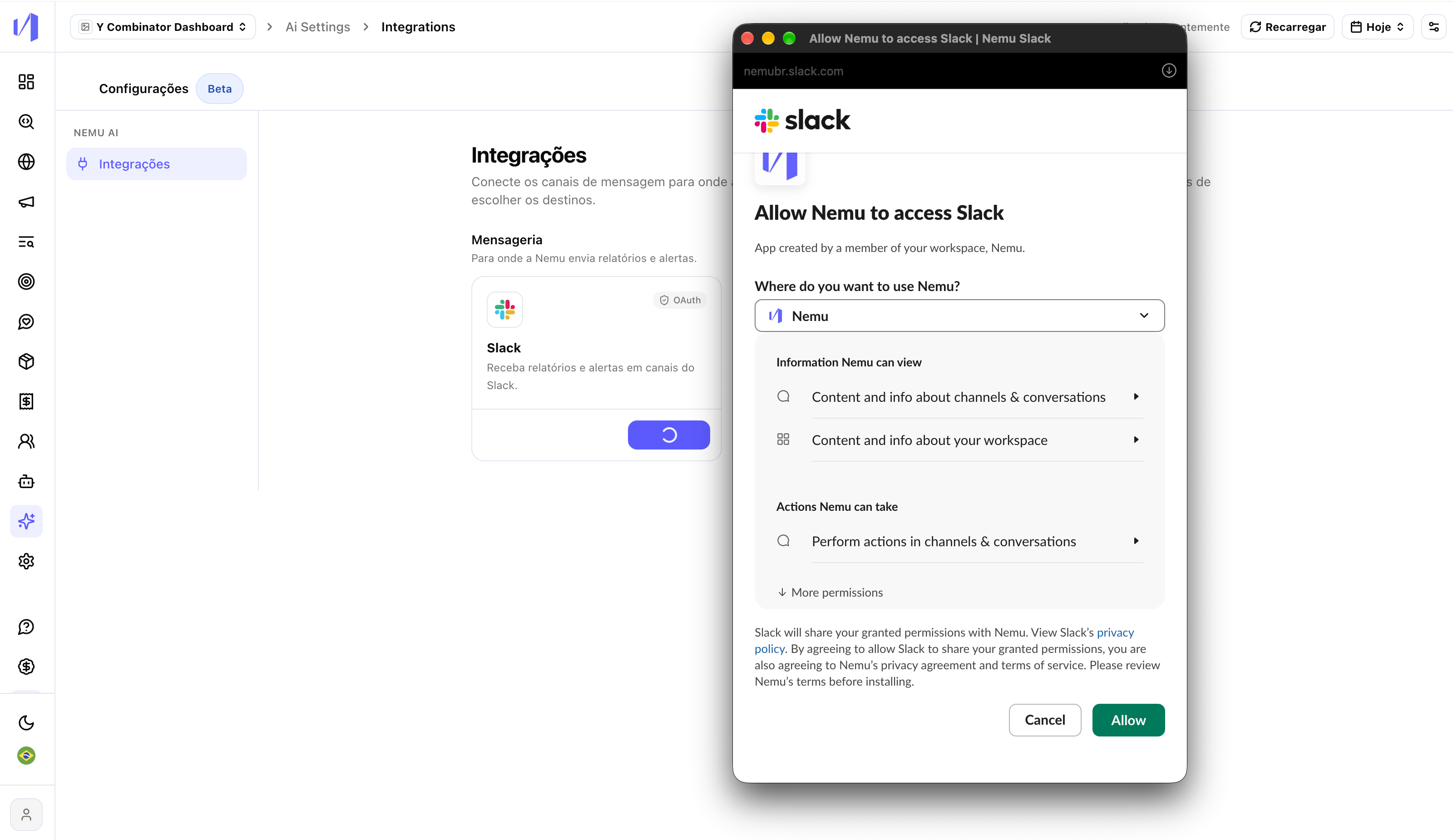
If the popup doesn’t open, allow popups for Nemu in your browser and click
Connect again.
4
Check the connection
The popup closes by itself and the card shows Connected to followed by your workspace name.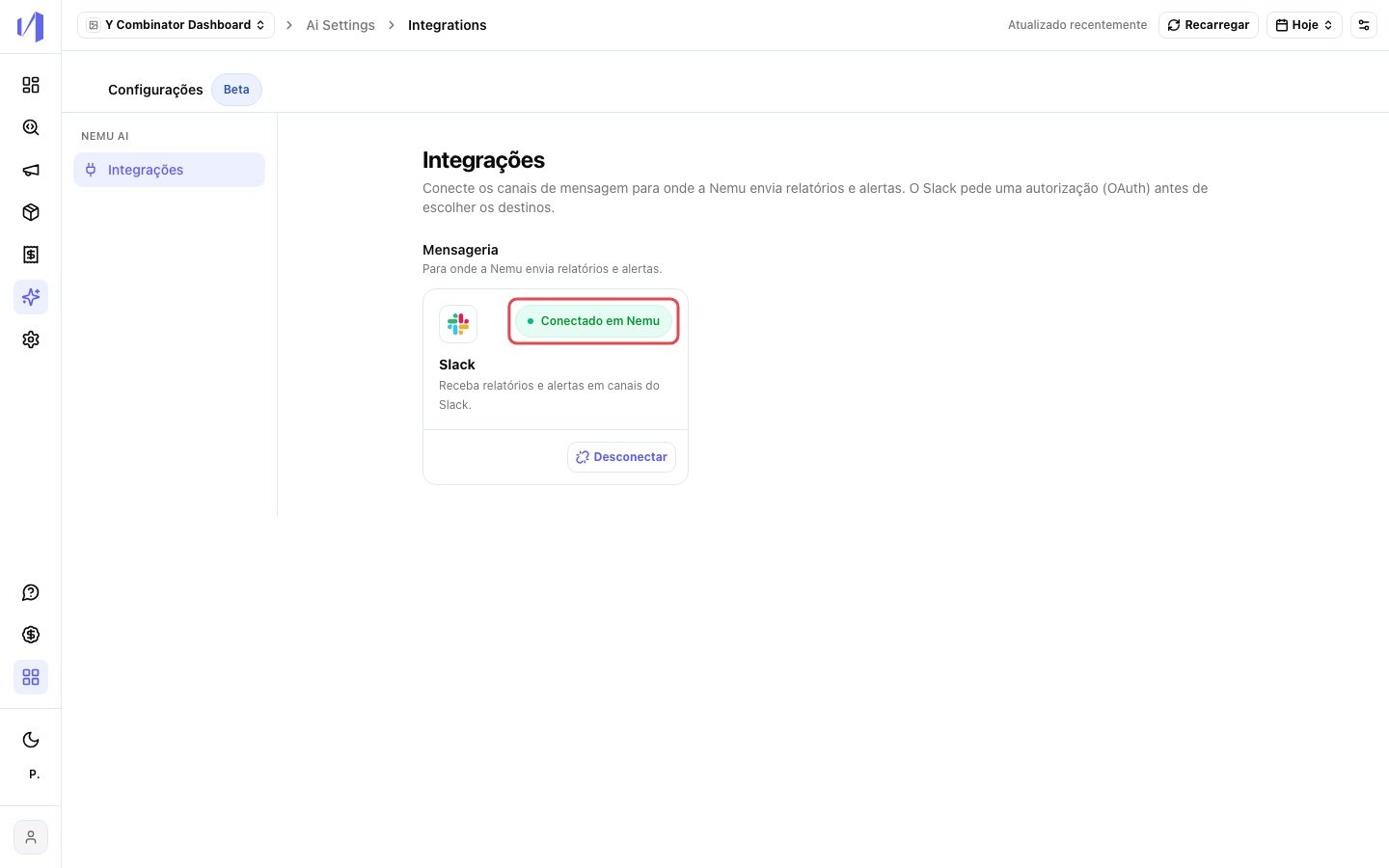
Sending a report through Slack
Create the report as usual, as in Nemu AI Reports. The difference is in the last step, Recipients and Observations.1
Choose Slack as the delivery channel
Under Delivery channel, select Slack.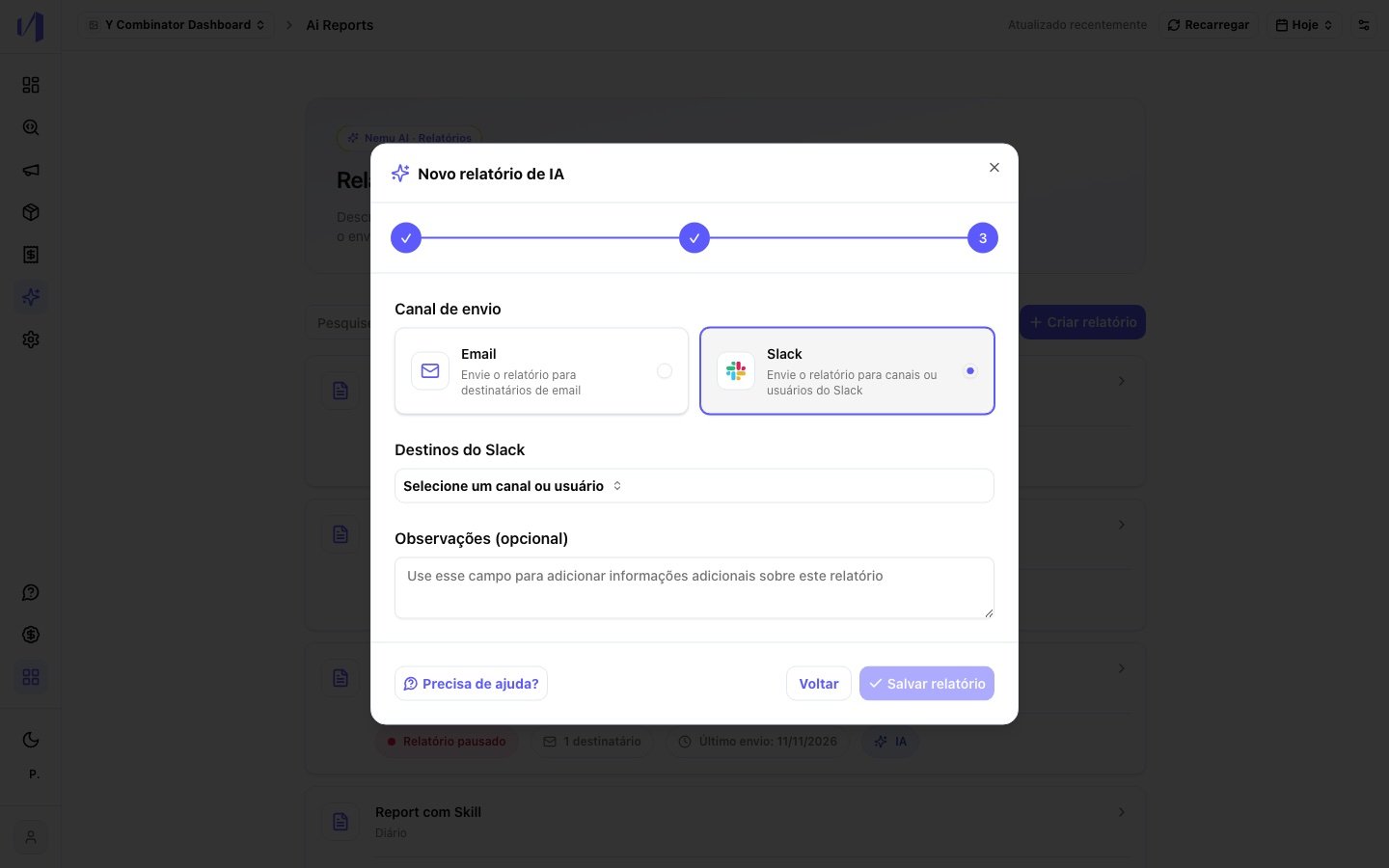
2
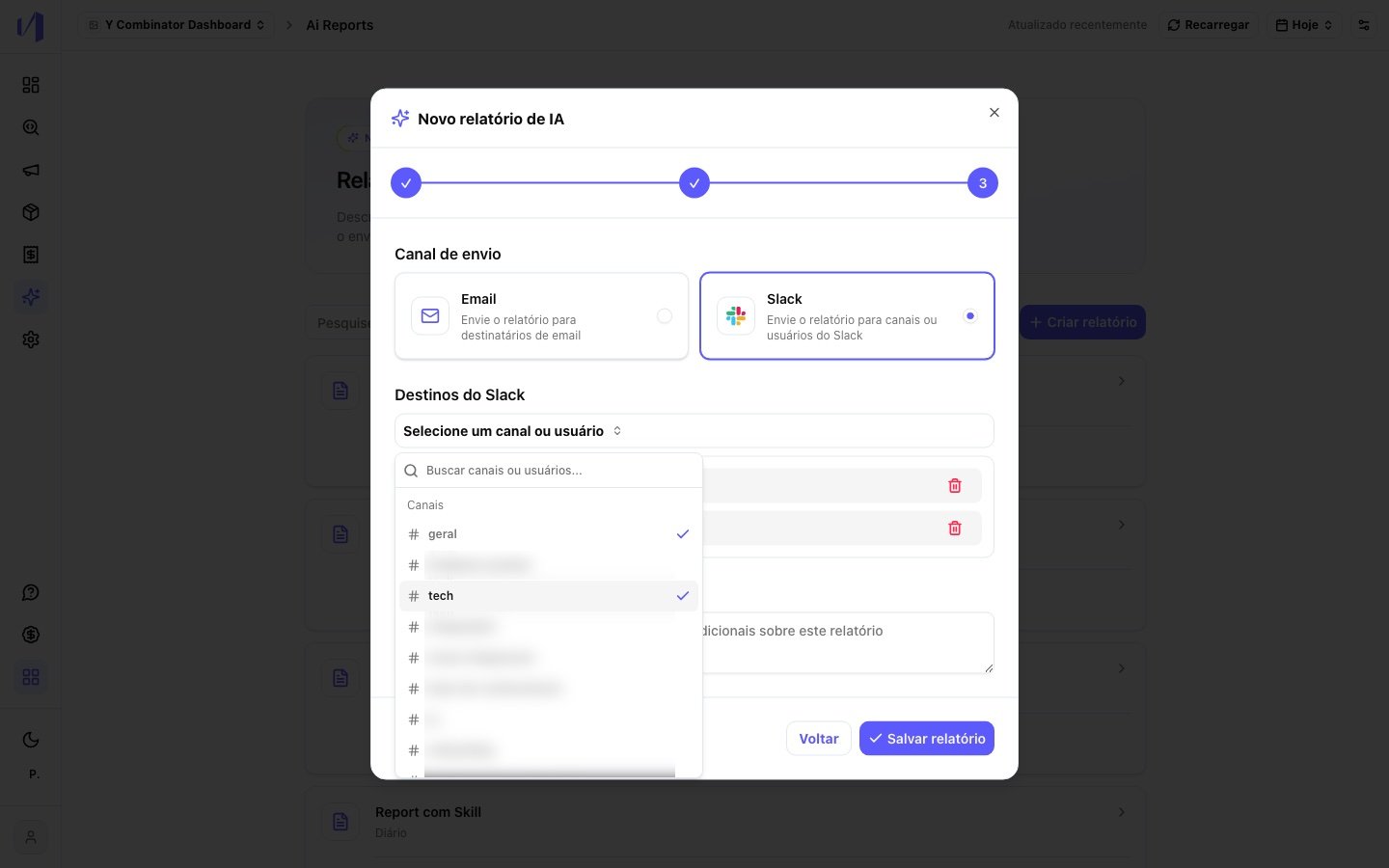
Select the targets
Under Slack targets, open the list and pick one or more items. Use the search to find them by name.
- Channels: the report is posted to the channel.
-
Users: the person gets the report as a direct message from the Nemu app.
3
Save the report
Click Save report. If you picked a public channel, the Nemu app joins it automatically. The same happens when you edit the targets later.
If you see “Slack is not connected to this dashboard.”, click Connect
Slack to go to the integrations. If you are not an admin, ask a dashboard
admin to connect it.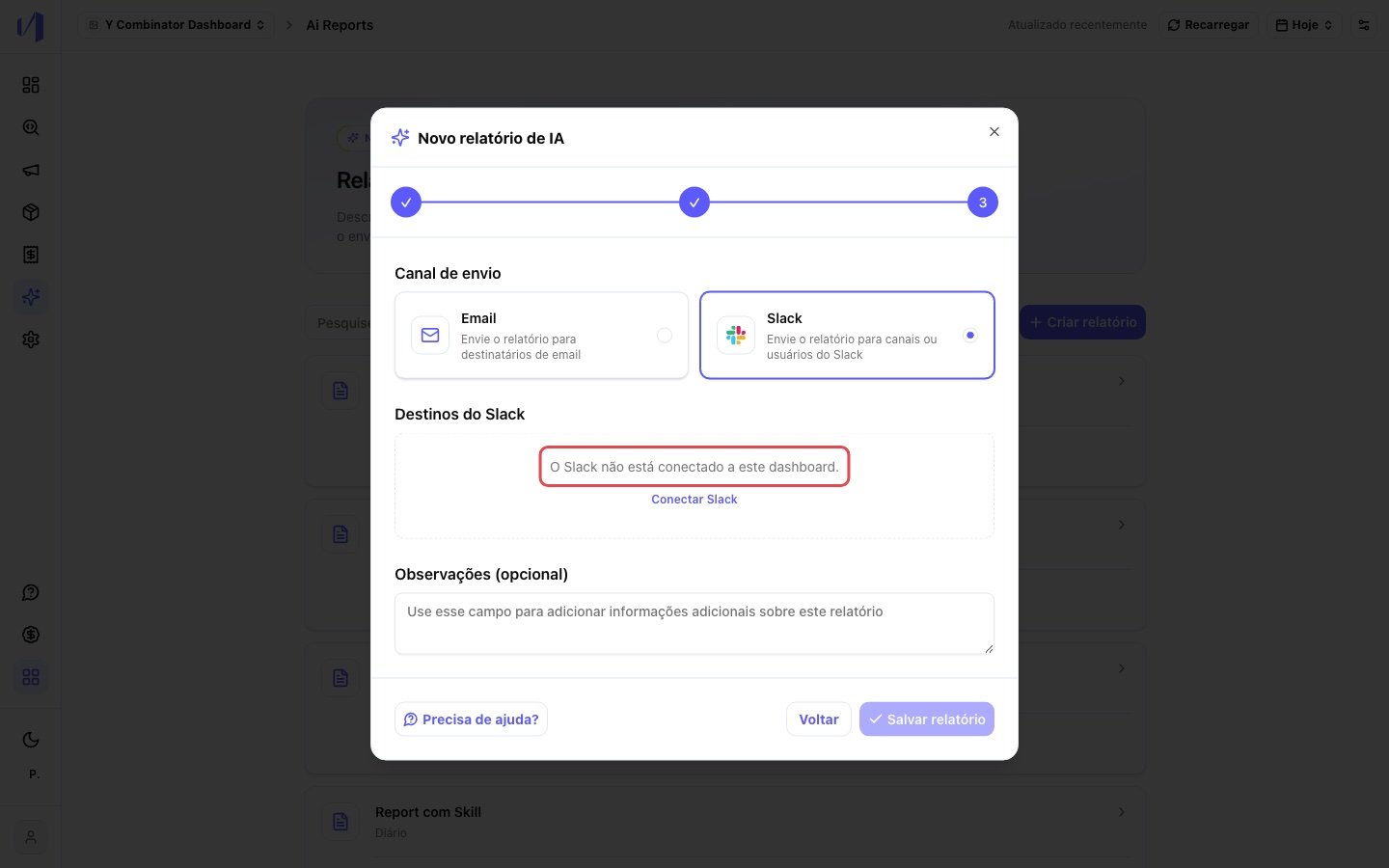
Private channels
The Nemu app can only see a private channel after it is invited. In the private channel, send: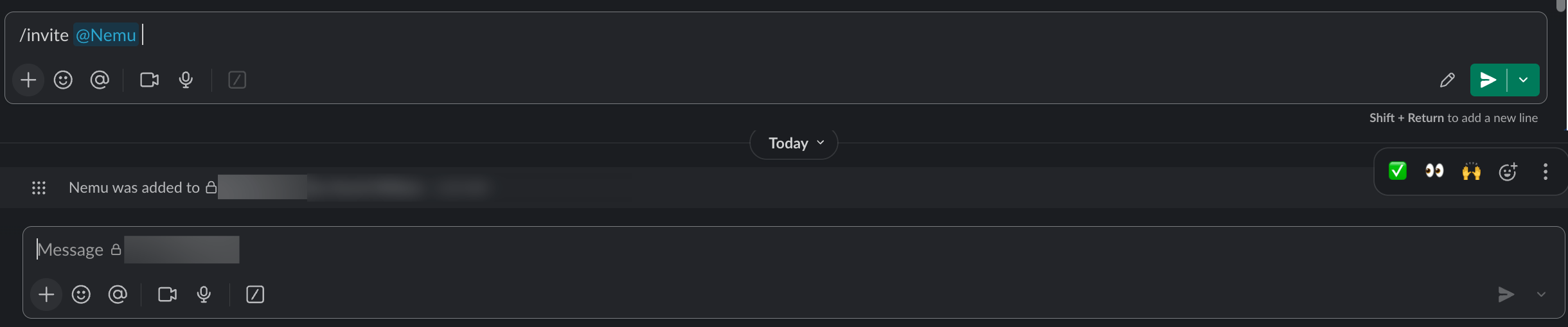
What arrives in Slack
Each delivery is a new analysis, built from the dashboard’s latest data, with the same content as the email:- the report title and the dashboard name;
- the analysis written by Nemu AI, formatted for Slack;
- the report observations, if any.
Managing
Changing targets
In the report list, open the report and edit its recipients. You can change the Slack channels and users, or switch delivery back to email.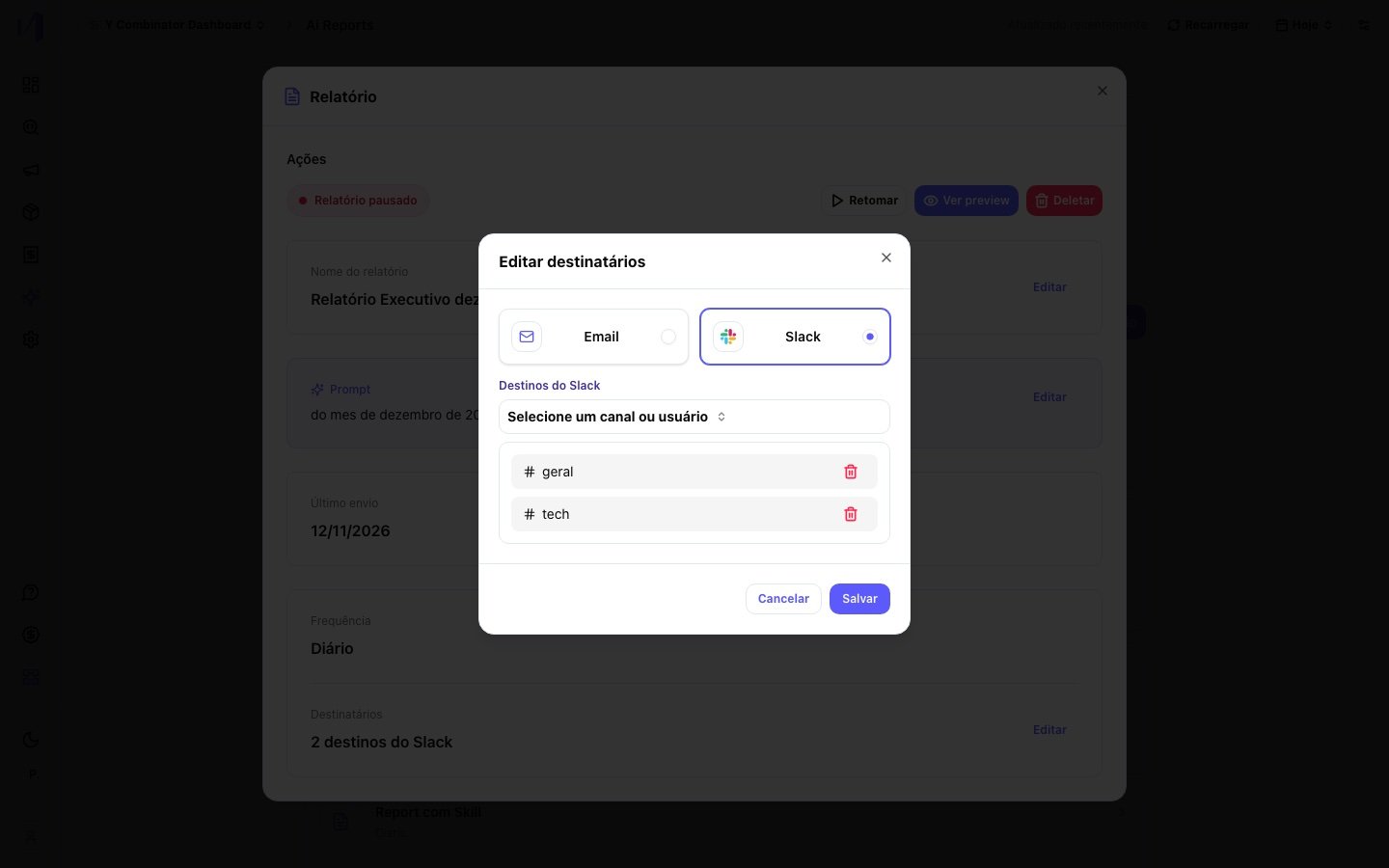
Disconnecting Slack
In Nemu AI > Settings > Integrations, click Disconnect on the Slack card. The button is only enabled for admins, or for groups allowed to delete integrations. Before you confirm, Nemu shows how many active reports use Slack. When you click Pause reports and disconnect, those reports are paused.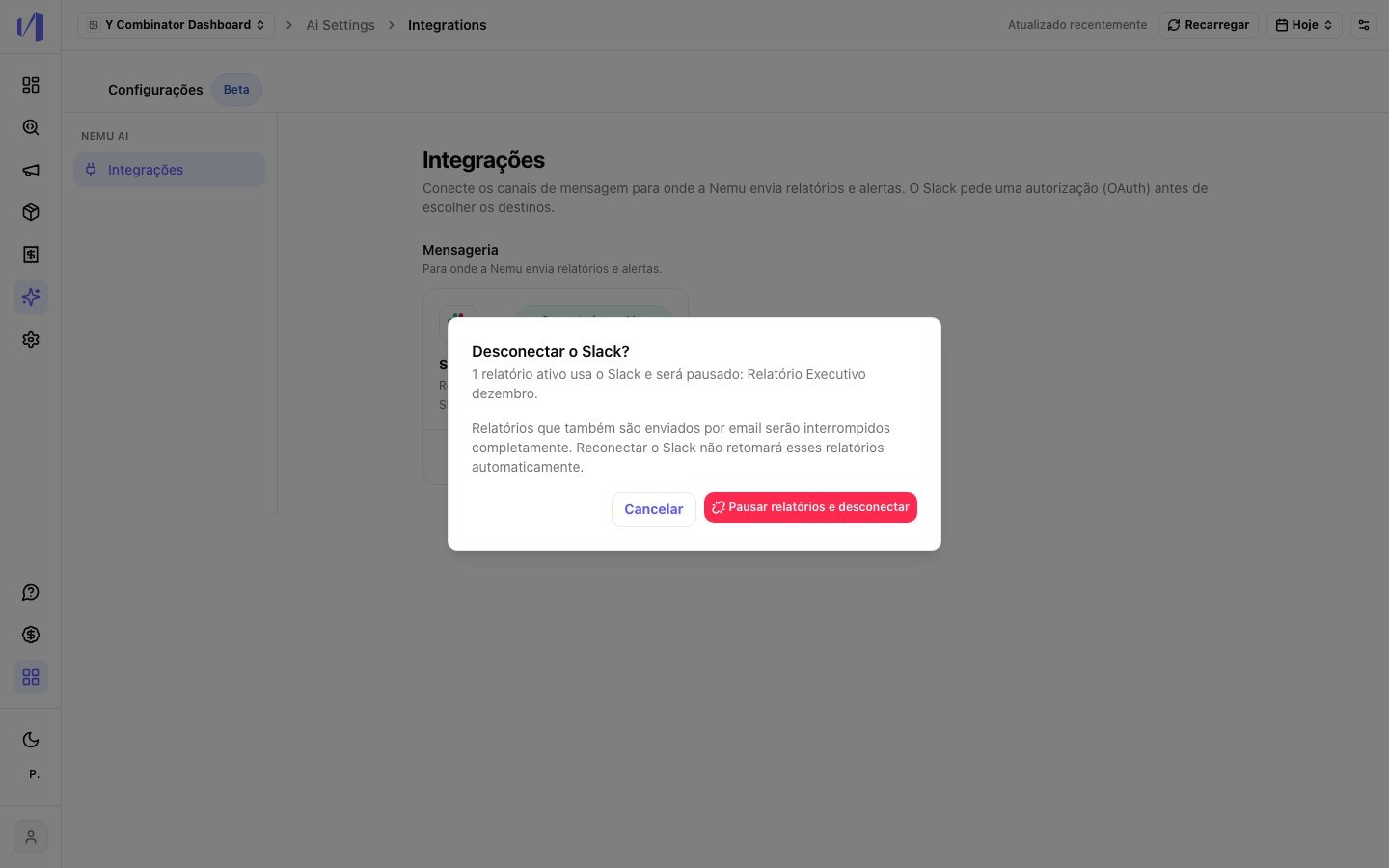
Permissions
Troubleshooting
The private channel is not in the list
The private channel is not in the list
Invite the app to the channel with
/invite @Nemu and open the target list
again. Private channels only show up after the invite."Couldn't load Slack channels and users" shows up
"Couldn't load Slack channels and users" shows up
Click Try again. If the error persists, check in Integrations that
Slack is still connected. If Nemu was removed from the workspace in Slack,
disconnect and connect again.
The report reached some channels but not others
The report reached some channels but not others
Each target is sent separately: if one channel fails, the others still get
the report. Check that the Nemu app is still in the channel that missed it.
If someone ran
/remove @Nemu in a private channel, invite the app again.The Slack popup didn't open
The Slack popup didn't open
The browser blocked the popup. Allow popups for Nemu and click Connect
again.
Privacy
- Nemu only sends messages. It does not read channel history or conversations.
- In channels, the report is visible to every member, including external guests in shared channels.
- Nemu only stores the app’s authorization token, never your Slack password. Access can be revoked at any time by disconnecting in Nemu or removing the app in Slack.