

Setting Up Webhooks
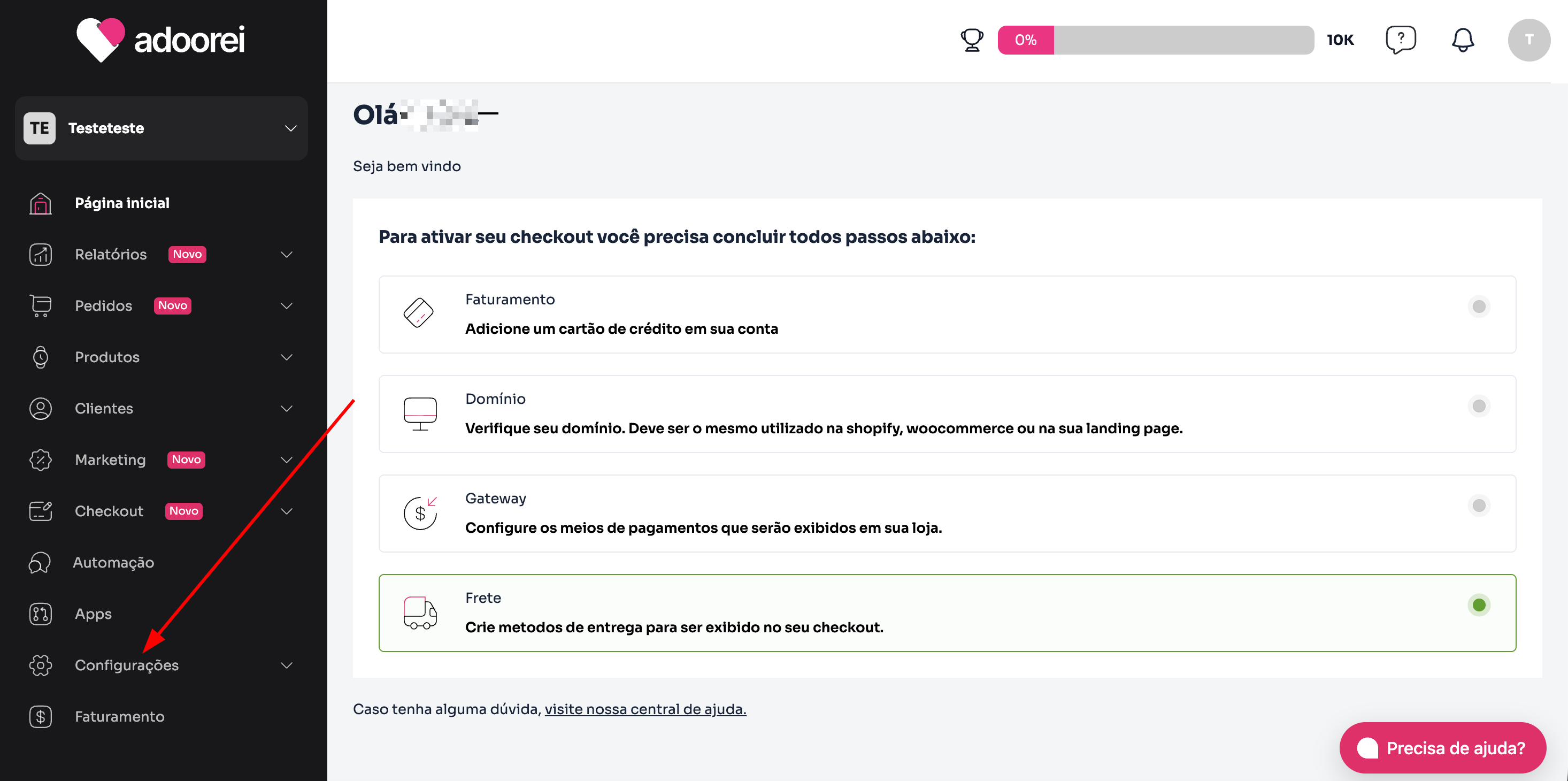
- In the Adoorei panel, in the sidebar, click on Settings.
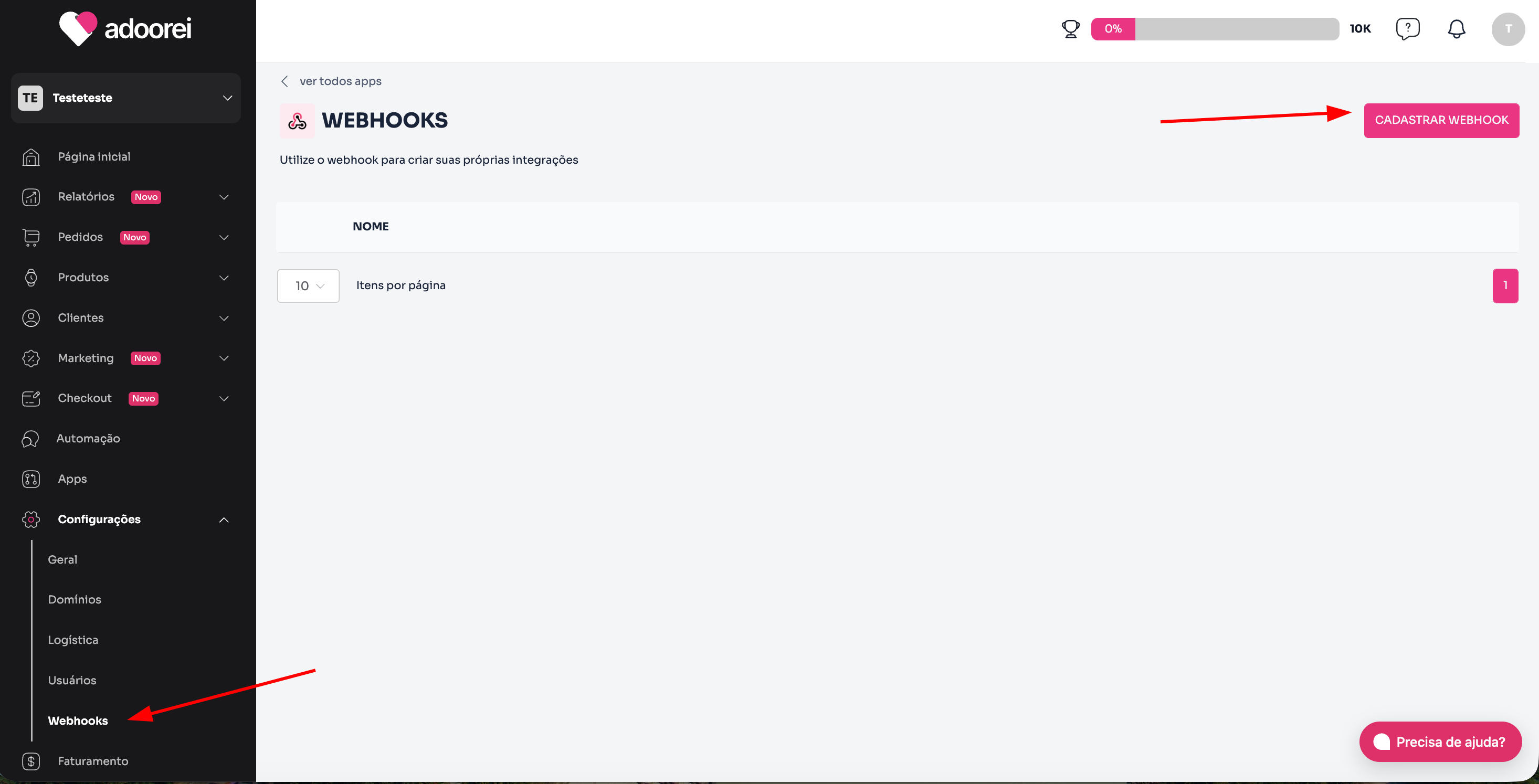
- Then, click on Webhooks and on the Register webhook button.
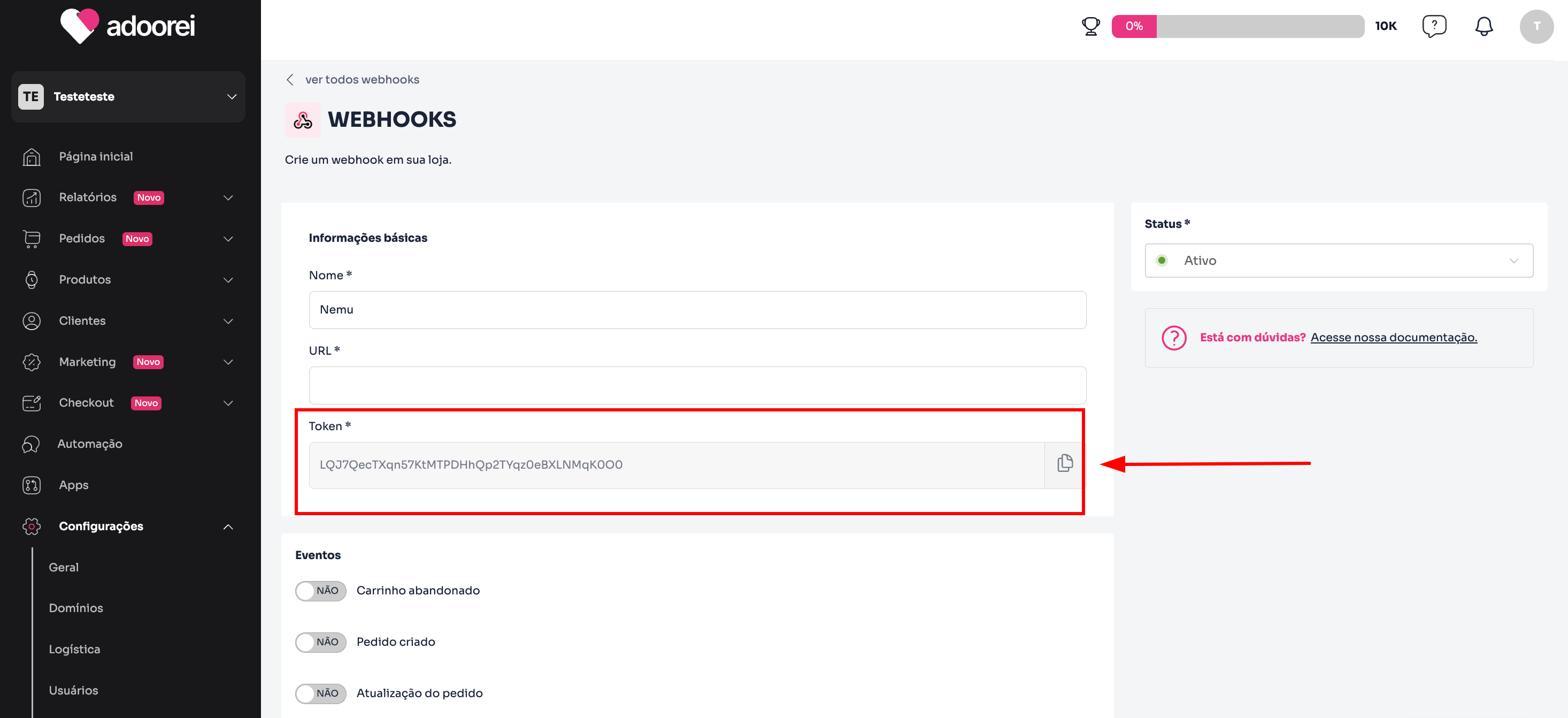
- Define a name for the webhook and click to copy the Token.
Keep this page open, as we will need it for the next steps.
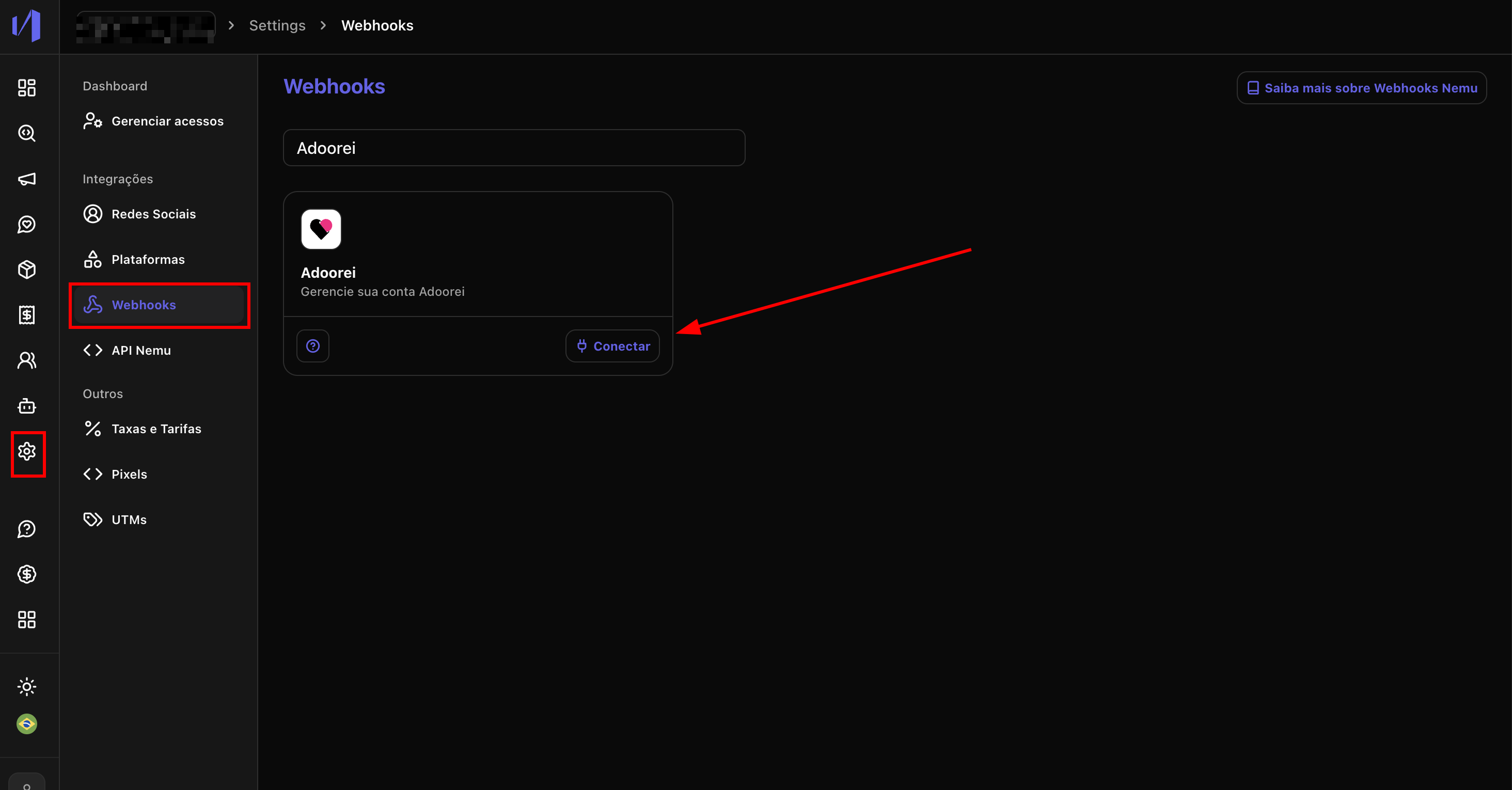
- In the Nemu panel, go to Settings > Webhooks.
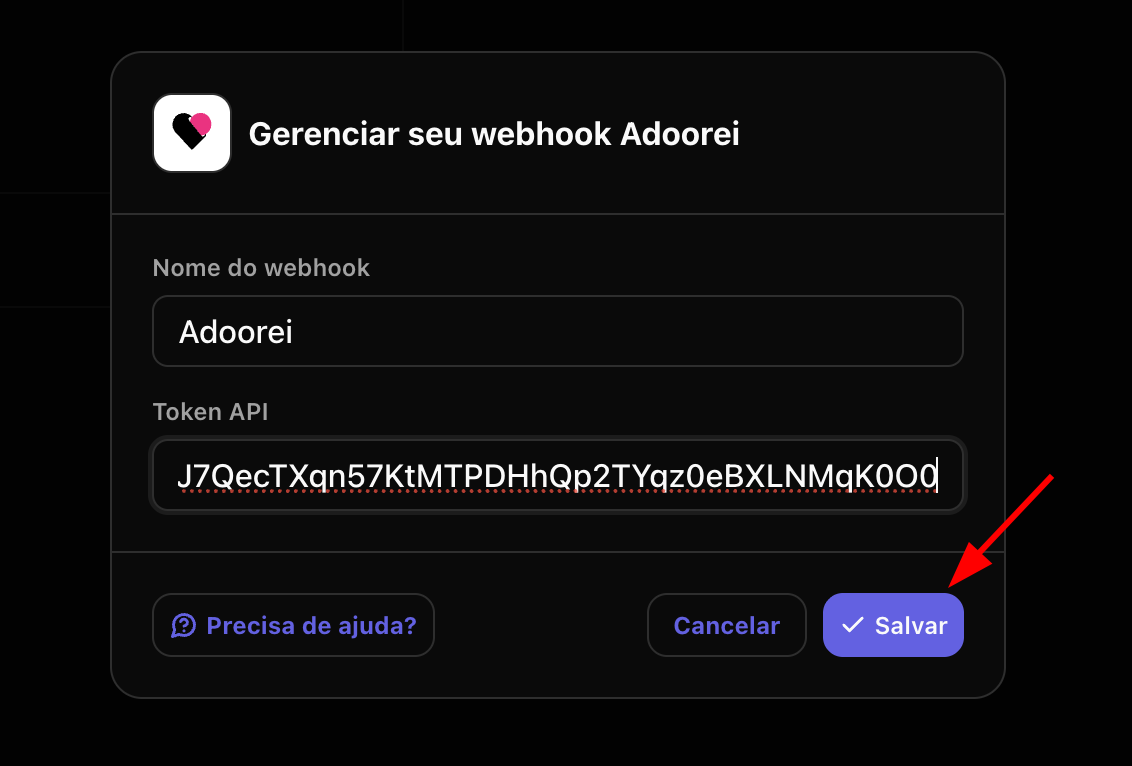
- Search for Adoorei and click on Connect.
- Define a name for the webhook, paste the token copied in the previous step and click on Save.
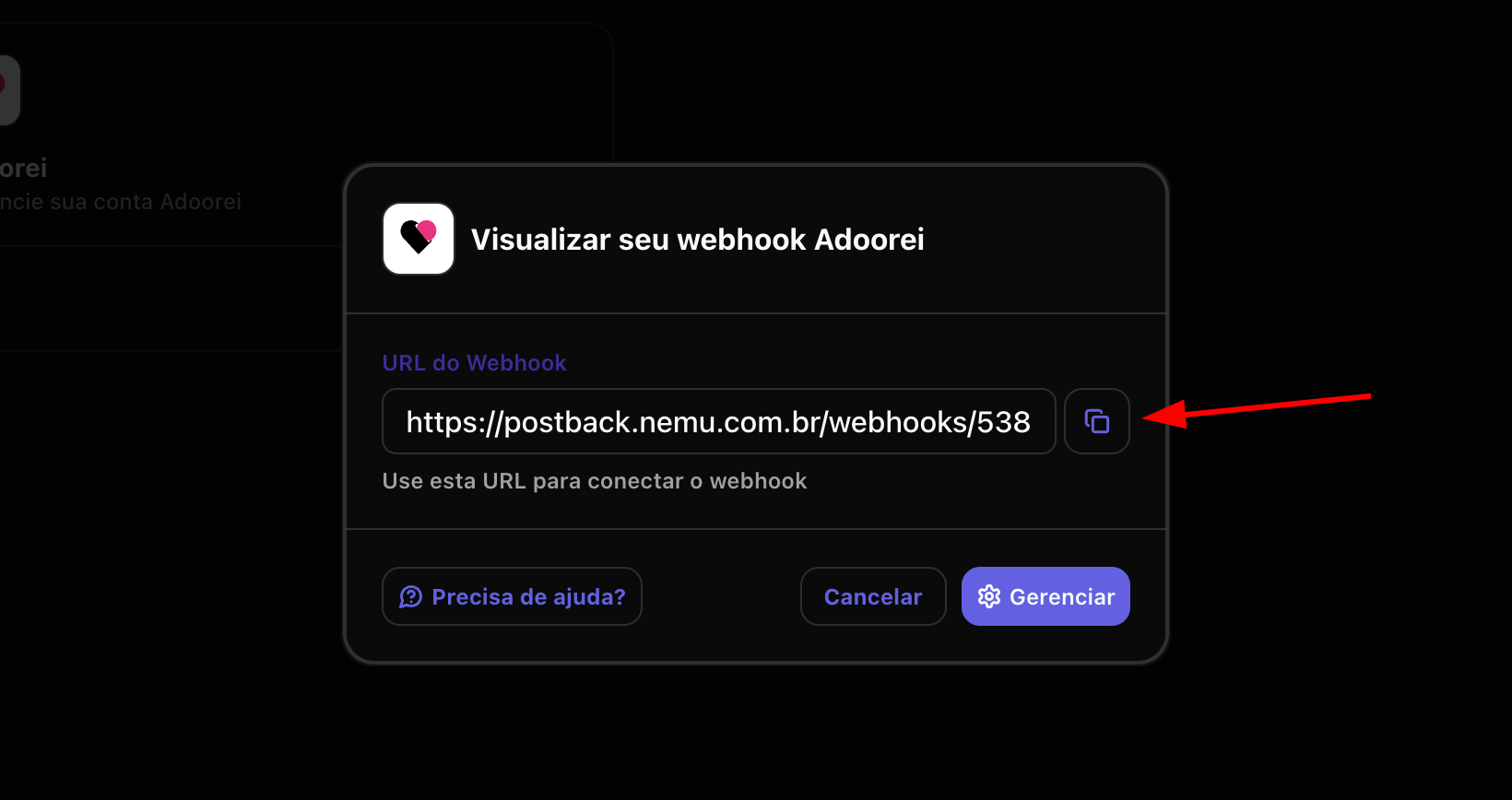
- Click the button to copy the webhook URL generated by Nemu.
-
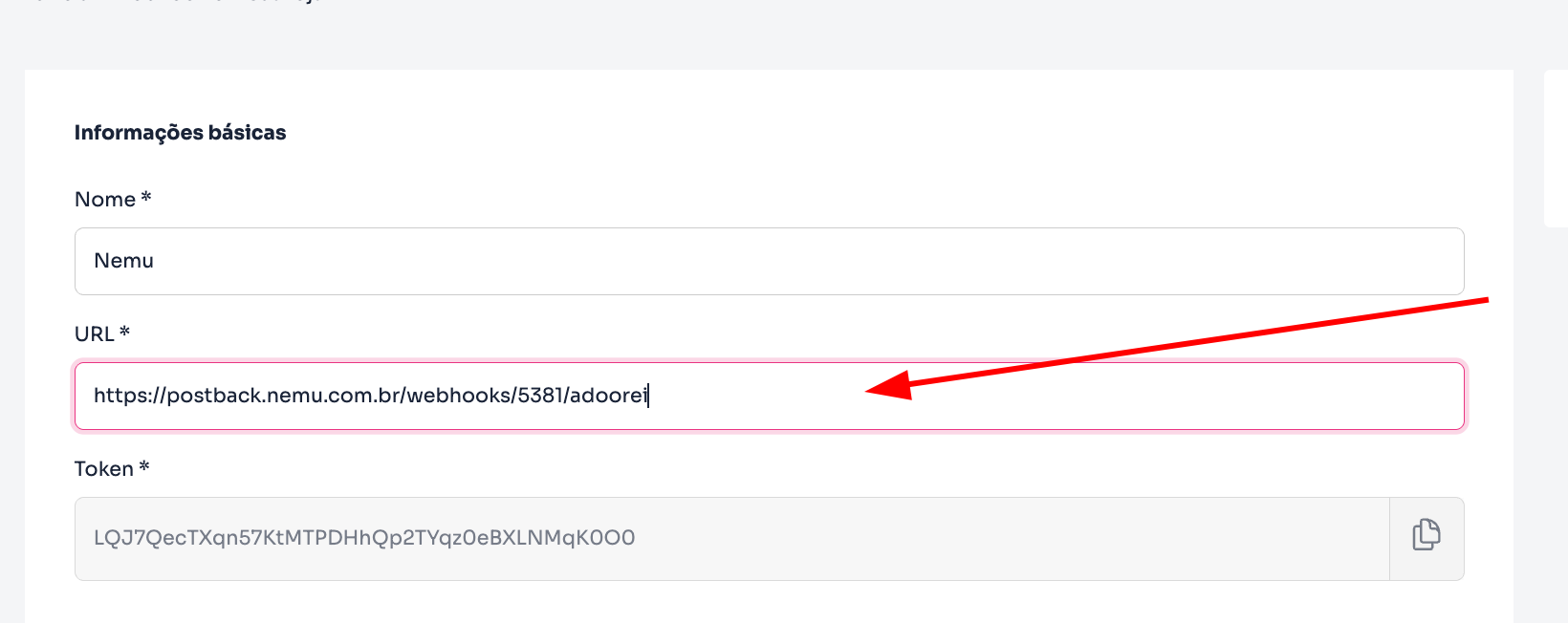
In the Adoorei panel, paste the URL generated in the previous step:
- In the Events section, activate the following:
- Order created
- Order update
- Order status update
- Order approved
- Order declined
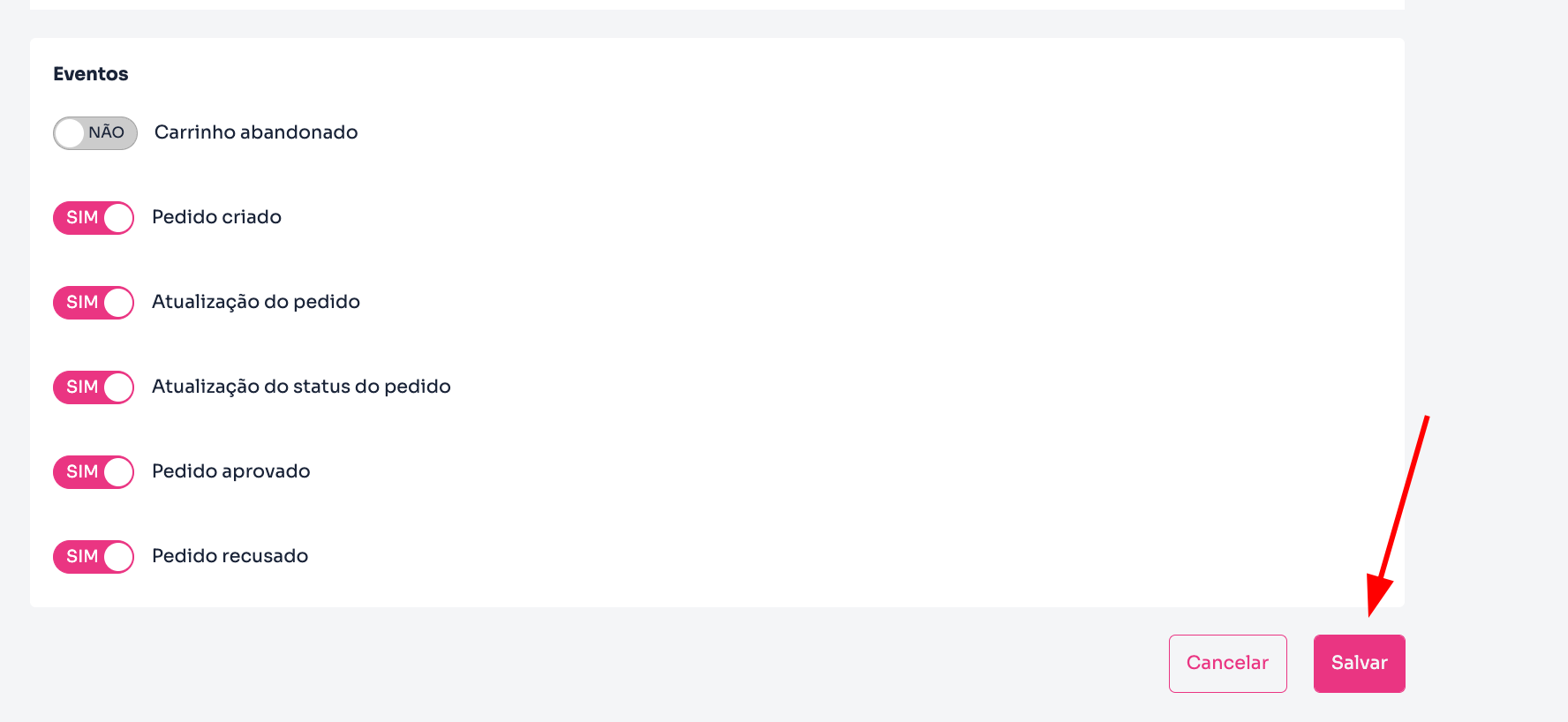
- Finally, click on Save to complete the integration.