

Integrating Nemu Pixel on VNDA
Setting Up Webhooks in Nemu
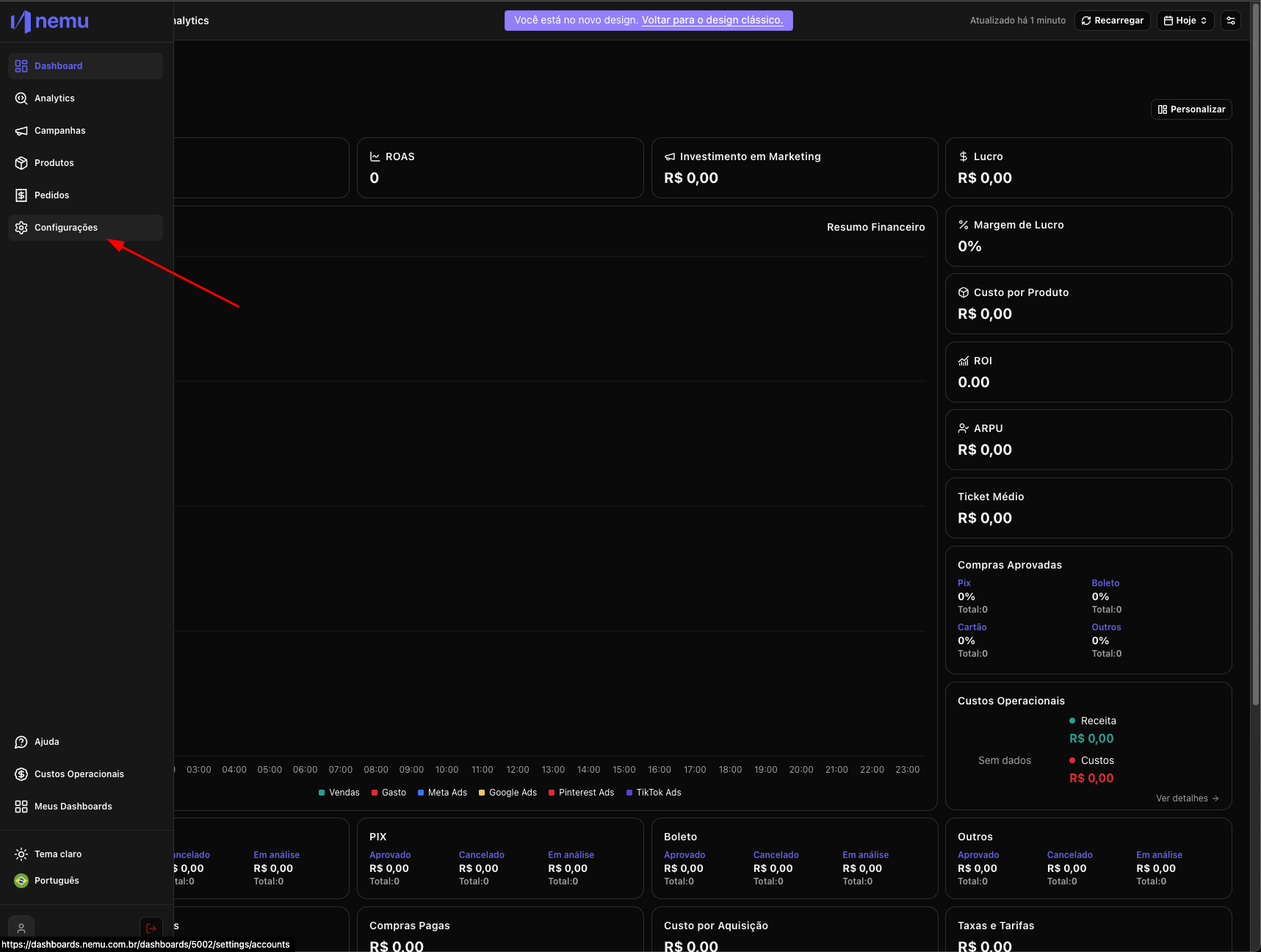
- In the Nemu dashboard, go to Settings in the sidebar
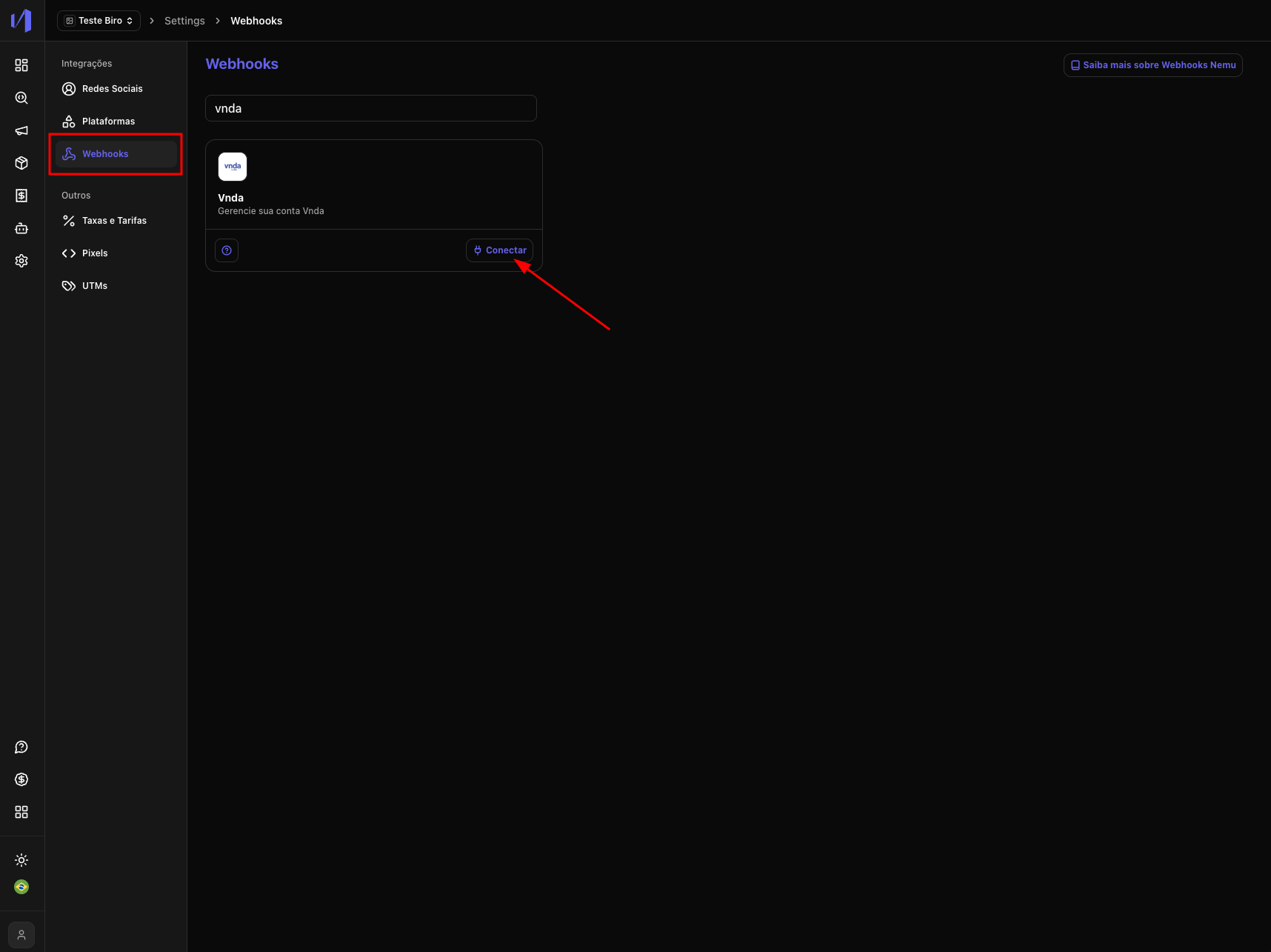
- Then click on Webhooks and search for VNDA and click on the Connect button
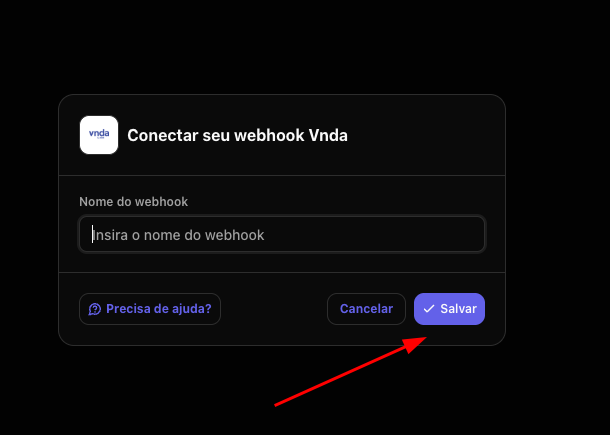
- Enter the Webhook name and click on Save
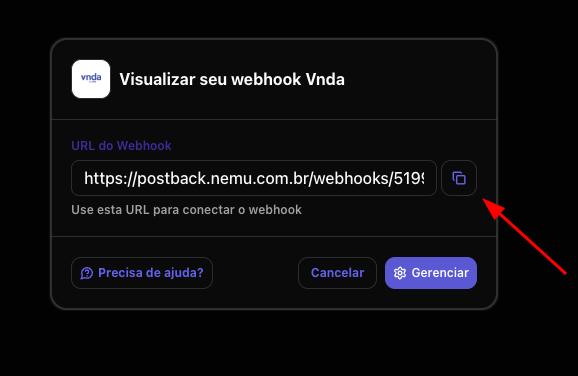
- Click the indicated button to copy the generated connection URL
Setting Up Webhook on VNDA Panel
- Access the VNDA panel and go to Settings > Webhooks.
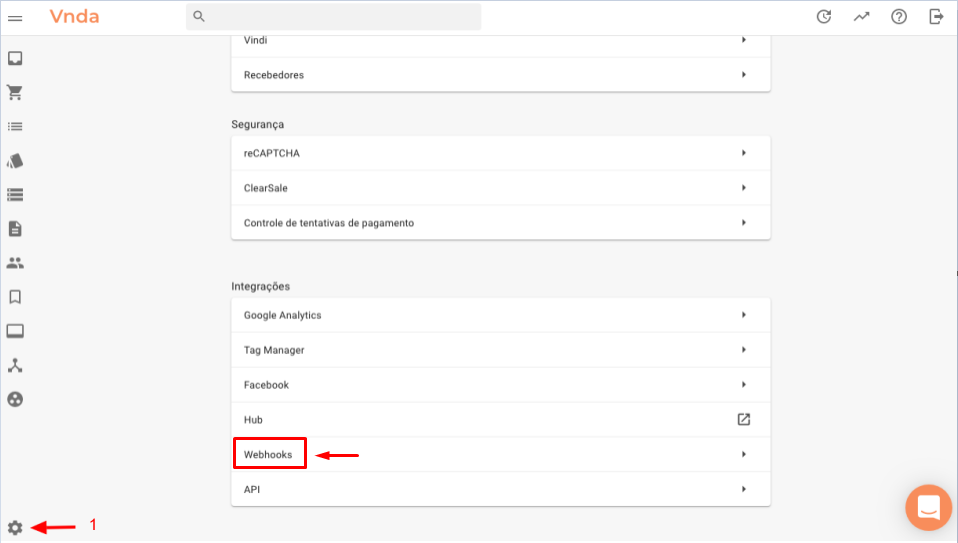
- Click on New Webhook.
- Select the events below and paste the URL created in step 4 of this tutorial.
- Order received
- Order confirmed
- Order canceled