The UTM passing script plays a crucial role in transferring UTM information from one page to another within your sales funnel, ensuring this data is tracked until the checkout moment. It is essential to install this script on all pages of your site to ensure your sales are monitored accurately. Below, we provide a step-by-step guide on how to install the script.

Installing the Script on WordPress

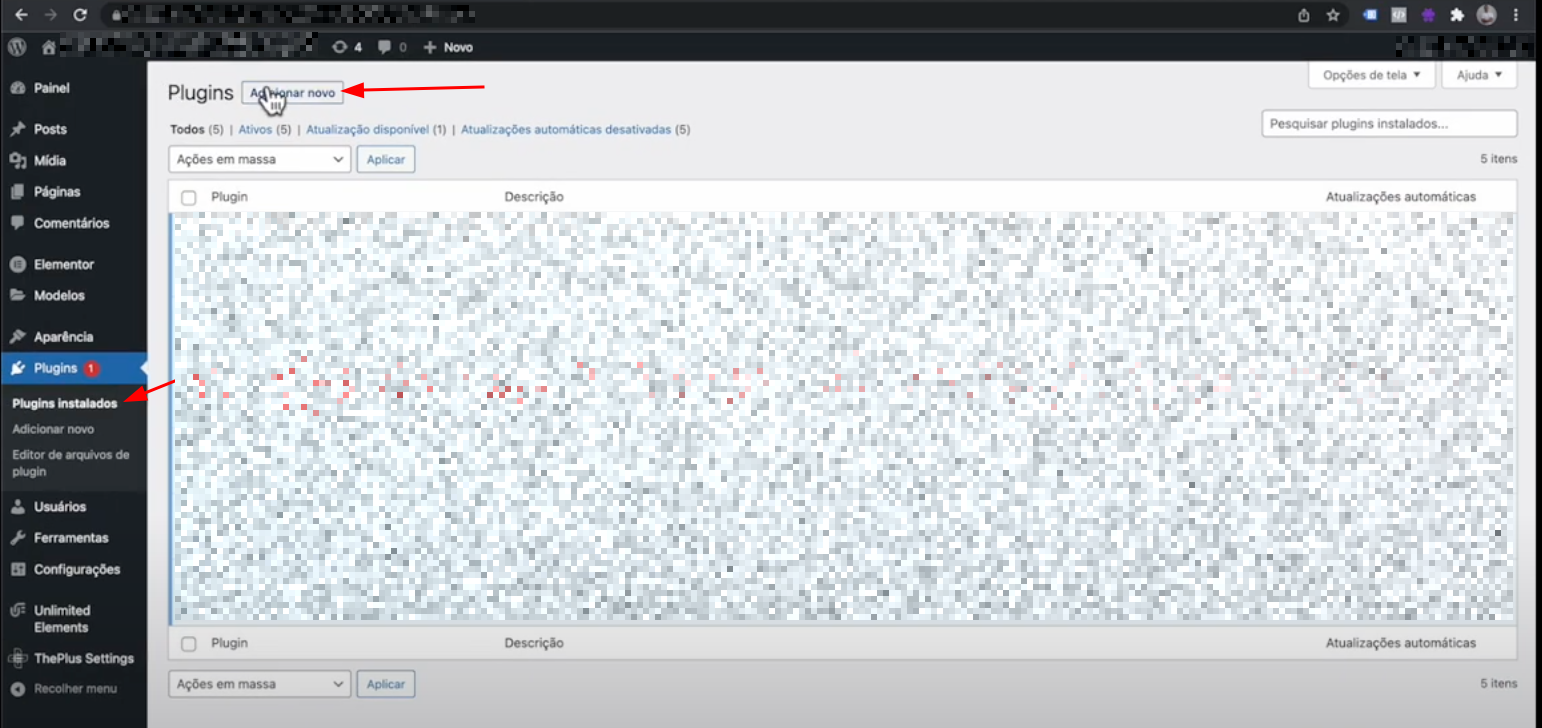
  1. Access the Plugins section in WordPress.
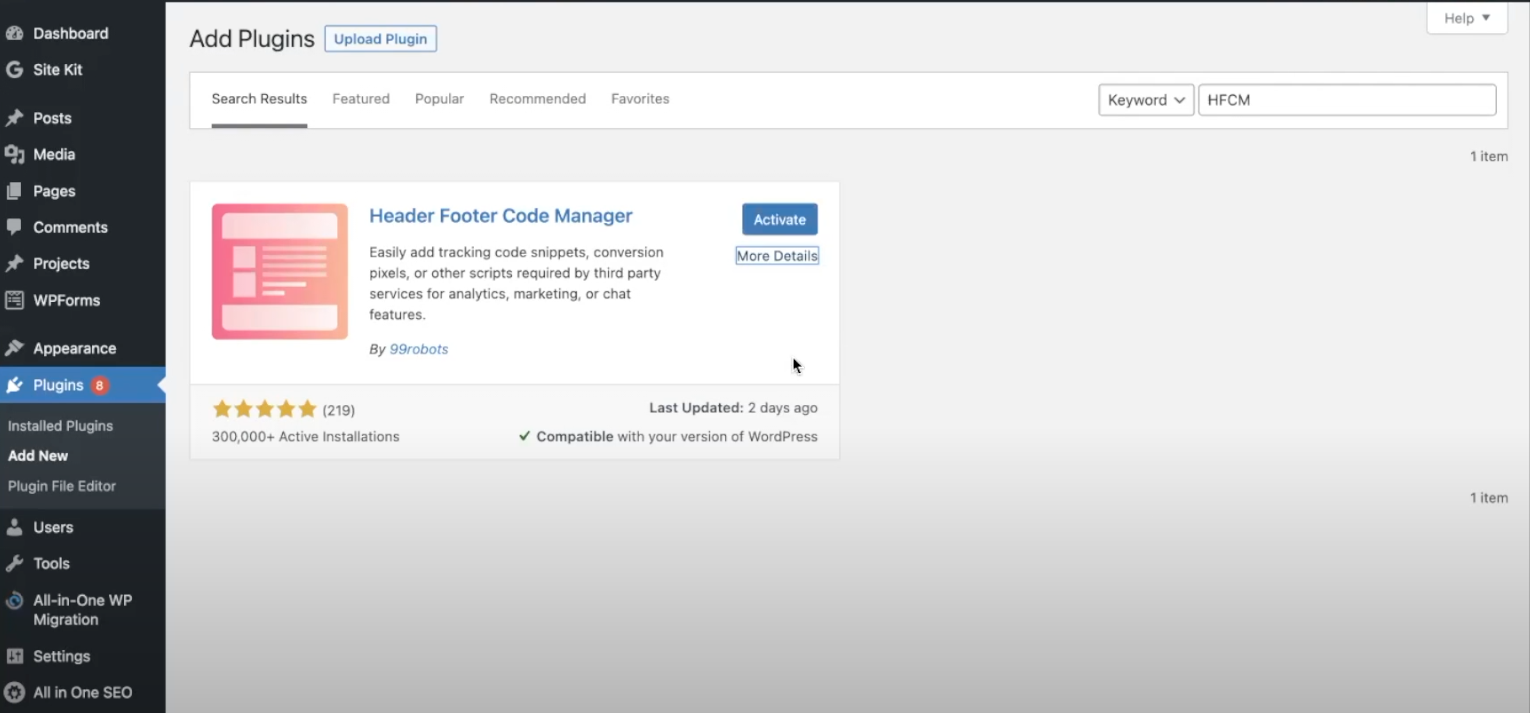
  1. Search for Header Footer Code Manager and click on Install and then Activate
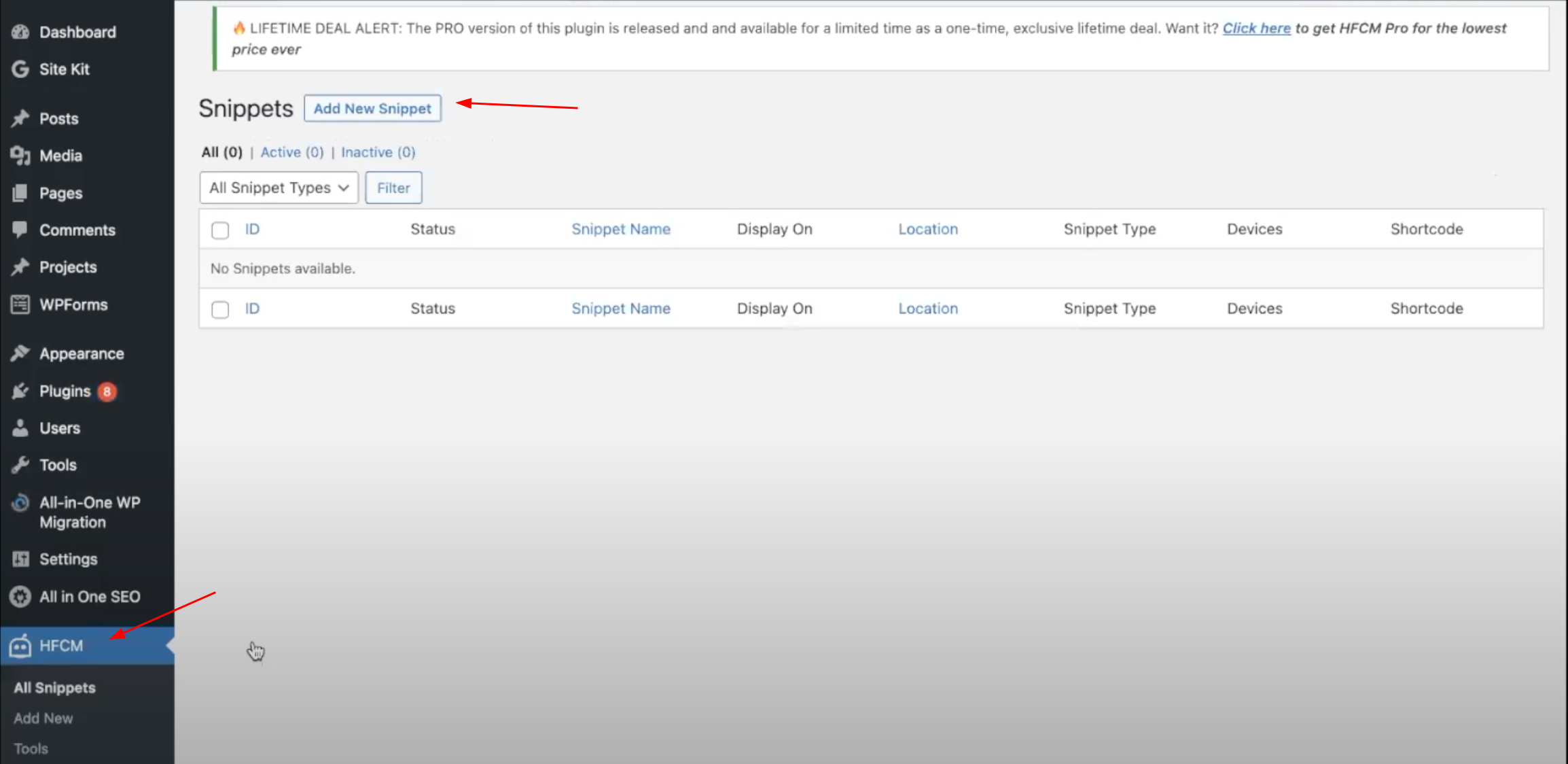
  1. Click on HFCM in the sidebar and then to add a new snippet.
  1. Fill in the information and select for specific page (Specific Pages).
  2. In Page List, add the pages where you want to install the script.
  3. Paste the script in Snippet / Code and click on Save.
UTM Passing Script
<script>
   var timer = setInterval(function () {
      const location =
         window.trackingNemu?.nemuUtms ||
         new URL(document.location.href)?.searchParams;
      const fields = [
         "src",
         "sck",
         "utm_source",
         "utm_medium",
         "utm_campaign",
         "utm_content",
         "utm_term",
         "nemu_source",
         "nemu_medium",
         "nemu_campaign",
         "nemu_content",
         "nemu_adset",
         "nemu_term"
      ];
      var links = document.getElementsByTagName("a");

      for (var i = 0, n = links.length; i < n; i++) {
         if (links[i].href.includes("#")) continue;
         if (links[i].href) {
            let link = new URL(links[i].href);
            fields.forEach((field) => {
               if (location.get(field))
                  link.searchParams.set(field, location.get(field));
            });
            let href = link.href;
            links[i].href = href;
         }
      }
   }, 500);
</script>