

REST API Integration
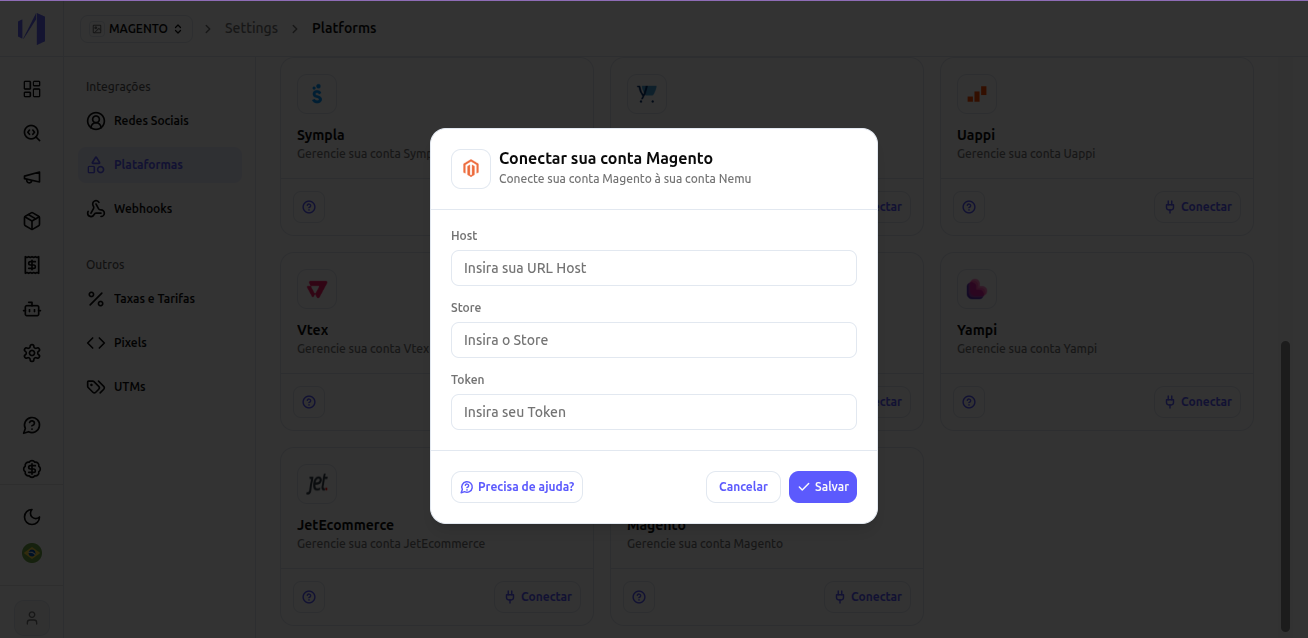
The integration will be done via REST API and will require the following information:- URL Host
- Store View
- Access Token
- List orders
- View orders by id
- View products
1. Access the integrations tab in your Nemu panel
In the main panel, go to Settings > Platforms. Select the Magento Integration and click on Connect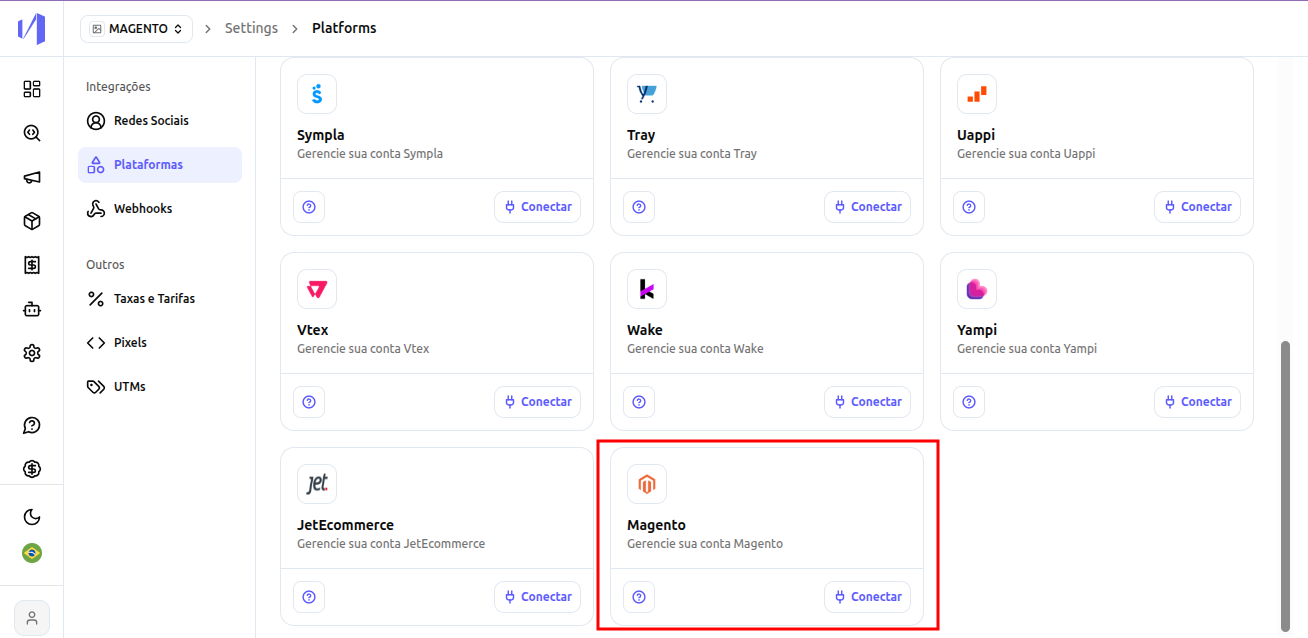
2. Fill in the information with the data requested from your Store support
- After filling in all fields, click on Save.
3. Configure the Nemu Pixel
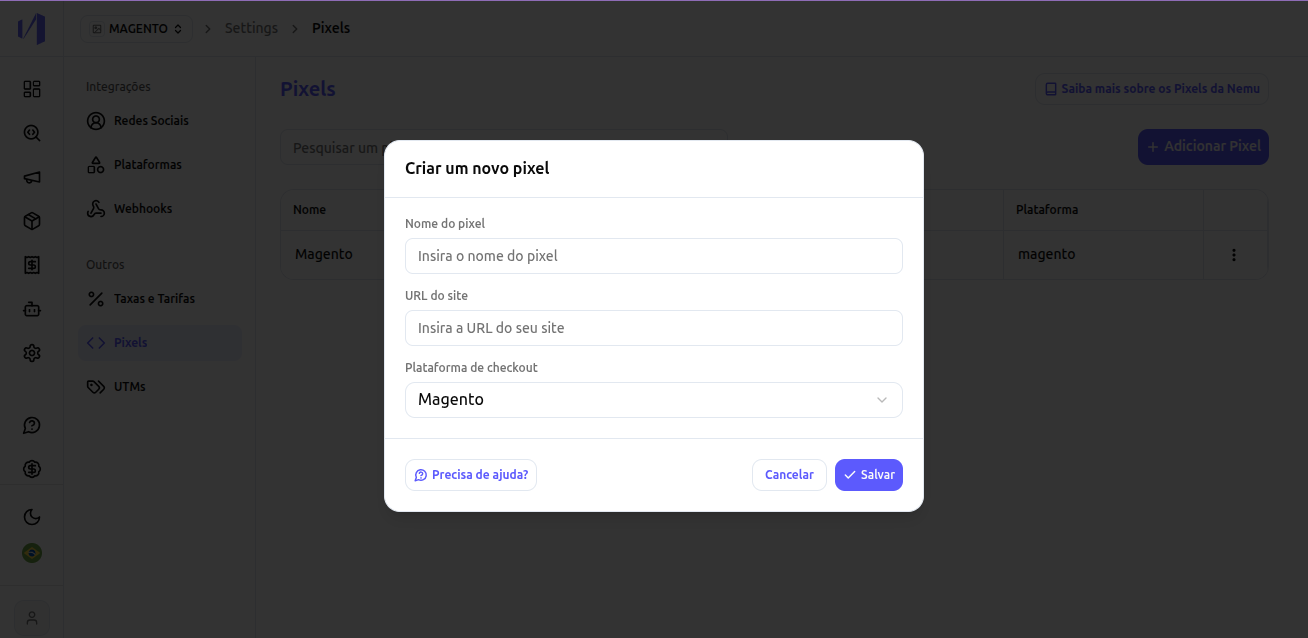
- In the main panel, go to Settings > Pixels.
- Click on Add Pixel.
- Fill in the fields and select the checkout platform Magento
- Click on Save
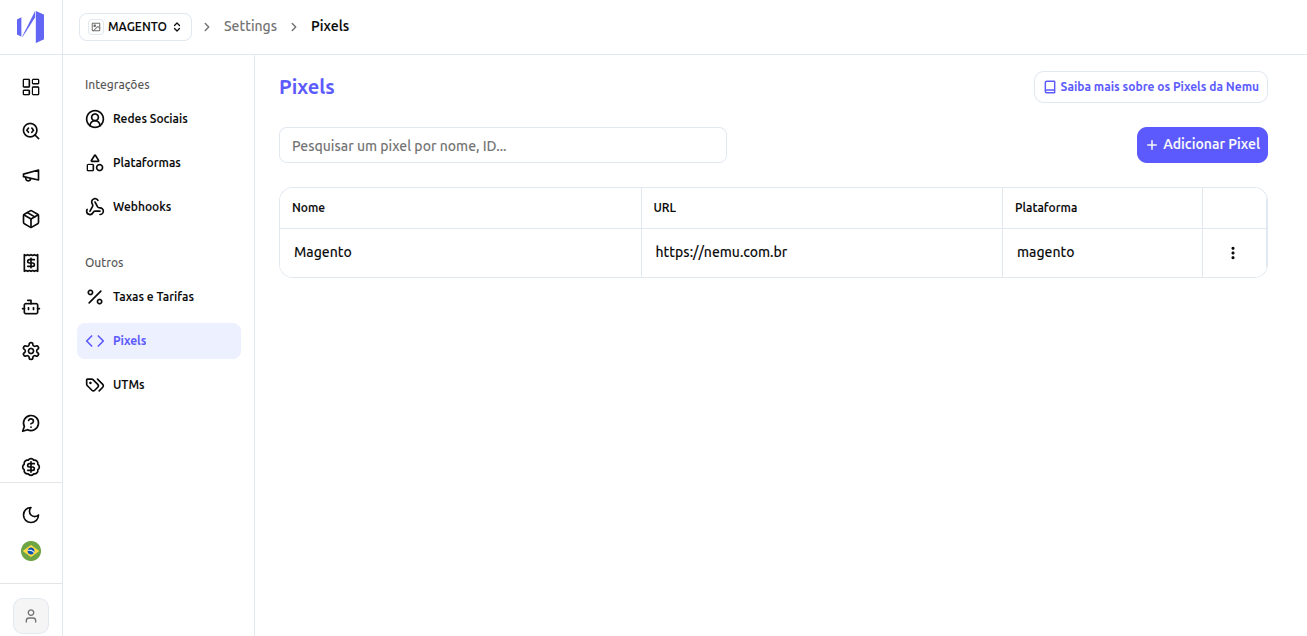
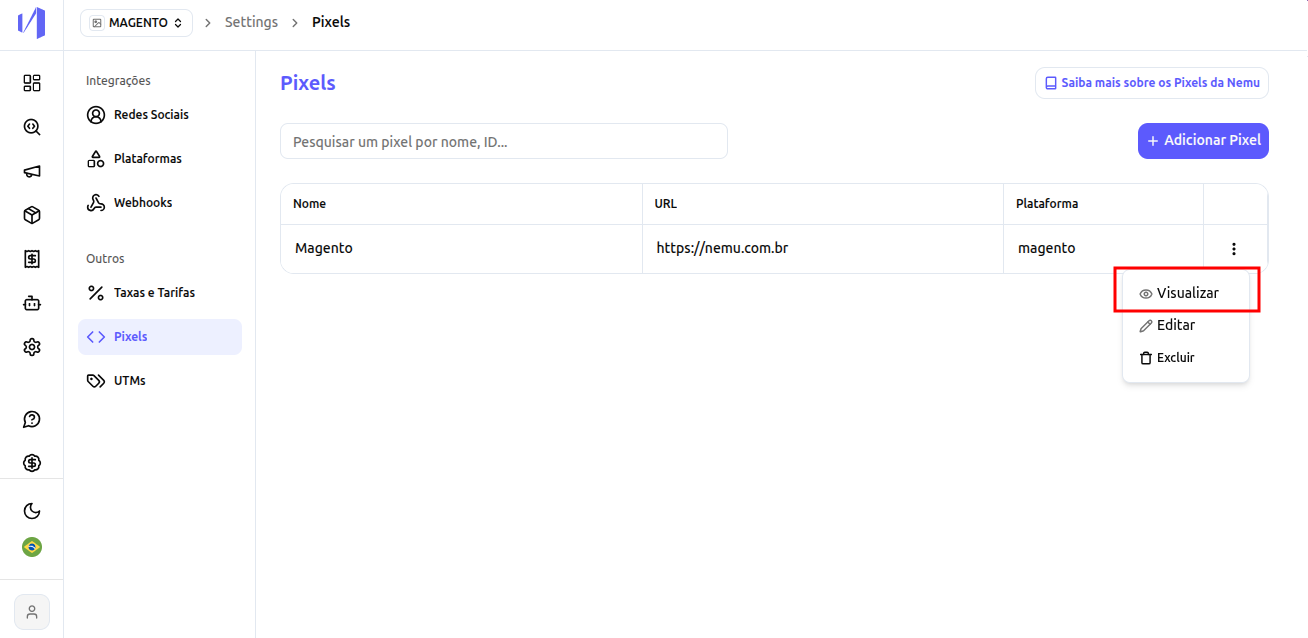
- You will see your Pixel registered like this:
4. Complete the integration
- Select to view the Nemu Pixel code.
- Click the button to copy the code
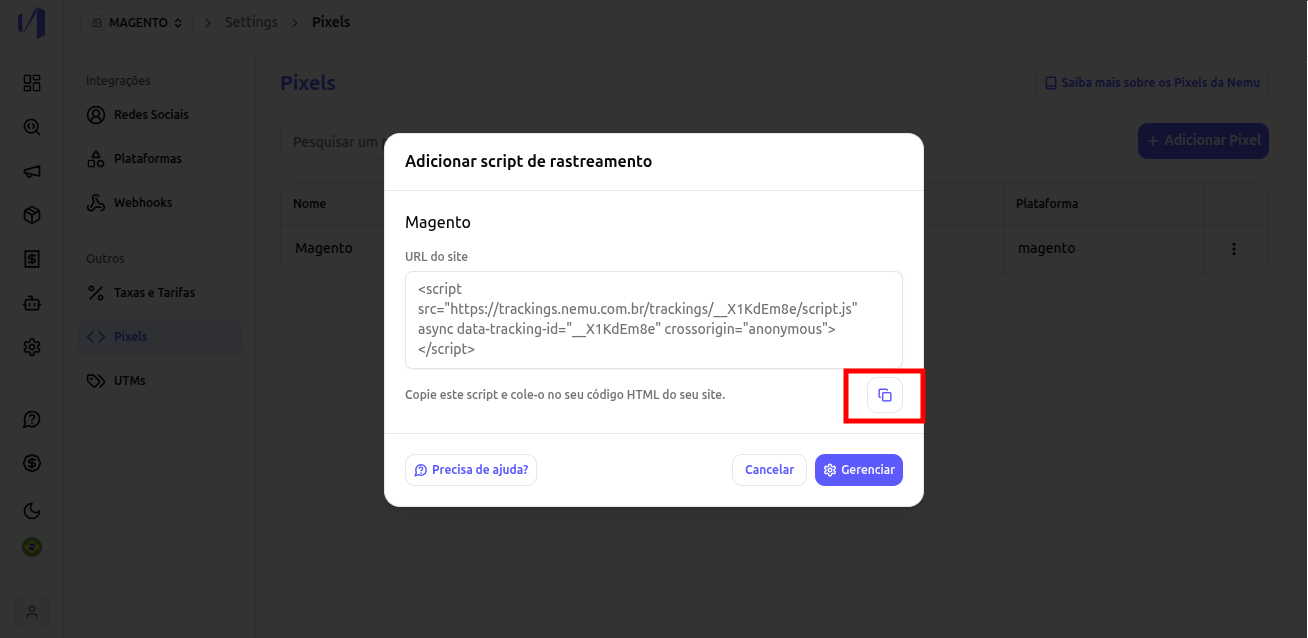
- Request your Store support to install this HTML code in the
<head>of all store pages.
Since this integration uses Webhooks, it will not be possible to capture
retroactive data. The data will start appearing in your dashboard as new
sales are made.
5. Add the Content Security Policies (CSP) in Magento
Magento applies a restrictive Content Security Policy (CSP). By default, scripts and network calls from external domains, including those used by the Nemu Pixel, are blocked, which prevents the capture of tracking data on that page. For the Nemu Pixel to work correctly, you must add the Nemu domains to your Magento store’s CSP whitelist.URLs that need to be whitelisted
Request your store support (or the responsible developer) to add the following domains to the CSP whitelist, in thescript-src, connect-src, and img-src directives:
https://trackings.nemu.com.brhttps://openfpcdn.iohttps://ipinfo.iohttps://api.ipify.orghttps://api.bigdatacloud.net
SOAP API Integration
Before starting the integration, request the following information from your Store support for the integration:
- Login
- Password
- SOAP API URL
- List orders
- View orders by id
- View products
The SOAP API URL must follow the format:https://urldaloja/api/v2_soap, replacing urldaloja with the original URL of your store. For example, if your store URL is https://minhaloja.com.br, the SOAP API URL will be https://minhaloja.com.br/api/v2_soap. After getting the requested data, forward it to the Nemu support team for the integration configuration.