
Installing the Script on Atomicat:

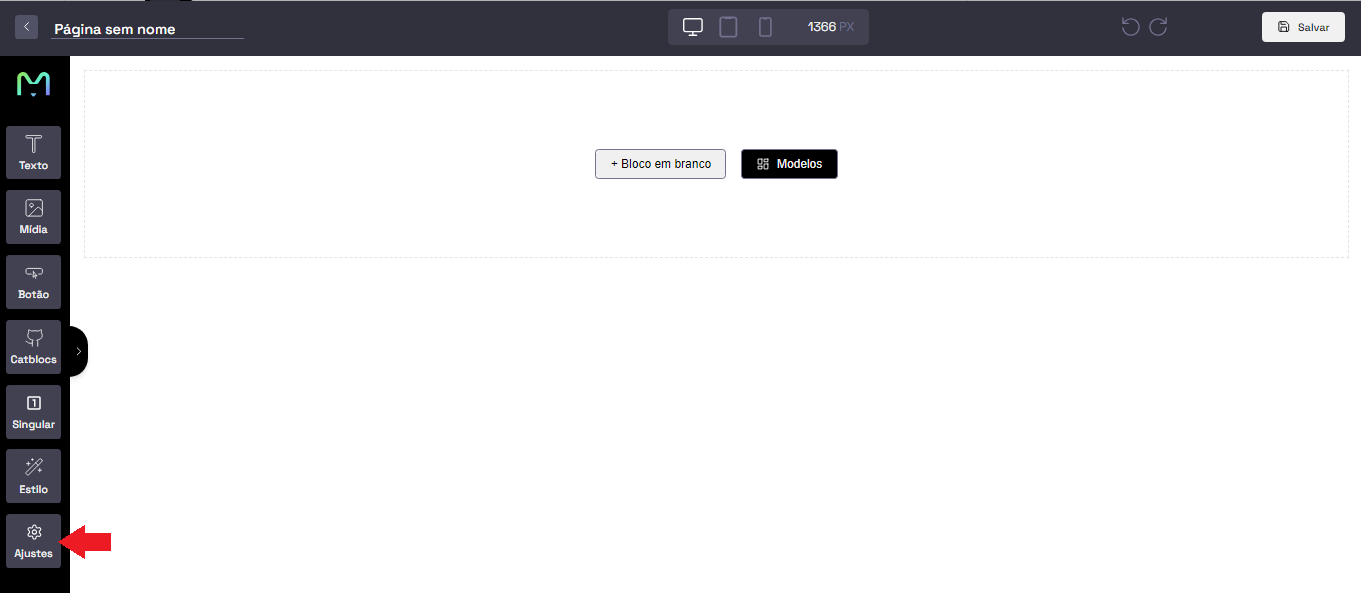
  1. Access your page on Atomicat and click on Settings
  1. Select the Codes option and paste the UTM passing script in the Head field and click on Save changes
UTM Passing Script
<script>
   var timer = setInterval(function () {
      const location =
         window.trackingNemu?.nemuUtms ||
         new URL(document.location.href)?.searchParams;
      const fields = [
         "src",
         "sck",
         "utm_source",
         "utm_medium",
         "utm_campaign",
         "utm_content",
         "utm_term",
         "nemu_source",
         "nemu_medium",
         "nemu_campaign",
         "nemu_content",
         "nemu_adset",
         "nemu_term"
      ];
      var links = document.getElementsByTagName("a");

      for (var i = 0, n = links.length; i < n; i++) {
         if (links[i].href.includes("#")) continue;
         if (links[i].href) {
            let link = new URL(links[i].href);
            fields.forEach((field) => {
               if (location.get(field))
                  link.searchParams.set(field, location.get(field));
            });
            let href = link.href;
            links[i].href = href;
         }
      }
   }, 500);
</script>