UTM Passing Script
When to use
If you have a dedicated sales page, you need to install the UTM passing script on the Framer checkout page.
Why it’s important
The UTM passing script plays a crucial role in transferring UTM information from one page to another within your sales funnel, ensuring this data is tracked until the checkout moment.
<script>
var timer = setInterval(function () {
const location =
window.trackingNemu?.nemuUtms ||
new URL(document.location.href)?.searchParams;
const fields = [
"src",
"sck",
"utm_source",
"utm_medium",
"utm_campaign",
"utm_content",
"utm_term",
"nemu_source",
"nemu_medium",
"nemu_campaign",
"nemu_content",
"nemu_adset",
"nemu_term"
];
var links = document.getElementsByTagName("a");
for (var i = 0, n = links.length; i < n; i++) {
if (links[i].href.includes("#")) continue;
if (links[i].href) {
let link = new URL(links[i].href);
fields.forEach((field) => {
if (location.get(field))
link.searchParams.set(field, location.get(field));
});
let href = link.href;
links[i].href = href;
}
}
}, 500);
</script>
How to install
-
Access the settings of your page on Framer
-
In the Custom Code section, add the UTM passing script and the Nemu Pixel (generated in step 4 of onboarding)
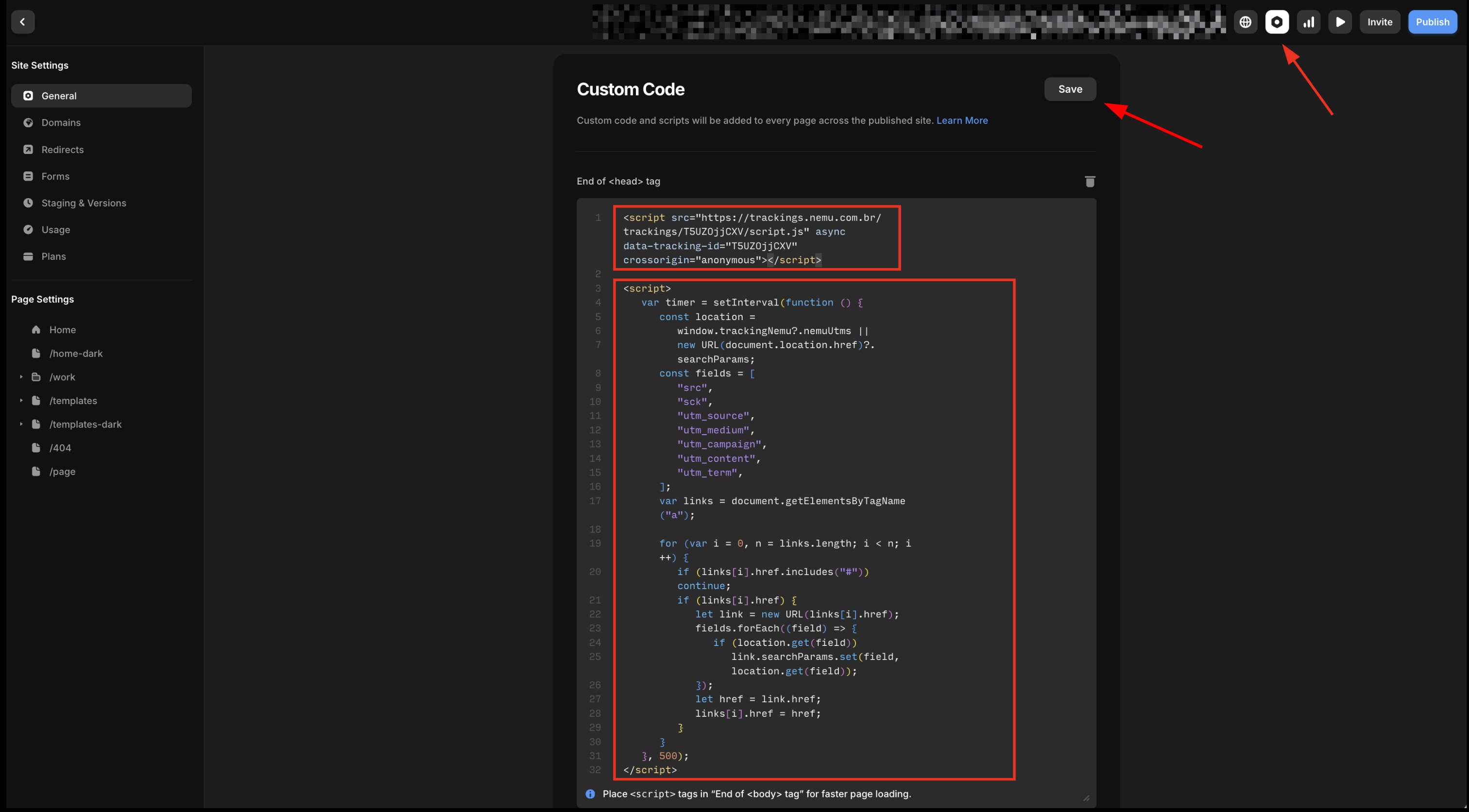
- Click on Save to save the changes.
If your page contains forms before going to checkout, you need to install the UTM passing script on the form so that UTMs are captured.
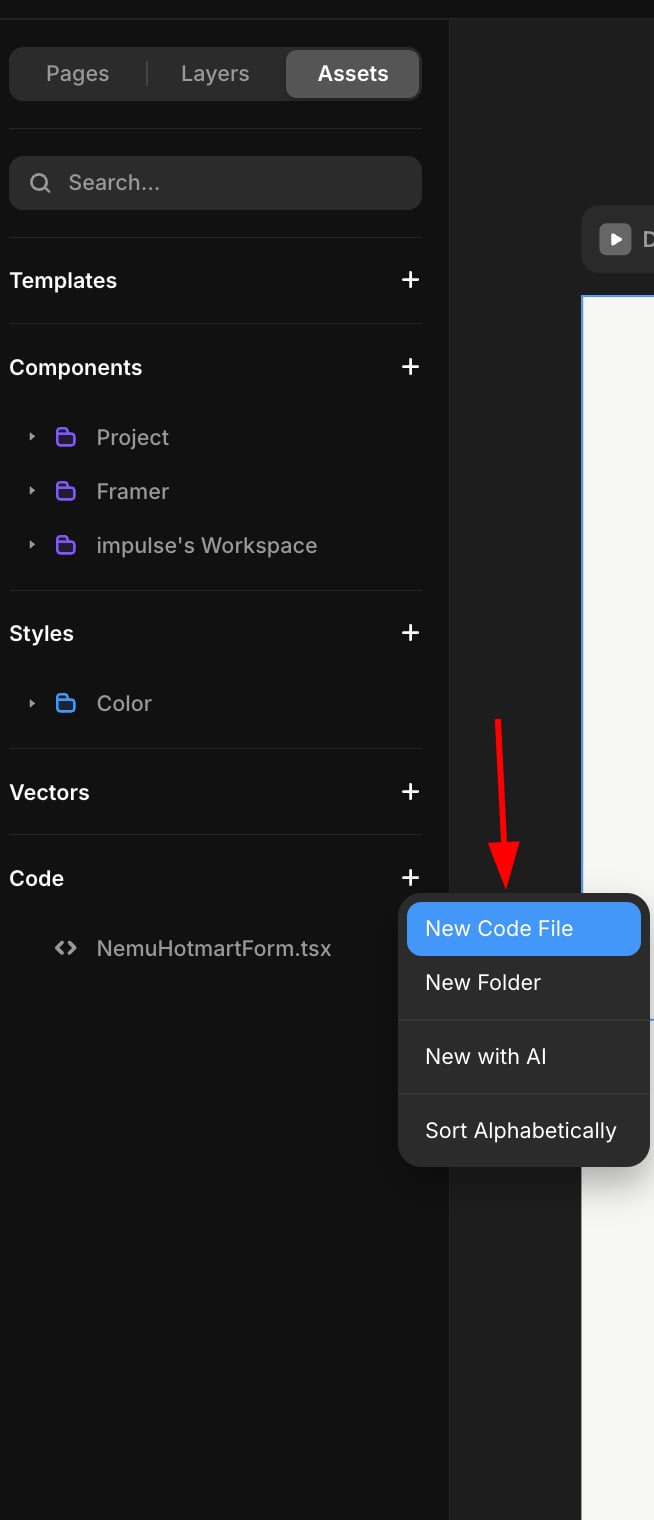
- In the sidebar, in Code click on the + button and choose New Code File
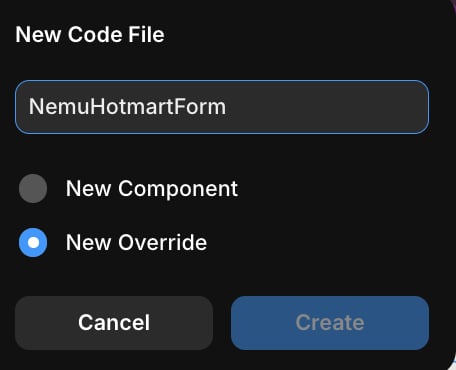
- In the Name field, type NemuHotmartForm, choose the Override option and click on Create
- Paste the code below into the created file:
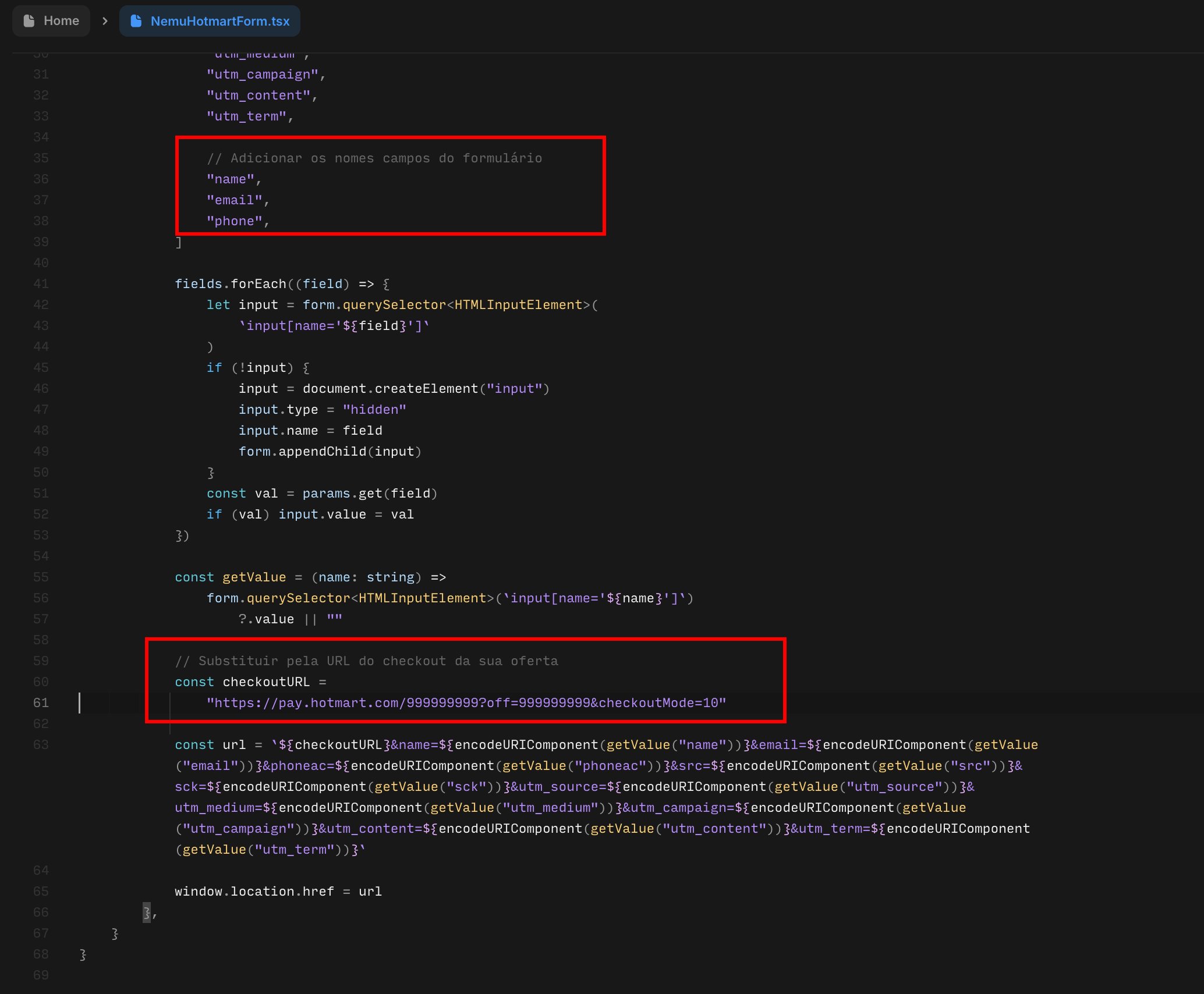
Replace the checkout URL with your offer’s checkout URL and the form fields with your form fields.
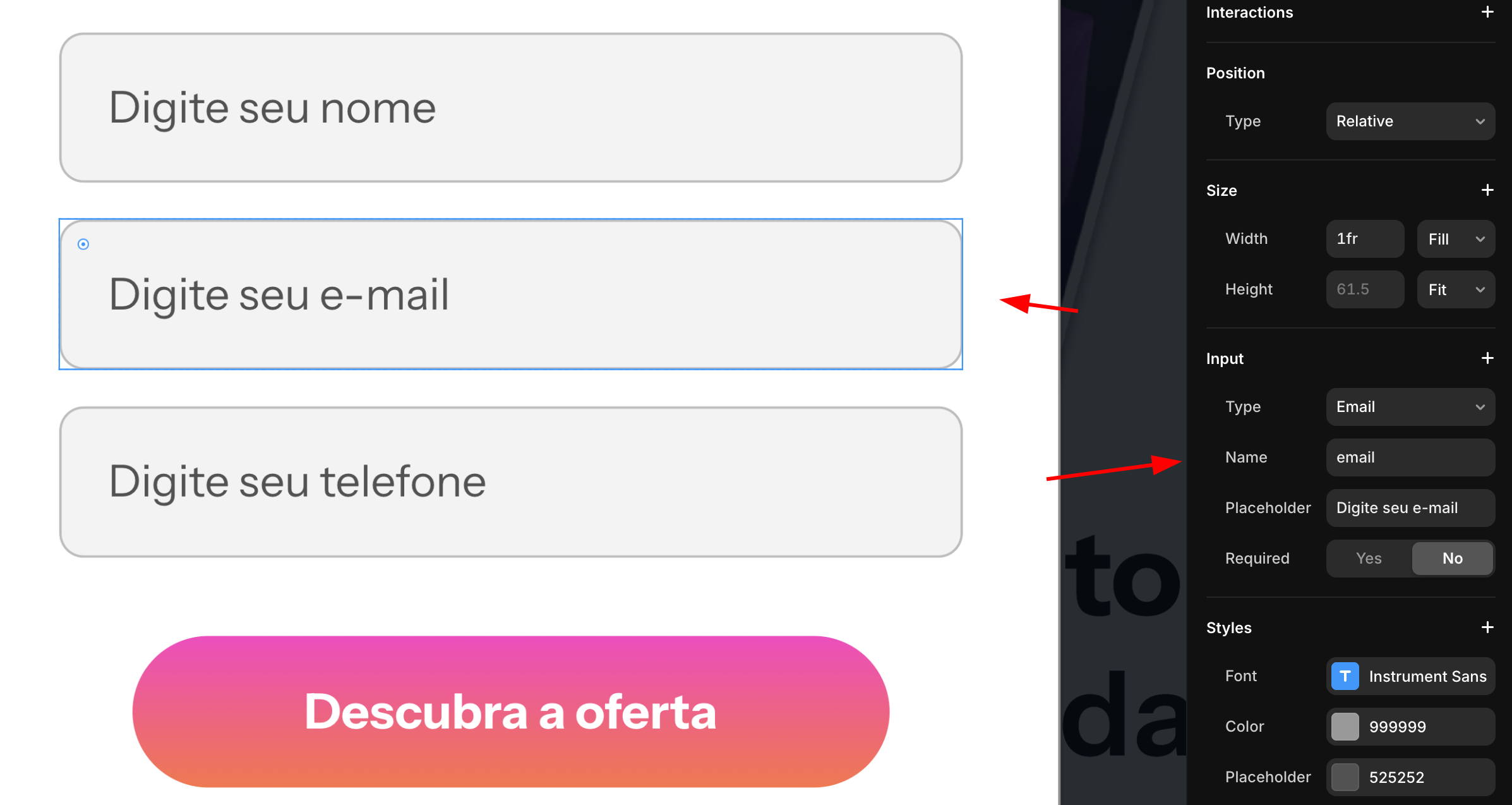
To check the form field names, access your project popup and click on the field you want to check the name.
import { Override } from "framer"
export function NemuHotmartForm(): Override {
return {
onClick: async () => {
const waitForForm = () =>
new Promise<HTMLFormElement | null>((resolve) => {
const start = Date.now()
const interval = setInterval(() => {
const form = document.querySelector("form")
if (form) {
clearInterval(interval)
resolve(form)
} else if (Date.now() - start > 2000) {
clearInterval(interval)
resolve(null)
}
}, 50)
})
const form = await waitForForm()
if (!form) return
const params =
window.trackingNemu?.nemuUtms ||
new URLSearchParams(window.location.search)
const fields = [
"src",
"sck",
"utm_source",
"utm_medium",
"utm_campaign",
"utm_content",
"utm_term",
"nemu_source",
"nemu_medium",
"nemu_campaign",
"nemu_content",
"nemu_adset",
"nemu_term",
// Add form fields
"name",
"email",
"phone",
]
fields.forEach((field) => {
let input = form.querySelector<HTMLInputElement>(
`input[name='${field}']`
)
if (!input) {
input = document.createElement("input")
input.type = "hidden"
input.name = field
form.appendChild(input)
}
const val = params.get(field)
if (val) input.value = val
})
const getValue = (name: string) =>
form.querySelector<HTMLInputElement>(`input[name='${name}']`)
?.value || ""
// Replace with your offer's checkout URL
const checkoutURL = "https://pay.hotmart.com/999999999?off=999999999&checkoutMode=10"
const url = `${checkoutURL}&name=${encodeURIComponent(getValue("name"))}&email=${encodeURIComponent(getValue("email"))}&phoneac=${encodeURIComponent(getValue("phoneac"))}&src=${encodeURIComponent(getValue("src"))}&sck=${encodeURIComponent(getValue("sck"))}&utm_source=${encodeURIComponent(getValue("utm_source"))}&utm_medium=${encodeURIComponent(getValue("utm_medium"))}&utm_campaign=${encodeURIComponent(getValue("utm_campaign"))}&utm_content=${encodeURIComponent(getValue("utm_content"))}&utm_term=${encodeURIComponent(getValue("utm_term"))}`
window.location.href = url
},
}
}
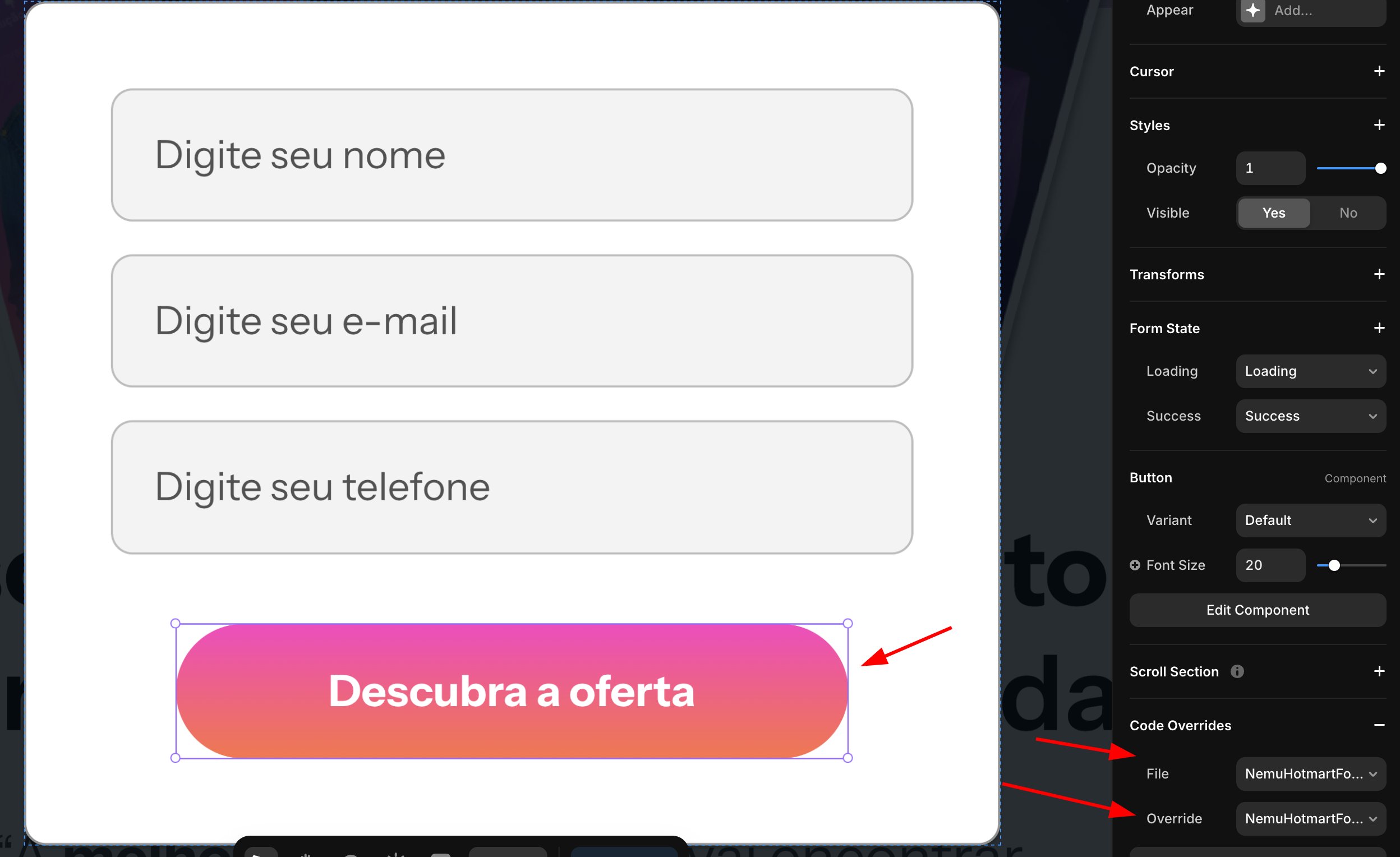
- On your form button, select the component in Code Override and choose NemuHotmartForm
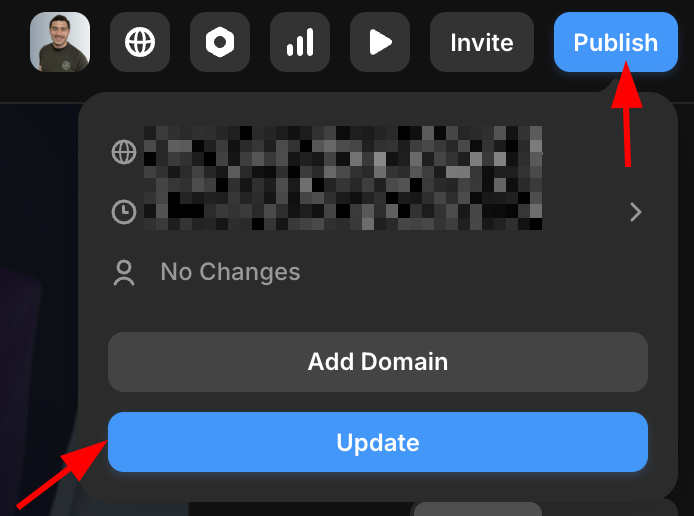
- Click on Publish and then Update to view the changes.