Setting Up Webhooks in PerfectPay Dashboard
-
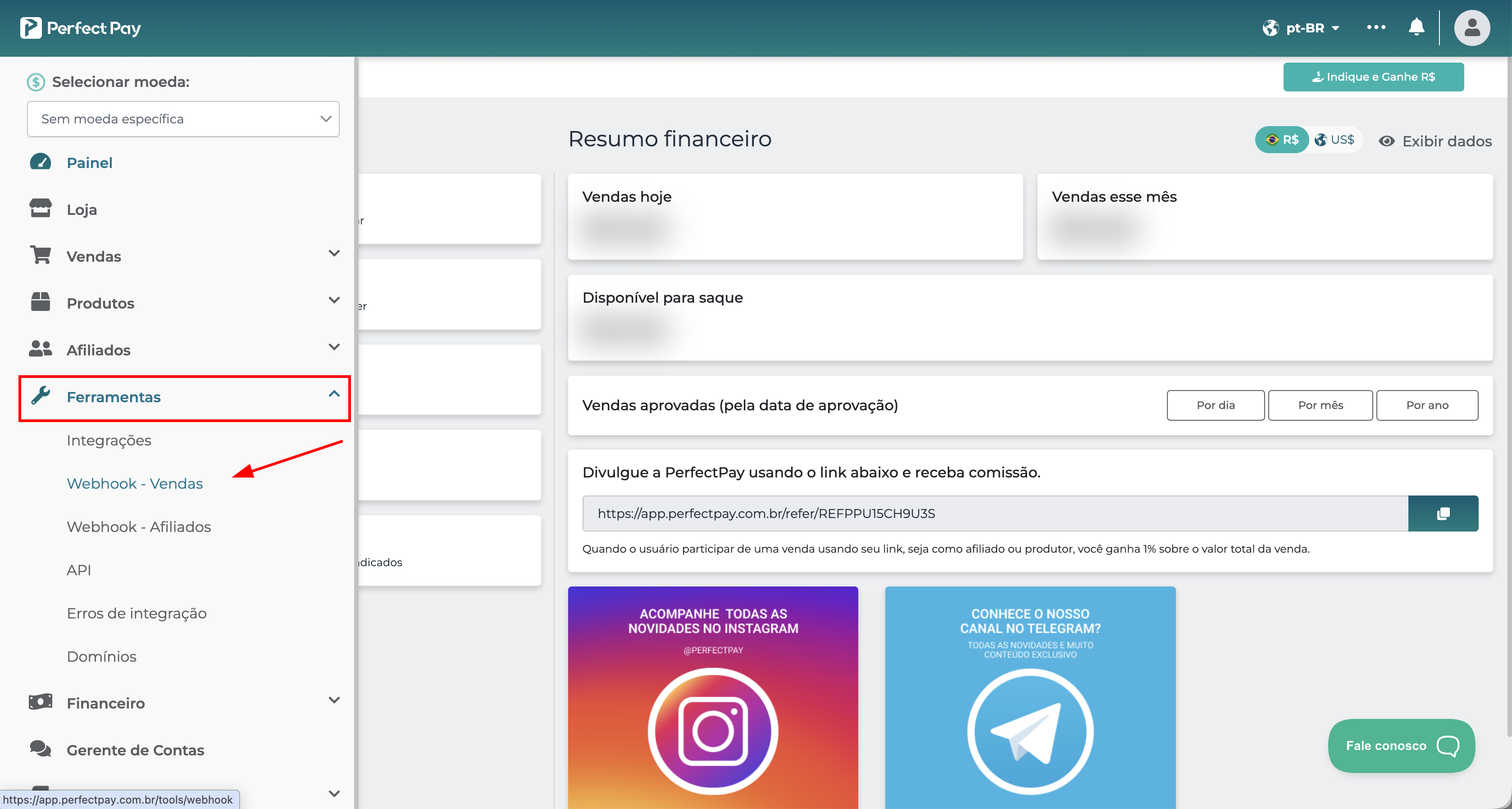
In the PerfectPay panel, go to Tools > Webhooks - Sales.
-
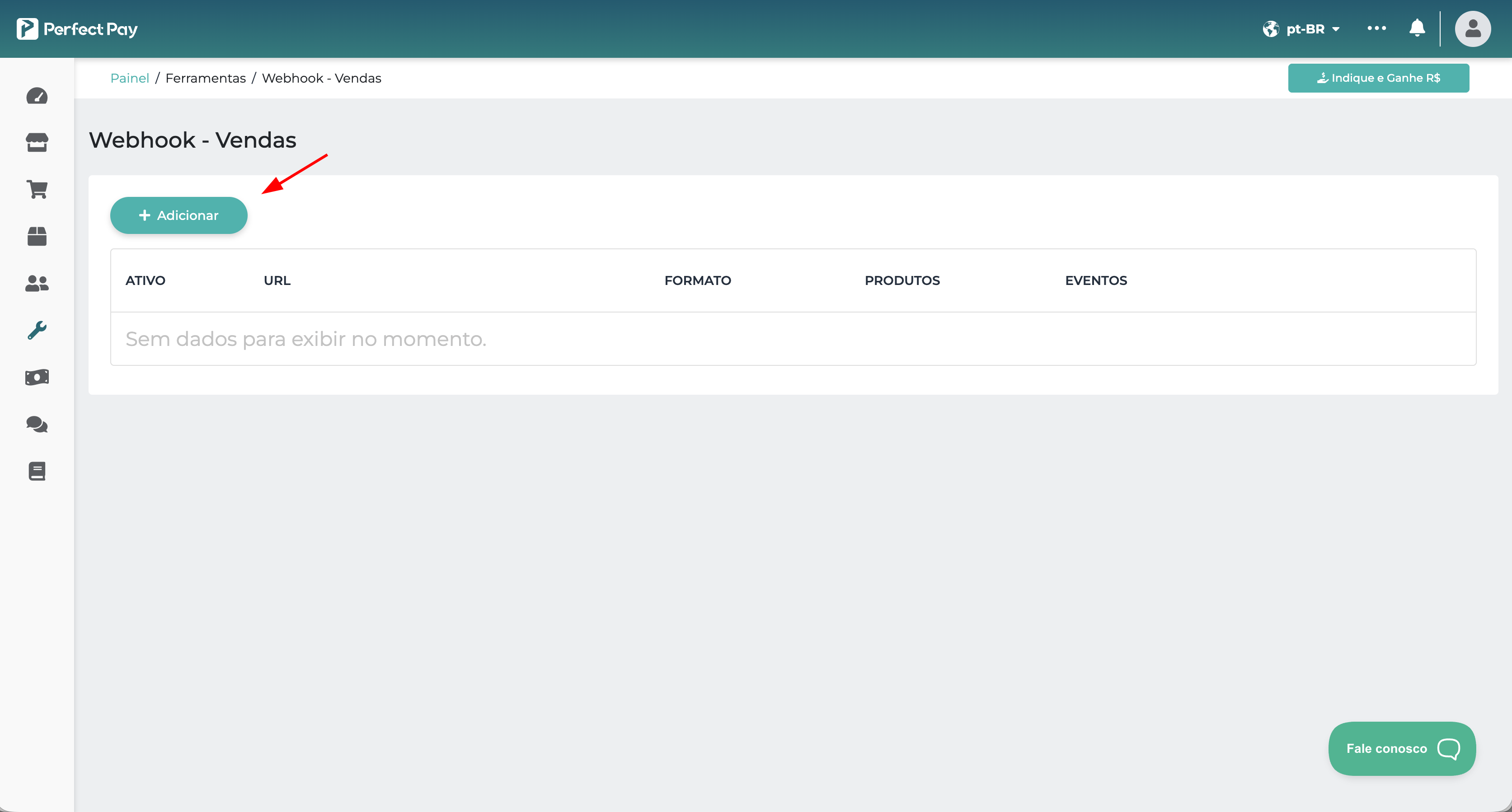
Click on the + Add button.
-
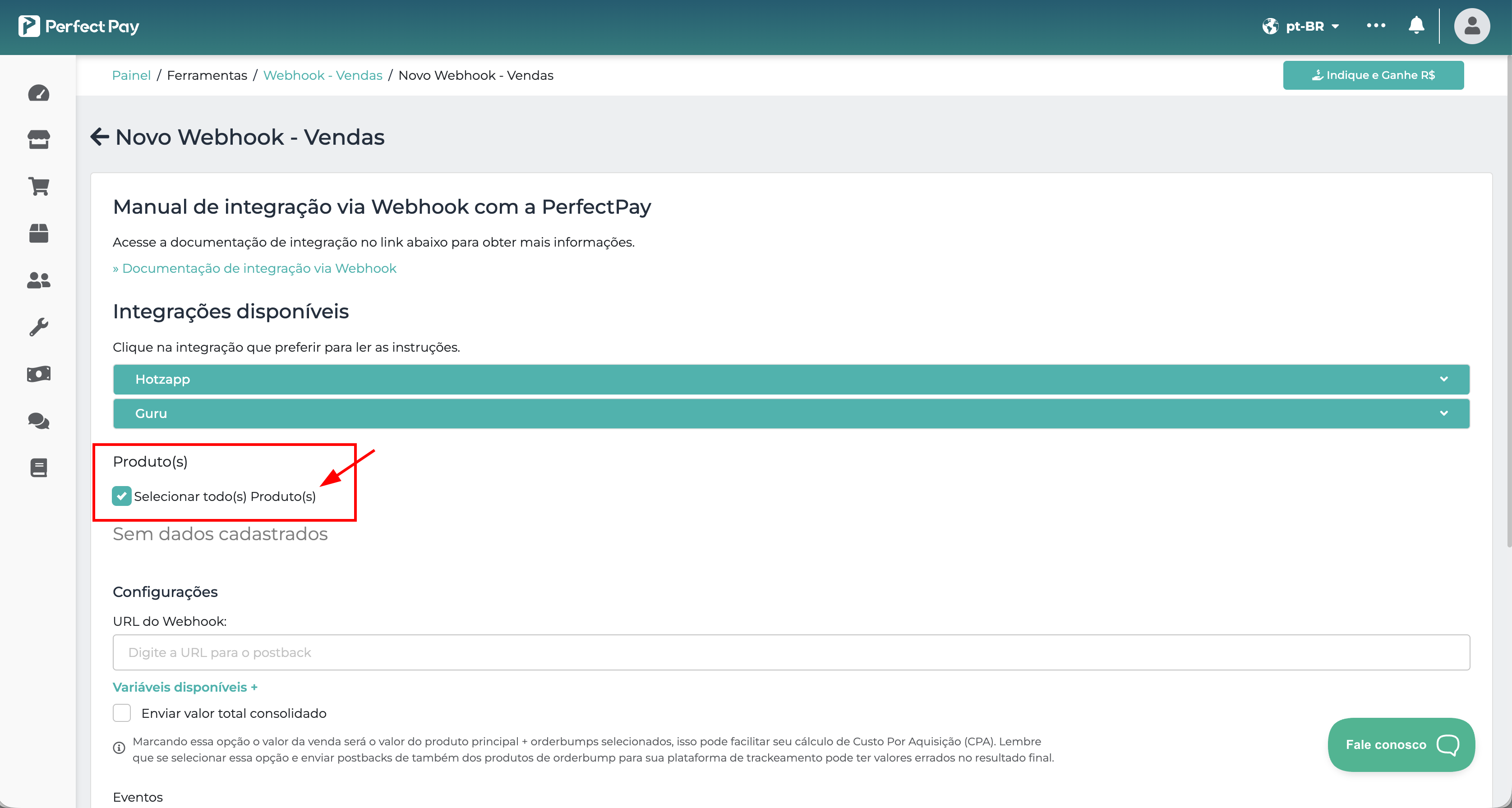
Check the All products option
-
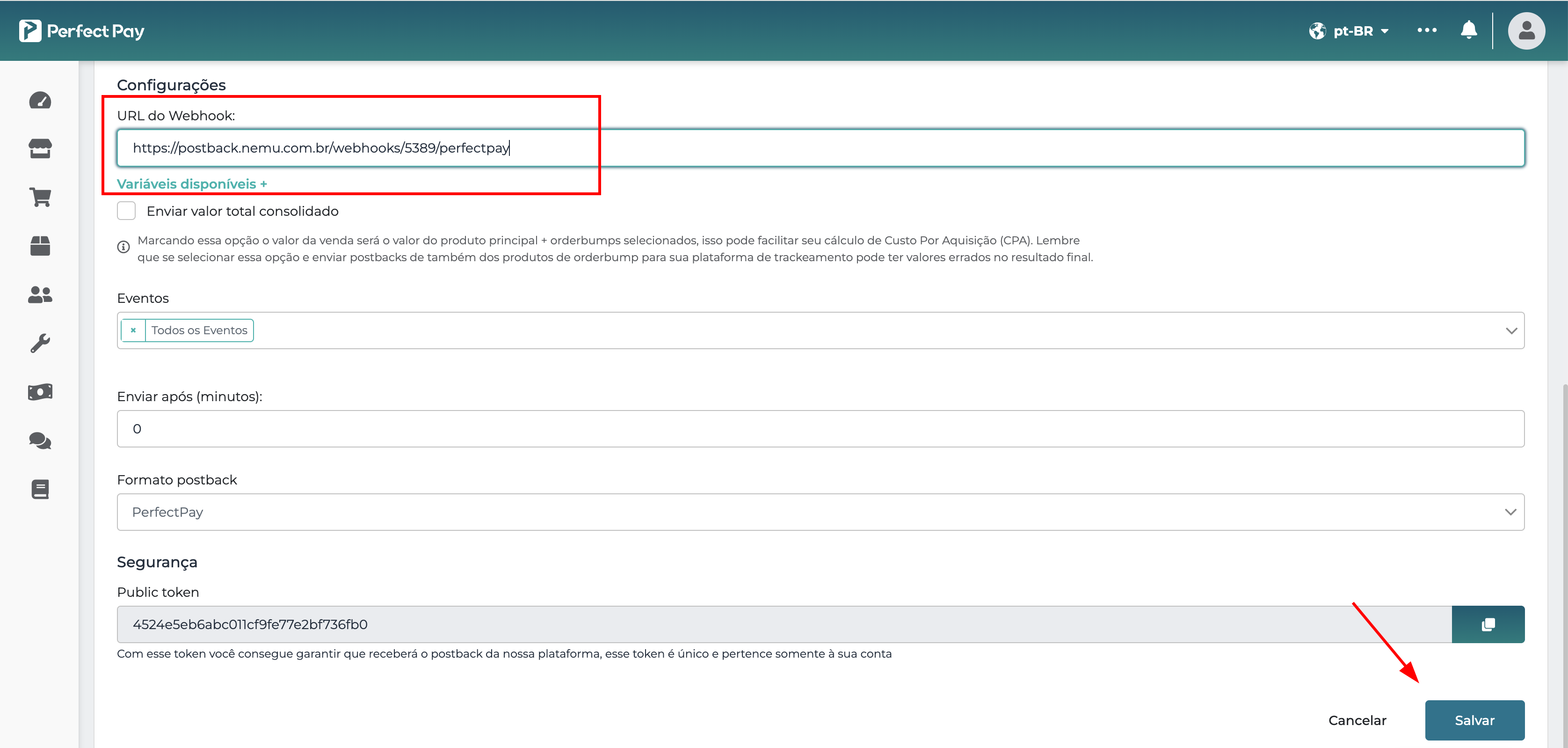
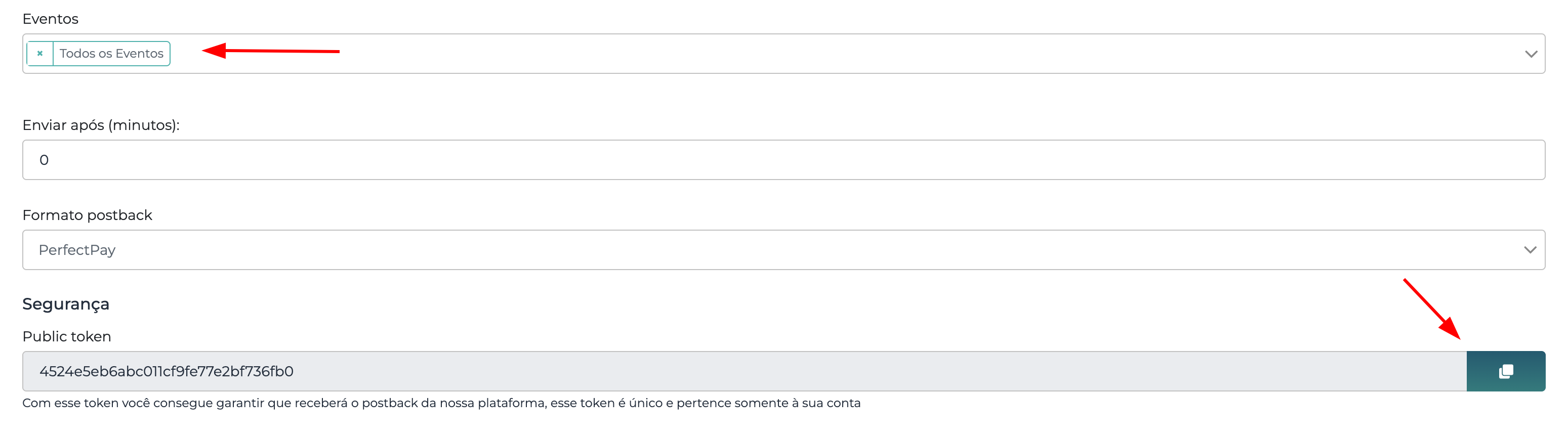
Make sure all events are selected, scroll down the page and copy the Public Token
Setting Up Webhooks in Nemu Panel
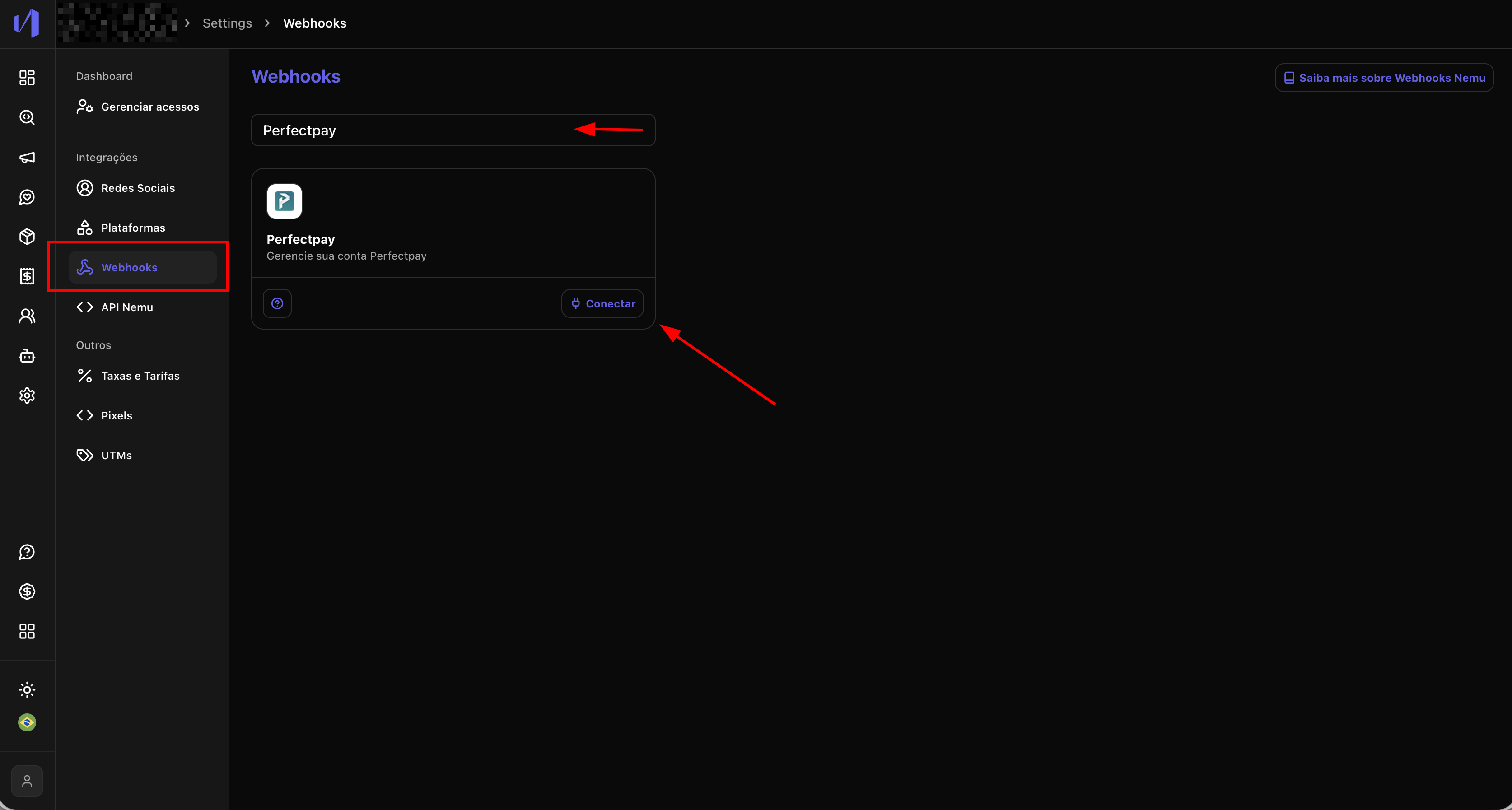
- In the Nemu panel, go to Settings > Webhooks.
- Search for PerfectPay and click on Connect.
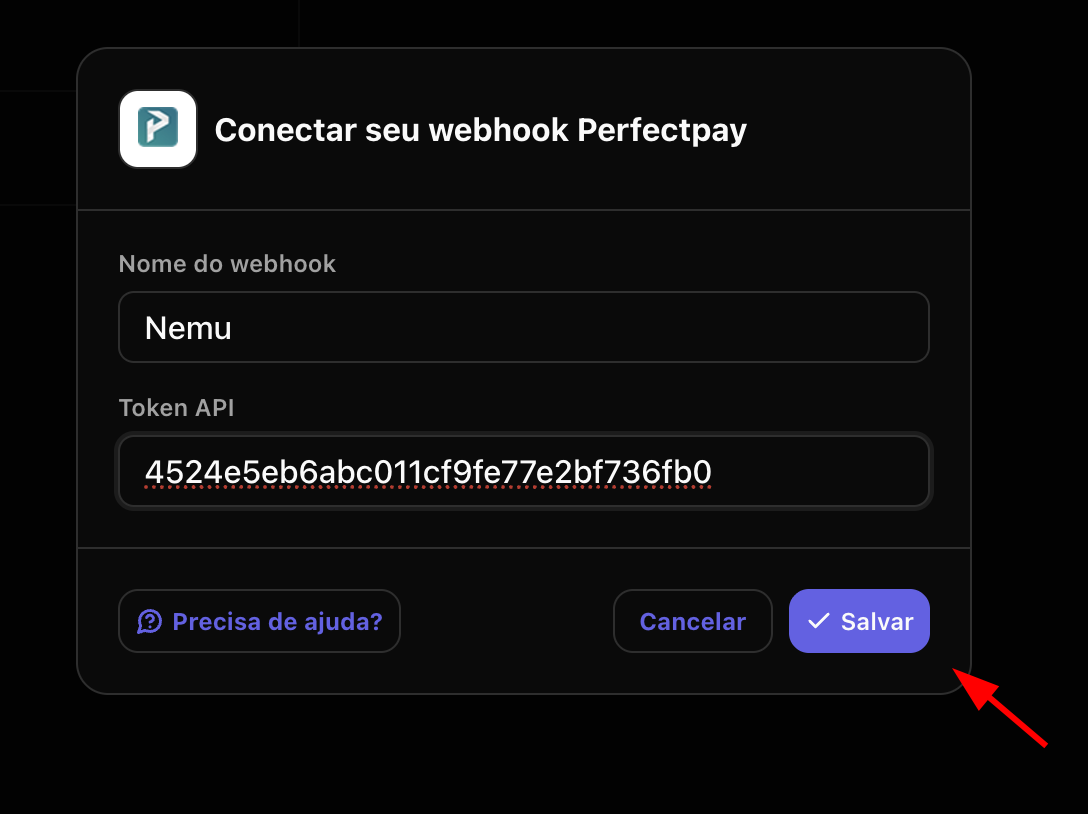
- Define a name for your webhook and paste the Public Token copied in the previous step and click on Save.
- Click the button to copy the webhook URL generated by Nemu.
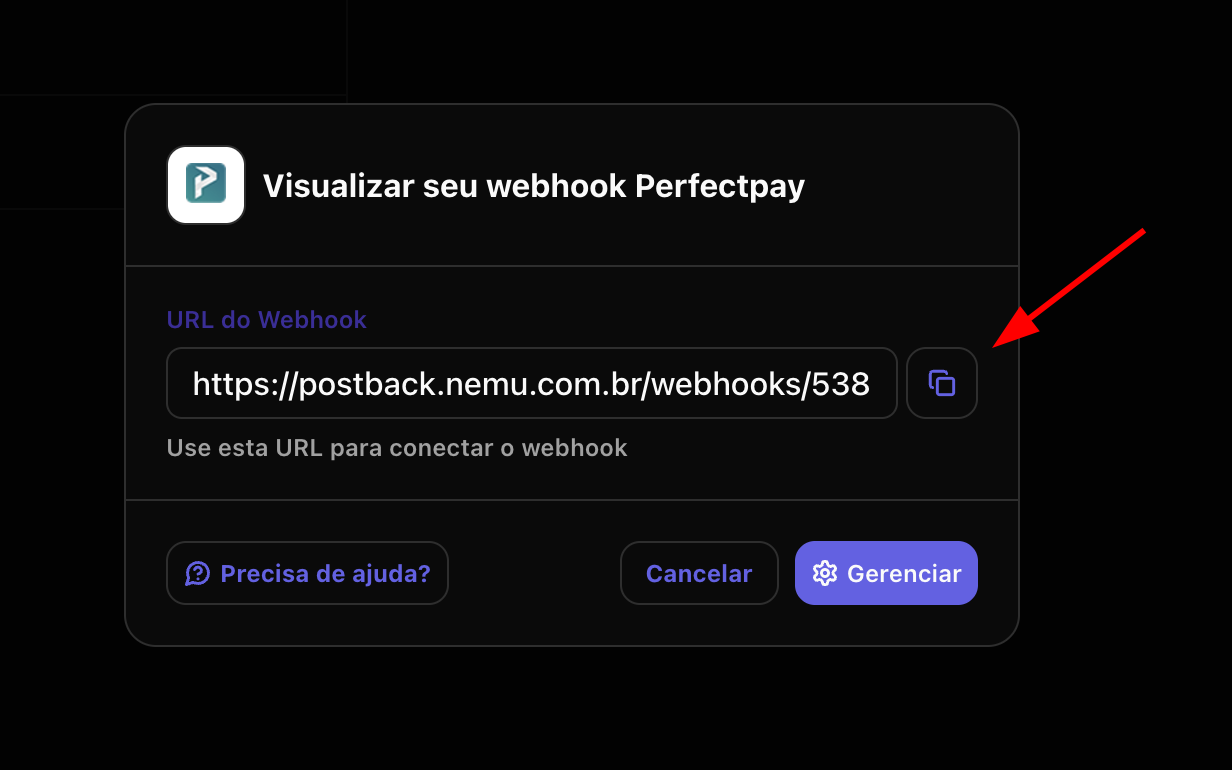
- Go back to PerfectPay on the screen you kept open and paste the webhook URL in the URL to receive webhooks field.