

Follow the step-by-step guide and start receiving sales automatically in Nemu.
Setting Up Webhooks
On Nemu Dashboard
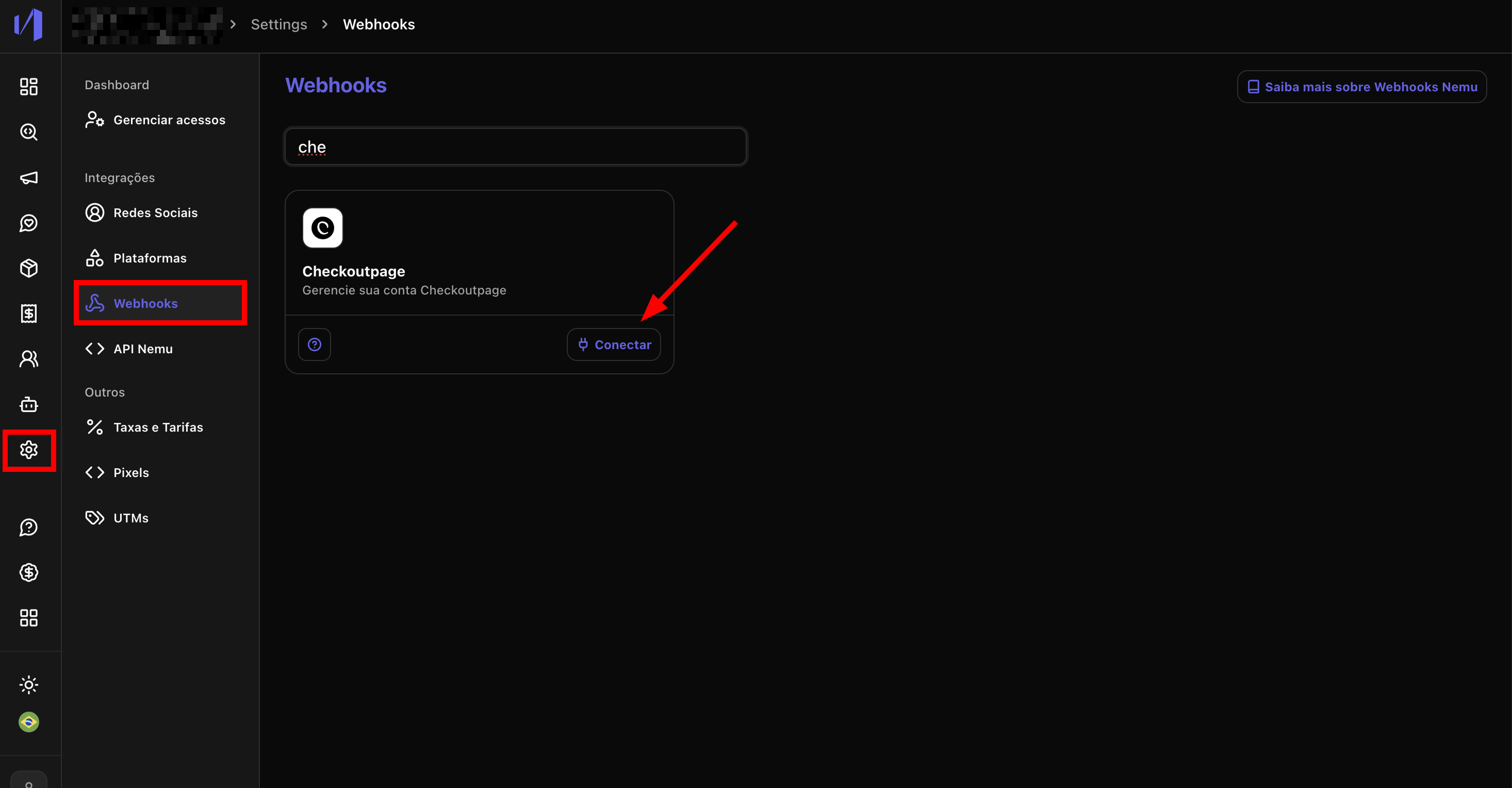
- Go to Settings > Webhooks, search for CheckoutPage and click on Connect.
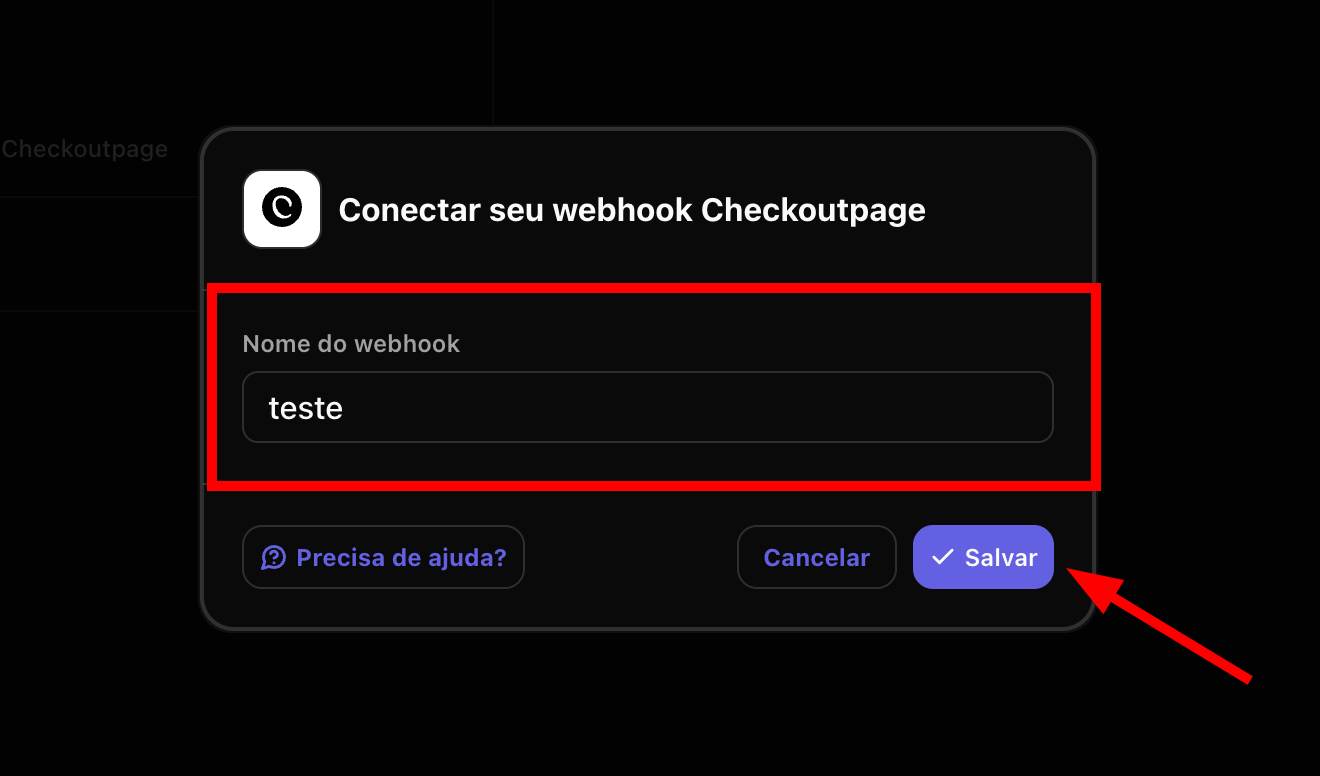
- Define a Name for the webhook and click on Save.
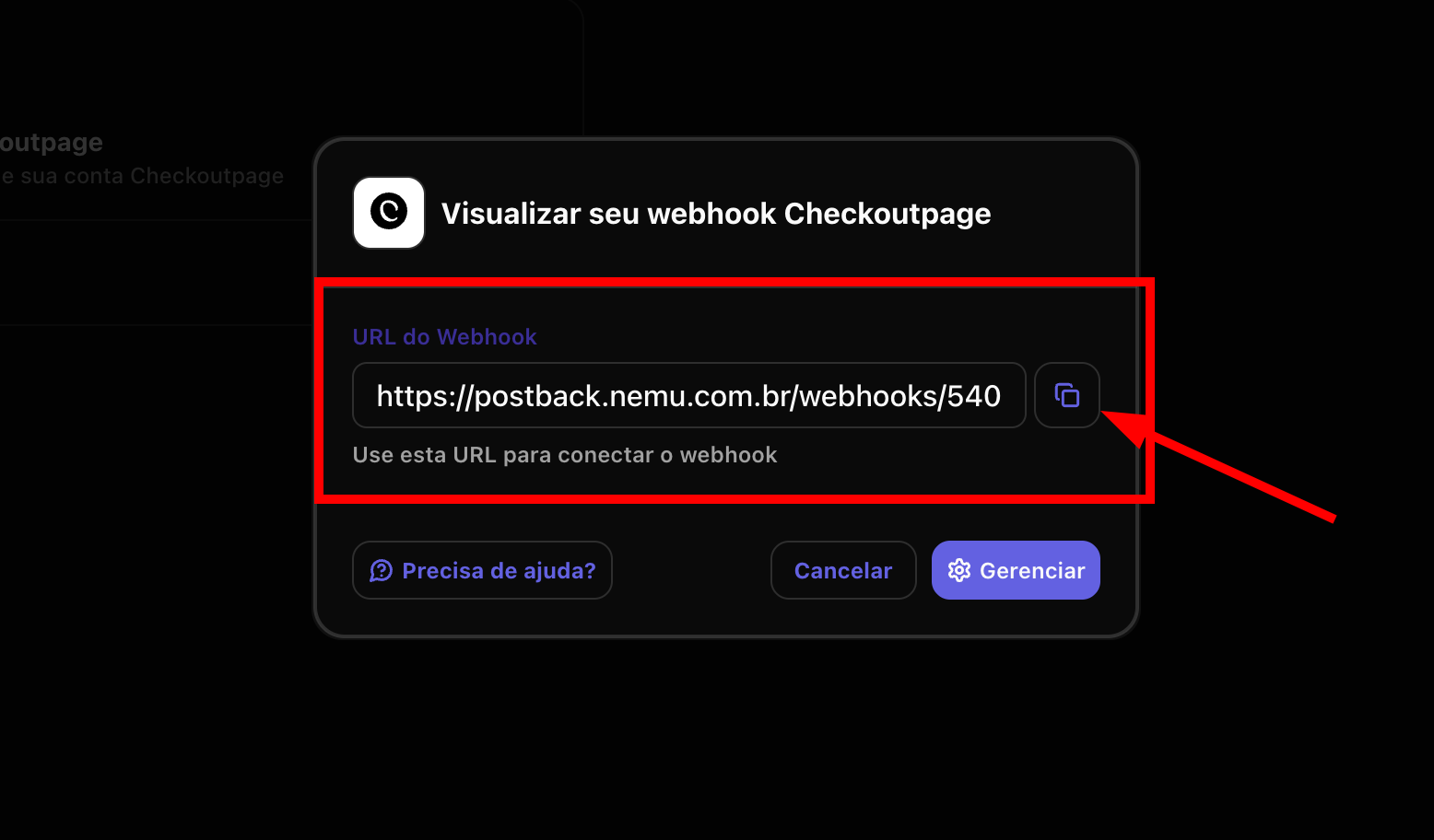
- Click the button to copy the webhook URL generated by Nemu.
On CheckoutPage Dashboard
-
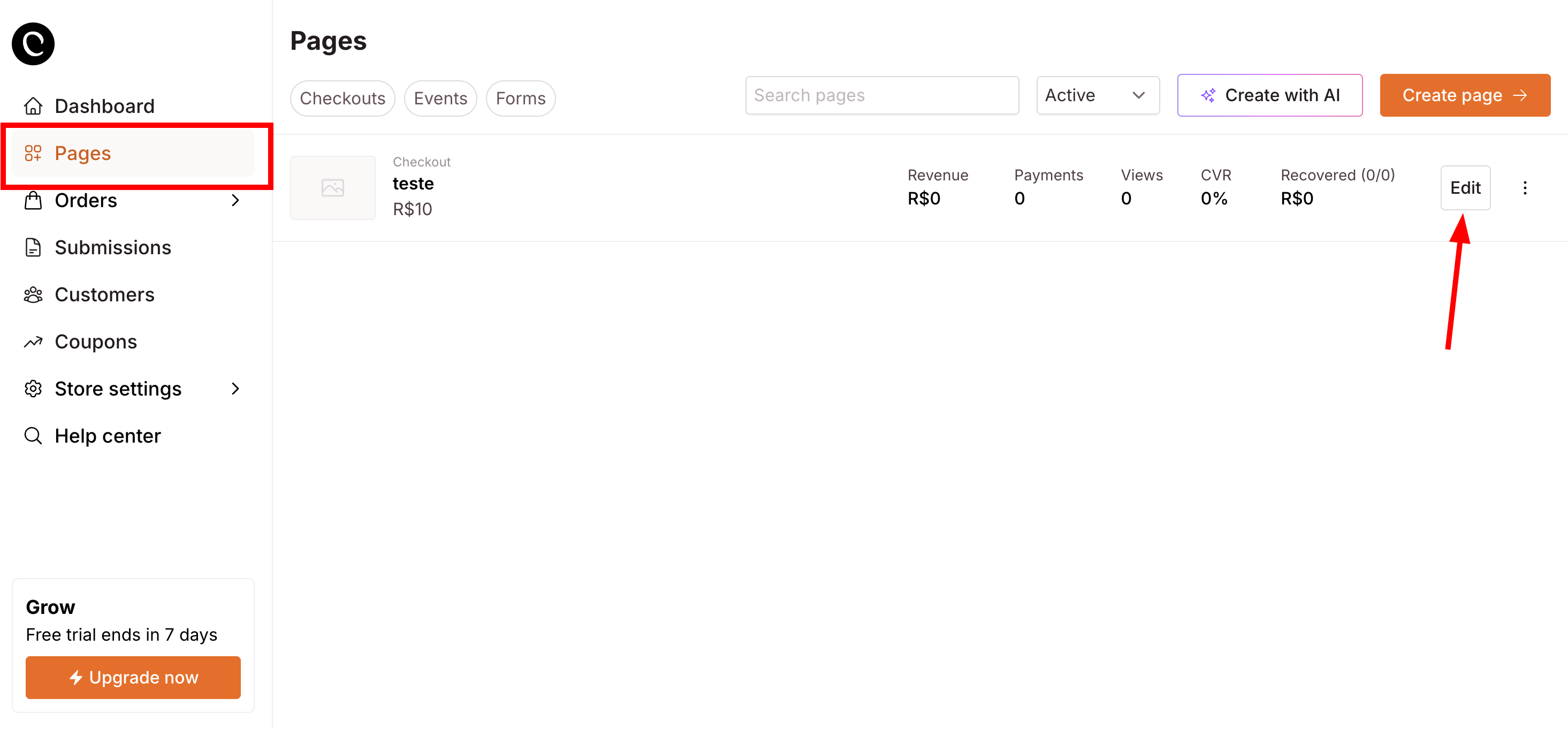
Go to Pages, find your page and click on Edit.
-
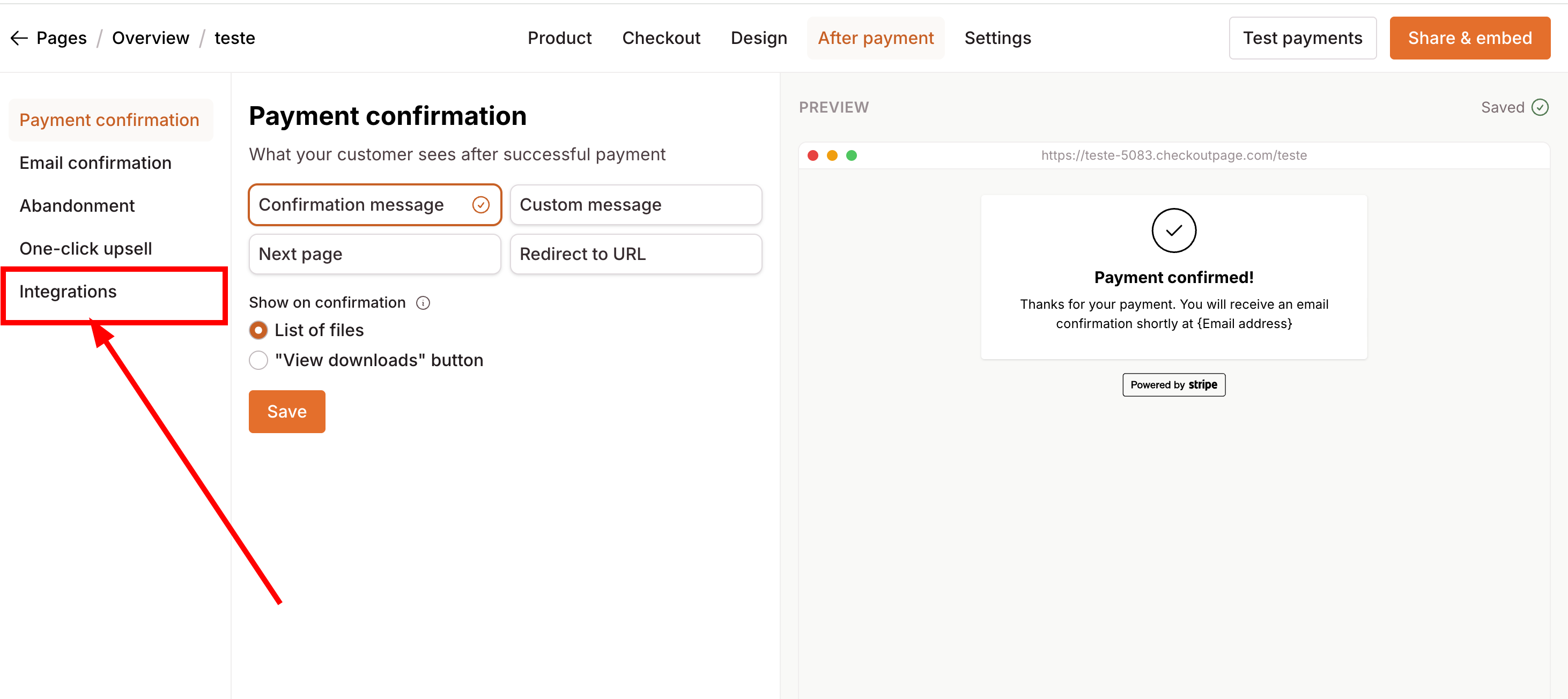
Click on the Integrations button in the left sidebar.
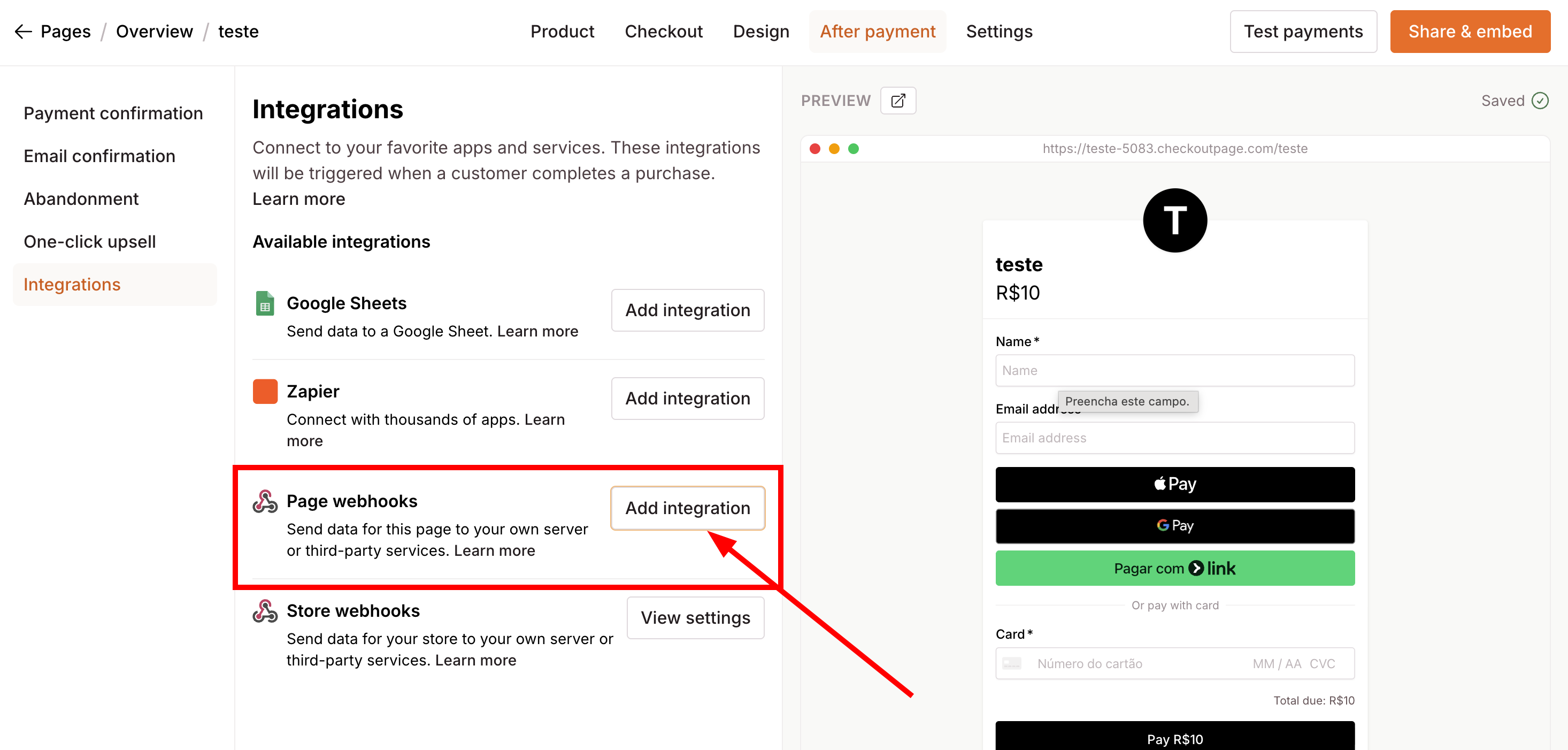
- Look for Page webhooks and click on Add Integration
- Paste the URL copied in step 3 in the Webhook URL field.
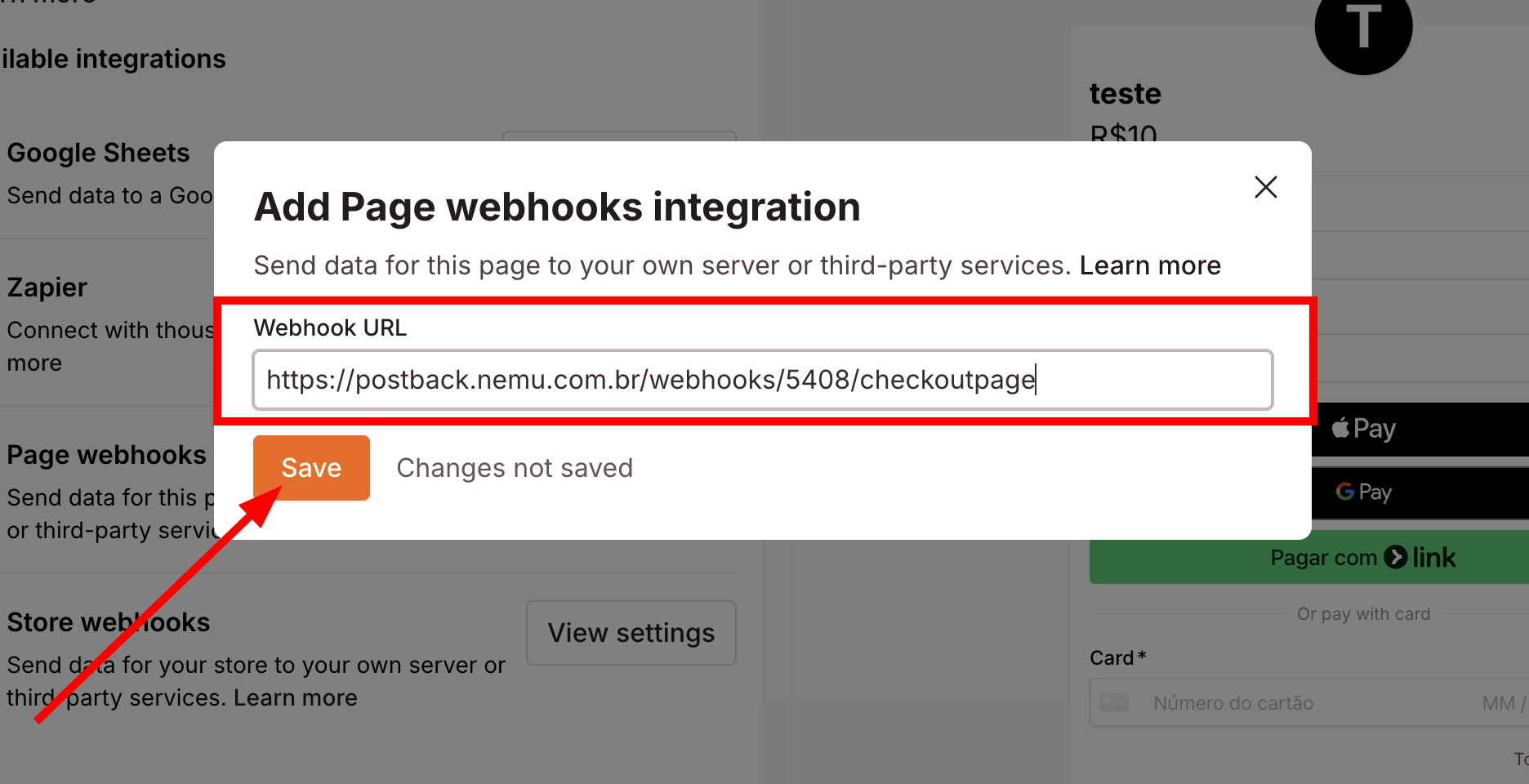
- Click on Save to finalize the integration.