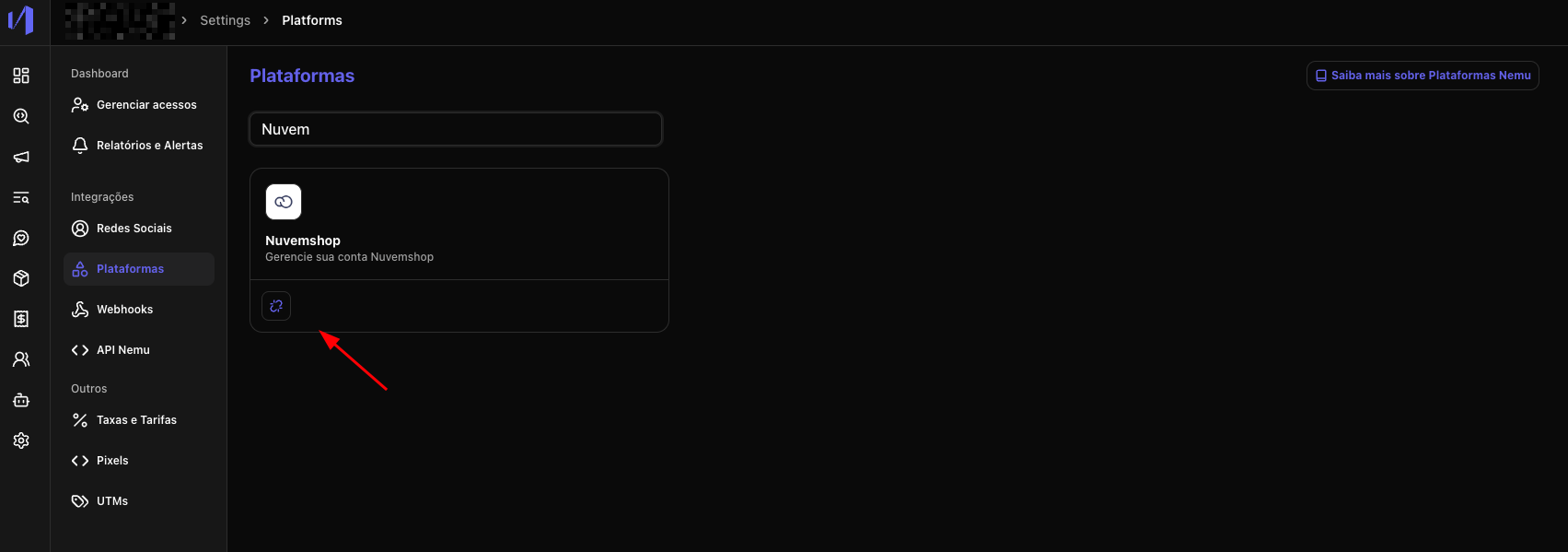
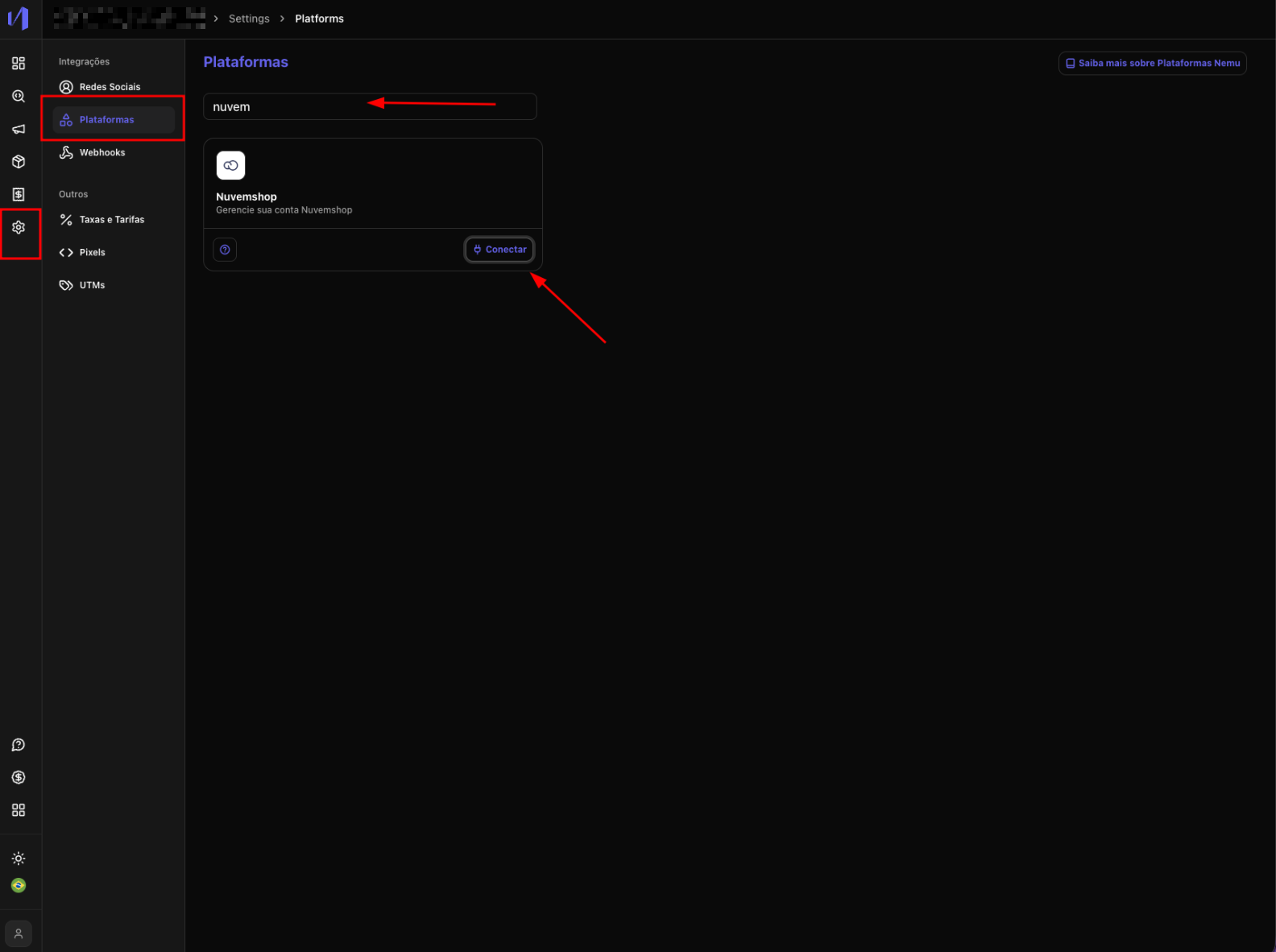
- In the Nemu panel, go to Settings > Platforms.
- Search for Nuvemshop and click on Connect.
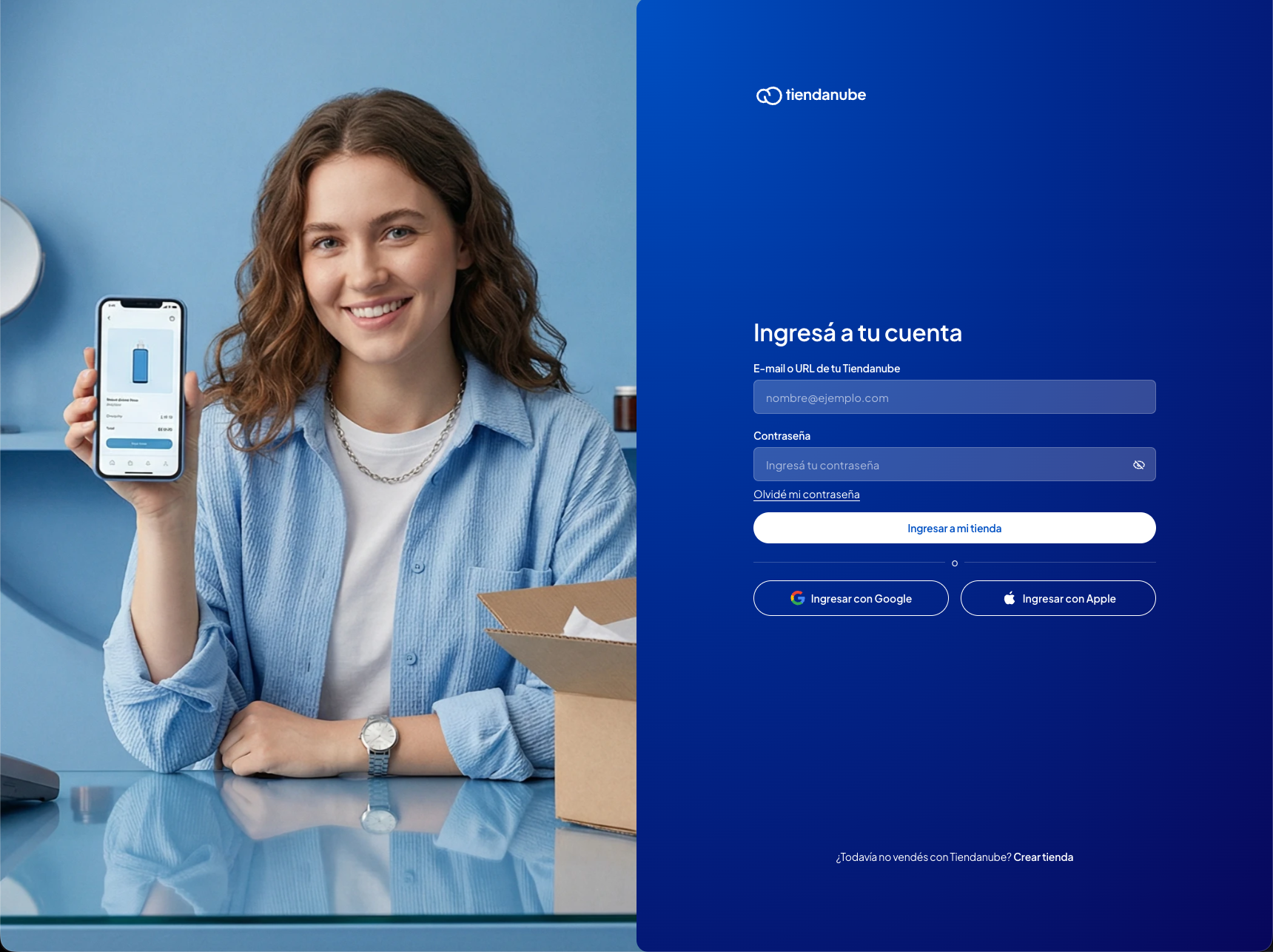
- You will be redirected to the Nuvemshop login page. If you are not logged in, log in.
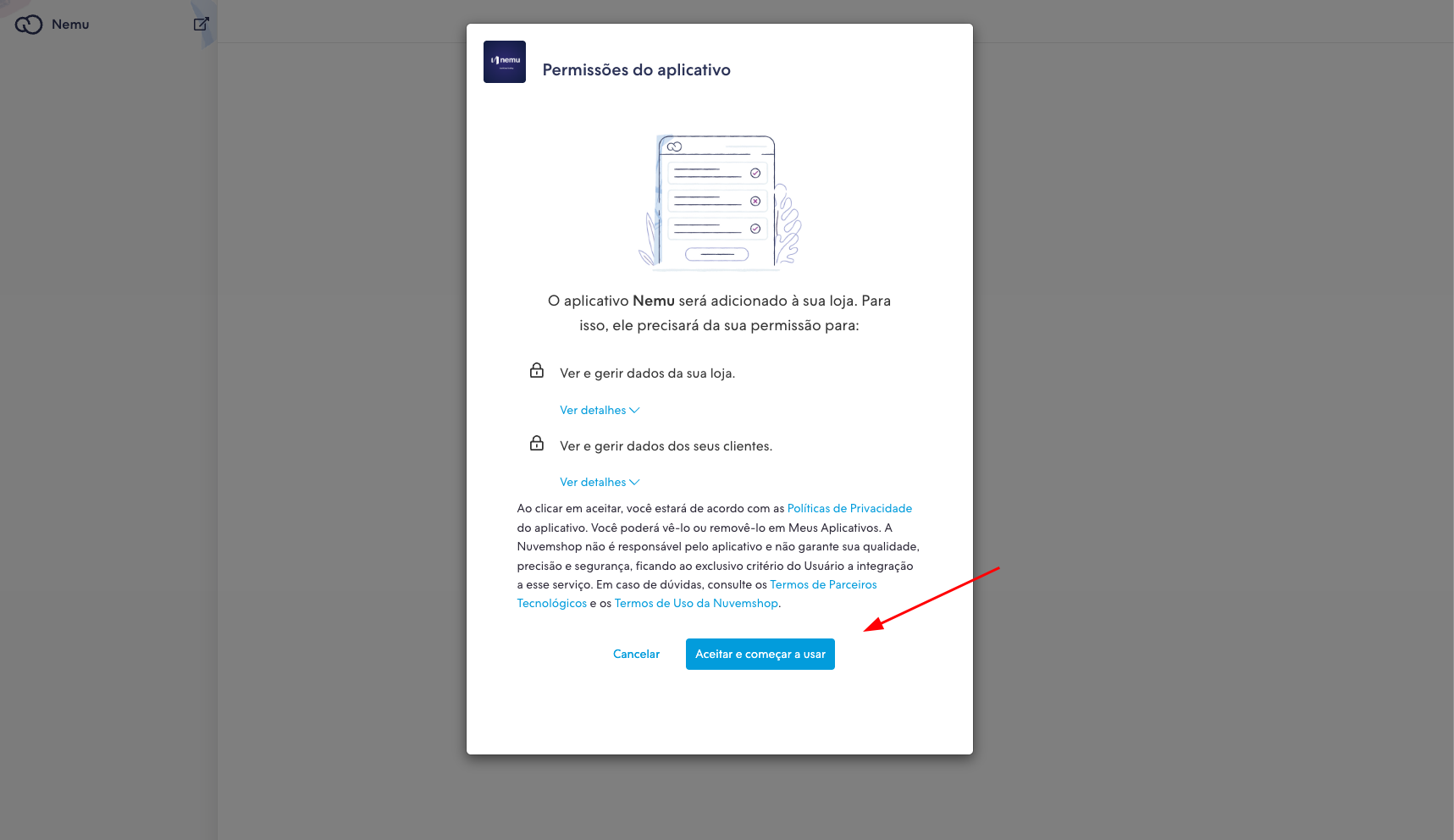
- Then click on Accept and start using so that the Nemu app is installed.
- After the connection, Nemu will already be integrated with your Nuvemshop account.