1. Access the Uappi Panel
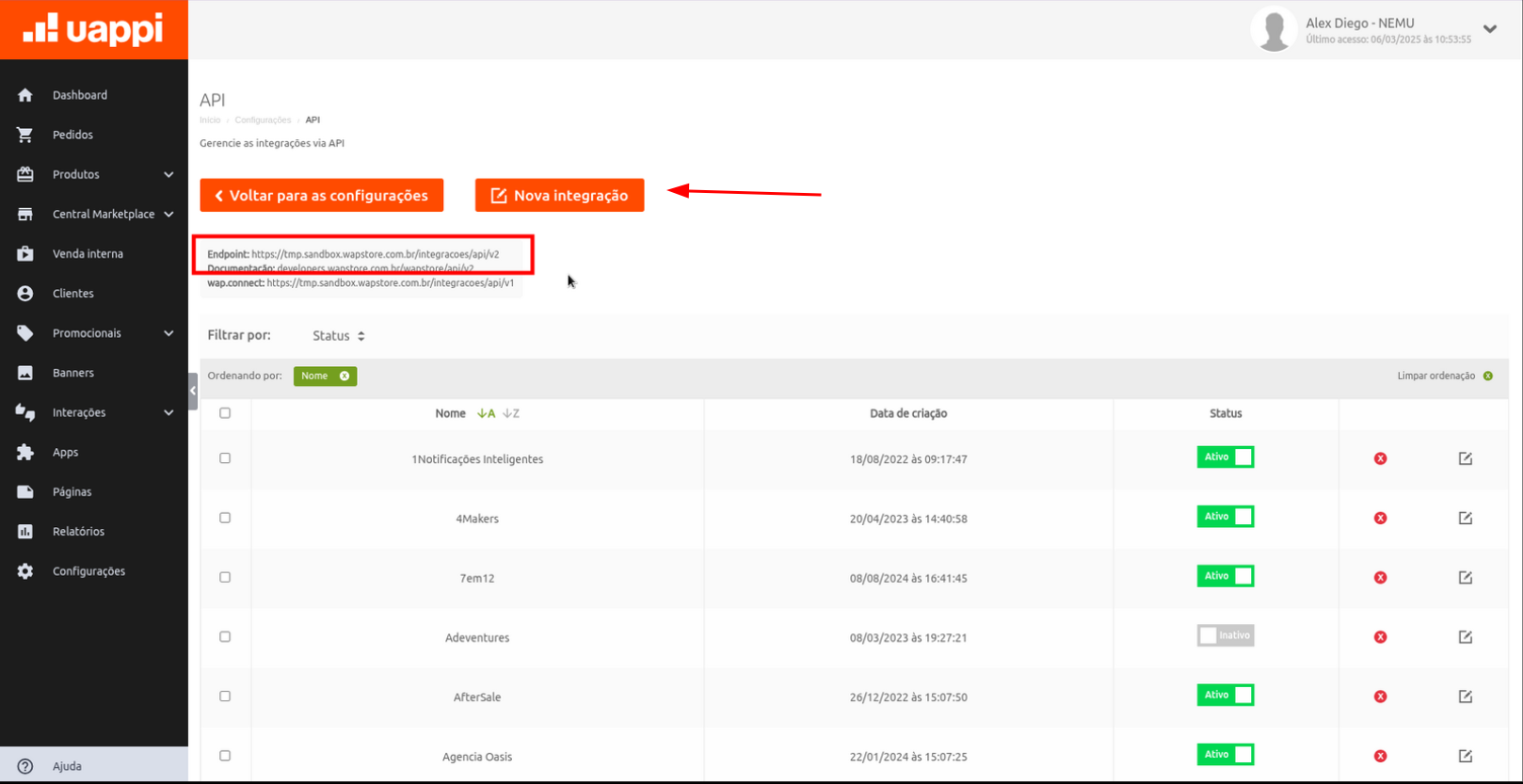
- In the main menu, go to Settings.
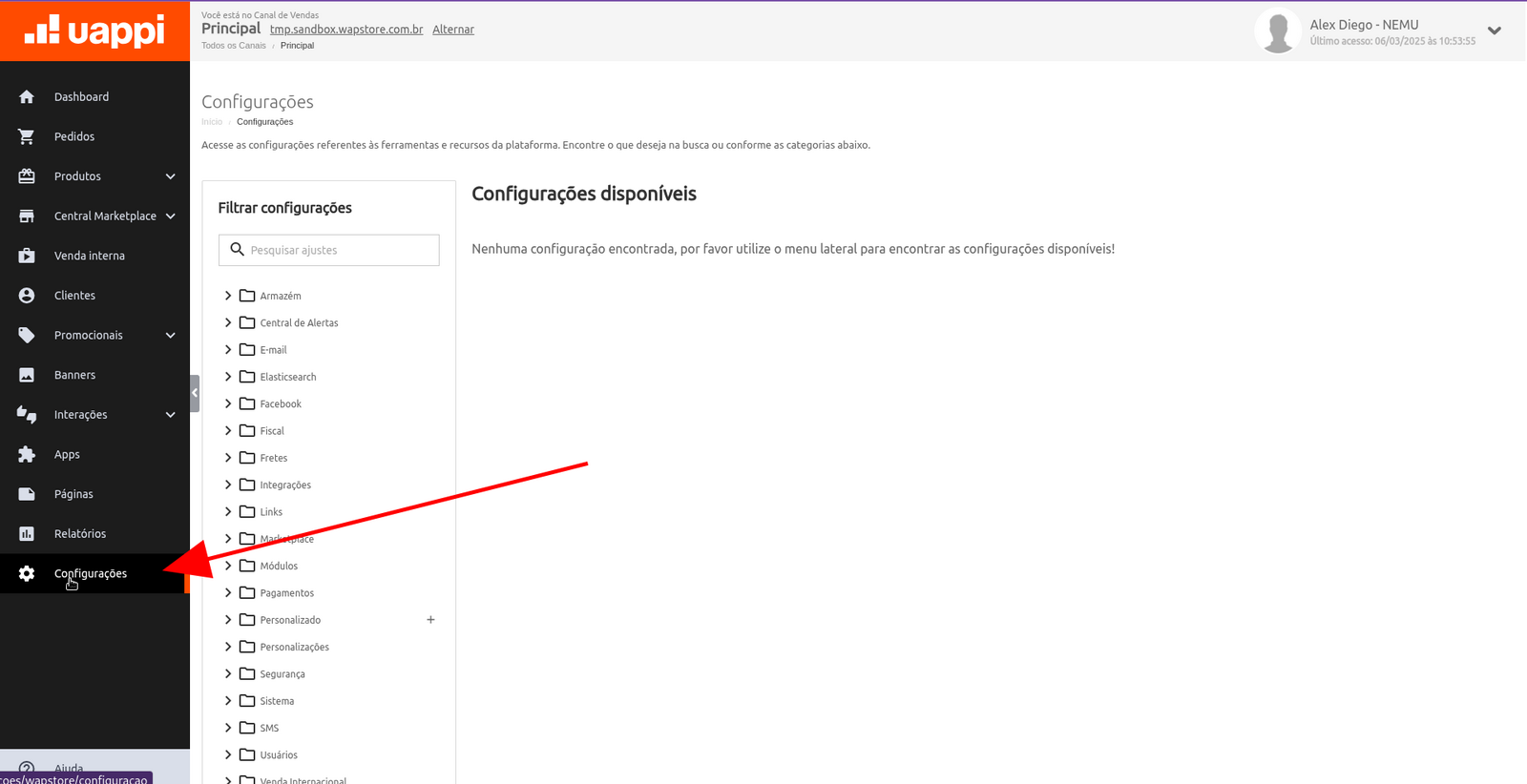
- Click on Integrations and select the API section.
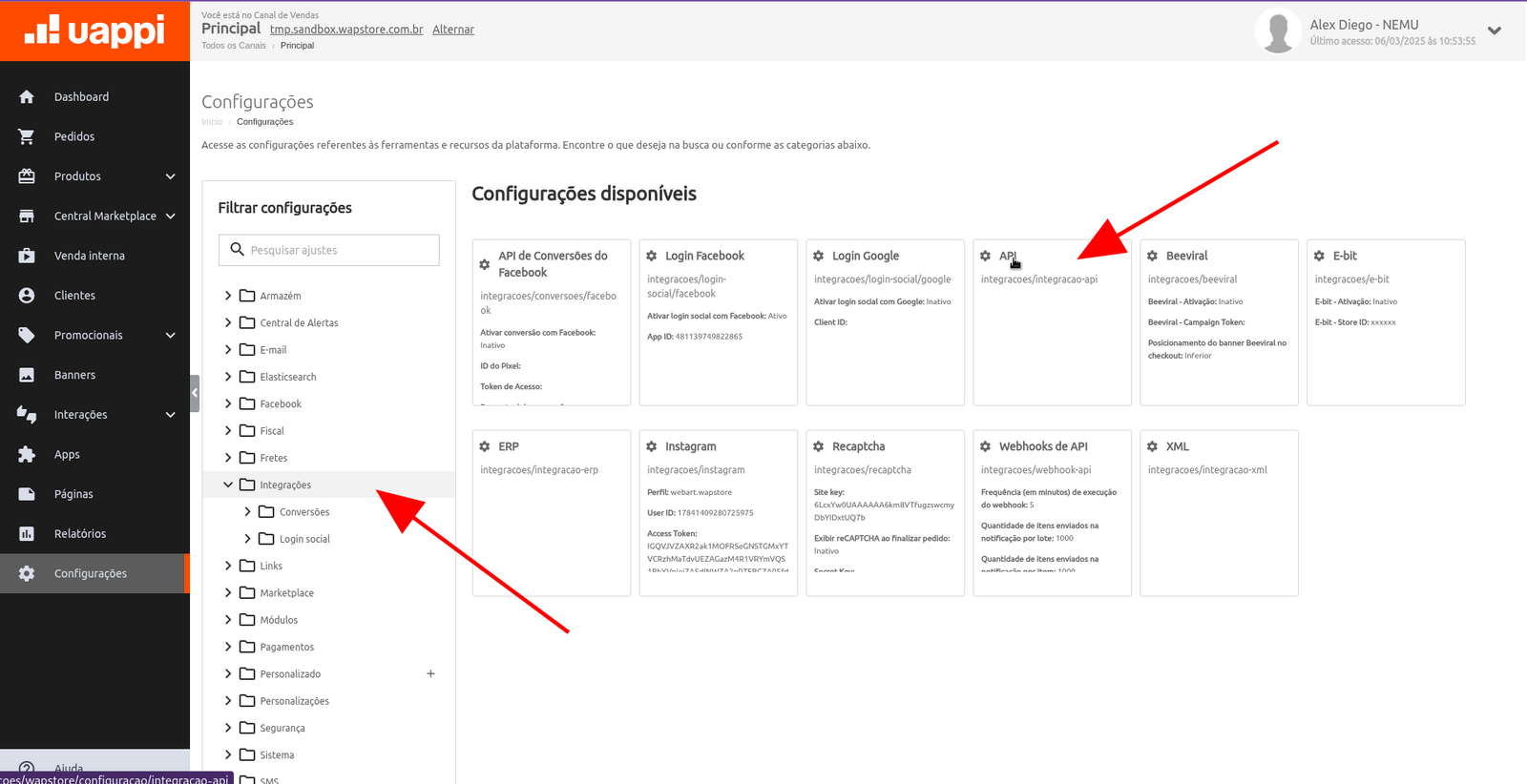
- Copy the Endpoint URL (will be used in the next step).
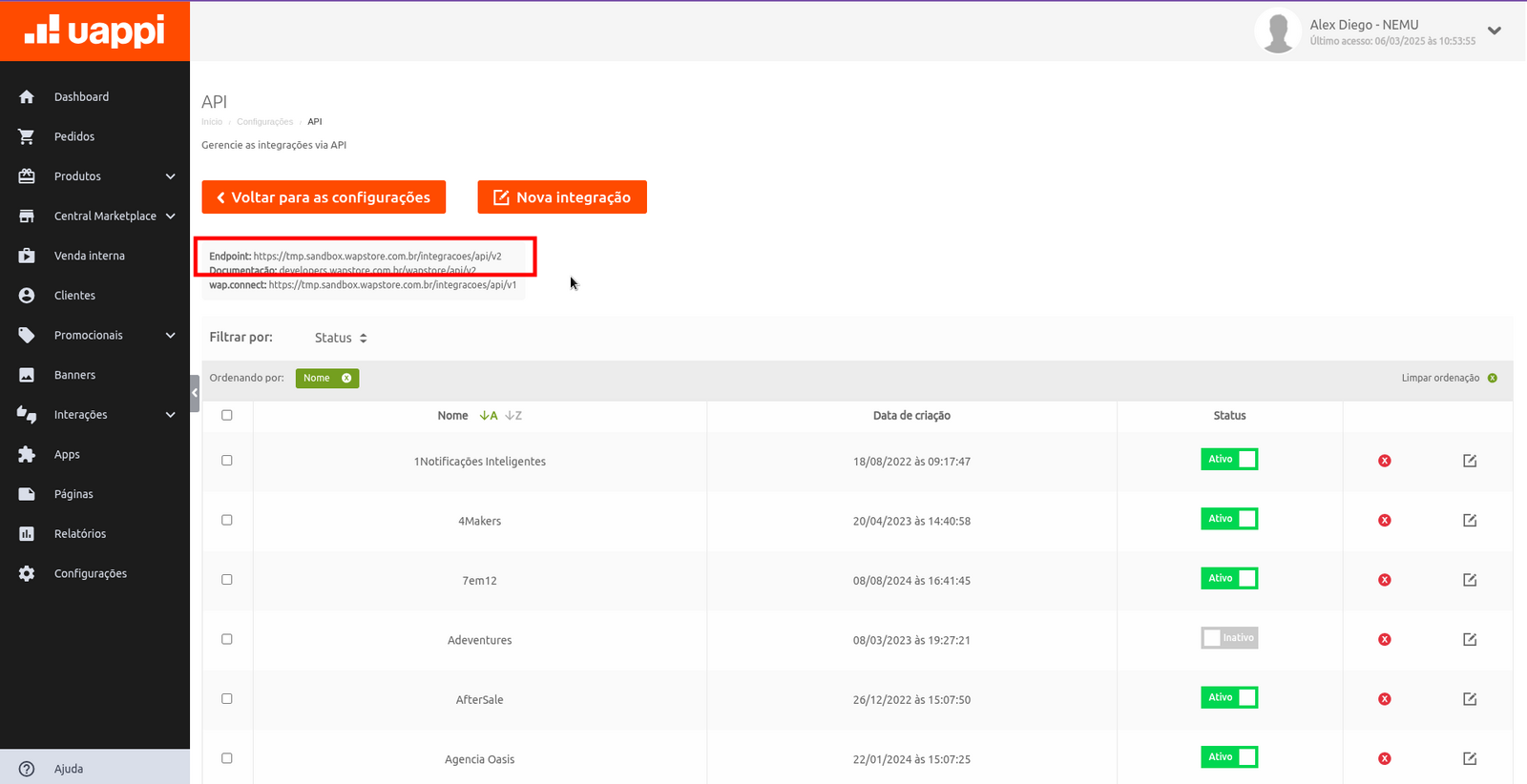
- Click on New Integration.
2. Create a New Integration
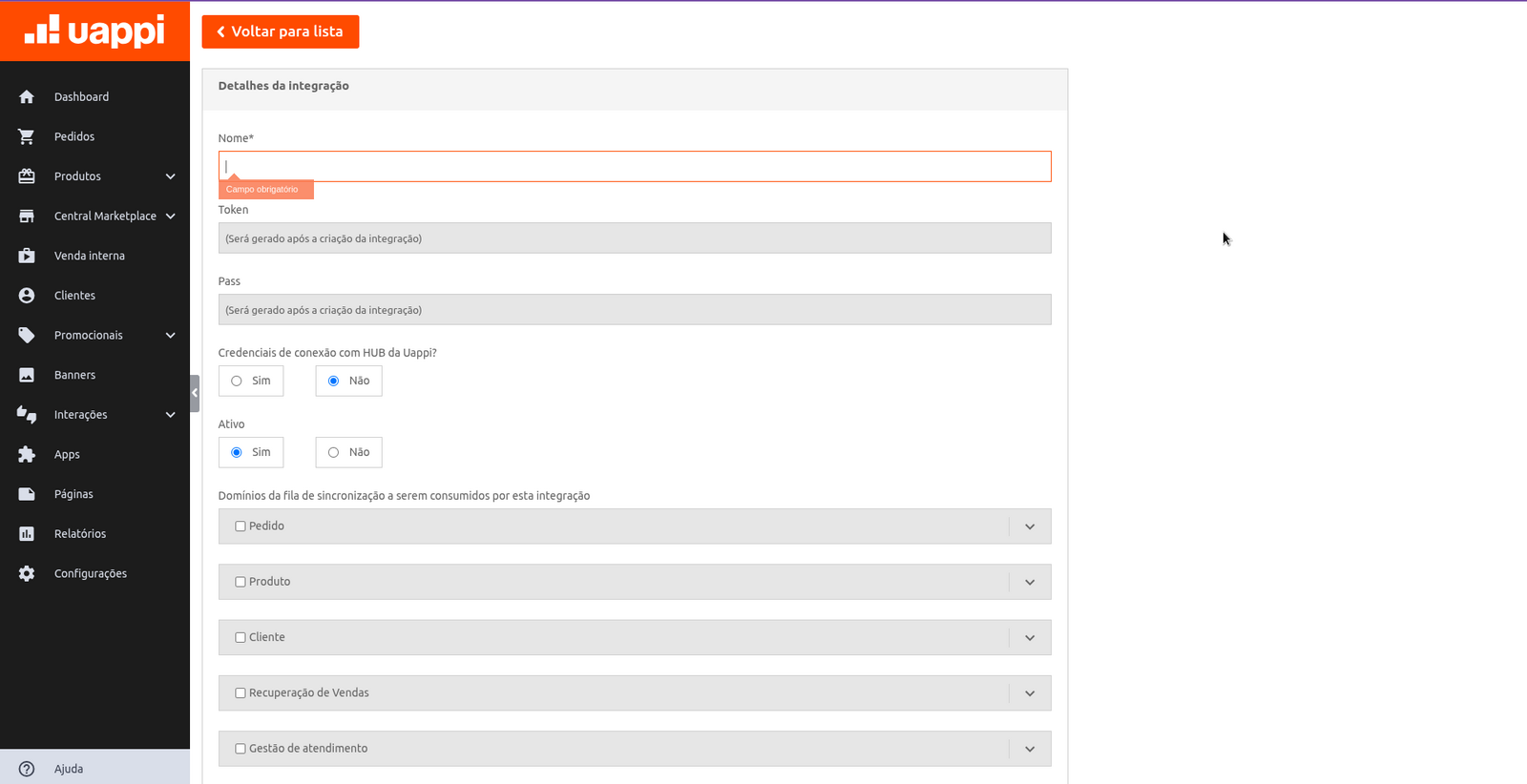
- Give a name to the integration.
- Mark as Active.
- Click on Save.
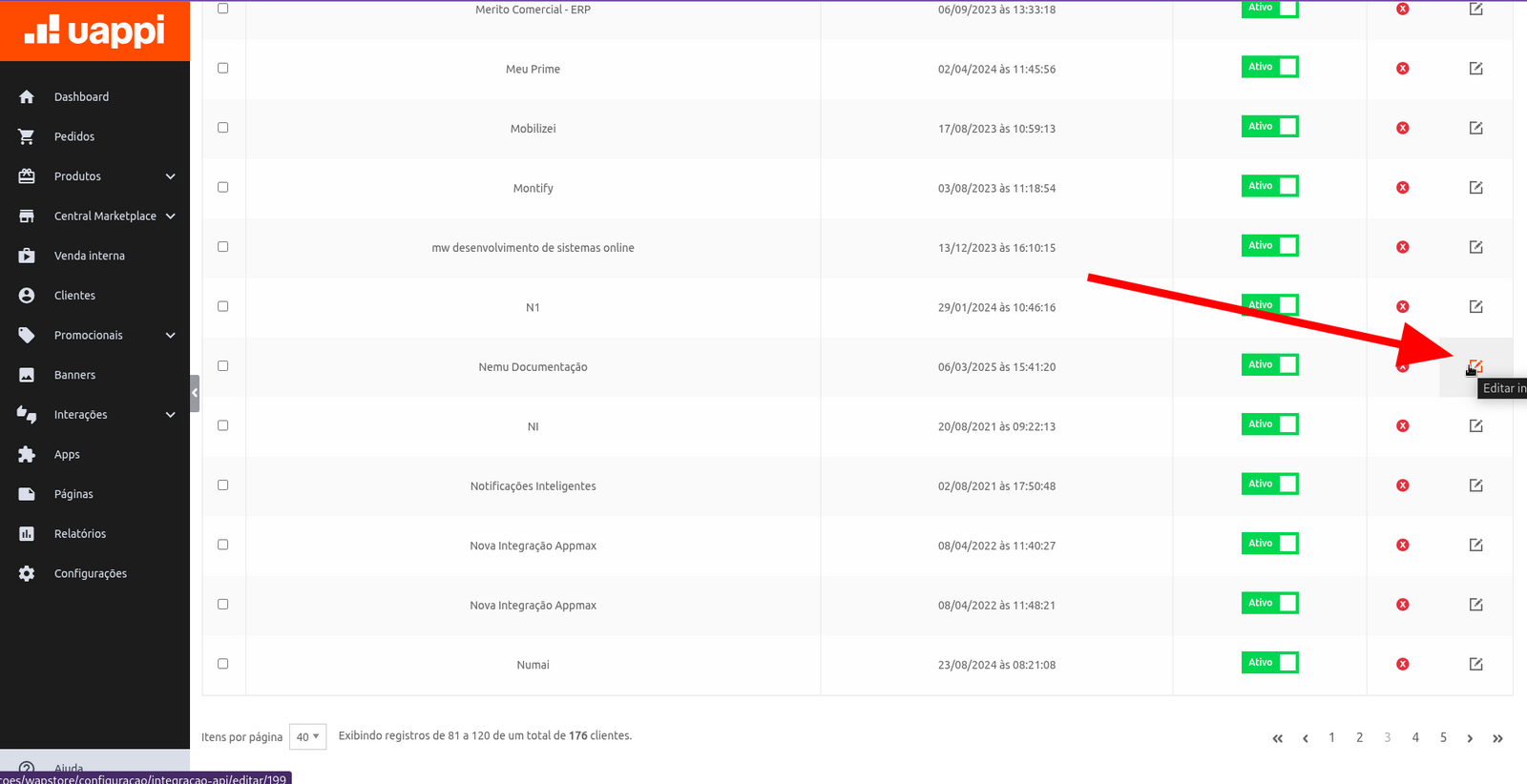
- Go back to the integrations page and locate the new integration.
- Click on Edit and then on View Credentials.
3. Configure the Integration in Nemu Panel
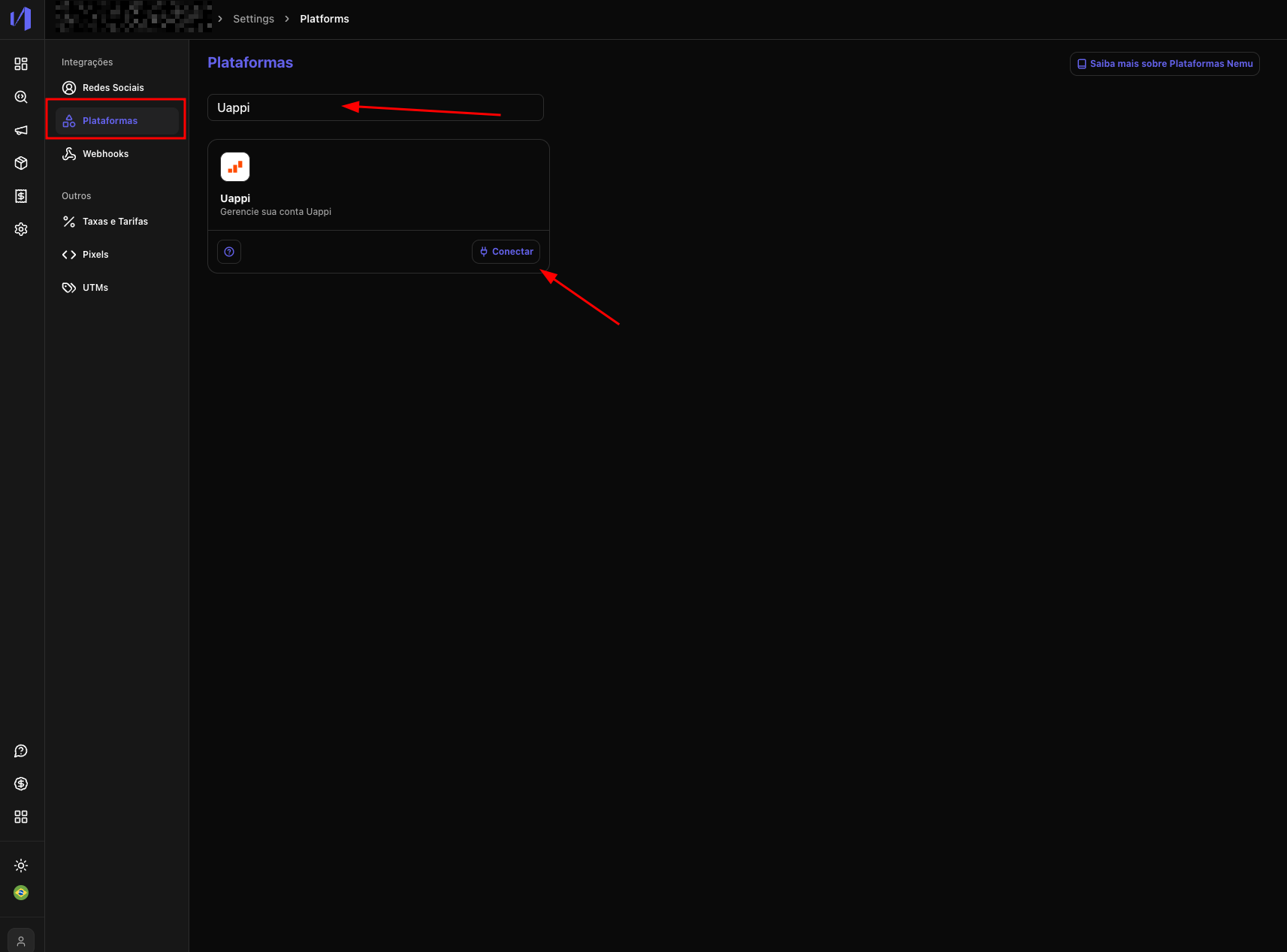
- In the Nemu panel, go to Settings > Platforms.
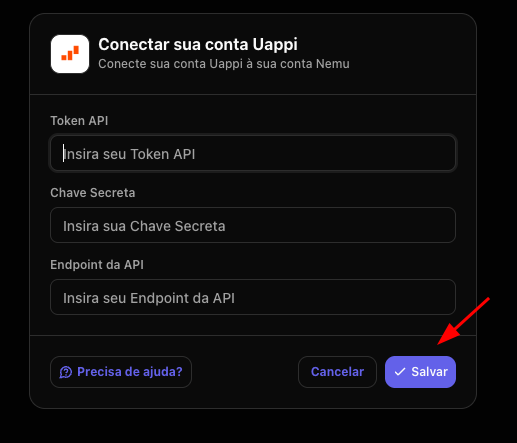
- Search for Uappi and click on Connect.
- Fill in the fields with the data obtained in Uappi and click on Save
4. Configure Webhooks in Uappi
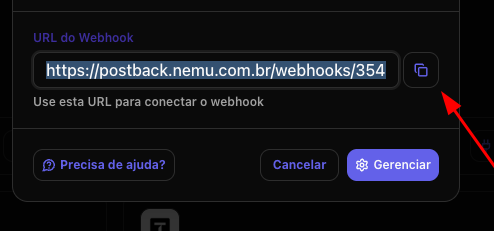
- Copy the Webhook URL.
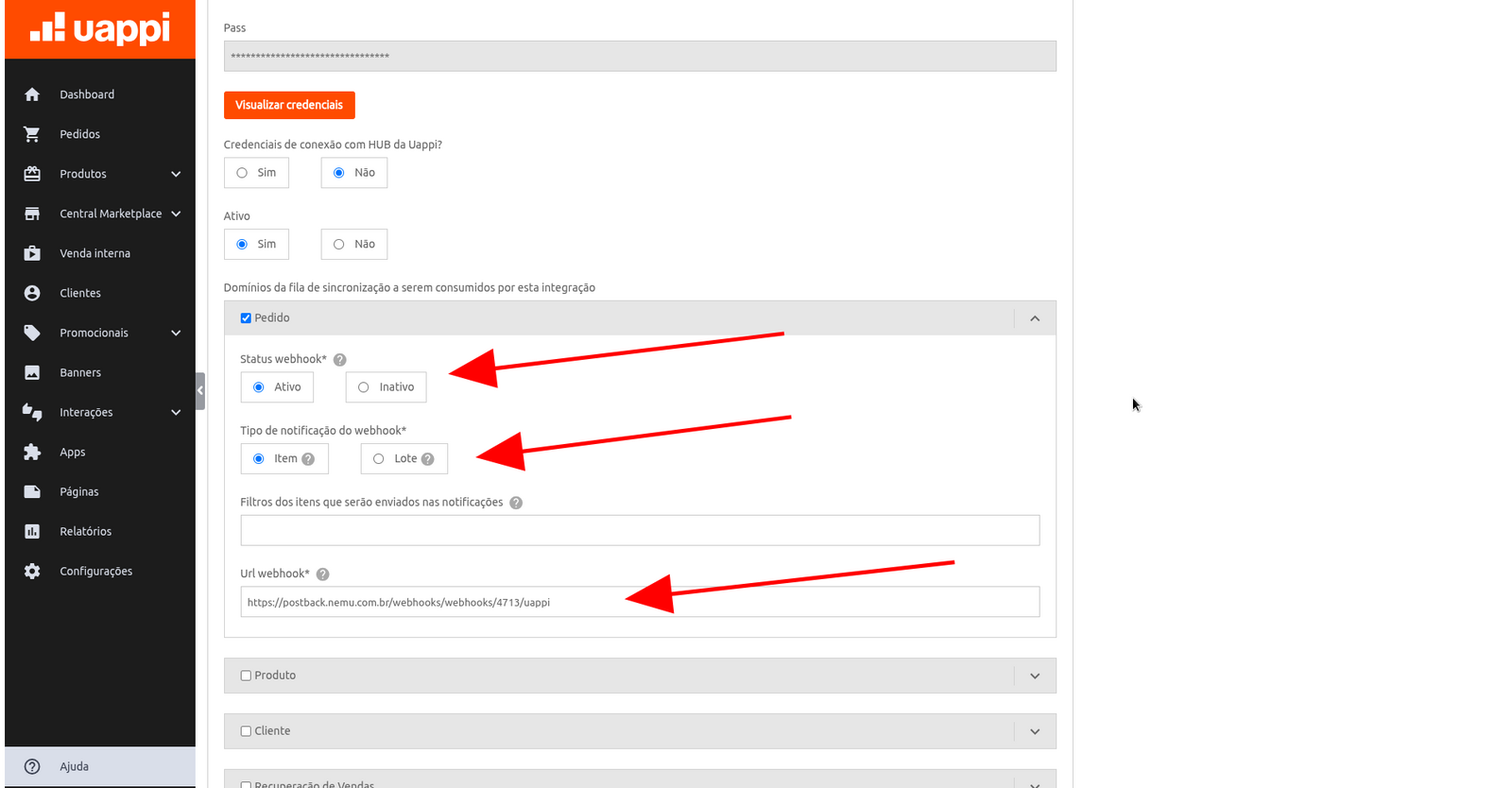
- Go back to the Uappi panel and edit the integration created earlier.
- Mark the Order section.
- Configure the webhook as Active and set the Notification Type as Item.
5. Define the Necessary Permissions
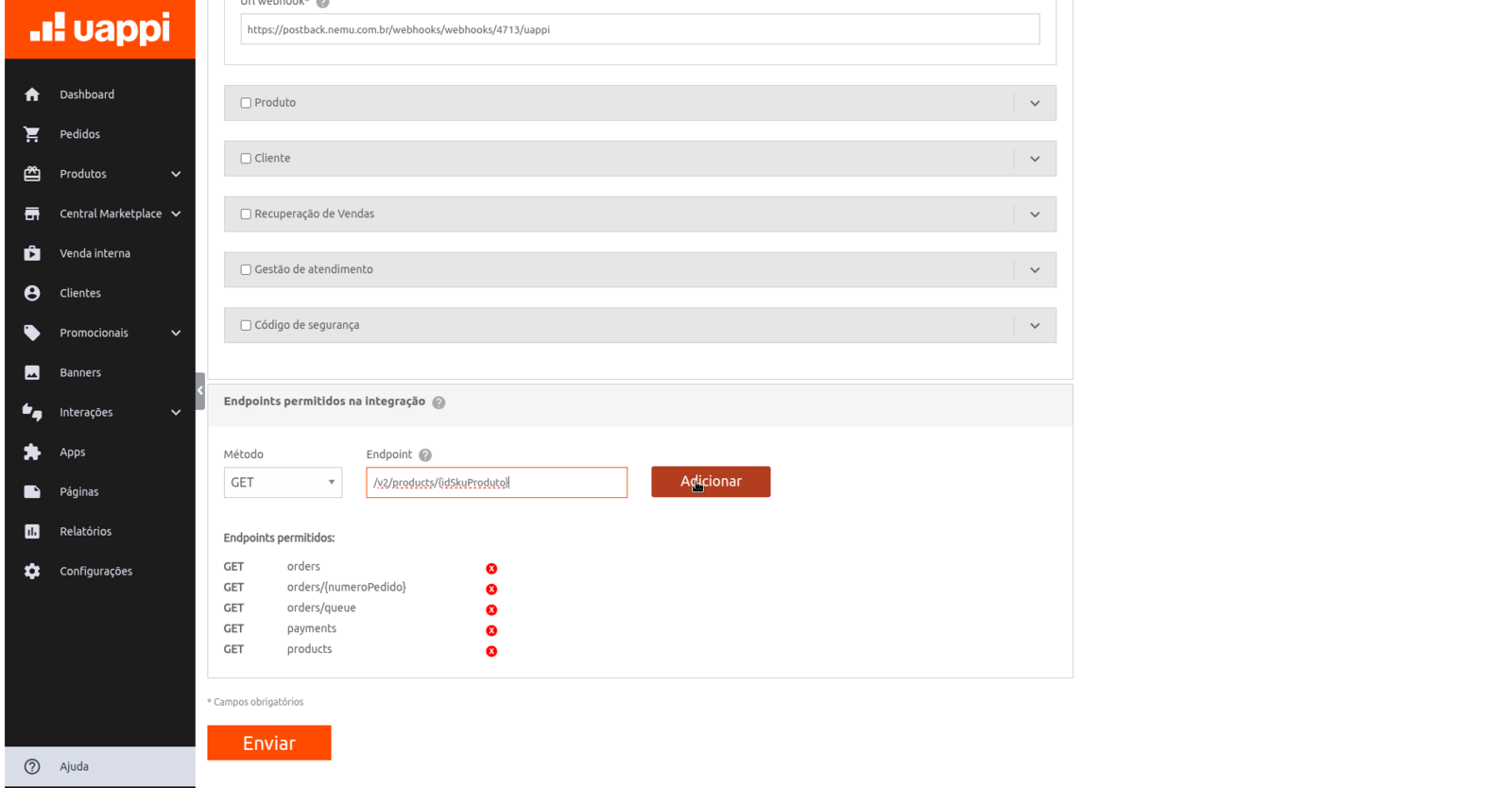
In Uappi, add permissions for the following routes:/v2/products/{idSkuProduto}/v2/products/v2/orders/v2/orders/{numeroPedido}/v2/orders/queue/v2/payments