

I already have UTMs configured
Learn how to add Nemu parameters alongside traditional UTMs to track your sales accurately on TikTok.
I don't have UTMs configured
Learn how to add UTM parameters in TikTok Ads Manager to track your sales accurately.
If you don’t understand the difference between traditional UTMs and Nemu UTMs,
click here to learn more.
With UTMs configured
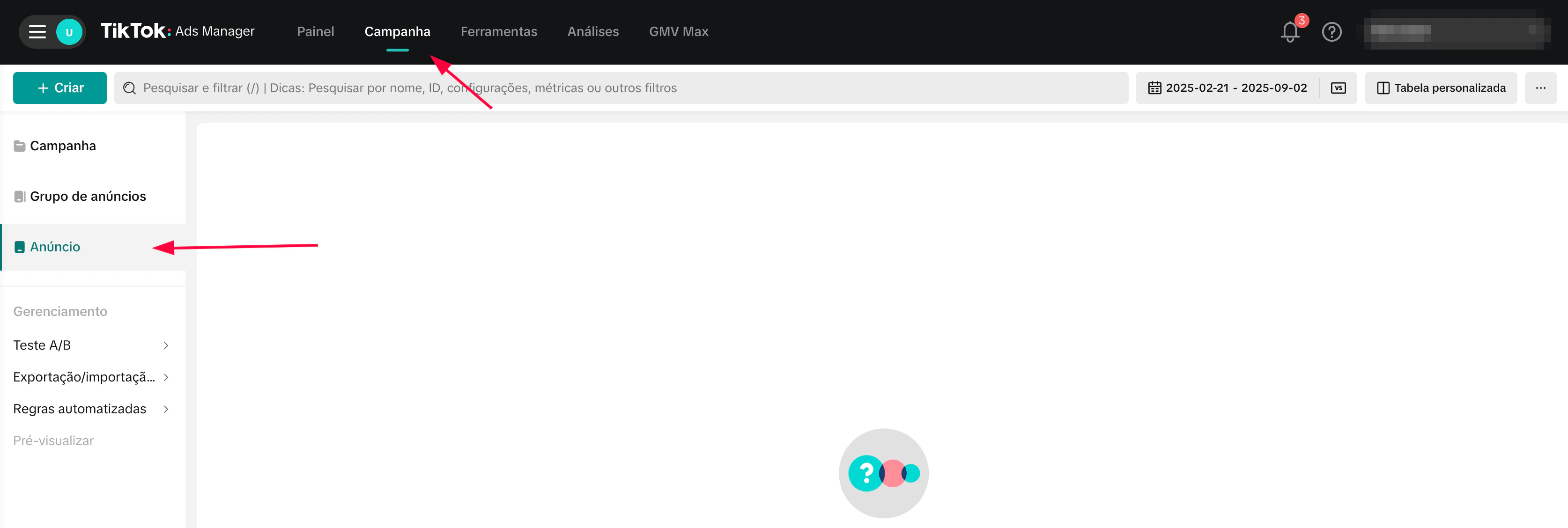
- Access your TikTok Ads Manager, click on Campaigns and then on Ads
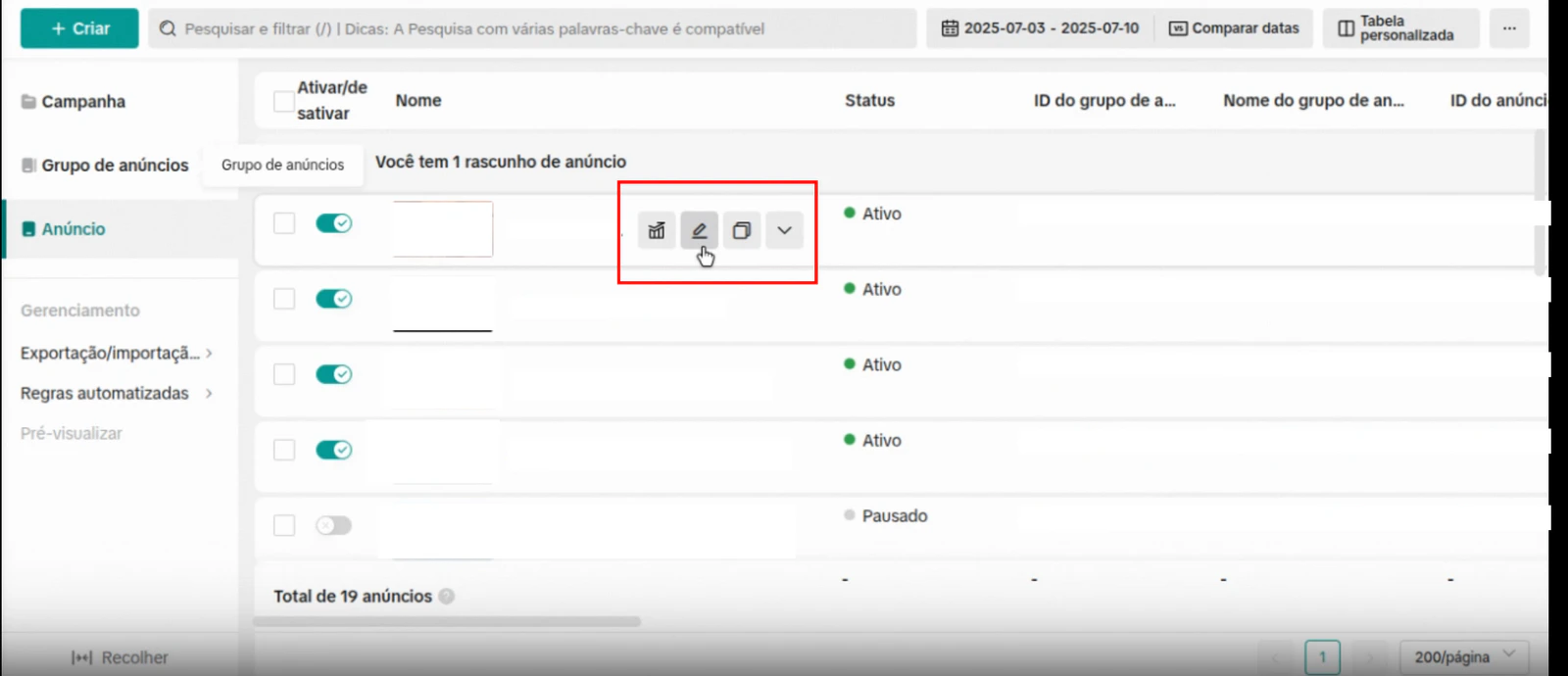
- Click on the edit button to edit the ad
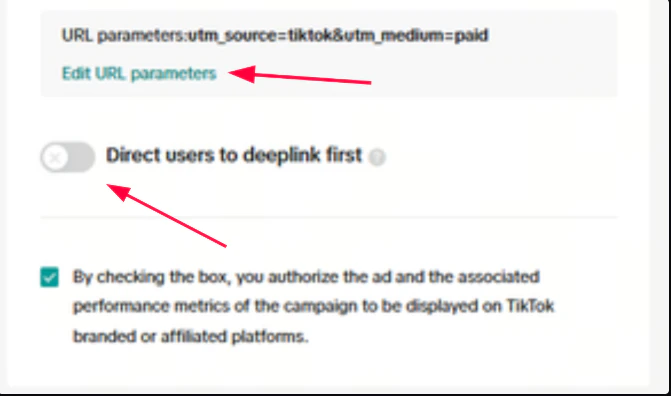
- Disable the option Automatically add URL parameters and click on Edit URL Parameters
- In custom parameters enable the option Detect Automatically and then click on Add button
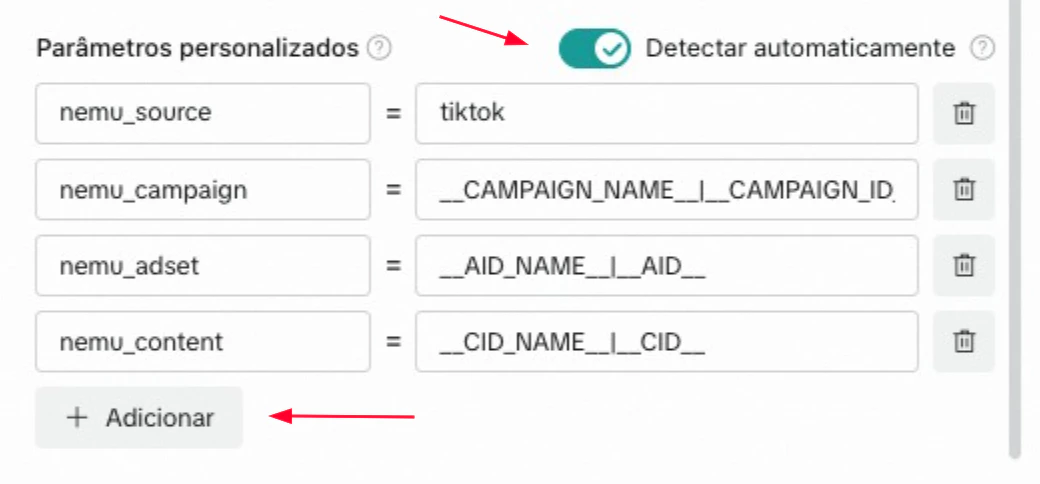
- Copy and paste the parameters for each field as shown in the image above and click on Apply
Custom parameters
nemu_source
Example of how your final destination URL should look with Standard Checkout:
Without UTMs configured
- Access your TikTok Ads Manager, click on Campaigns and then on Ads
- Click on the edit button to edit the ad
- Disable the option Automatically add URL parameters and click on Edit URL Parameters
- Copy and paste the URL parameters configuration according to your checkout.
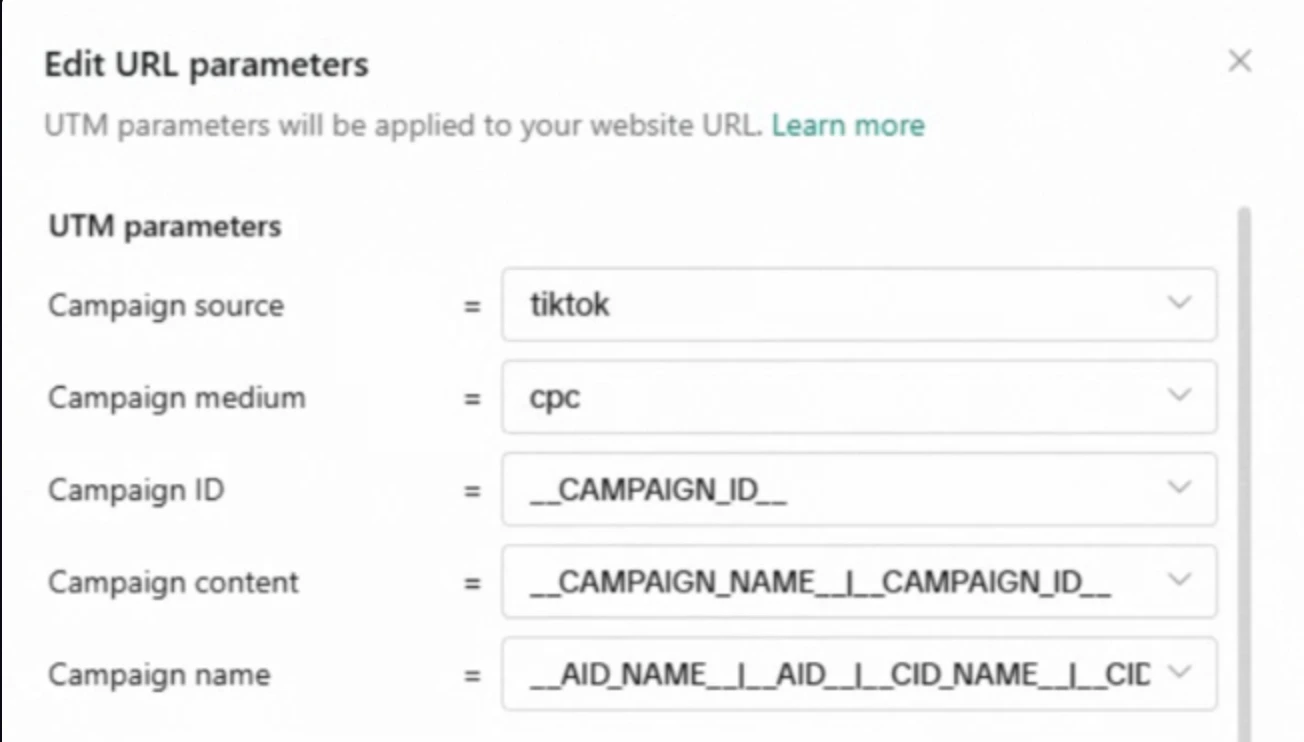
Standard
Campaign source
- In custom parameters enable the option Detect Automatically and then click on Add button
- Copy and paste the parameters for each field as shown in the image above and click on Apply
Custom parameters
nemu_source
Hotmart (Producer)
src
Hotmart (Affiliate)
sck
Final URL example: