

Follow the step-by-step guide and start receiving sales automatically in Nemu.
Setting Up Webhooks
On Doppus Dashboard
- Go to Settings > Webhooks and click the button to copy the token.
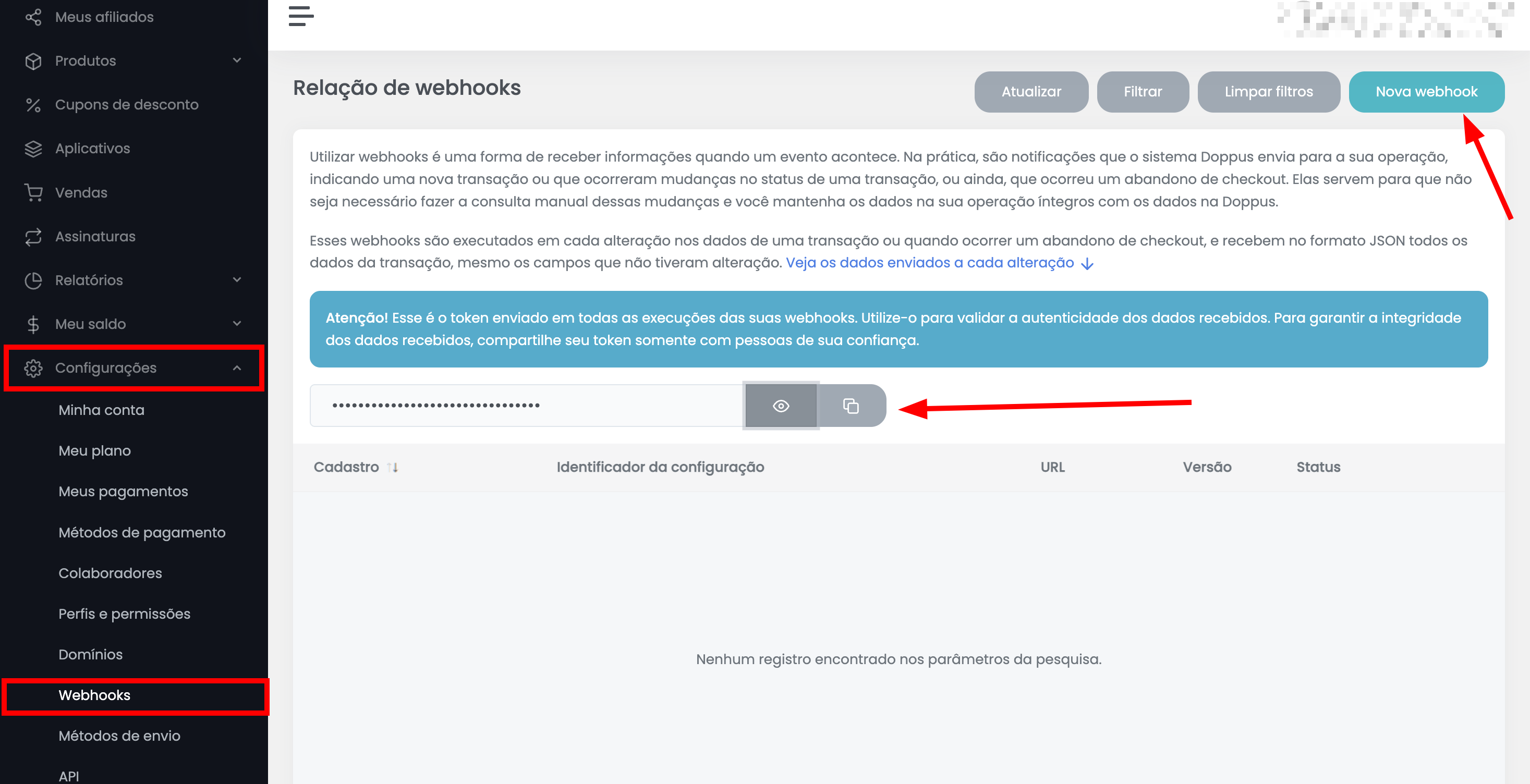
Keep this page open, as we will need it for the next steps.
- Before proceeding with the next steps, click on New Webhook and we will continue from this point later.
On Nemu Dashboard
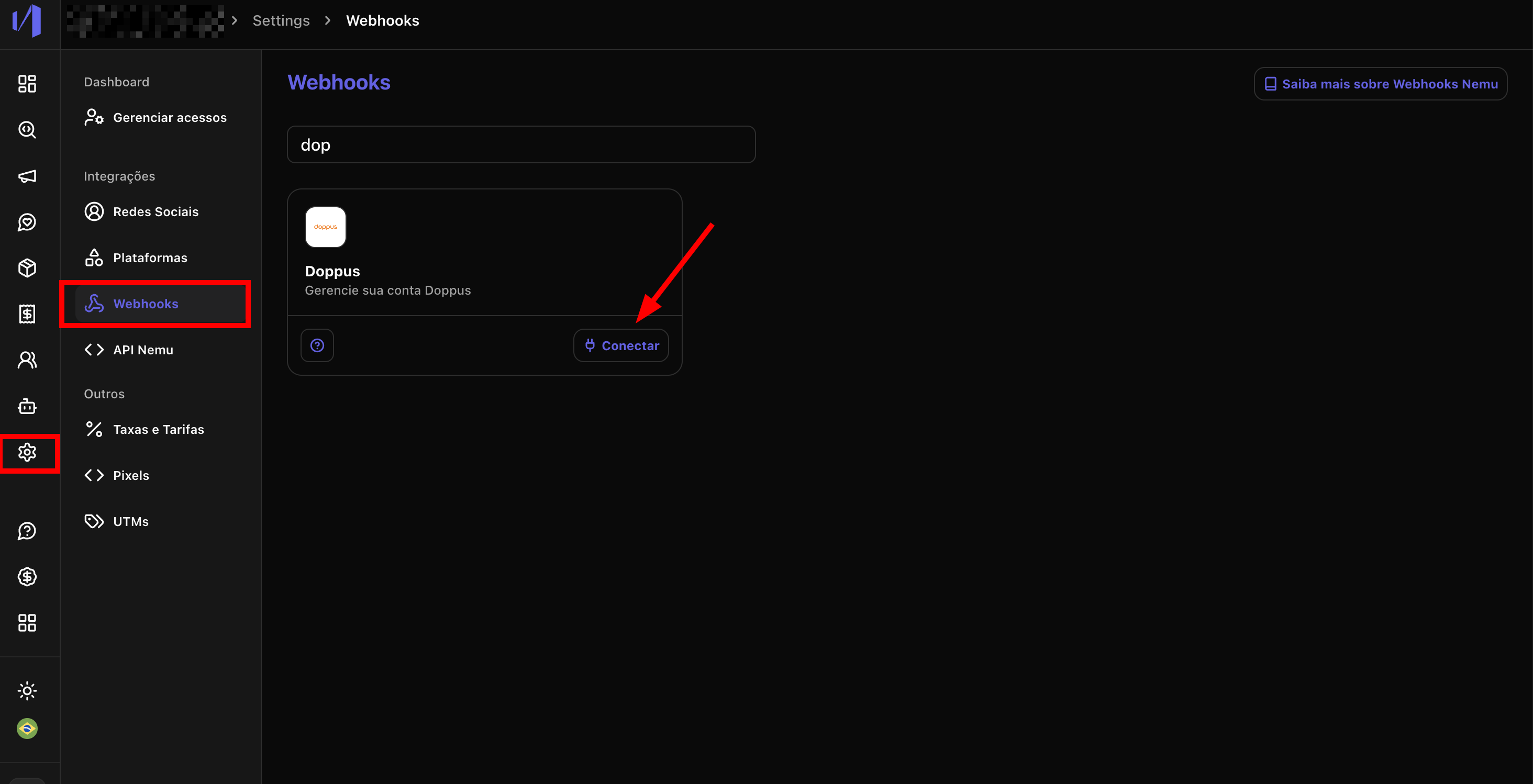
- Go to Settings > Webhooks, search for Doppus and click on Connect.
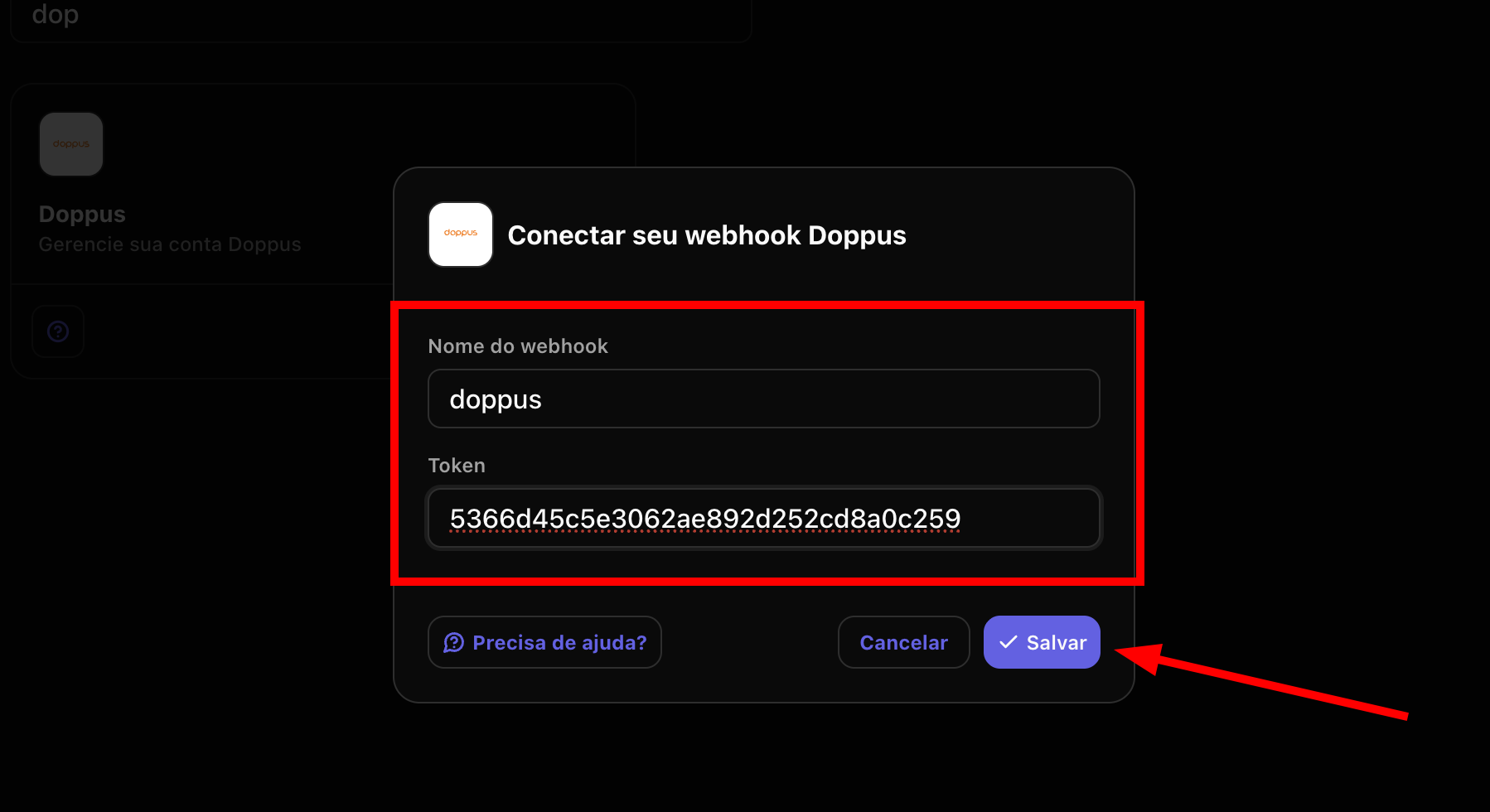
- Define a Name for the webhook, paste the token copied in step 1 in the Token field and click on Save.
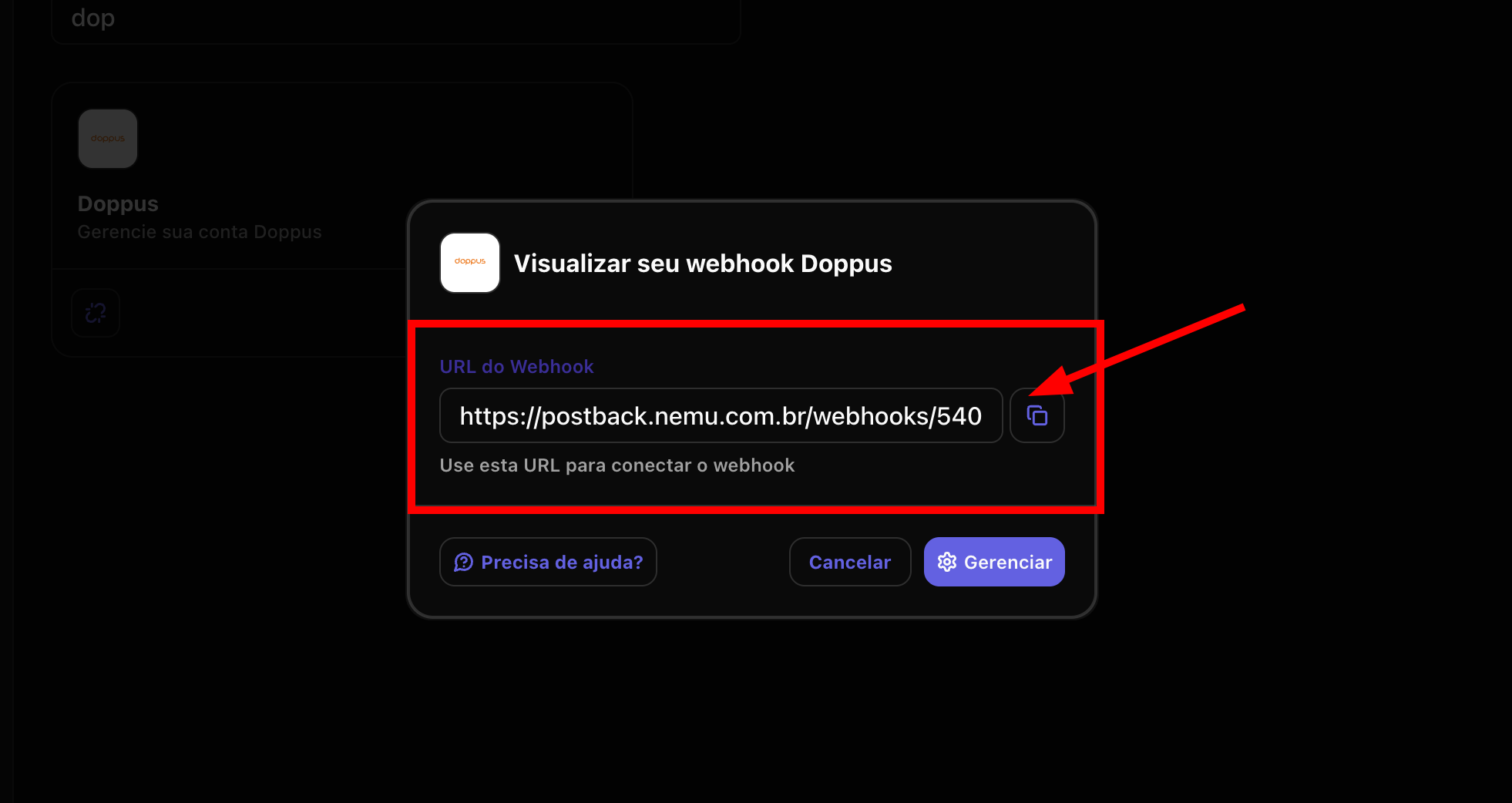
- Click the button to copy the webhook URL generated by Nemu.
Finalizing the Integration on Doppus Dashboard
- Define a Name for the webhook, select a specific product or All products paste the webhook URL generated by Nemu in the URL for sending data field.
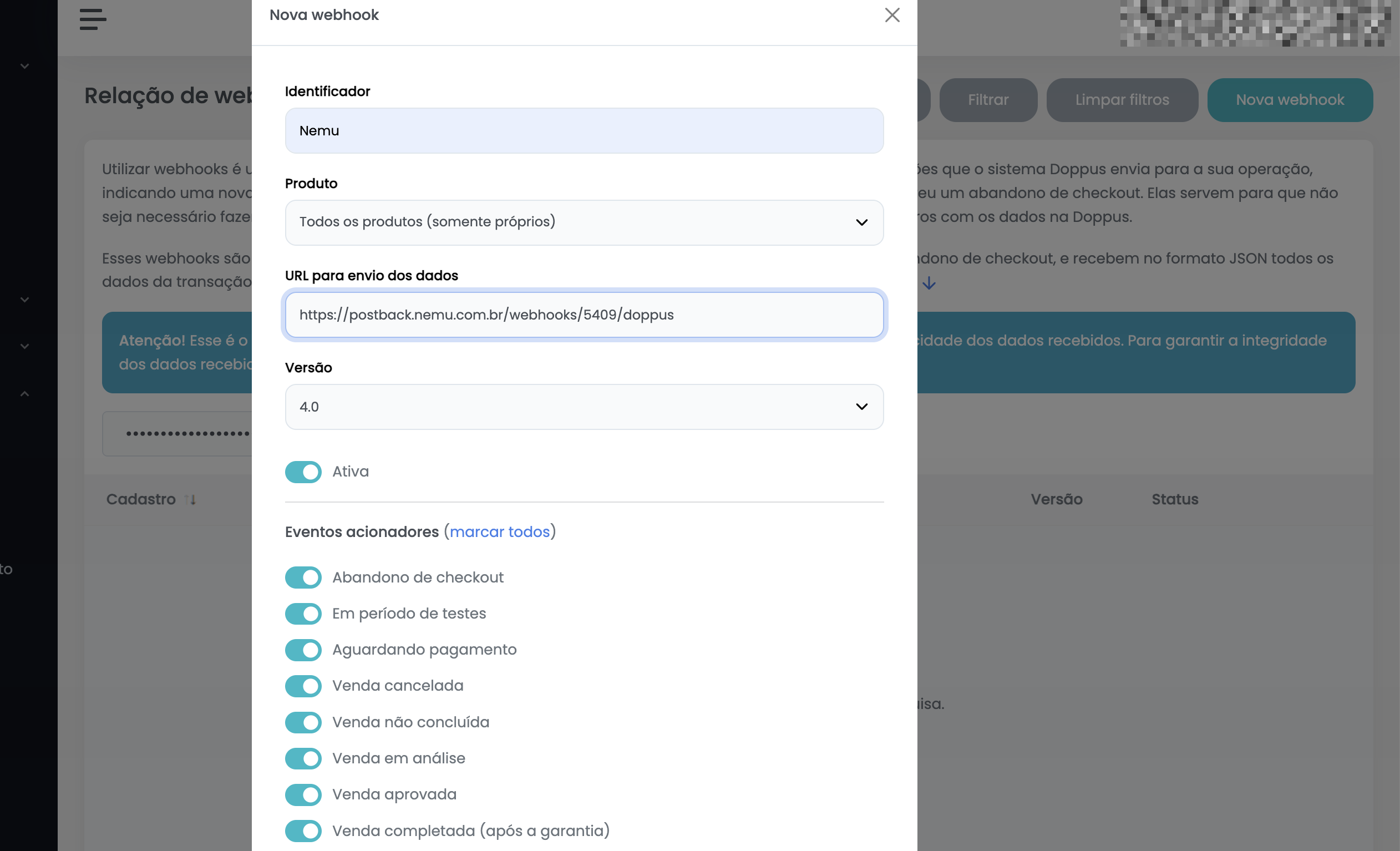
- The Version will be set by default and there will be a switch that should be activated and should remain so.
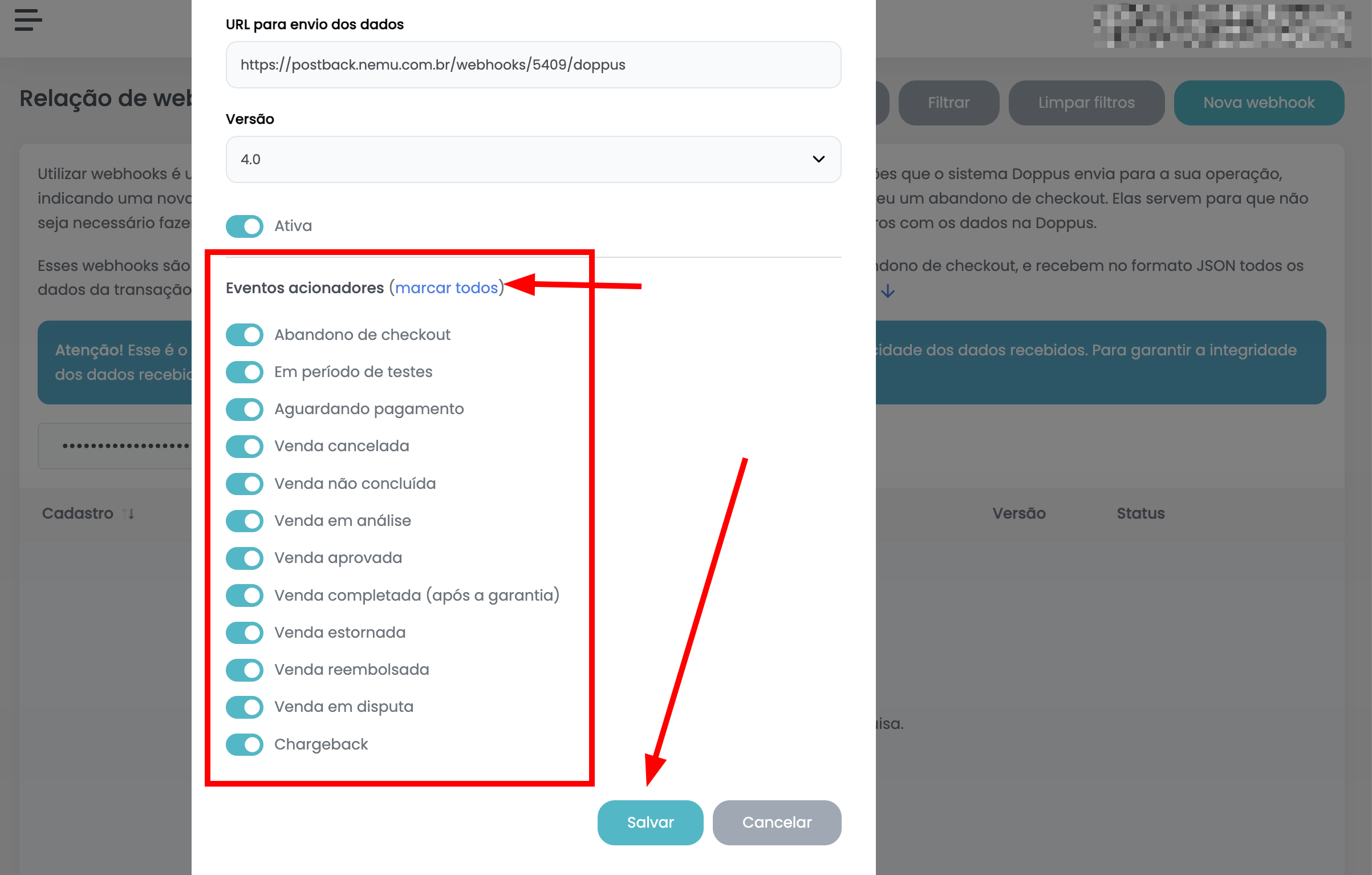
- In the Added events section, select the events you want to receive in Nemu. We recommend clicking on check all to select all events.
- Finally, click on Save to complete the integration.