Follow the step-by-step guide and start receiving sales automatically in Nemu.
Setting Up Webhooks
On Braip Panel
- In the Braip panel, in the sidebar, go to Tools > Postback.
- Click on the Documentation tab.
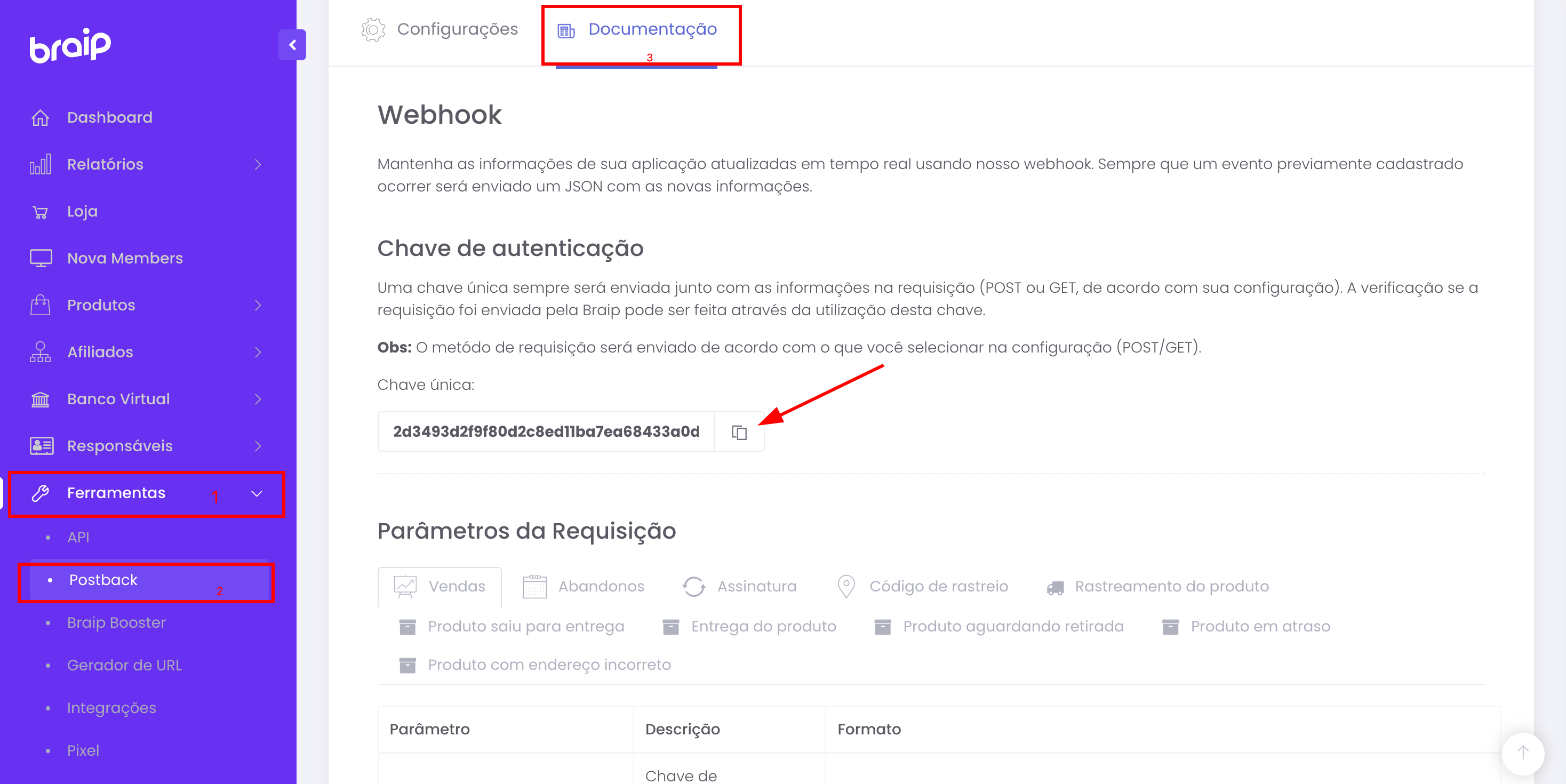
- In the Authentication Key section, locate the Unique Key field and click the icon to copy the key.
Keep this page open, as we will need the key in the next steps. The authentication key is unique and will be used to verify that requests were sent by Braip.
On Nemu Dashboard
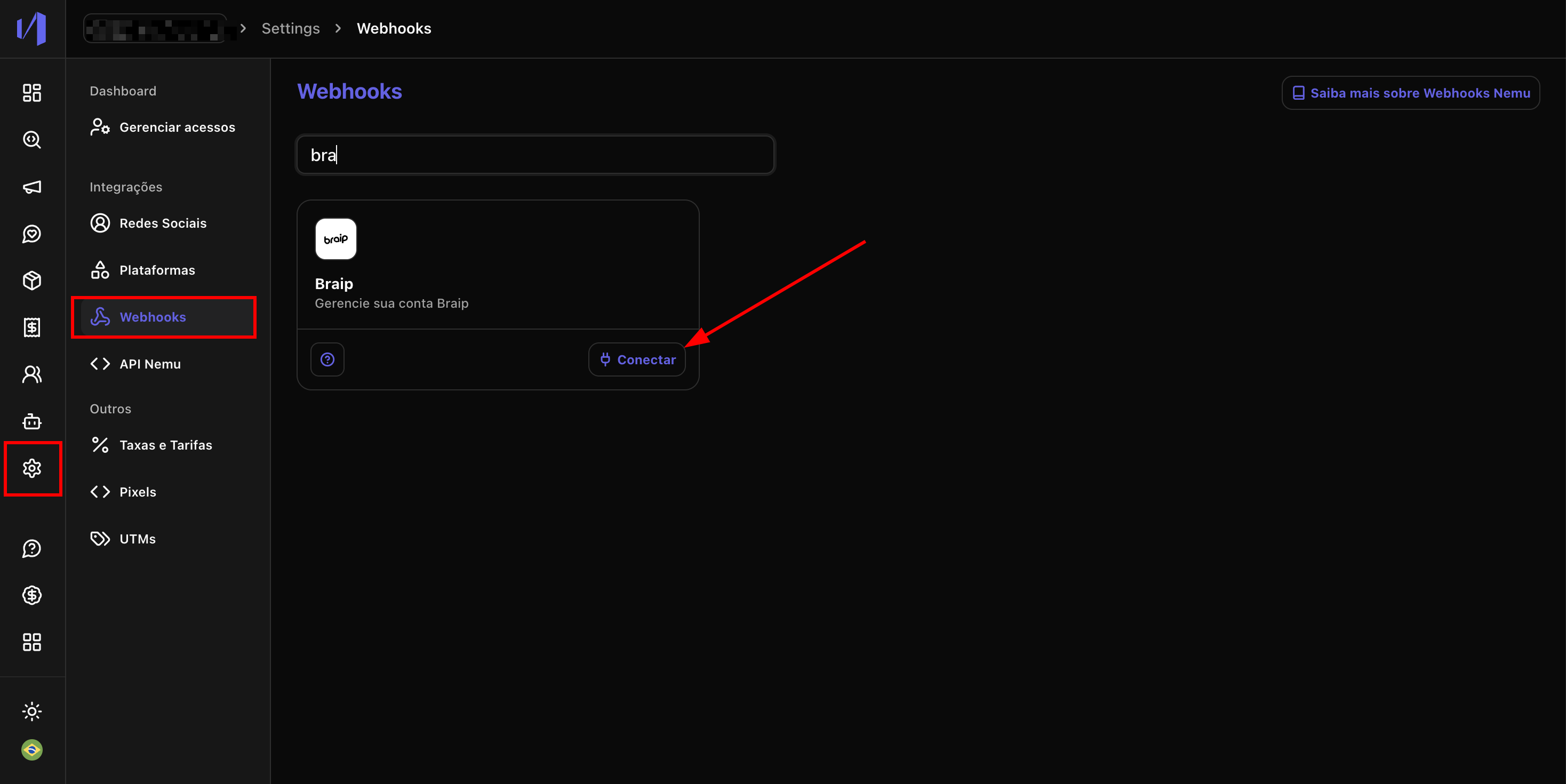
- In the Nemu panel, go to Settings > Webhooks.
-
Search for Braip and click on Connect.
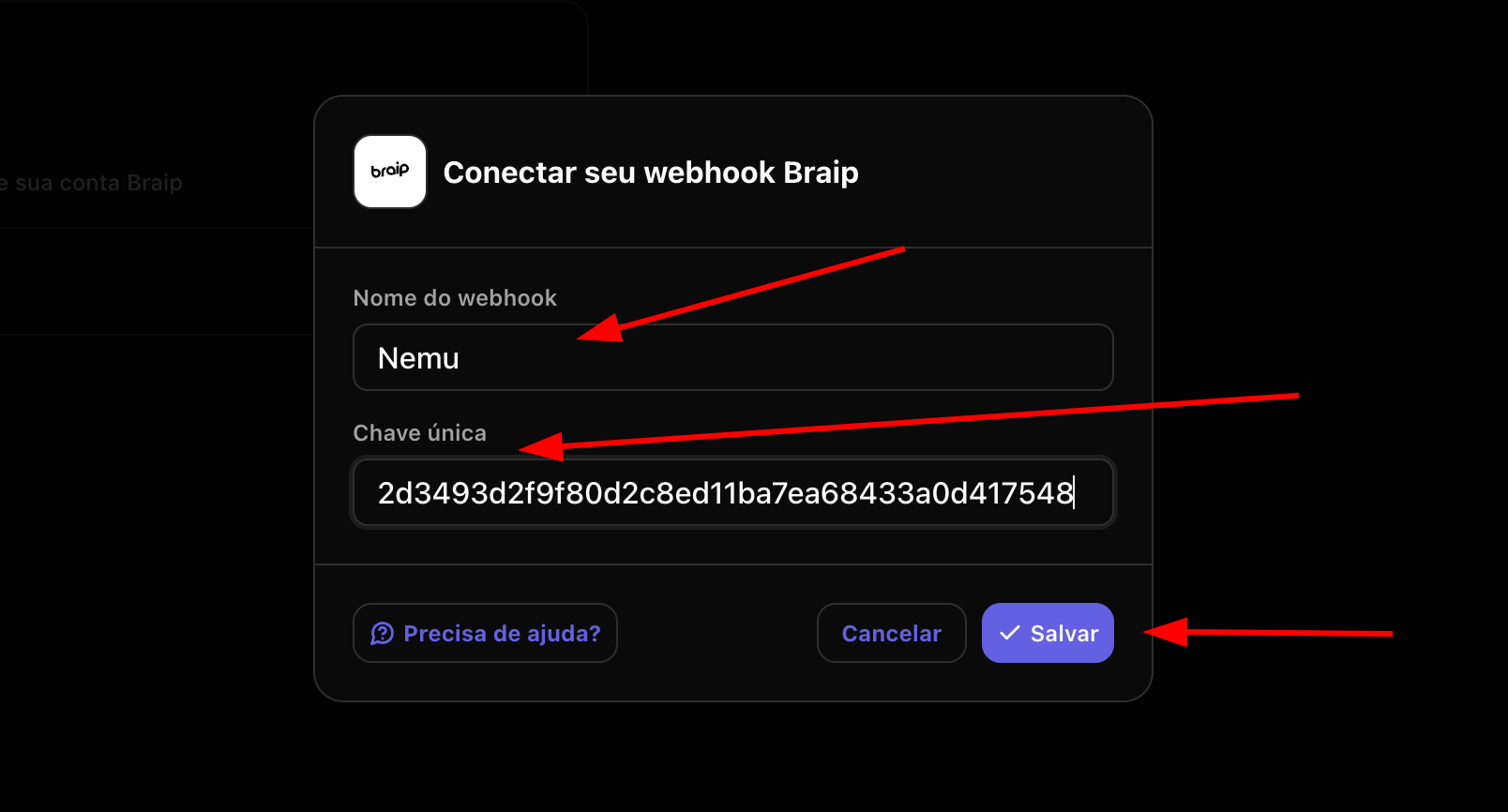
- Define a Name for the webhook, paste the Unique Key copied in step 3 and click on Save.
- Click the button to copy the webhook URL generated by Nemu.
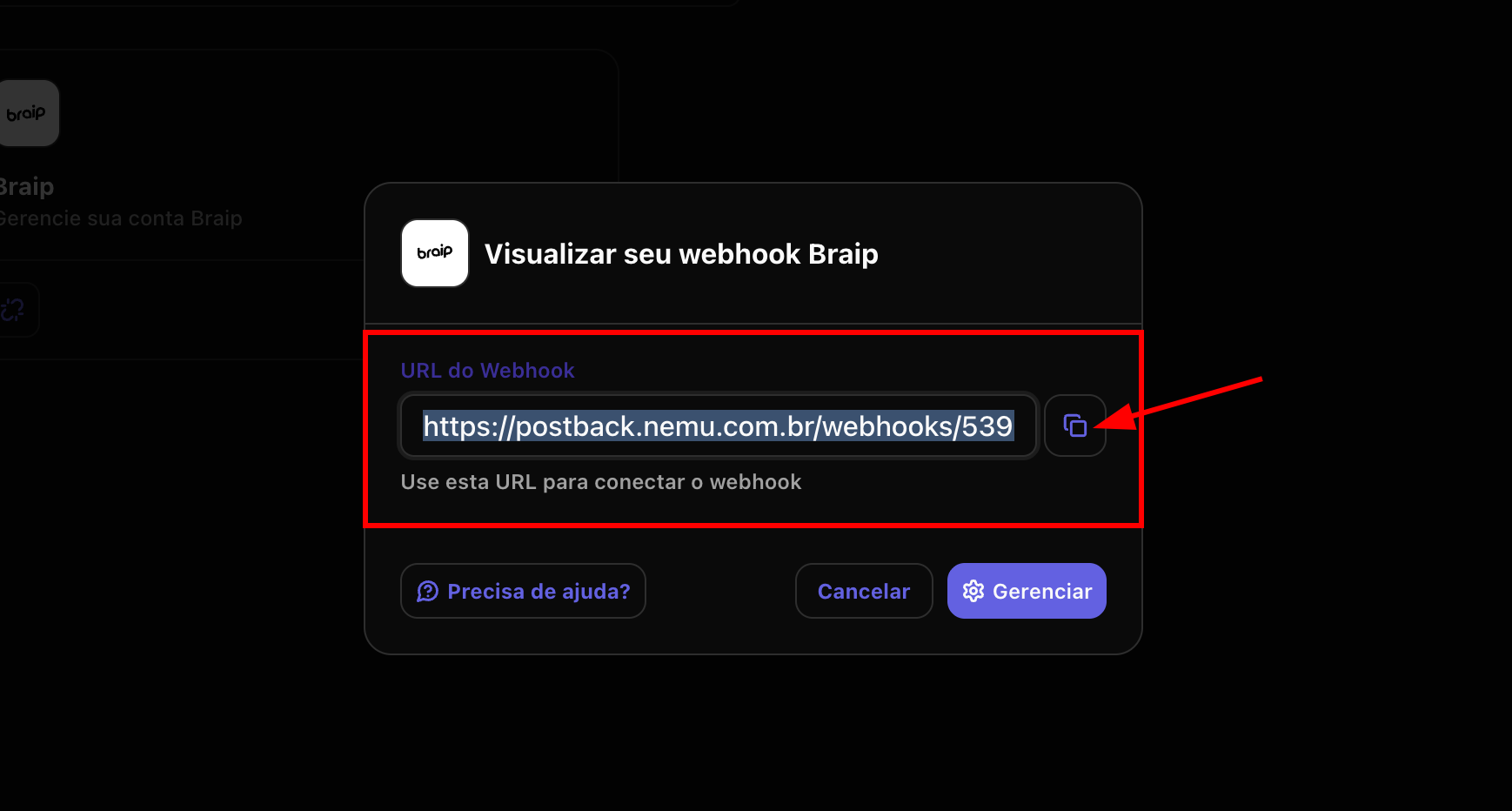
On Braip Panel
- In the Braip panel, go to Tools > Postback > Settings.
- Click on the + New configuration button.
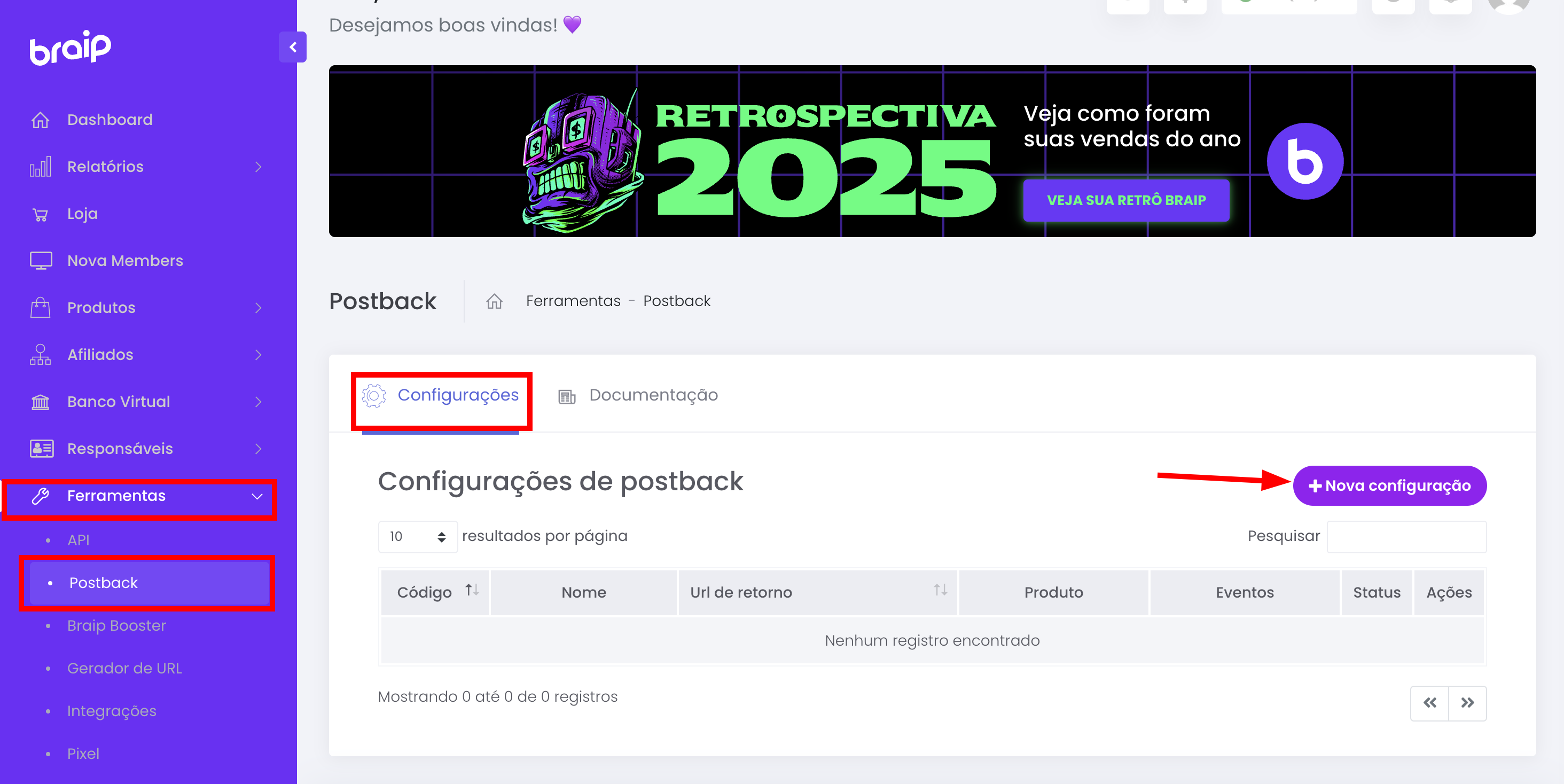
- Fill in the following fields:
- Name: Define a name for the configuration (e.g., “Nemu”)
- Return URL: Paste the URL copied in step 7
- Product: Select the desired product or “All products”
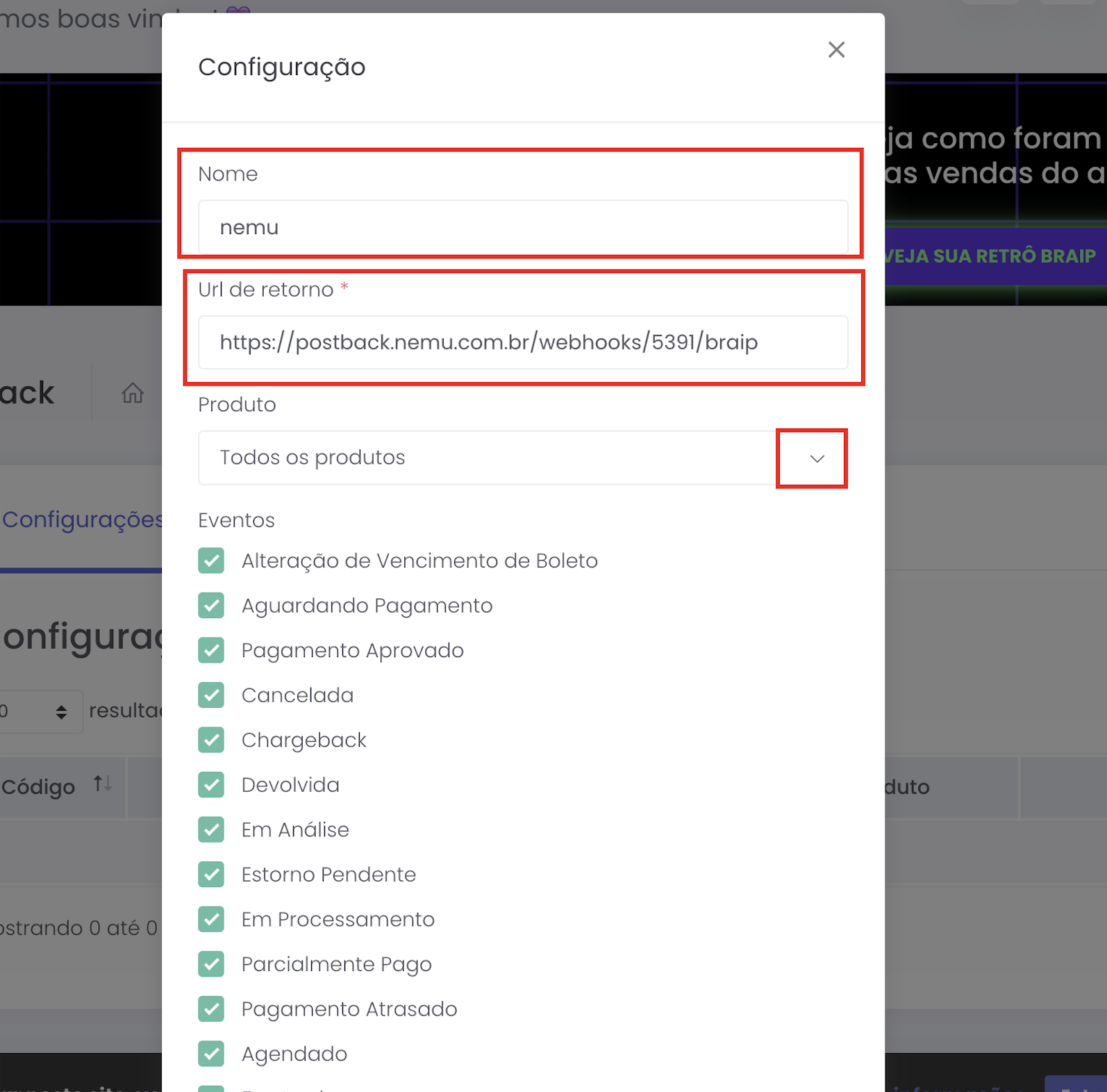
- In the Events section, select all events.
- In the Subscription section, select all events again.
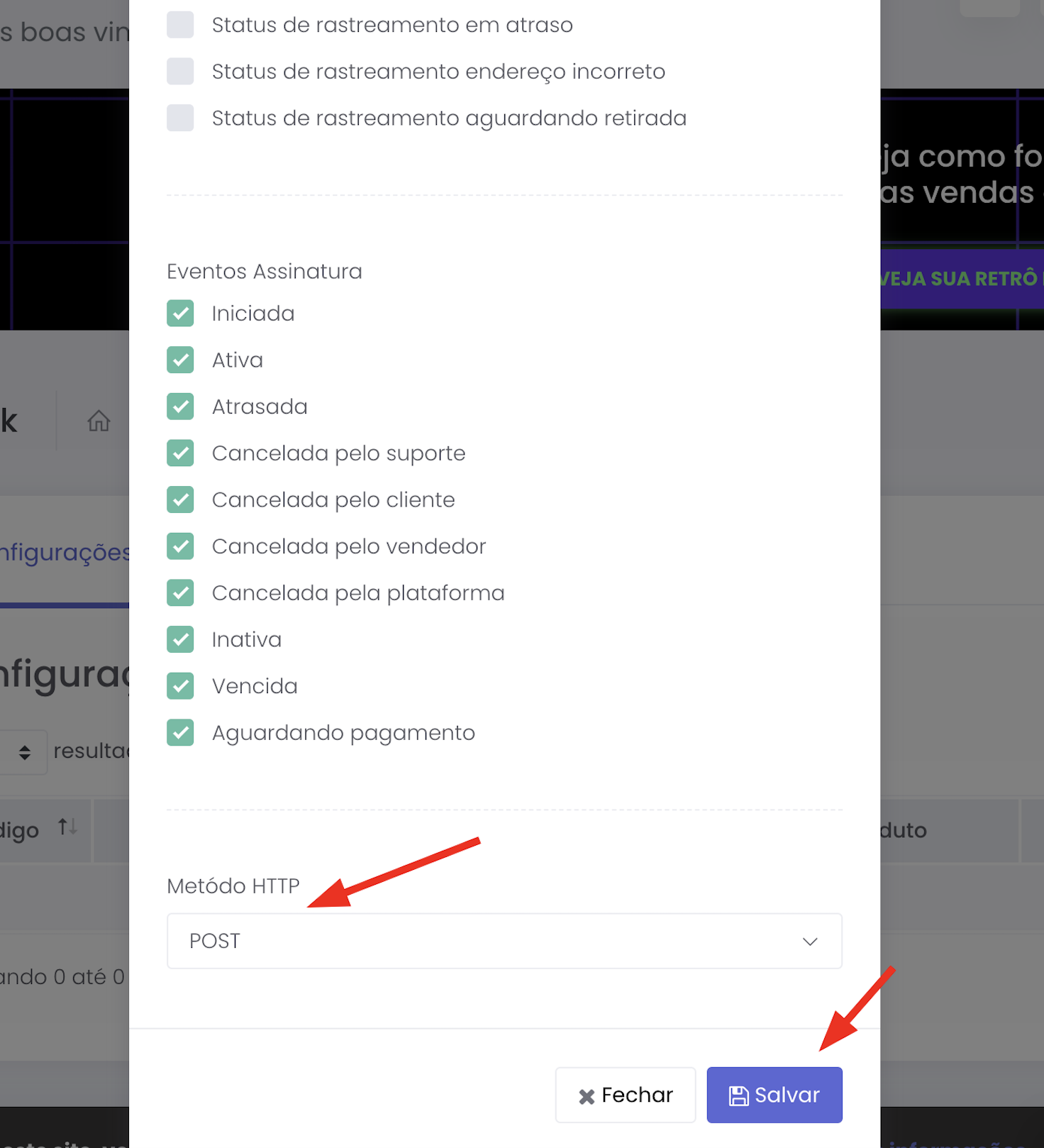
- Confirm that the HTTP Method is set to POST.
- Click on Save to complete the integration.