I already have UTMs configured
Learn how to add Nemu parameters alongside traditional UTMs to track your sales accurately on Google Ads.
I don't have UTMs configured
Learn how to add UTM parameters in Google Ads Manager to track your sales accurately.
If you don’t understand the difference between traditional UTMs and Nemu UTMs,
click here to learn more.
-
Sign in to Google Ads.
-
Click on Settings and then Account settings.
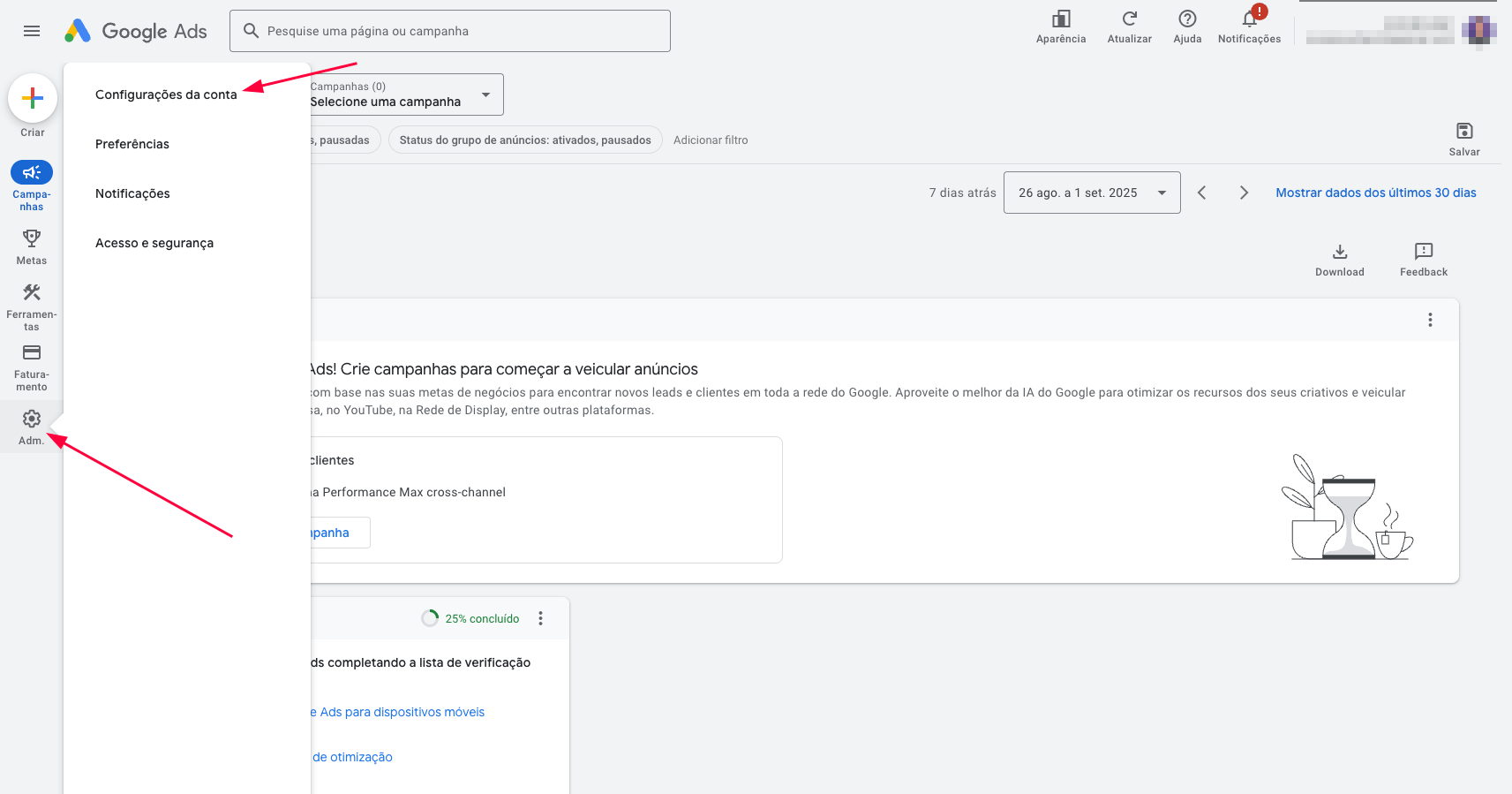
- Click on Auto-tagging, if it’s disabled, enable it and click on Save.
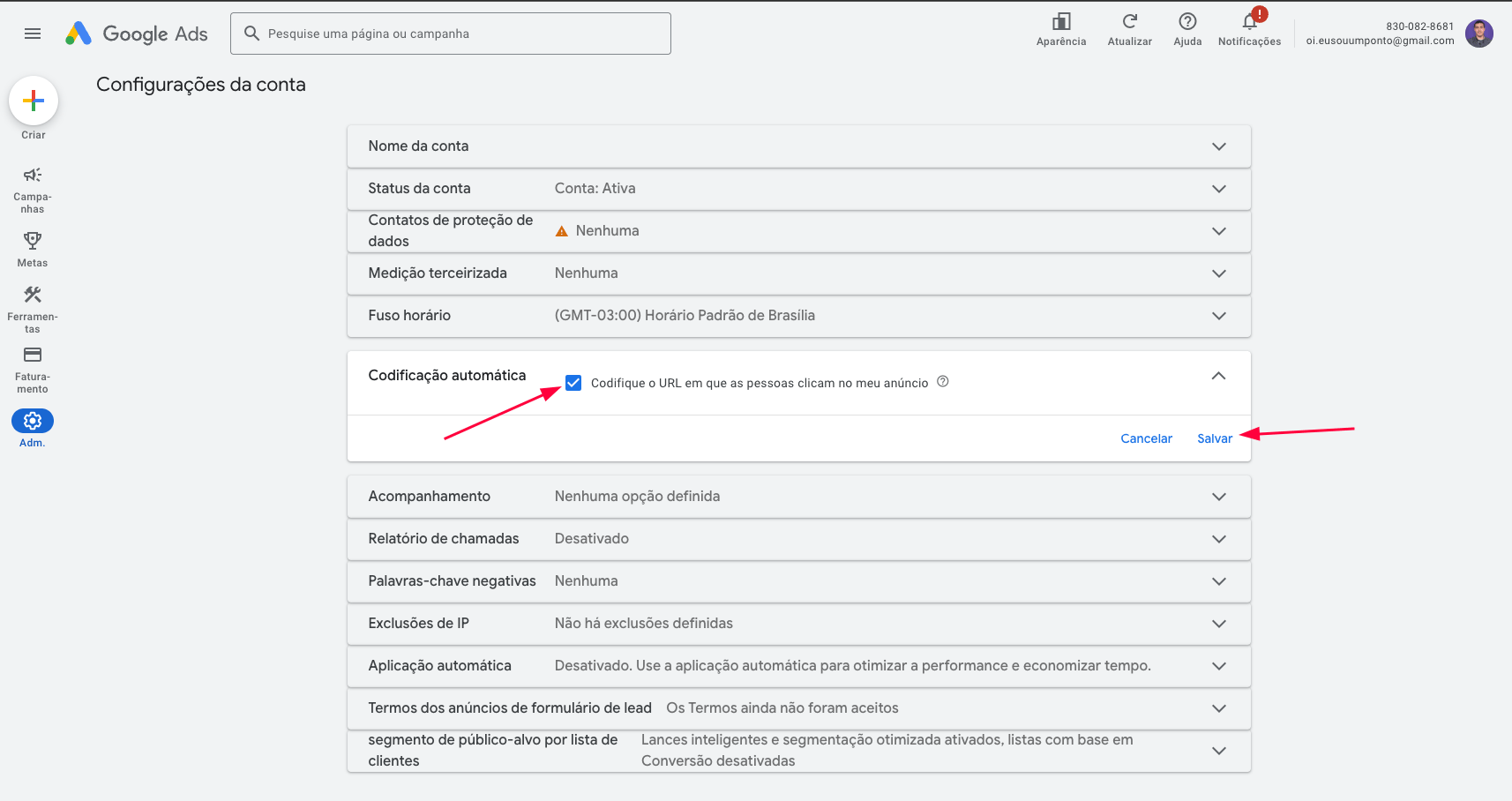
- Click on Tracking copy and paste the configuration according to your checkout and click on Save.
-
You don’t need to remove existing UTMs, just add the
nemu_ parameters at the end of yours.
-
If your checkout is different from Hotmart or Hotmart Affiliates, use the Standard configuration.
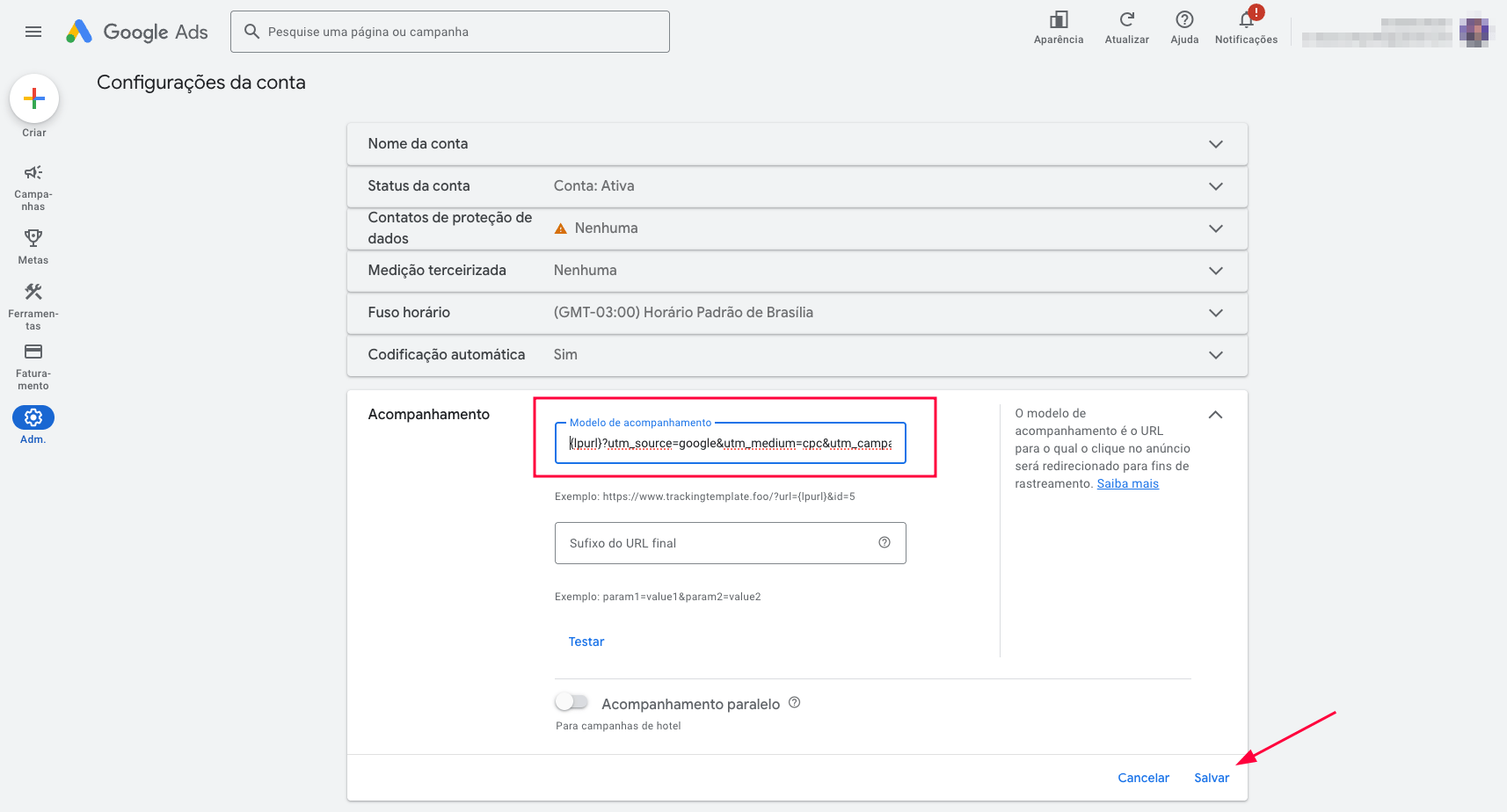
Existing UTMs + &nemu_source=google&nemu_campaign={campaignid}&nemu_adset={adgroupid}&nemu_content={creative}&nemu_term={keyword}
Existing UTMs + &nemu_source=google&nemu_campaign={campaignid}&nemu_adset={adgroupid}&nemu_content={creative}&nemu_term={keyword}
Existing UTMs + &nemu_source=google&nemu_campaign={campaignid}&nemu_adset={adgroupid}&nemu_content={creative}&nemu_term={keyword}
Example of how your final destination URL should look with Standard Checkout:
https://www.example.com/product?utm_source=google&utm_medium=cpc&utm_campaign=promo_july&nemu_source=google&nemu_campaign={campaignid}&nemu_adset={adgroupid}&nemu_content={creative}&nemu_term={keyword}
-
Sign in to Google Ads.
-
Click on Settings and then Account settings.
- Click on Auto-tagging, if it’s disabled, enable it and click on Save.
- Click on Tracking copy and paste the configuration according to your checkout and click on Save.
If your checkout is different from Hotmart or Hotmart Affiliates, use the Standard configuration.
{lpurl}?utm_source=google&utm_medium=cpc&utm_campaign={campaignid}_{adgroupid}&utm_content={creative}&utm_term={keyword}&nemu_source=google&nemu_campaign={campaignid}&nemu_adset={adgroupid}&nemu_content={creative}&nemu_term={keyword}
{lpurl}?src=google|{creative}|{adgroupid}|{campaignid}|{keyword}&nemu_source=google&nemu_campaign={campaignid}&nemu_adset={adgroupid}&nemu_content={creative}&nemu_term={keyword}
{lpurl}?sck=google|{creative}|{adgroupid}|{campaignid}|{keyword}&nemu_source=google&nemu_campaign={campaignid}&nemu_adset={adgroupid}&nemu_content={creative}&nemu_term={keyword}
https://www.example.com/product?utm_source=google&utm_medium=cpc&utm_campaign=promo_july&nemu_source=google&nemu_campaign={campaignid}&nemu_adset={adgroupid}&nemu_content={creative}&nemu_term={keyword}

