Generating the Sympla API Key
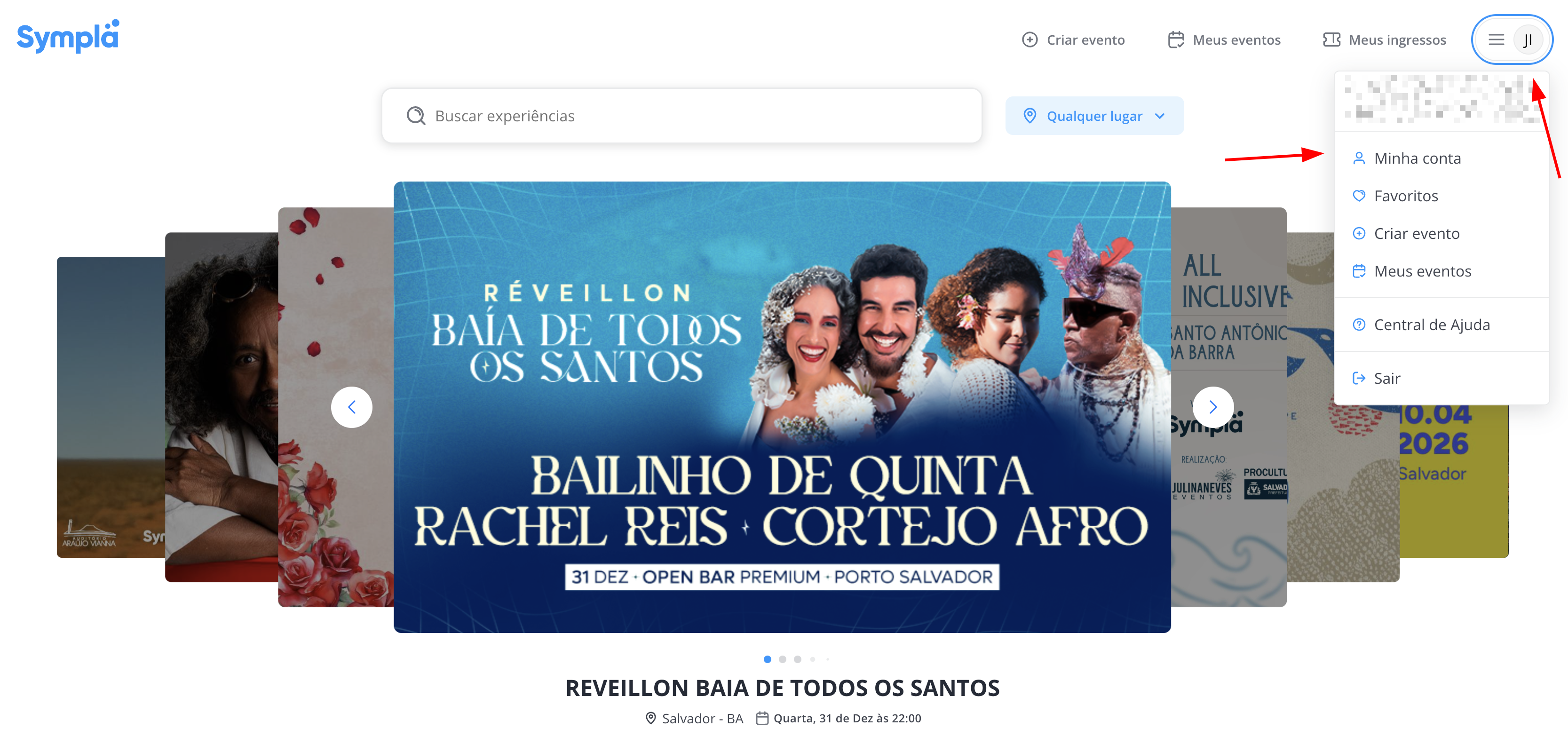
- In the Sympla panel, in the top right menu, click on the user avatar and click on My Account
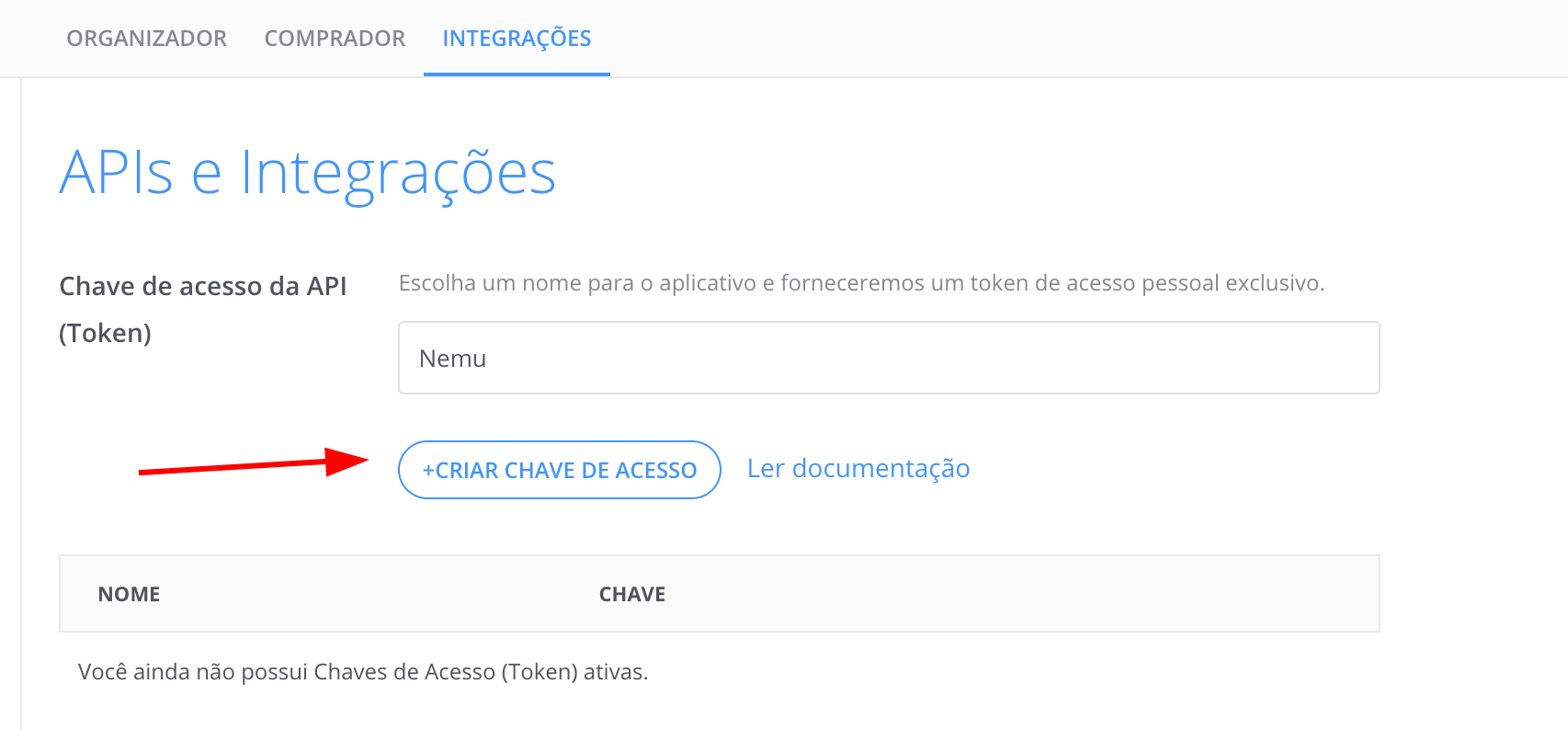
- In the Integrations section, define a name for the integration and click on + CREATE ACCESS KEY
- Copy the generated API key by clicking on the key.

Setting Up Webhooks in Nemu Dashboard
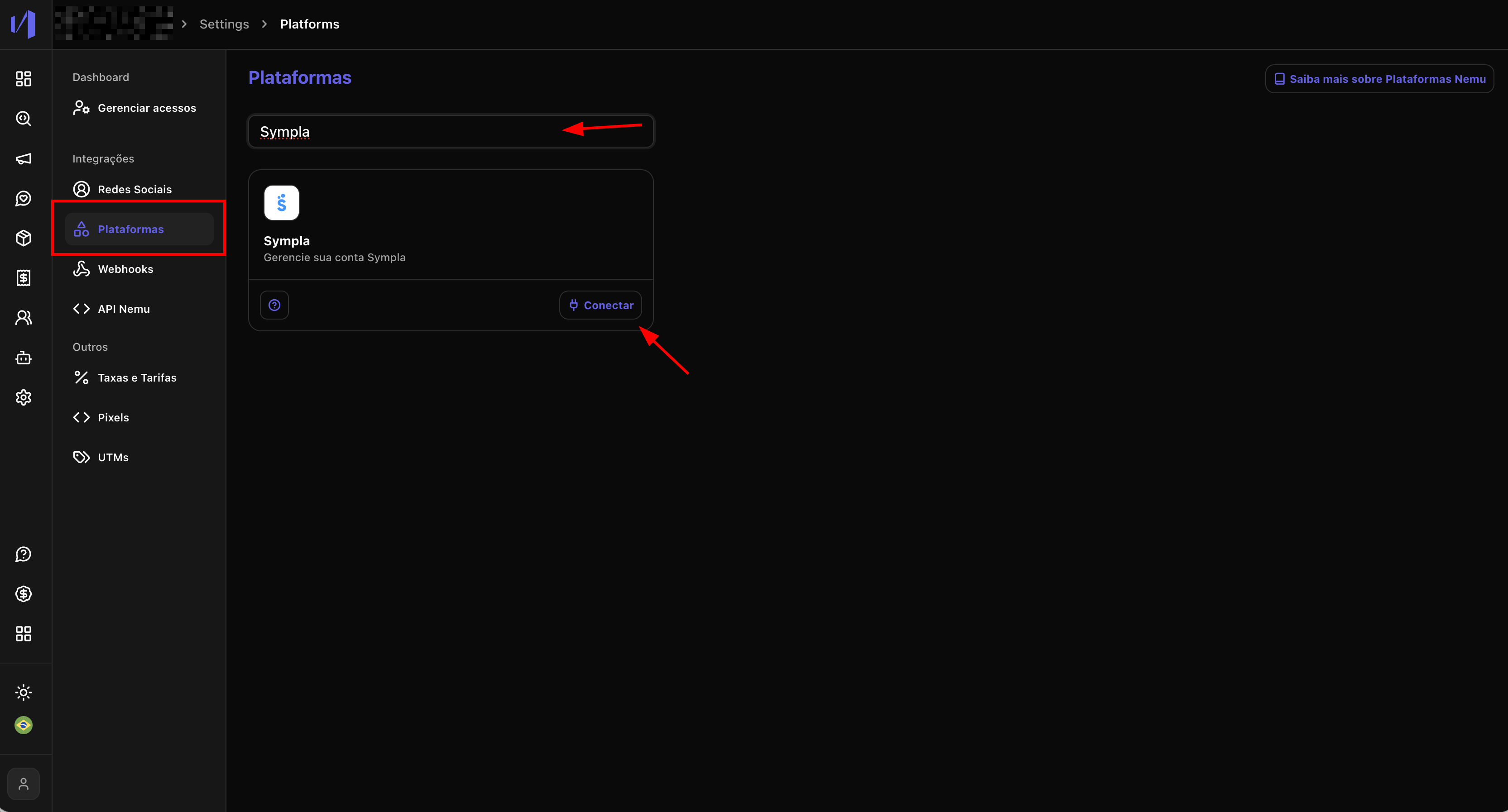
- In the Nemu panel, go to Settings > Platforms.
- Search for Sympla and click on Connect.
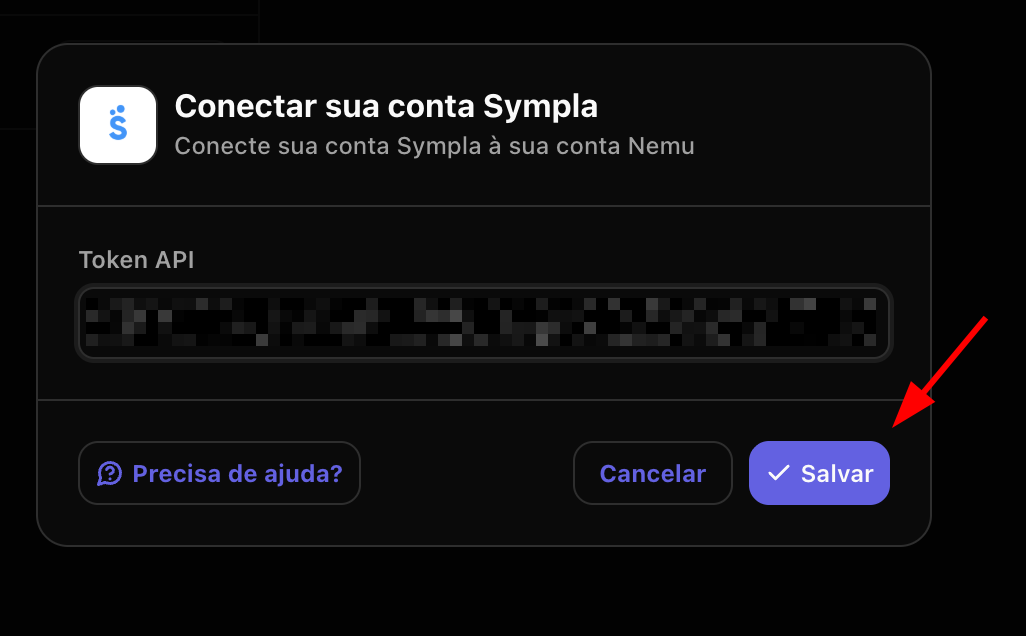
- Paste the API key generated in the previous step and click on Save.