

Setting Up Webhooks
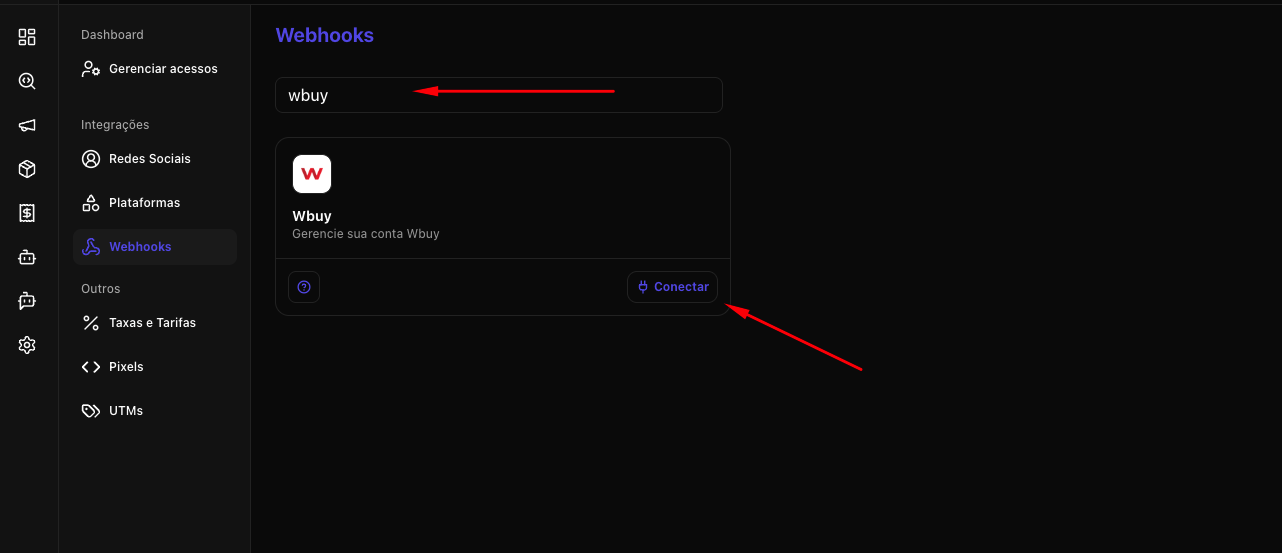
- In the Nemu panel, go to Settings > Webhooks.
- Search for WBuy and click on Connect.
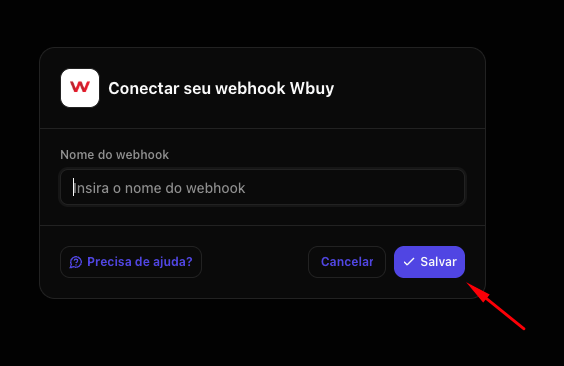
- Define a name for your webhook and click on Connect.
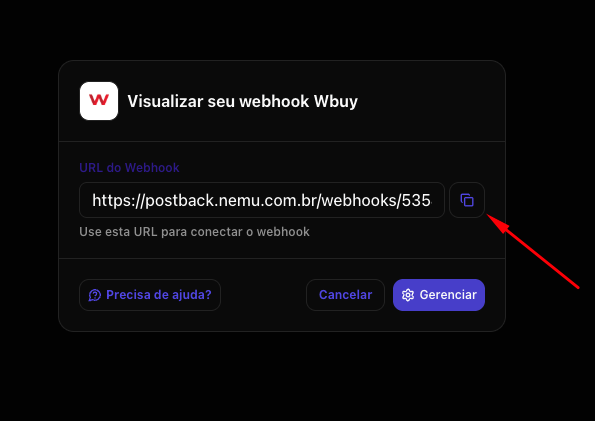
- Click the button to copy the webhook URL generated by Nemu and click on Finish.
Keep this URL copied, as we will need it for the next steps.
- In the WBuy admin panel, in the left sidebar, navigate to General > Platform and click on API and webhooks.
- Click on the New webhook button.
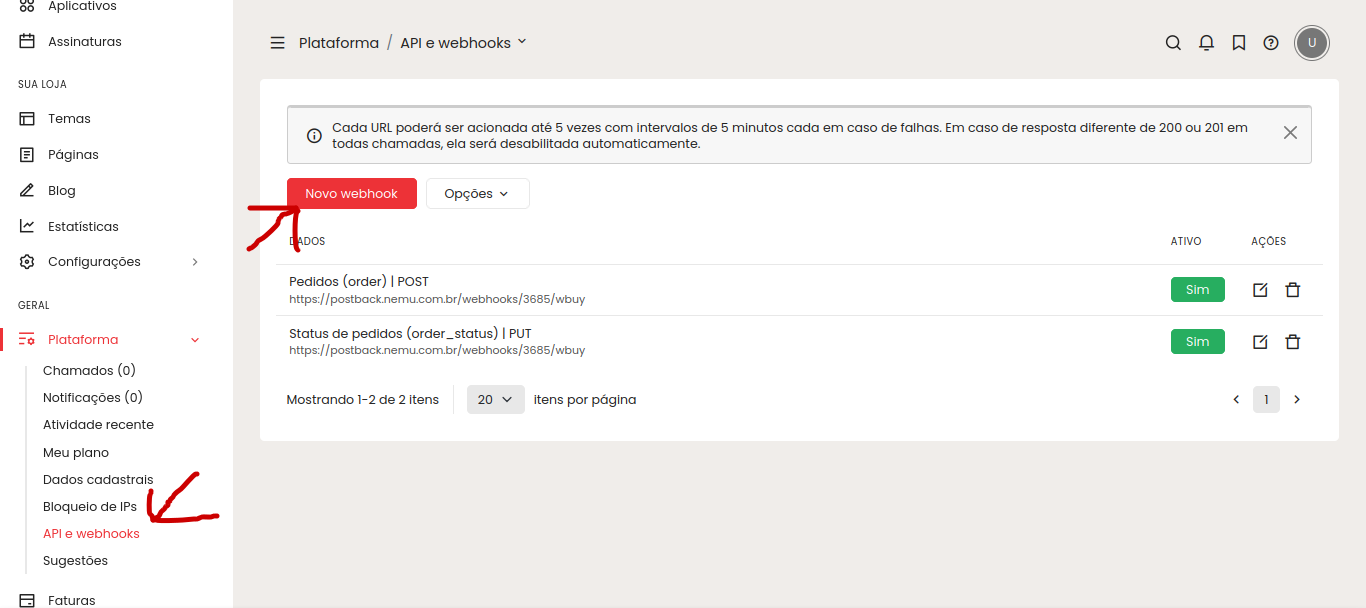
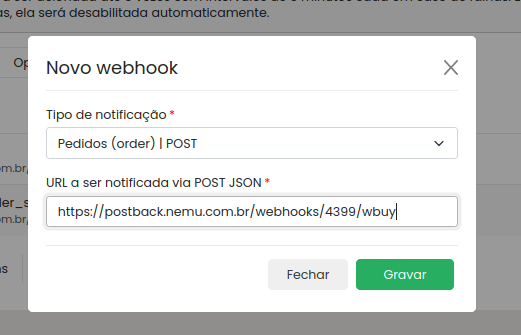
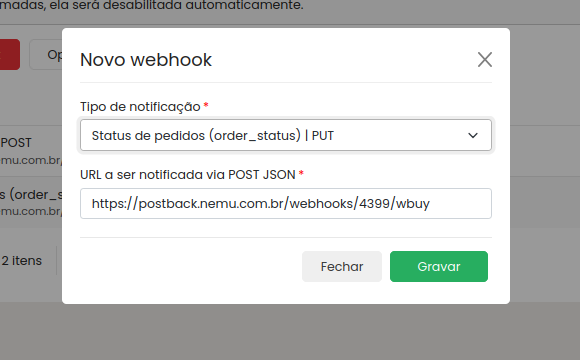
- You need to create 2 webhooks pointing to the same URL you copied earlier in Nemu:
It is necessary to create two different webhooks to capture both order creation and order updates.
-
First webhook: notification type Orders (order) | POST
- Second webhook: notification type Order status (order_status) | PUT
Installing Nemu Pixel on WBuy
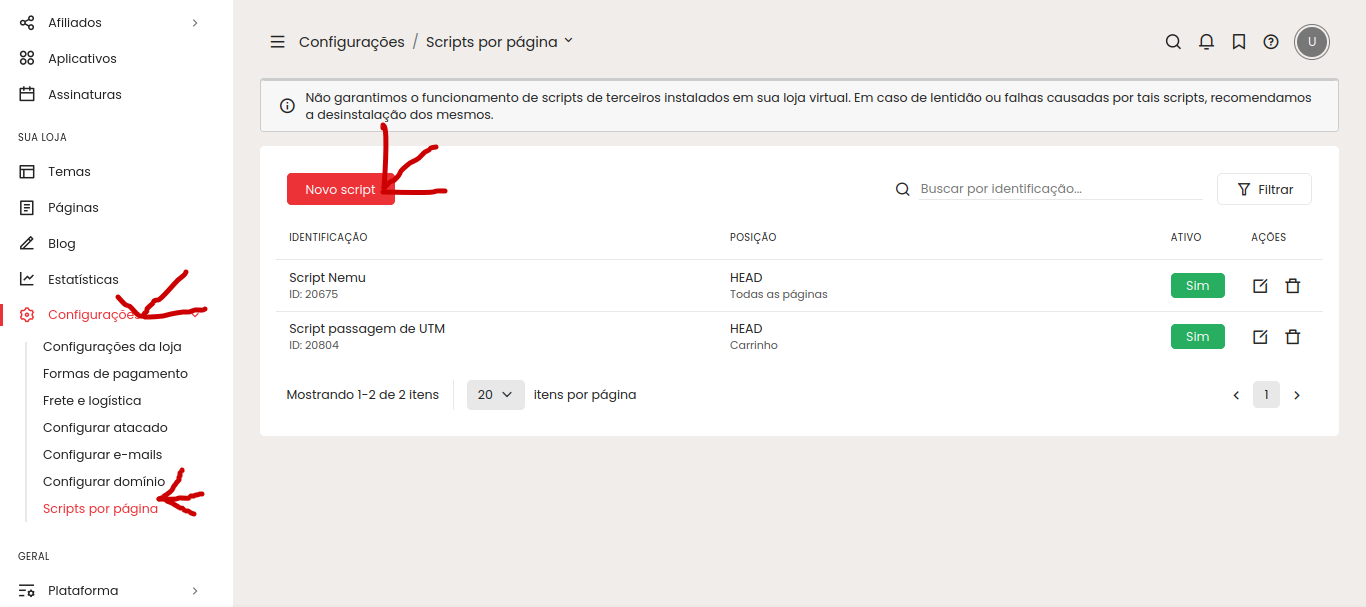
- In the WBuy admin panel, in the left sidebar, navigate to Your Store > Settings > Scripts per page.
- Click on New script.
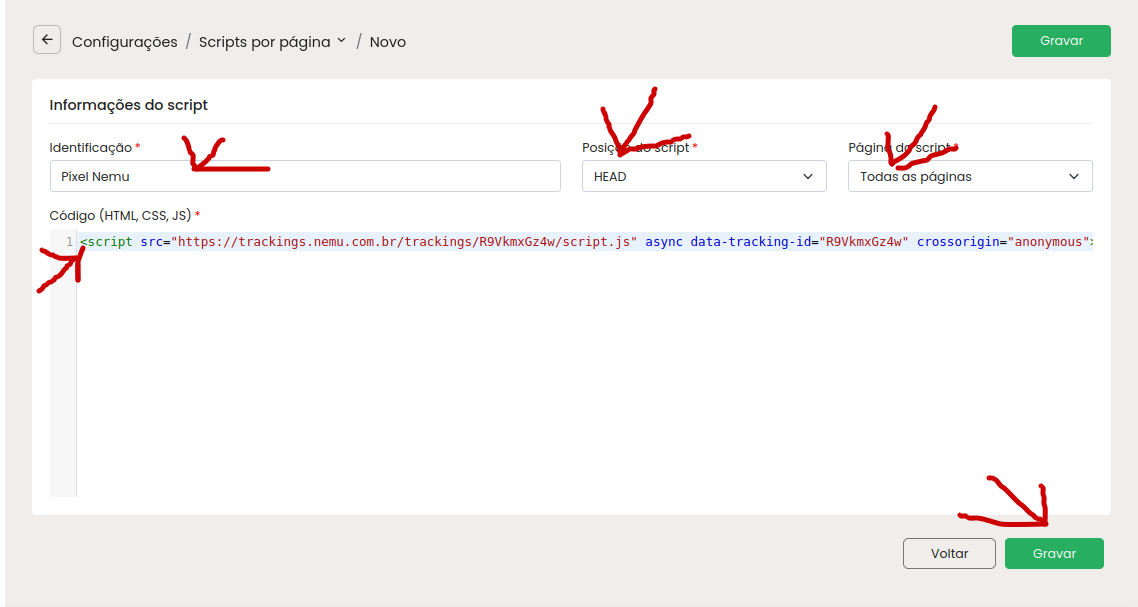
- Paste the Nemu pixel script copied earlier. This script must be in the
<head>tag and set on all pages.
UTM Passing Script
- In the WBuy admin panel, in the left sidebar, navigate to Your Store > Settings > Scripts per page.
- Click on New script.
- Paste the UTM passing script below. This script must be in the
<head>tag and added only on the cart page.
The UTM passing script is essential to ensure that campaign parameters are transferred correctly during the checkout flow.
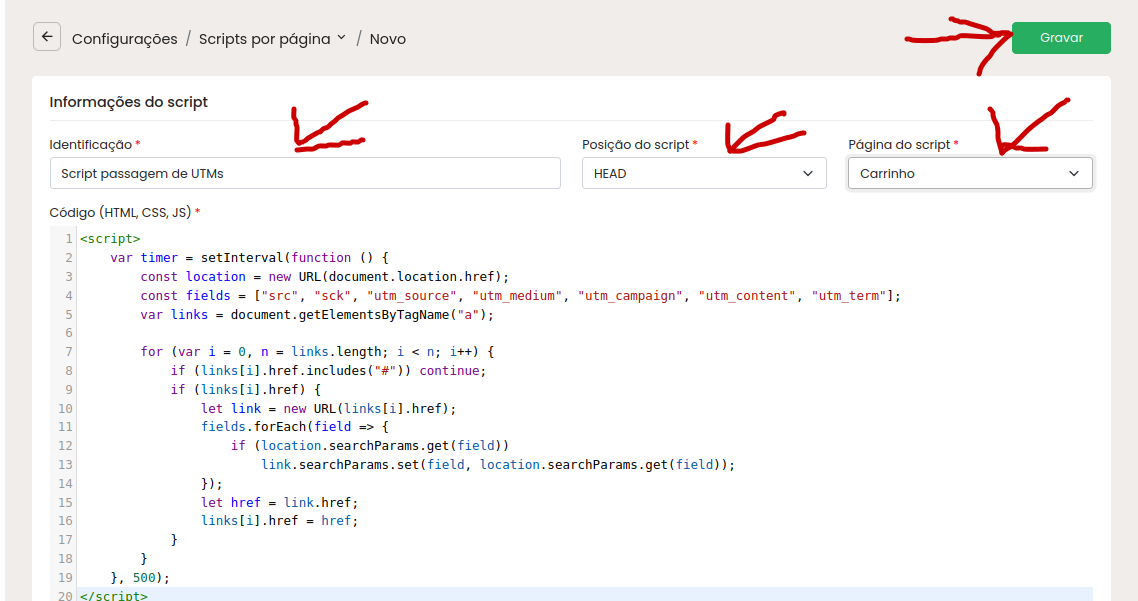
UTM Passing Script