

How to integrate with Shoppub
To connect your Shoppub account, simply follow these simple steps:
- First, go to your Shoppub store admin.
-
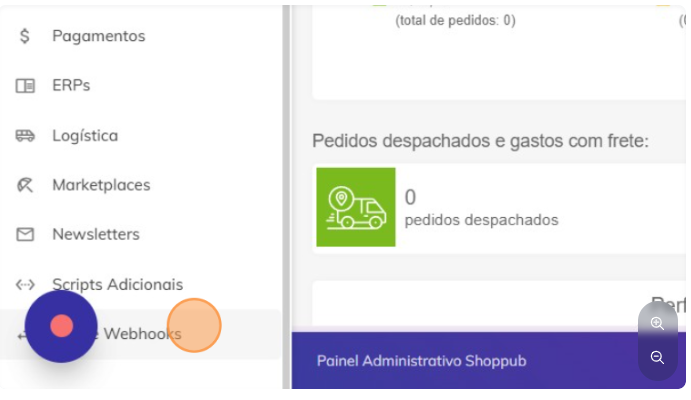
In the sidebar, go to “APIs and Webhooks”.
-
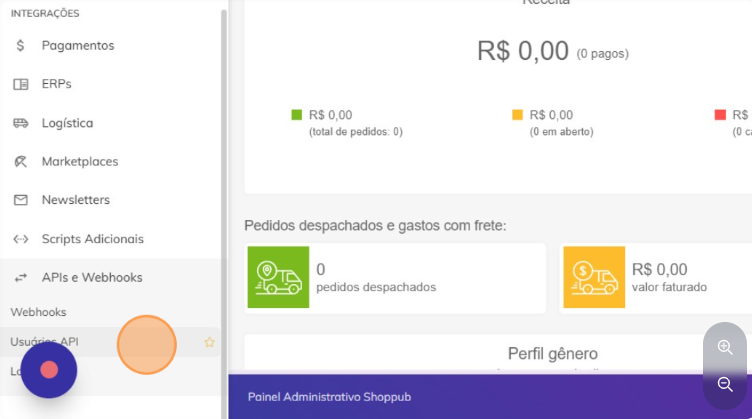
Select “API Users”.
-
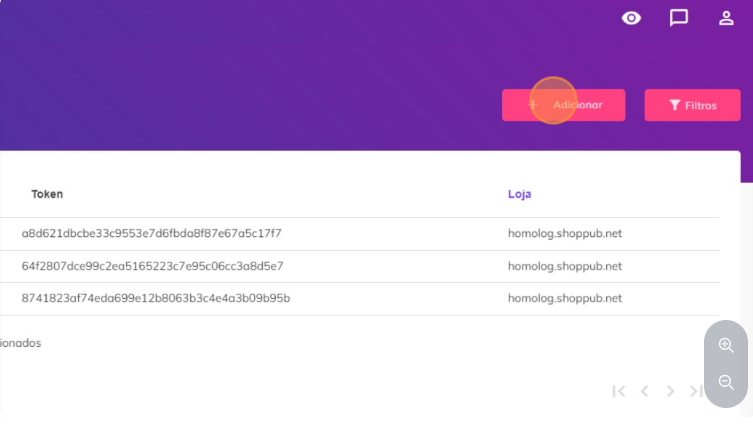
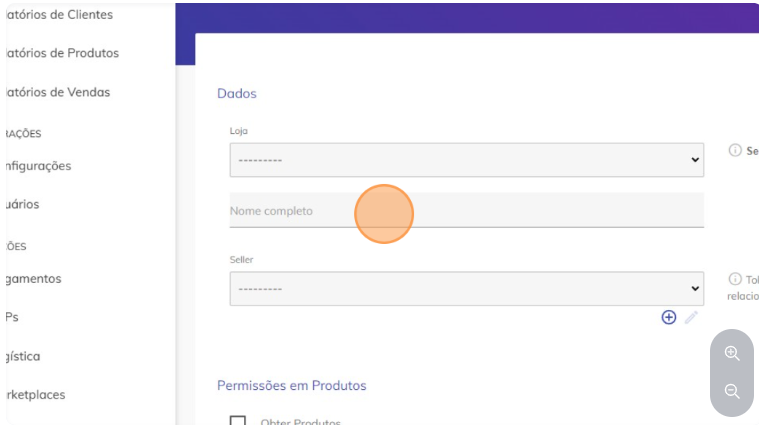
Click on “Add”.
-
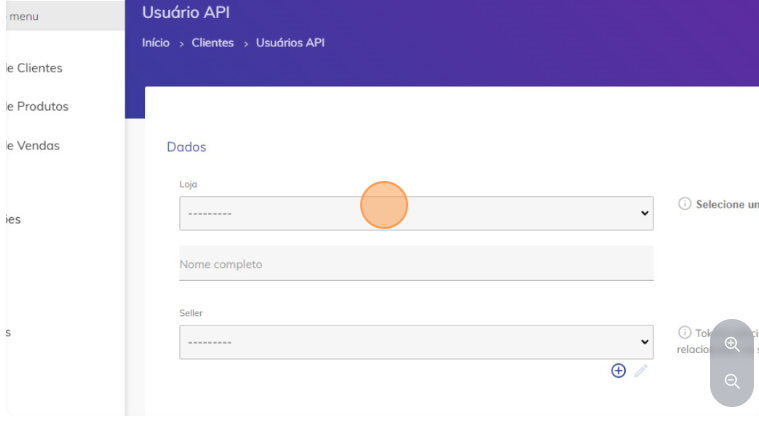
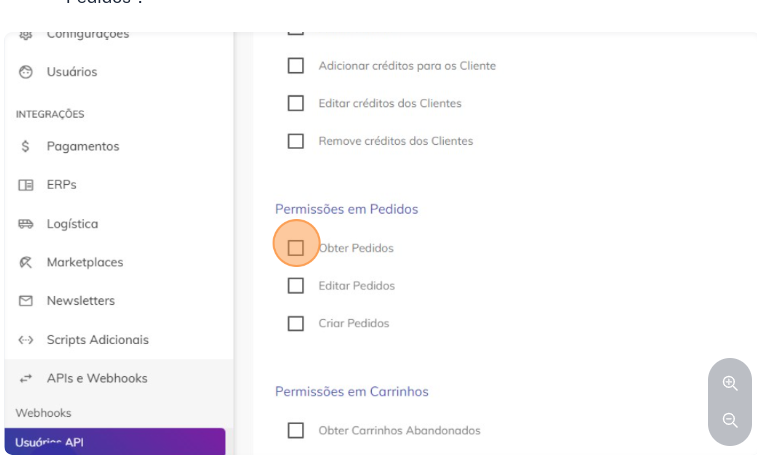
To allow the company to access order information, click on “Get Orders”.
-
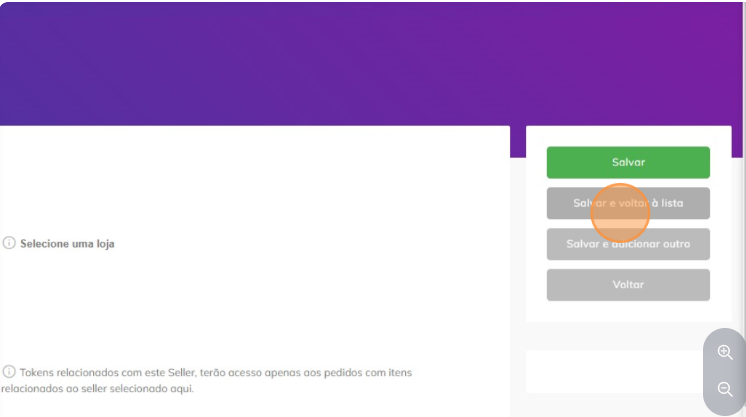
Finally, go to “Save and return to list”.
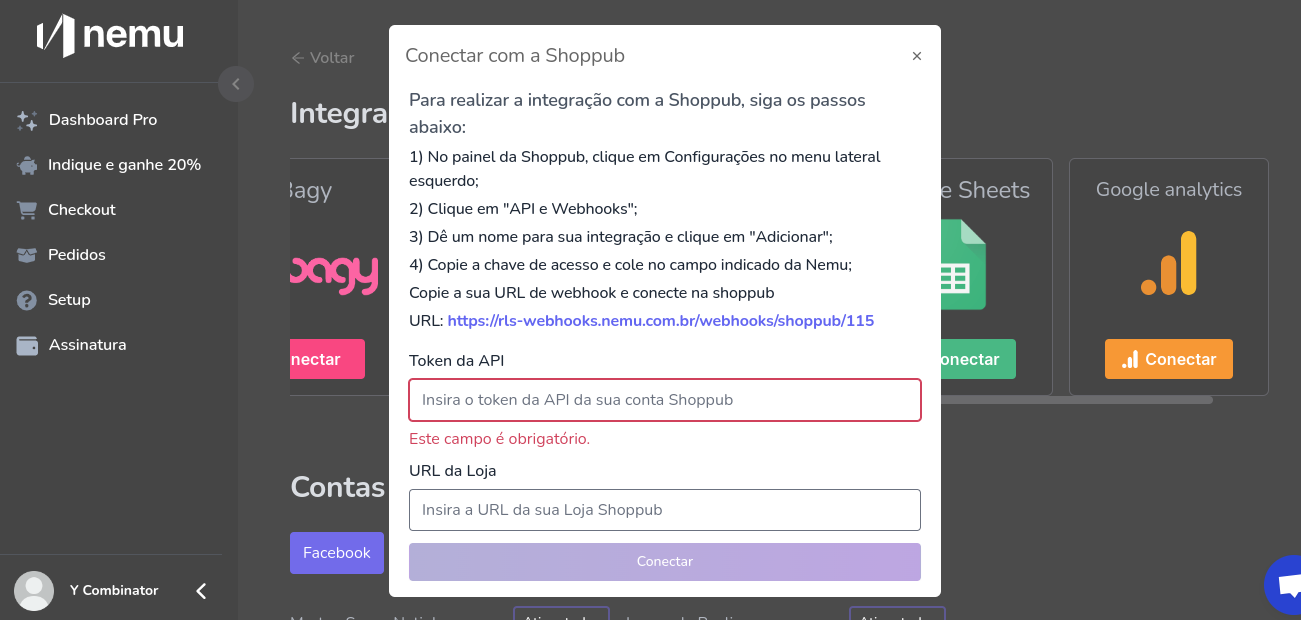
Connecting Nemu’s webhook in Shoppub:
-
Click on “APIs and Webhooks”.
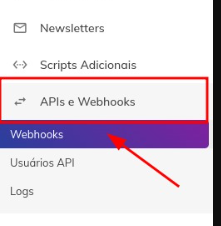
-
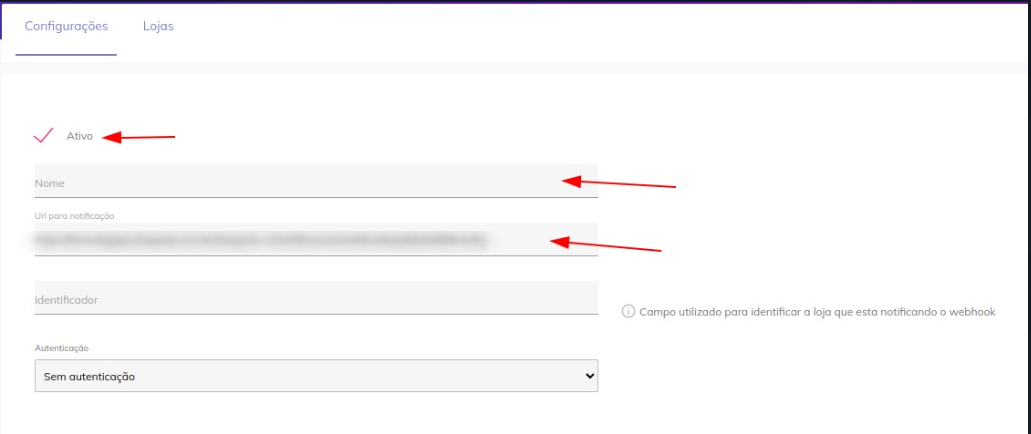
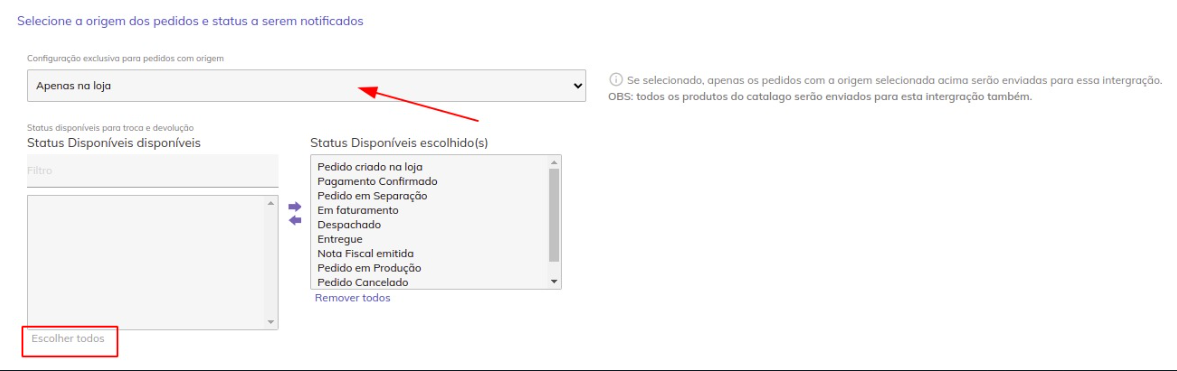
Add webhook.

Remember that because it is a Webhook integration format, it will not be
possible to get retroactive data, the numbers will start appearing in your dashboard
as new sales come in.